We’ll be doing automated code analysis using capa tool set, binary ninja plugins and 0A Labs Hash DB.
Now then Let’s get started.
Sample
| Property | Value |
|---|---|
| MD5 | a7c3f0e6e7b6f1a0147b27a7e52088d2 |
| SHA-1 | df7205f168cb0ae912e38875823512332631bedf |
| SHA-256 | 822872c4e6799dc4c80f8863911387b31fb6f5f32c82b9b75b2b5a2886a147e4 |
| SSDEEP | 1536:UwdKlUb+Dm4s9hN1YkPDckM8HsquOBcrqqRTVrdnsqiMSXke:sI4sZ1YkPH1BcGqFVrBsr |
| TLSH | T16F538D13C707D47AE683407E3517BAB641393D391271E4AEFE878989A9207E176D1F0B |
| File type | unknown |
| Magic | data |
| Magika | UNKNOWN |
| File size | 60.00 KB (61440 bytes) |
Capa Analysis
First we will use capa tool set. capa is one the interesting tool for doing automated static analysis.
capa is good for identifying interesting capabilities in malware such as c2 communications, file system interactions, and encoding or encryption mechanisms just to name a few.
Let’s run capa against the shell code we extracted
make sure to download capa-rule sets from this github repo: https://github.com/mandiant/capa-rules
capa command
capa -f sc32 -r ~/capa-rules/ 550000.shc use your rule set location.
output:
kant@APPLEs-MacBook-Pro ~/D/process_2268> capa -f sc32 -r ~/capa-rules/ 550000.shc
┌─────────────┬────────────────────────────────────────────────────────────────────────────────────┐
│ md5         │ a7c3f0e6e7b6f1a0147b27a7e52088d2                                                   │
│ sha1        │ df7205f168cb0ae912e38875823512332631bedf                                           │
│ sha256      │ 822872c4e6799dc4c80f8863911387b31fb6f5f32c82b9b75b2b5a2886a147e4                   │
│ analysis    │ static                                                                             │
│ os          │ unknown                                                                            │
│ format      │ sc32                                                                               │
│ arch        │ i386                                                                               │
│ path        │ /Users/kant/Desktop/process_2268/550000.shc                                        │
└─────────────┴────────────────────────────────────────────────────────────────────────────────────┘
┏━━━━━━━━━━━━━━━━━━━━━━┳━━━━━━━━━━━━━━━━━━━━━━━━━━━━━━━━━━━━━━━━━━━━━━━━━━━━━━━━━━━━━━━━━━━━━━━━━━━┓
┃ ATT&CK Tactic        ┃ ATT&CK Technique                                                          ┃
┡━━━━━━━━━━━━━━━━━━━━━━╇━━━━━━━━━━━━━━━━━━━━━━━━━━━━━━━━━━━━━━━━━━━━━━━━━━━━━━━━━━━━━━━━━━━━━━━━━━━┩
│ DEFENSE EVASION      │ Obfuscated Files or Information [T1027]                                   │
│                      │ Obfuscated Files or Information::Indicator Removal from Tools [T1027.005] │
│ EXECUTION            │ Shared Modules [T1129]                                                    │
└──────────────────────┴───────────────────────────────────────────────────────────────────────────┘
┏━━━━━━━━━━━━━━━━━━━━━━━┳━━━━━━━━━━━━━━━━━━━━━━━━━━━━━━━━━━━━━━━━━━━━━━━━━━━━━━━━━━━━━━━━━━━━━━━━━━┓
┃ MBC Objective         ┃ MBC Behavior                                                             ┃
┡━━━━━━━━━━━━━━━━━━━━━━━╇━━━━━━━━━━━━━━━━━━━━━━━━━━━━━━━━━━━━━━━━━━━━━━━━━━━━━━━━━━━━━━━━━━━━━━━━━━┩
│ ANTI-STATIC ANALYSIS  │ Executable Code Obfuscation::Argument Obfuscation [B0032.020]            │
│                       │ Executable Code Obfuscation::Stack Strings [B0032.017]                   │
│ CRYPTOGRAPHY          │ Encrypt Data::RC4 [C0027.009]                                            │
│                       │ Generate Pseudo-random Sequence::RC4 PRGA [C0021.004]                    │
│ DATA                  │ Encode Data::Base64 [C0026.001]                                          │
│                       │ Encode Data::XOR [C0026.002]                                             │
│ DEFENSE EVASION       │ Obfuscated Files or Information::Encoding-Standard Algorithm [E1027.m02] │
│ EXECUTION             │ Install Additional Program [B0023]                                       │
└───────────────────────┴──────────────────────────────────────────────────────────────────────────┘
┏━━━━━━━━━━━━━━━━━━━━━━━━━━━━━━━━━━━━━━━━━━━━━━━━┳━━━━━━━━━━━━━━━━━━━━━━━━━━━━━━━━━━━━━━━━━━━━━━━━━┓
┃ Capability                                     ┃ Namespace                                       ┃
┡━━━━━━━━━━━━━━━━━━━━━━━━━━━━━━━━━━━━━━━━━━━━━━━━╇━━━━━━━━━━━━━━━━━━━━━━━━━━━━━━━━━━━━━━━━━━━━━━━━━┩
│ contain obfuscated stackstrings (8 matches)    │ anti-analysis/obfuscation/string/stackstring    │
│ encode data using Base64                       │ data-manipulation/encoding/base64               │
│ encode data using XOR (2 matches)              │ data-manipulation/encoding/xor                  │
│ encrypt data using RC4 PRGA                    │ data-manipulation/encryption/rc4                │
│ contain an embedded PE file                    │ executable/subfile/pe                           │
│ access PEB ldr_data (2 matches)                │ linking/runtime-linking                         │
└────────────────────────────────────────────────┴─────────────────────────────────────────────────┘
Capa did found some interesting things
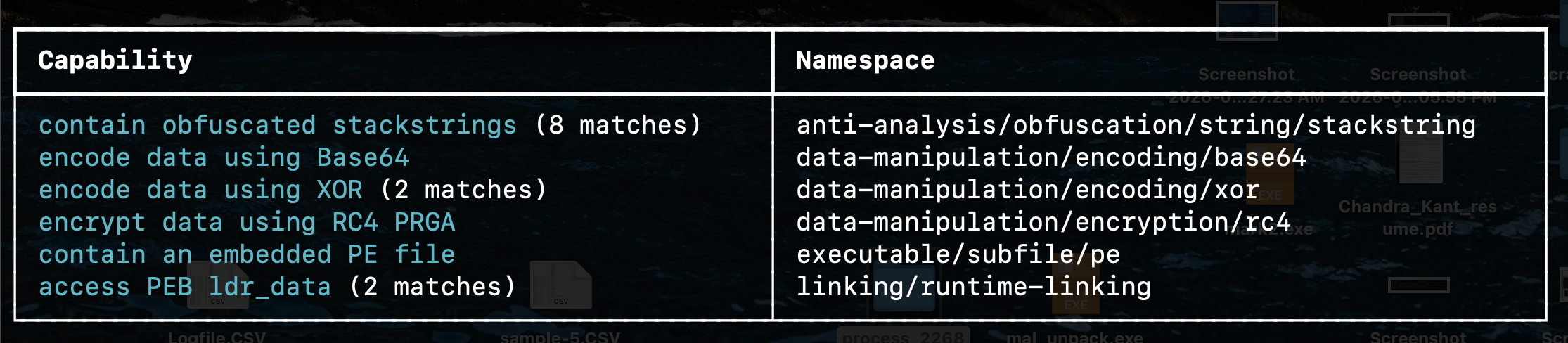
Key Capabilities
| Category | Behavior | Target / Details |
|---|---|---|
| Defense Evasion | Obfuscation | Uses Stack Strings (8 matches) to hide text strings dynamically in memory. |
| Cryptography | Data Hiding | Features RC4, XOR, and Base64 routines to decrypt or decode hidden payloads. |
| Execution | Runtime Linking | Manually walks the PEB (ldr_data) to locate Windows APIs without a standard loader. |
| Payload | Staging | Contains an embedded PE file (EXE/DLL) intended to be dropped or injected. |
Description
A heavily obfuscated Windows shellcode stager designed to bypass static analysis, manually resolve APIs, and deploy an embedded executable.
These findings gives us useful leads, but we need to see where exactly they occur in the code to understand the context of these potential capabilities.
So to get even more context we use -v option of capa tool.
like this
capa -f sc32 -r ~/capa-rules/ 550000.shc -vOutput:
kant@APPLEs-MacBook-Pro ~/D/process_2268> capa -f sc32 -r ~/capa-rules/ 550000.shc -v
md5                     a7c3f0e6e7b6f1a0147b27a7e52088d2
sha1                    df7205f168cb0ae912e38875823512332631bedf
sha256                  822872c4e6799dc4c80f8863911387b31fb6f5f32c82b9b75b2b5a2886a147e4
path                    /Users/kant/Desktop/process_2268/550000.shc
timestamp               2026-06-08 12:09:51.841531
capa version            9.4.0
os                      unknown
format                  sc32
arch                    i386
analysis                static
extractor               VivisectFeatureExtractor
base address            0x690000
rules                   /Users/kant/capa-rules
function count          168
library function count  0
total feature count     12542

contain obfuscated stackstrings (8 matches)
namespace  anti-analysis/obfuscation/string/stackstring
scope      basic block
matches    0x690FBF
           0x695C69
           0x696B55
           0x697EF1
           0x698941
           0x699359
           0x69A7A4
           0x69AB9B

encode data using Base64
namespace  data-manipulation/encoding/base64
scope      function
matches    0x690EA9

encode data using XOR (2 matches)
namespace  data-manipulation/encoding/xor
scope      basic block
matches    0x691355
           0x6913F8

encrypt data using RC4 PRGA
namespace  data-manipulation/encryption/rc4
scope      function
matches    0x693785

contain an embedded PE file
namespace  executable/subfile/pe
scope      file

access PEB ldr_data (2 matches)
namespace  linking/runtime-linking
scope      basic block
matches    0x690467
           0x690C0C
Now we have quite a bit more information.
What we’re seeing are the references to the virtual addresses where the corresponding code actually resides.
| Target Offset (VA) | Capability / Target Function | What to Look For |
|---|---|---|
0x690467 · 0x690C0C | PEB API Resolution | The shellcode is walking PEB->Ldr. Set a breakpoint here to capture the API names or hashes it resolves (e.g., VirtualAlloc, LoadLibraryA). |
0x690EA9 | Base64 Decoder | The decoding loop logic resides here. Check the data buffer passed into this function to see what strings or configs are being un-encoded. |
0x691355 · 0x6913F8 | XOR Decryption Loops | These basic blocks likely handle single or multi-byte XOR keys used to unpack structural payloads or final configurations. |
0x693785 | RC4 PRGA Execution | This function is responsible for the heavy lifting of decrypting the main payload payload. Put a breakpoint at the end of this function to dump the fully decrypted memory space. |
So now that we have these addresses, let’s go ahead and pivot into code analysis using binary ninja. and actually jump to these virtual addresses, at least some of them that have been listed here.
Binary Ninja
Let’s open the shell code in binary ninja.
In binary ninja while loading the shell code, I’m gonna specify the the base adsress we found during capa analysis which is 0x690000 and also for platform it’s ****
windows-x86 like this.
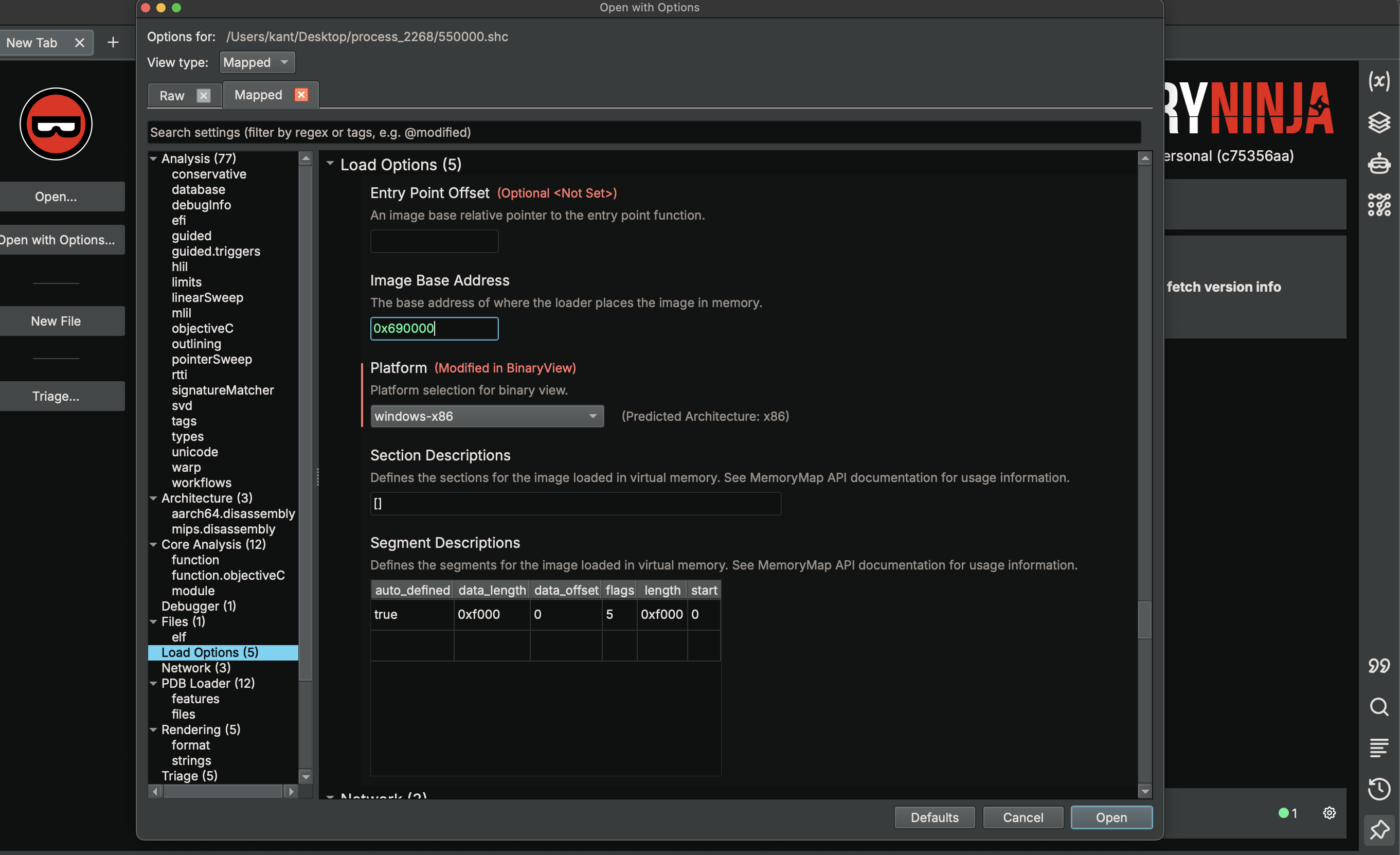
Let’ now take one of the virtual addresses from our capa output ad jump to that location within the code.
for example if i want to take look at one of these encode data using XOR matches.
encode data using XOR (2 matches)
namespace  data-manipulation/encoding/xor
scope      basic block
matches    0x691355
           0x6913F8
copy the virtual address 0x691355 back to binary ninja switch to linear mode press g and paste the address.
0069137c                do
00691355                    int32_t ecx_2 = *edi_2
00691357                    edi_2 = &edi_2[1]
0069135a                    int32_t ecx_3 = ecx_2 ^ 0x24eedcb9
00691360                    *result_1 = ecx_3.b
00691367                    result_1 = &result_1[4]
0069136a                    uint32_t ecx_4 = ecx_3 u>> 0x10
0069136d                    result_1[0xfffffffd] = (ecx_3 u>> 8).b
00691370                    result_1[0xfffffffe] = ecx_4.b
00691376                    ebx += 1
00691377                    result_1[0xffffffff] = (ecx_4 u>> 8).b
0069137c                while (ebx u< esi_7)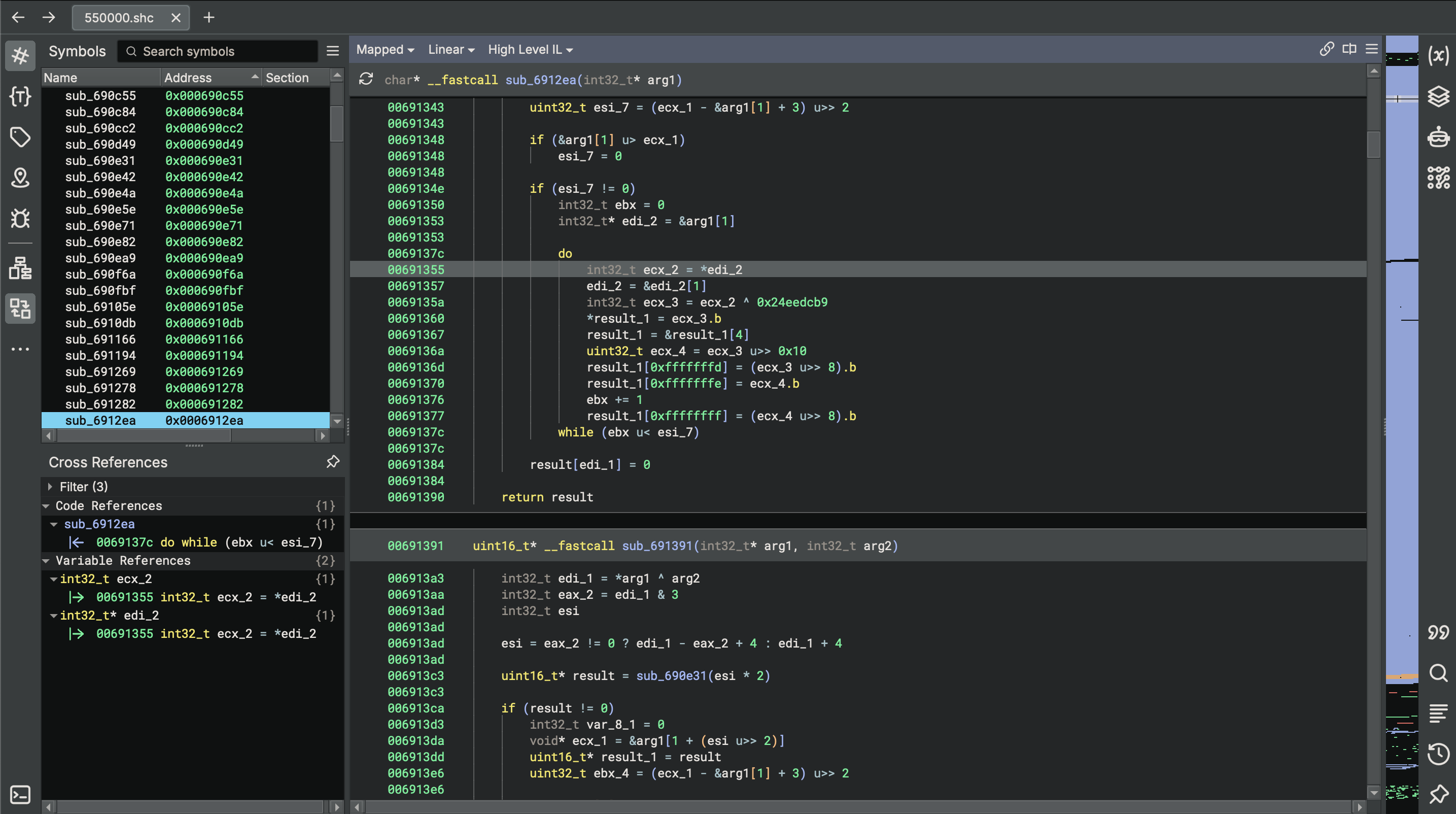
Now this basically takes us to the basic block where the xor operation code resides.
We can see that it’s represented as a do while loop.
What we can see is that we have 4 byte value 0x24eedcb9 that is being XORed with the contents of the ecx.
For every iteration of the loop:
edi_2).ecx_2 ^ 0x24eedcb9.result_1).ecx_3.b) and writes it to result_1[0].result_1[-3] (relative to the newly incremented pointer).result_1[-2].result_1[-1].let’s explore another rule from capa like this one that says access PEB ldr_data.
access PEB ldr_data (2 matches)
namespace  linking/runtime-linking
scope      basic block
matches    0x690467
           0x690C0C
copy the first address 0x690467 and check it in binary ninja.
00690467    void* __fastcall sub_690467(int32_t arg1)

0069047b        TEB* fsbase
0069047b        struct _LDR_DATA_TABLE_ENTRY* Flink =
0069047b            fsbase->ProcessEnvironmentBlock->Ldr->InLoadOrderModuleList.Flink
0069047b
0069050d        while (true)
0069050d            void* DllBase = Flink->DllBase
0069050d
00690512            if (DllBase == 0)
00690512                break
00690512
00690483            WCHAR* Buffer = Flink->BaseDllName.Buffer
00690486            int32_t ecx = 0
00690488            int32_t ebx_1 = Flink->BaseDllName.Length.d
0069048b            Flink = Flink->InLoadOrderLinks.Flink
00690494            int32_t ebp_1 = *(*(DllBase + 0x3c) + DllBase + 0x78)
00690498            int32_t var_10_1 = ebp_1
00690498 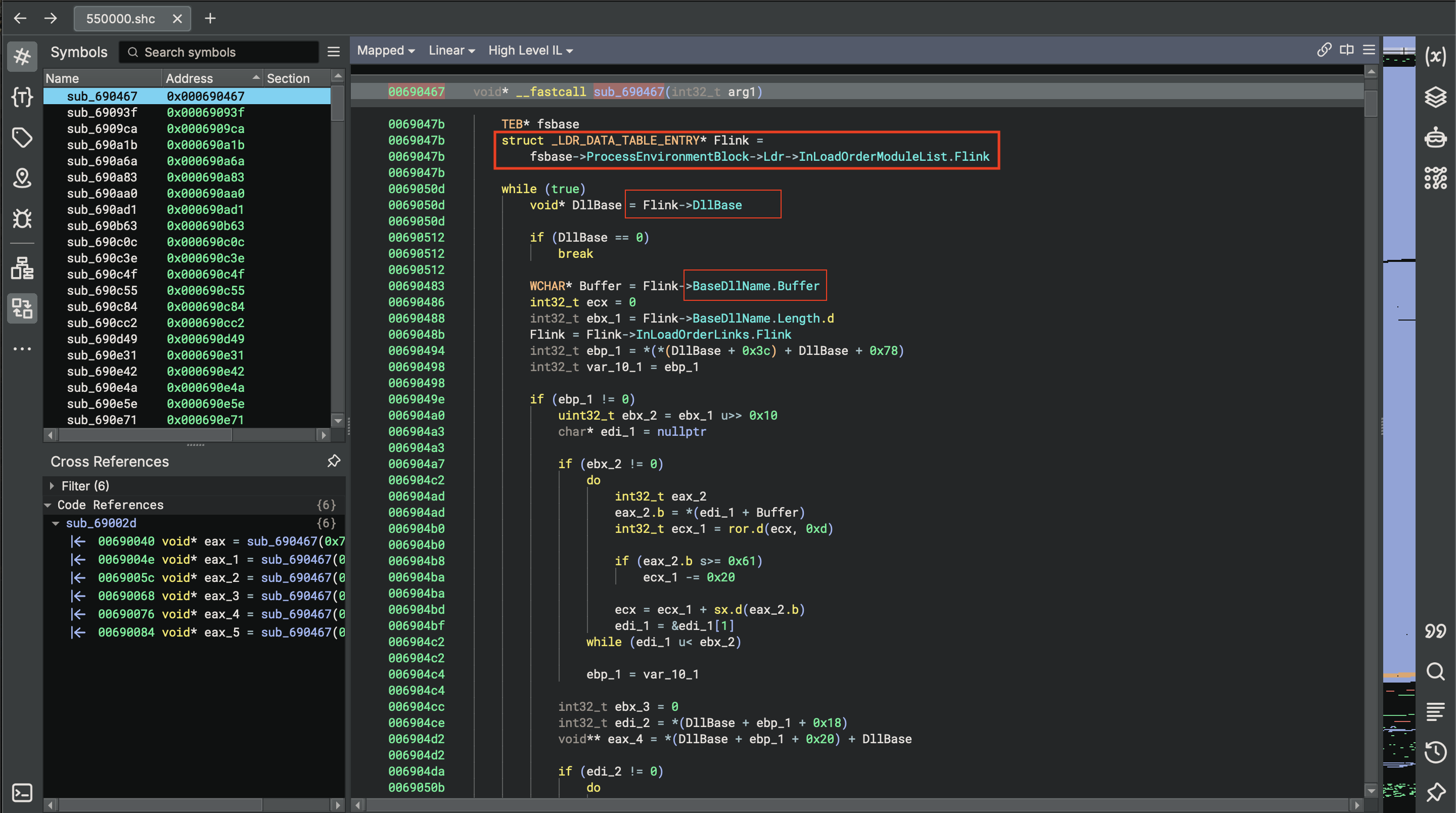
Binary ninja does a great job in identifying structures and members related to the PEB (Process Environment Block). specifically de-referencing the LDR field
This allows the shell code to eventually access the in-load order module list which tracks the loaded DLL’s
Two fields i do want to highlight.
These are the components required to calculate an API hash. Which is a technique often used to dynamically resolve API’s in an obfuscated manner.
If we look at the references of the function sub_690467(int32_t arg1) . This function takes a single argument.
if we look at the references to this function.
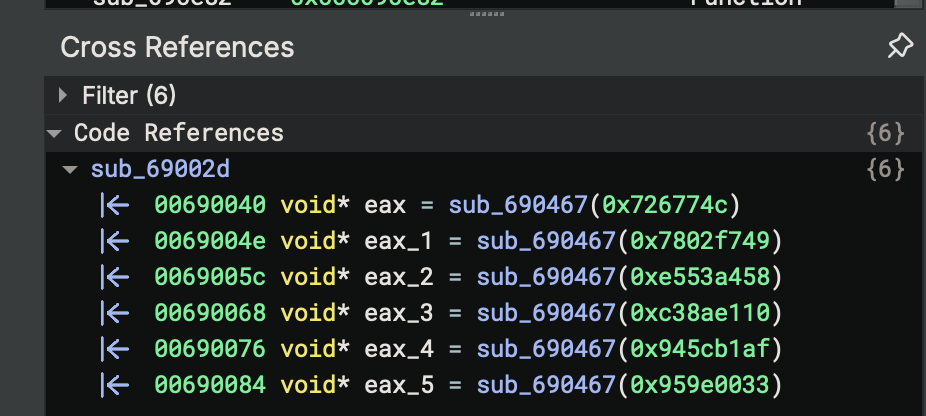
Will check the first one which is
00690040        void* eax = sub_690467(0x726774c)
0069004e        void* eax_1 = sub_690467(0x7802f749)
0069005c        void* eax_2 = sub_690467(0xe553a458)
00690068        void* eax_3 = sub_690467(0xc38ae110)
00690076        void* eax_4 = sub_690467(0x945cb1af)
00690084        void* eax_5 = sub_690467(0x959e0033)
00690092        int32_t* edi_1 = *(arg1 + 0x3c) + arg1
00690094        int32_t* var_48 = edi_1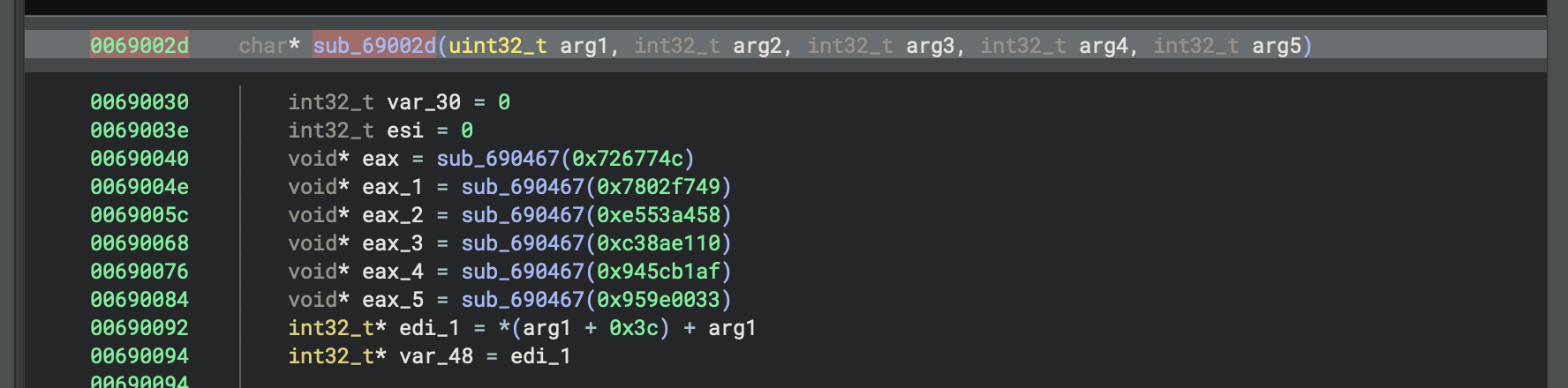
We’ll see that in each of the cases where this function is being referenced, which many of them are here. You see a hexadecimal value is being passed as a single argument to the function.
These hex values likely represent an API hash derived again from hashing the module name and an API name. an API hashing function which is basically takes a hash as an argument and compares it against hashes of different module and API name pair until it finds a match. Allowing a correct API to be resolved an then eventually called.
So by running capa against the shellcode we’ve already identified and confirmed some helpful insights into the shell code’s characteristics and capabilities
Automating Triage: Exporting Capability Metrics to JSON
Though the default terminal output produced by capa works well as an initial human-readable assessment, it isn’t ideal when it comes to automation and scriptability. If we want to transform our results into a highly structured format that will be easy to analyze further, we can utilize capa’s -j (JSON) option and output its results to a file:
command:
kant@APPLEs-MacBook-Pro ~/D/process_2268> capa -f sc32 -r ~/capa-rules/ 550000.shc -j > capa_sc.jsonThis is how it looks like it’s a long json file.
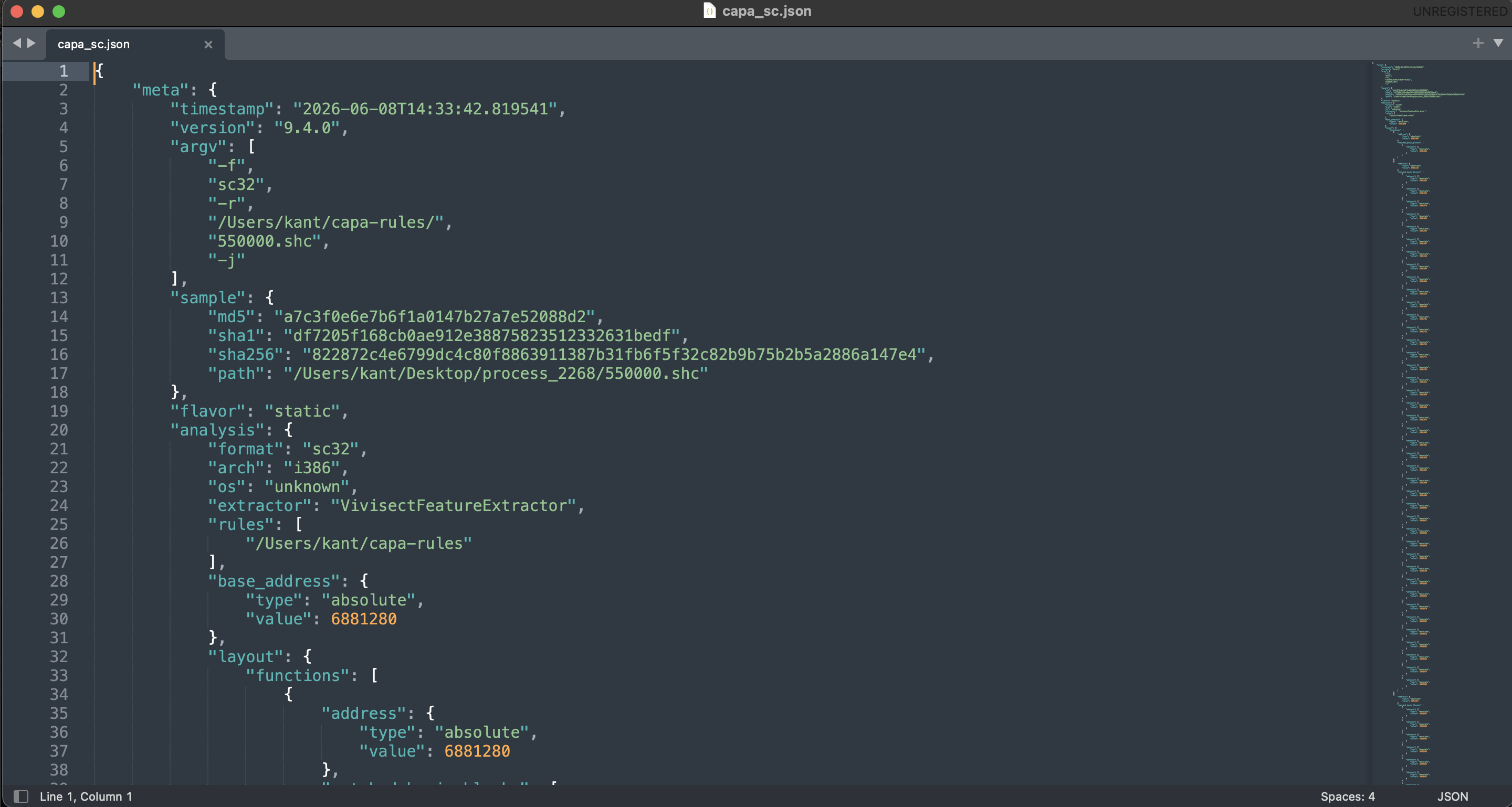
So this is all the data we want binary ninja to process so that it can easily browse some capa findings.
We’re going to have manually install the plugin.
plugin: https://github.com/mandiant/capa/blob/master/scripts/import-to-bn.py
documentation: https://docs.binary.ninja/guide/plugins.html
After the installation restart binary ninja.
After restarting you will get the option to load a capa file.
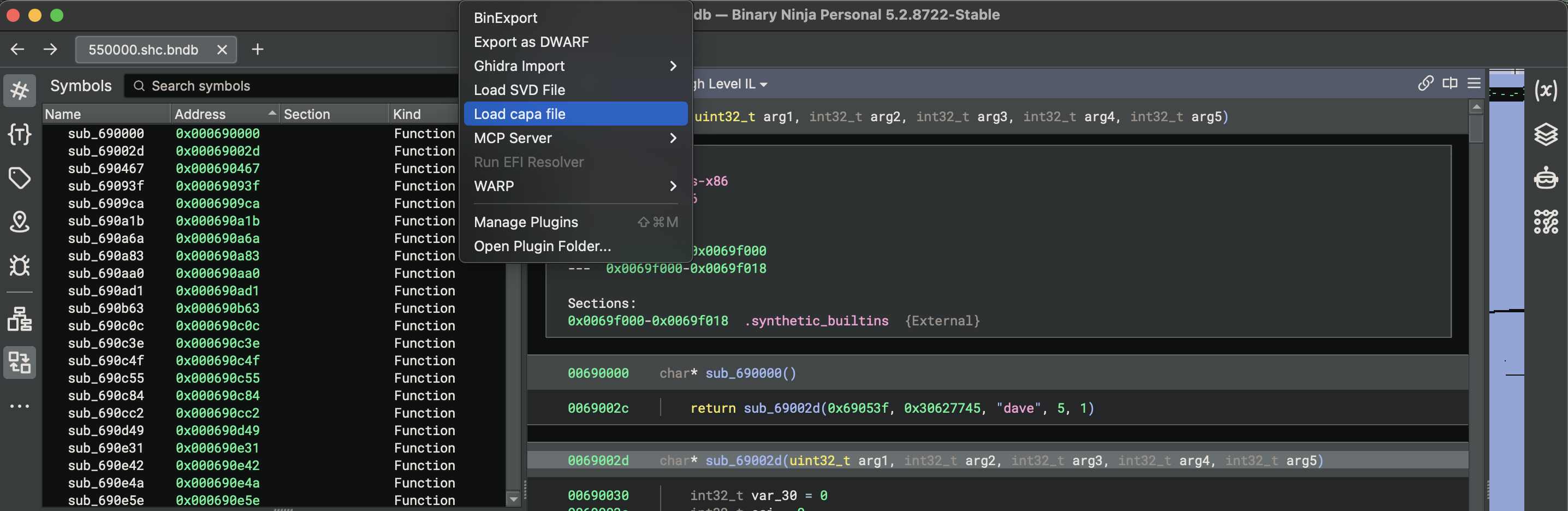
Now load the json file to the binary ninja.
After a successful loading of the json file we can see in the logs. There’s some interesting statements which basically represent capa rules. That it is now identifying here in this log output.
[Default] Using capa file /Users/kant/Desktop/process_2268/capa_sc.json
[Default] 0x690ea9: encode data using Base64 (data-manipulation/encoding/base64)
[Default] 0x693785: encrypt data using RC4 PRGA (data-manipulation/encryption/rc4)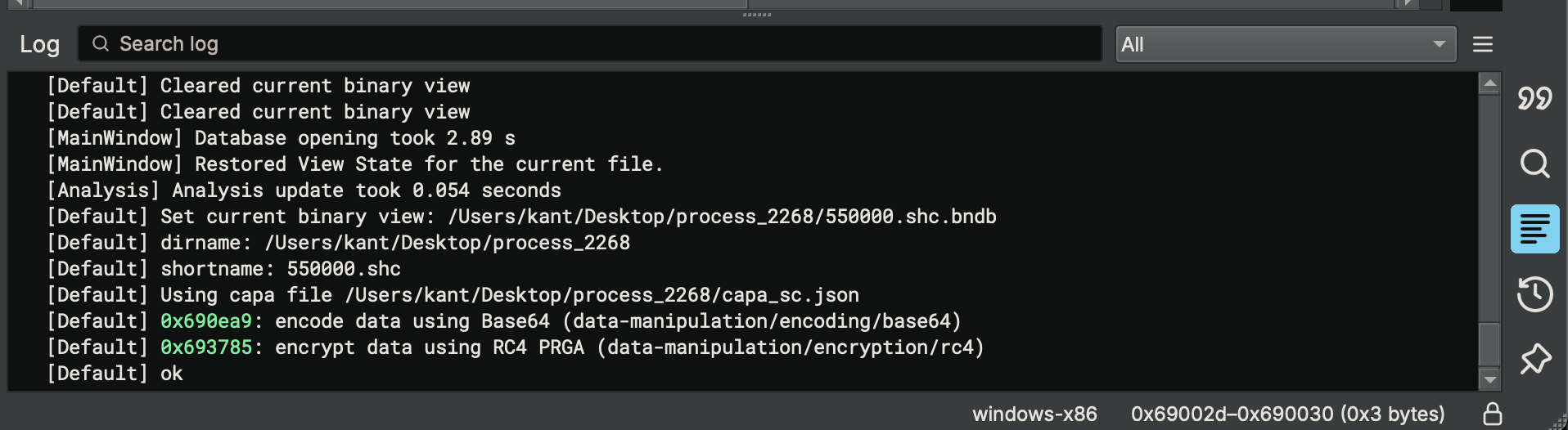
These are rule matches that you might recall seeing when I ran the capa command.
Unmasking the APIs: Decoding the Shellcode's Custom Hashing Routine
There are several ways to decode API hashing and determine which API’s are actually being called Number one you could debug the code to track which function is resolved at runtime. Number two you can do an online search for one of these hexadecimal values. And depending on the hashing algorithm used, you might find blogs and other writeups with these pre-computed values and the API’s they actually represent.
But in this article I want to demo a binary ninja plugin that makes this process easier by leveraging the OALabs HashDB https://github.com/OALabs/hashdb service.
This is a growing repository of hashes that malware commonly references to obfuscate function.
The plugin allows us to look up hashes against this database and resolve them to actual API names.
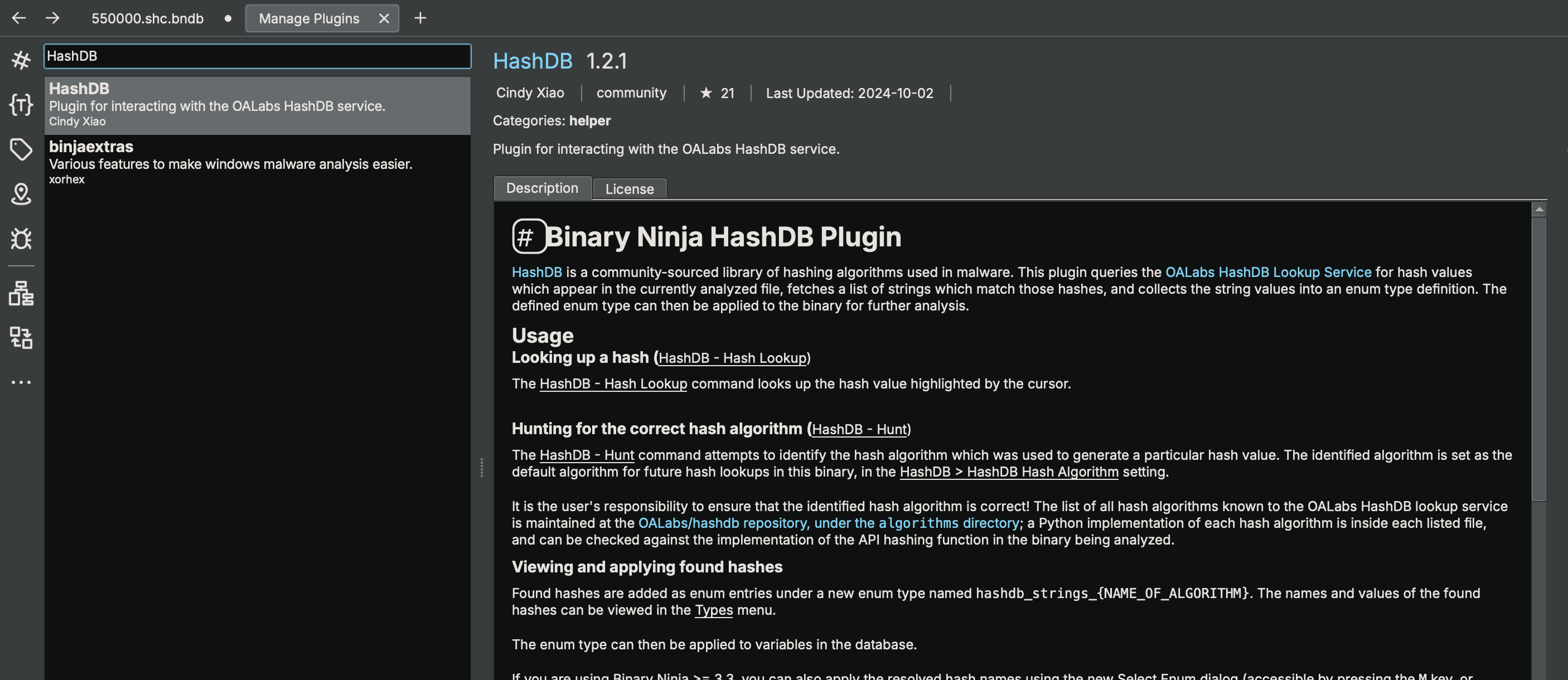
So just install the hashdb plugin in binary ninja.
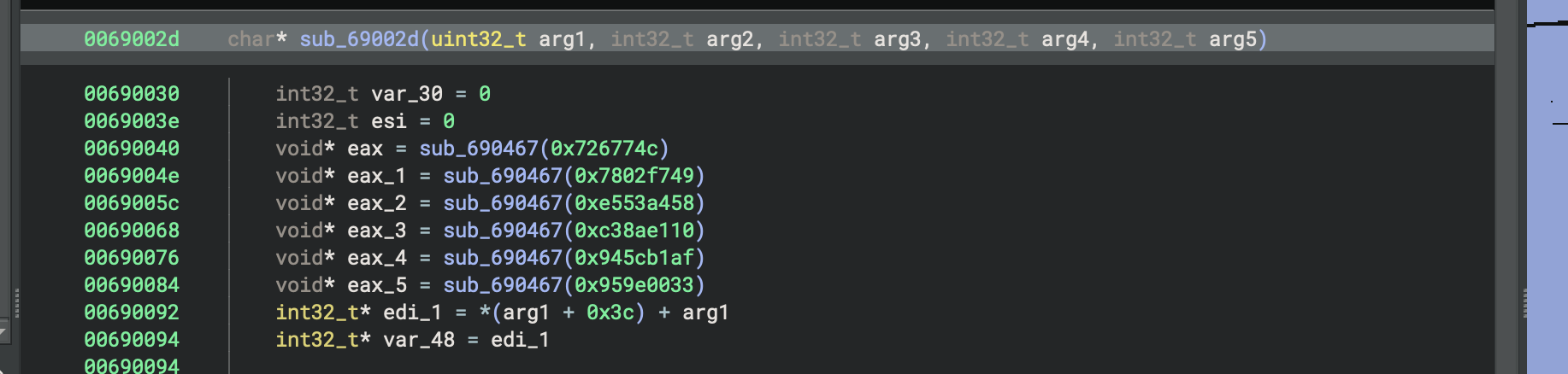
Now get back to the code that actually referenced some of those hexadecimal values.
here it is.
Now if we right on the hexadecimal value we’re gonna see a HashDB option.
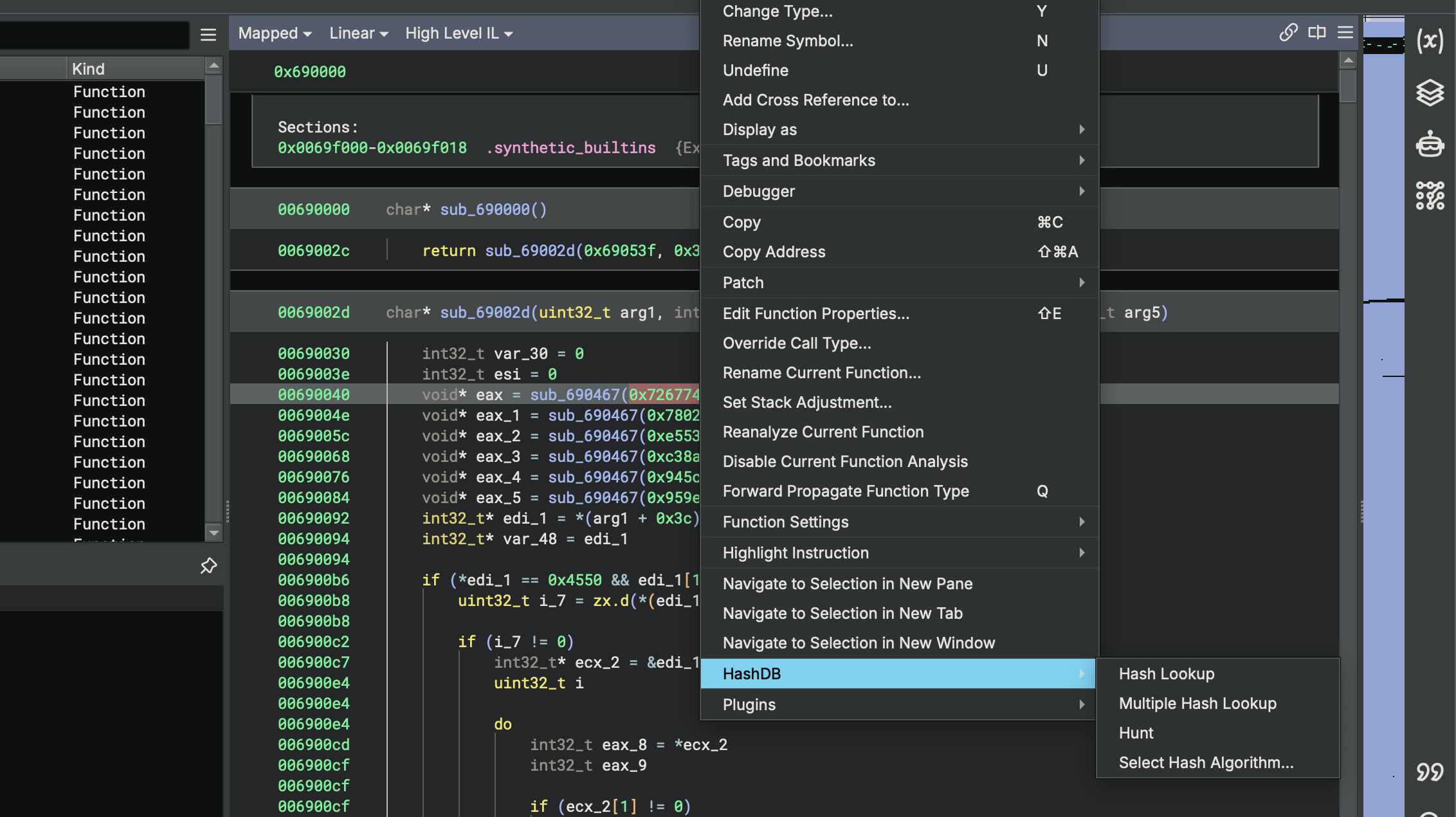
let’s select hunt option. This will now try to determine the actual hashing algorithm that is implemented here in the code.
Now we are presented with the results of this plugin trying to identify the specific hash and we got two hits.
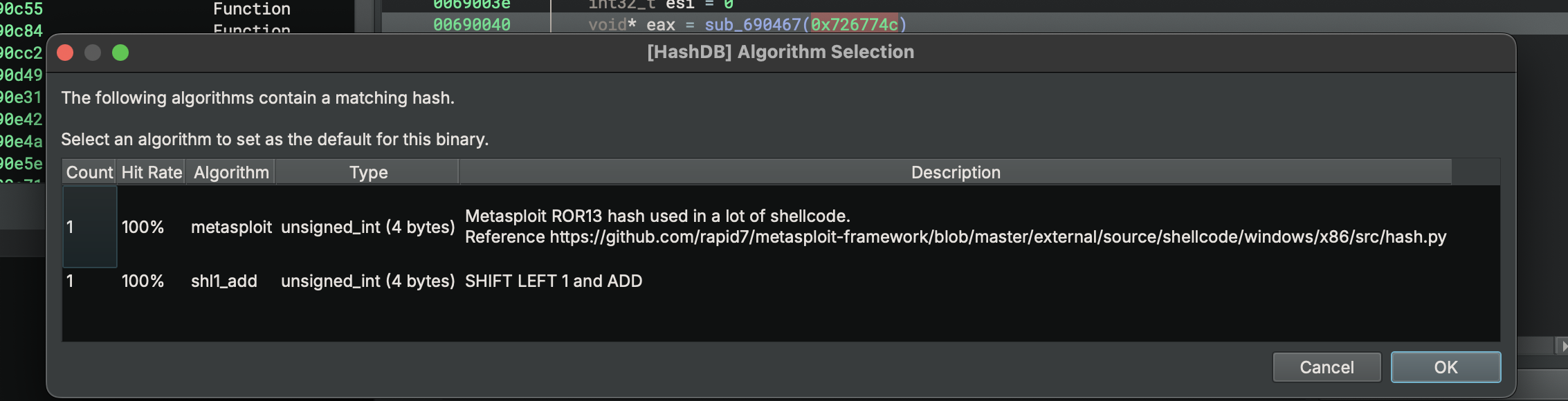
One of them is ROR13
Metasploit ROR13 hash used in a lot of shellcode.
Reference https://github.com/rapid7/metasploit-framework/blob/master/external/source/shellcode/windows/x86/src/hash.py
So I’ll go with the first option ROR13 and press ok.
Let’s now try and resolve the actual function name.
Right click on the hexadecimal value go to HashDB and now choose hashlookup.
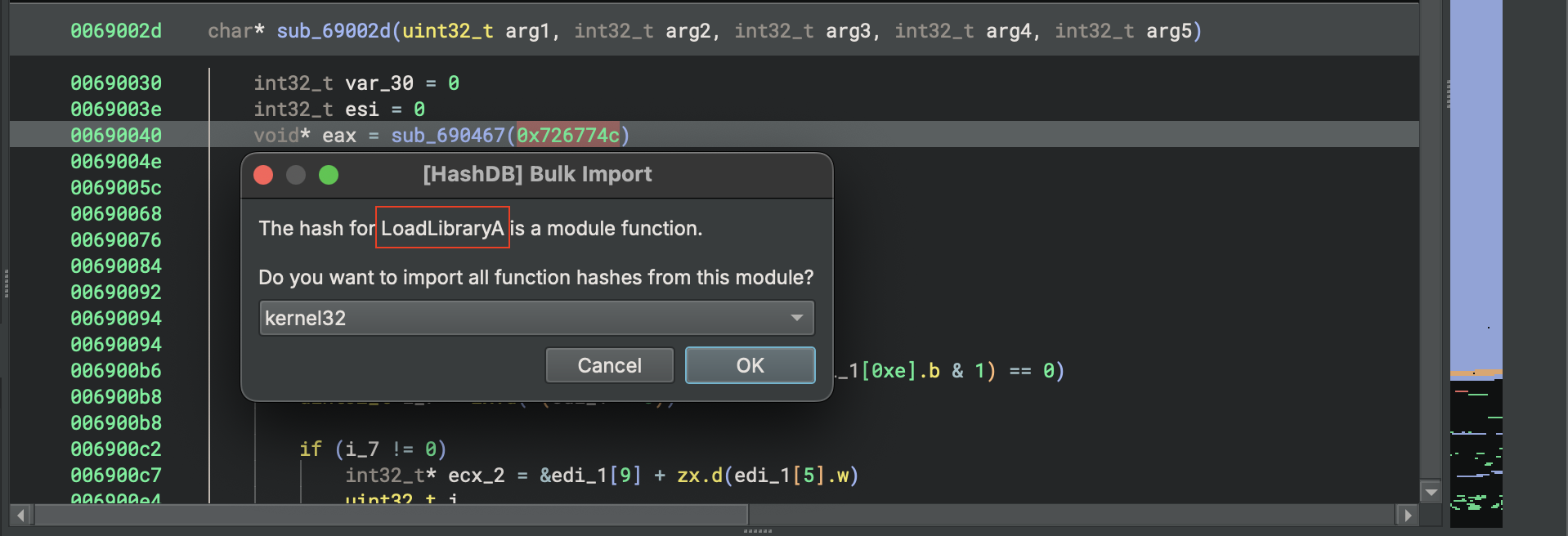
So it identifies this function as LoadLibraryA and is asking if we want to import all additional function hashes from kernel32.dll Which is where the code for LoadLibraryA would reside.
So I’m going to go ahead and click OK.
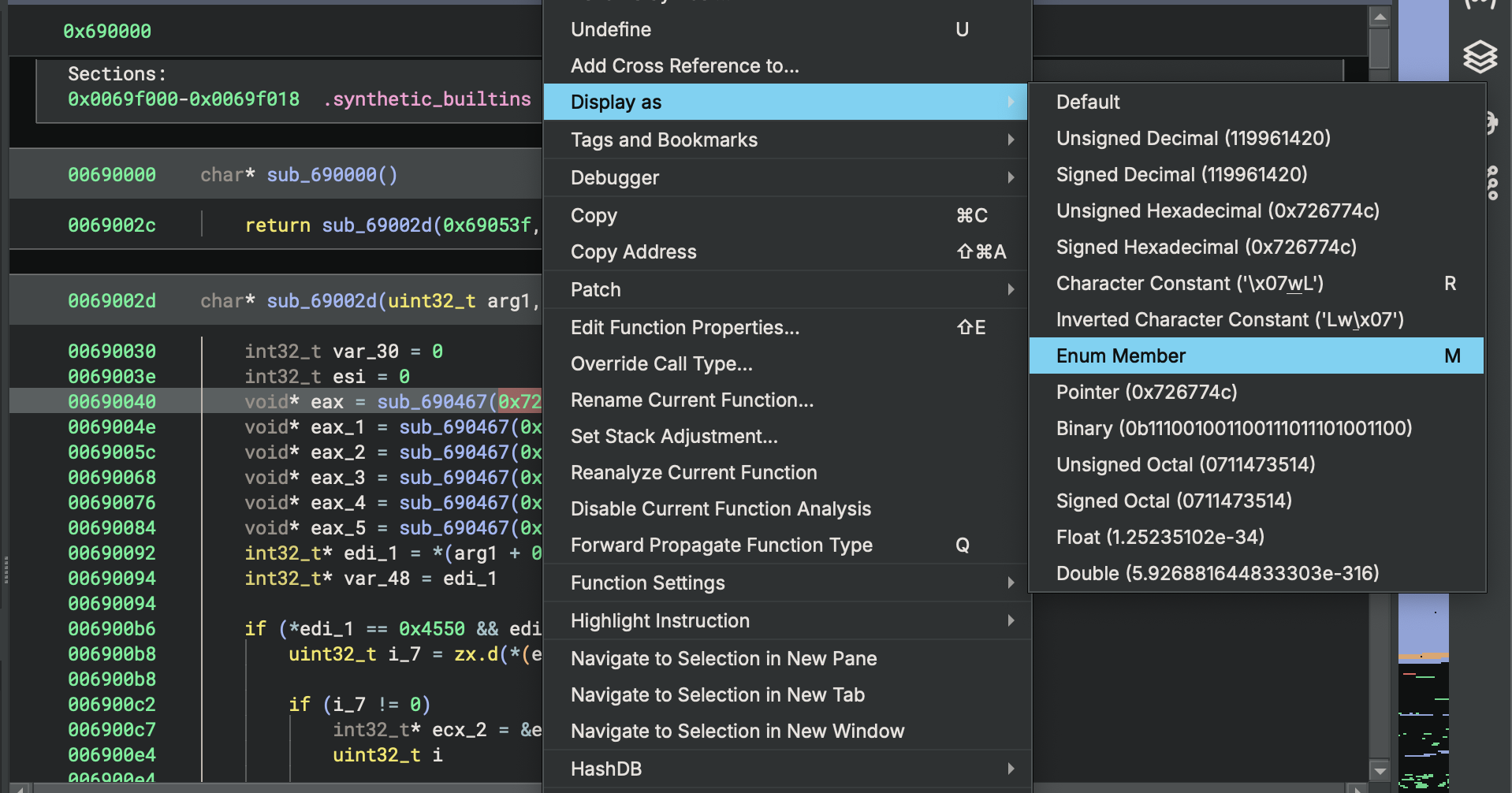
To see the resolve name, we’re going to again right click on the hexadecimal value and go to Display as and chose Enum Member or just press M
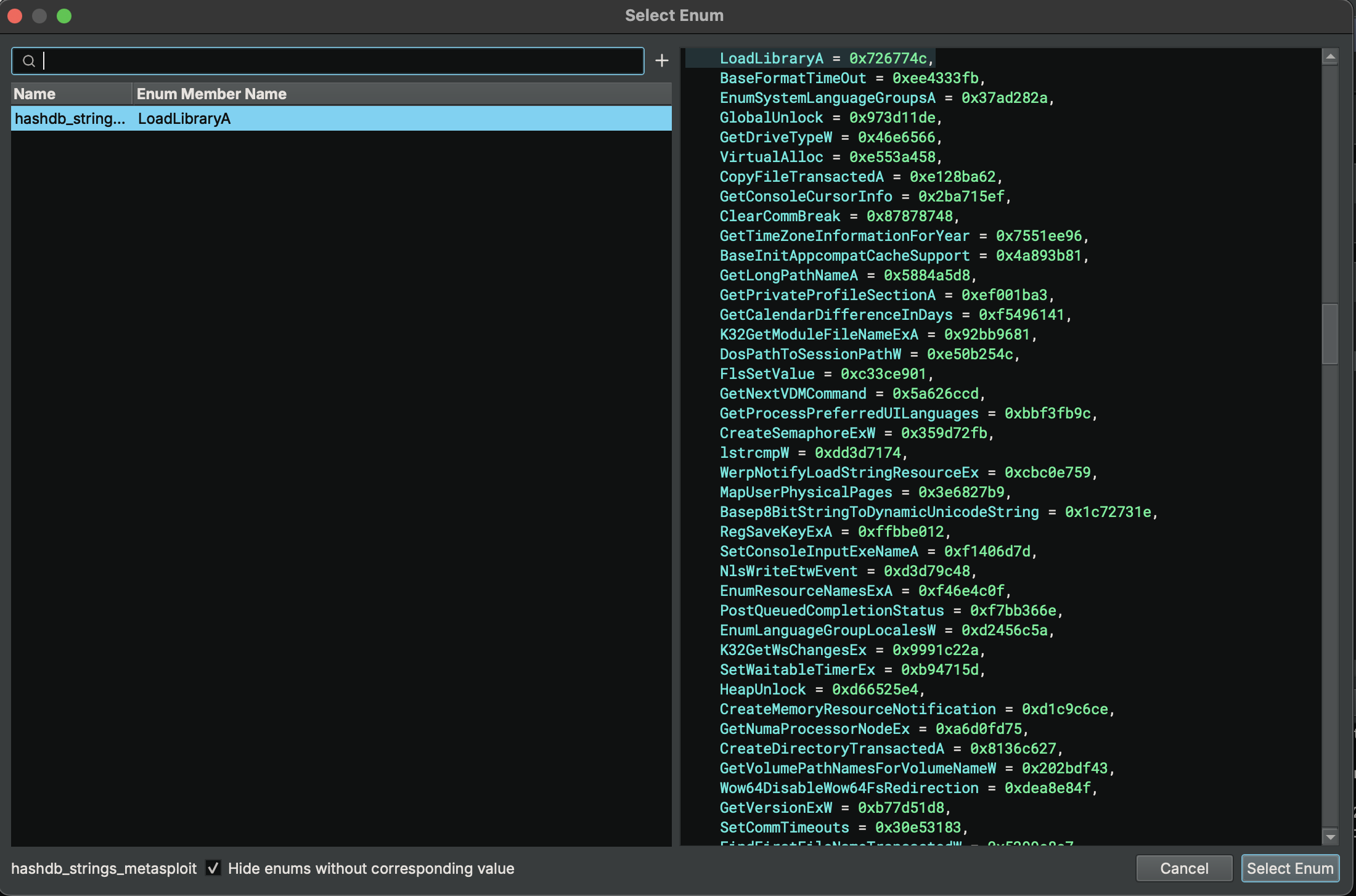
Then on the left hand side we will see that LoadLibraryA is already selected. And on the right hand side all of the hashes and their corresponding function name based on importing all function from kernel32.dll now press Select Enum on the bottom.
And now we see the hexadecimal value has been resolved to LoadLibraryA
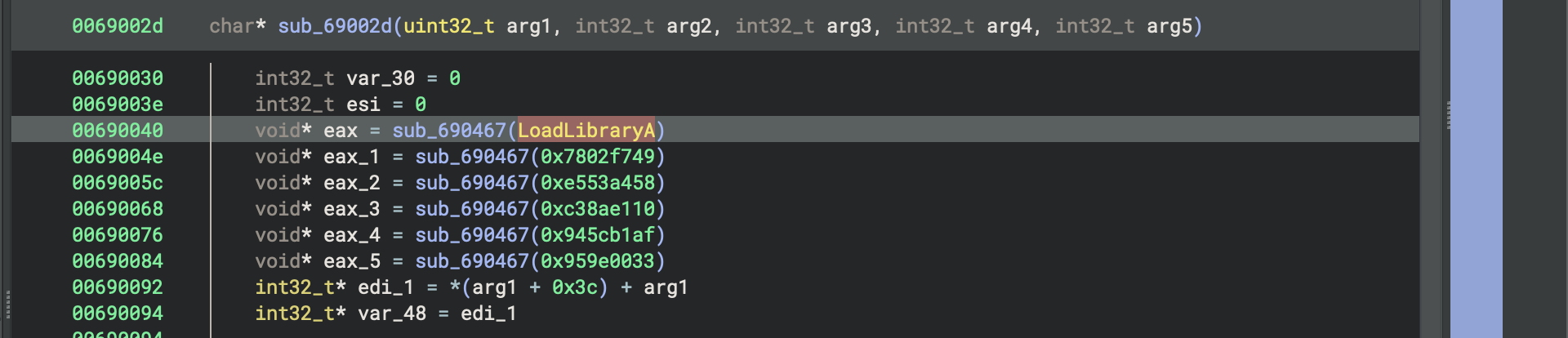
We can quickly repeat this process for all of these other hexadecimal values.
The fifth value doesn’t reveal a valid API. That means this hash wasn’t included in the previous import. So, to resolve it
right click the hexadecimal value go to HashDB, and do a another Hash Lookup. The result match to NtFlushInstructionCache which is within ntdll.dll
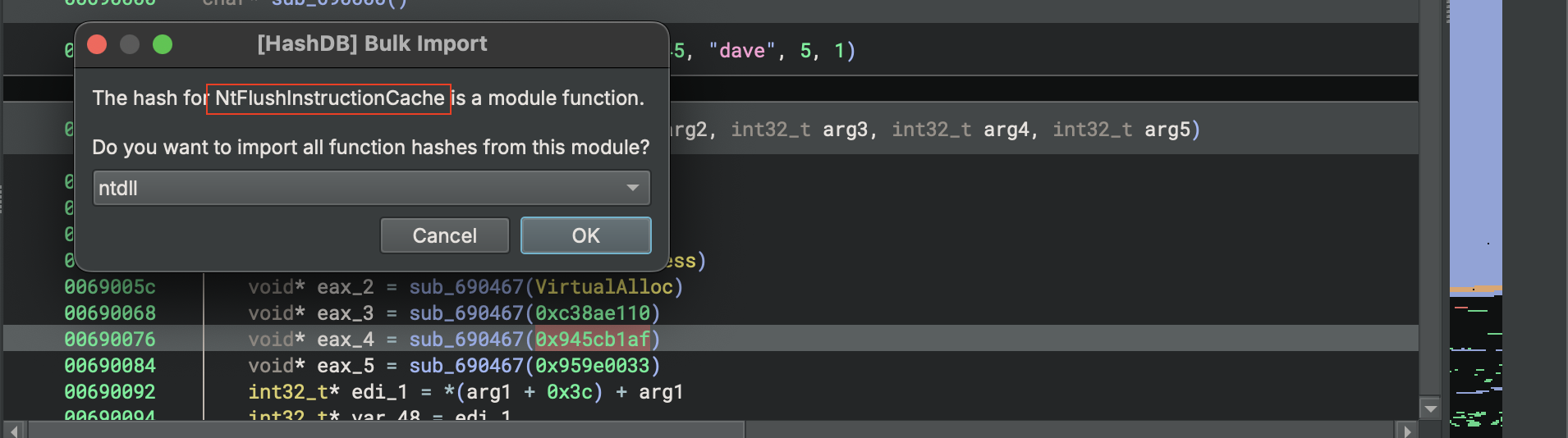
So go ahead and press ok to import all of the associated hashes for this dll and once it complete.
Press M on the hexadecimal value. now we should see associated Enum then press Select Enum .
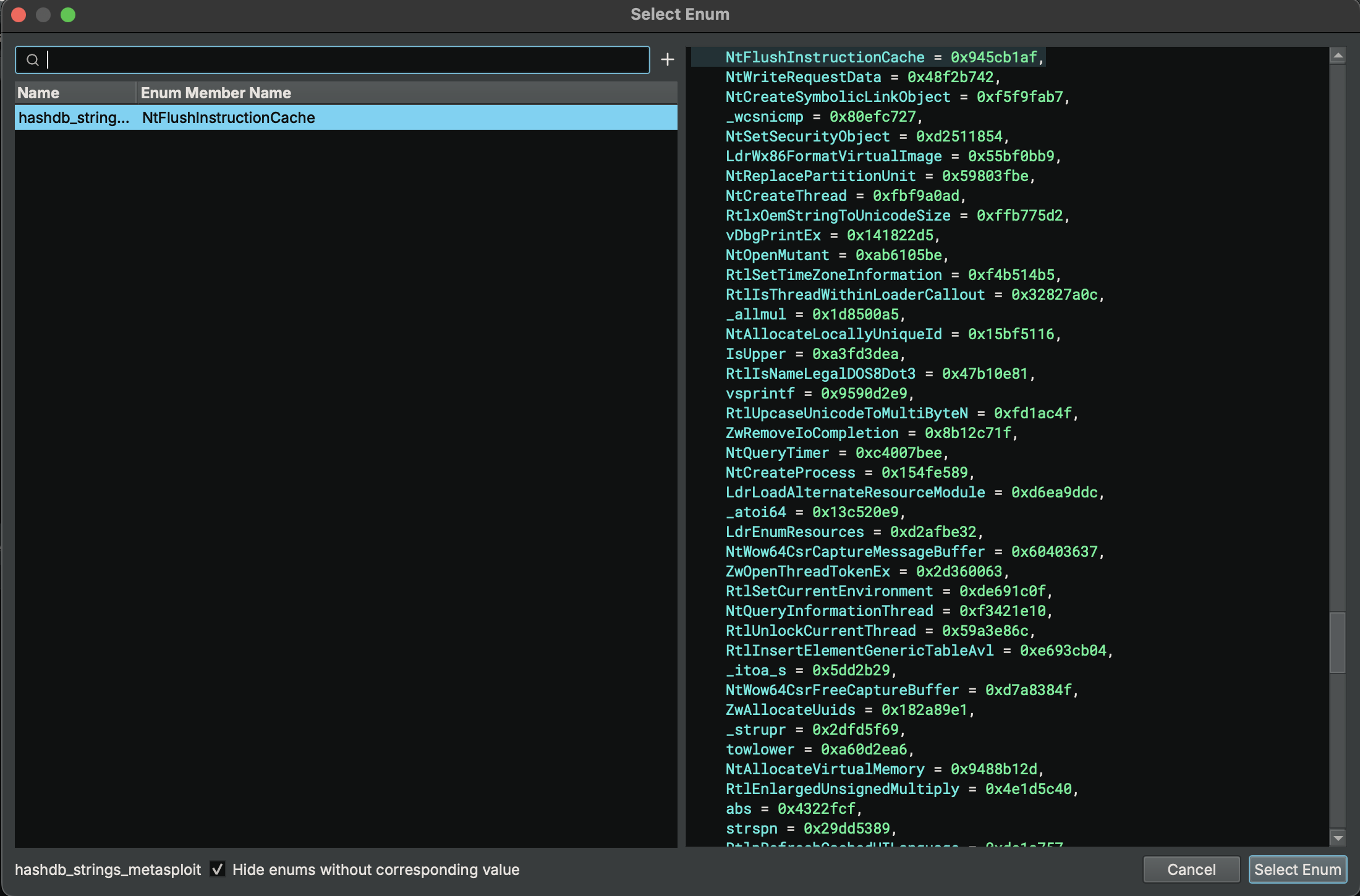
Now it will resolve the hexadecimal values with meaningful API names.
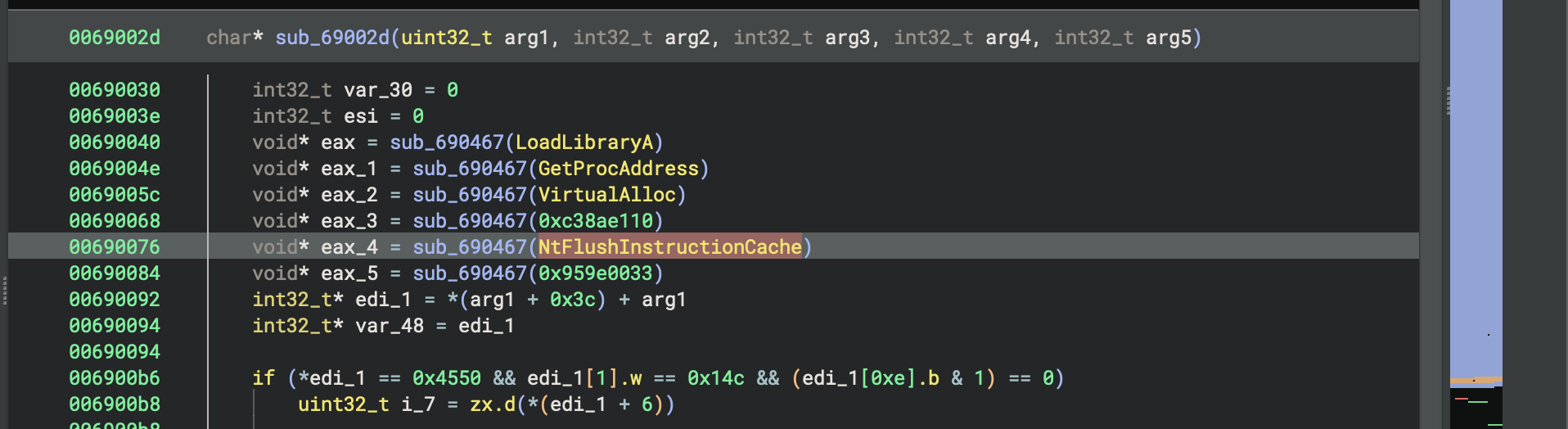
After resolving these API hashes, I could spend some more time understanding where the API is actually going to be called.
For example the return value of resolving VirtualAlloc is placed into eax_2 .
void* eax_2 = sub_690467(VirtualAlloc)Highlight eax_2 and if I scroll down a little bit, I can see where VirtualAlloc is going to be called.
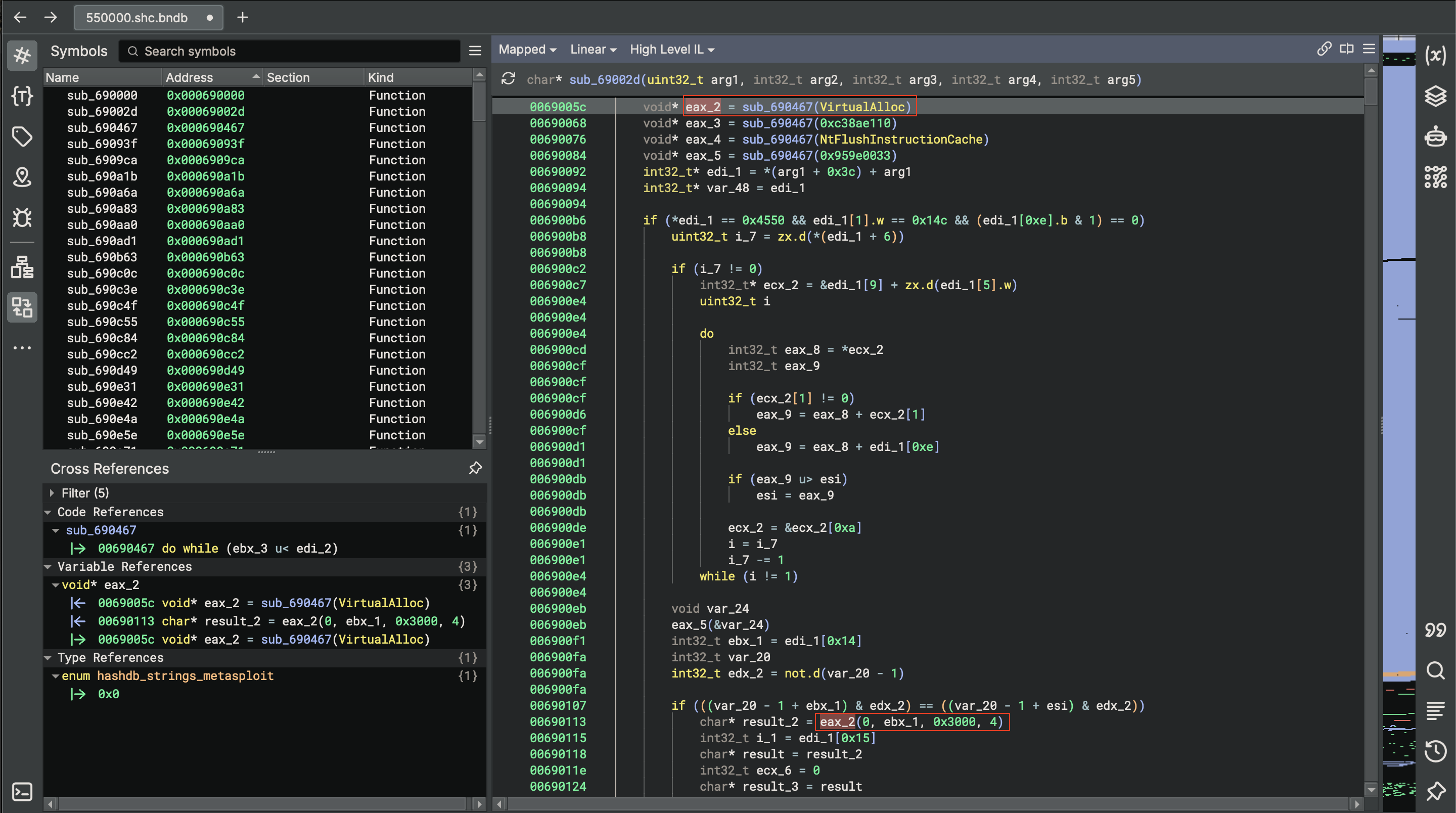
I could continue performing code analysis.
So that’s a pretty quick walkthrough if how we can use the binary ninja and hash DB plugin to decode API hashing. And figure out which functions this malware is actually trying to call.
The shellcode used in this article is the one I extracted earlier. If you want to follow along, ensure you have extracted the shellcode. from this analysis.
https://github.com/Lynk4/mare/tree/main/Malware Analysis/Windows/Automated Unpacking