GOAL
Sample Metadata
| Property | Value |
|---|---|
| MD5 | 30d3307779016426d24f3077d8f33514 |
| SHA-1 | ab7c0a8df036ec6731b30df92f7d9d9cfcab852e |
| SHA-256 | 39898241faeb5c3a22a466edbf95398a075b8e39b86c4223b4196b63e8147f0b |
| Vhash | 0240267d1"z |
| Authentihash | 488dc7ad18aed8b4a0454b1802244f737183a86b628214238511a3bcda013f34 |
| Rich PE header hash | 38ab5012a8137af4935a53b74ee390a8 |
| SSDEEP | 384:vRdrIicyzKbJmEblz6PqD3fdMsizT9YhkgvjwPNsEZnWdMchQi:JKwzKVpV6yD3fdli9MkskSgWddh7 |
| TLSH | T15A92AE12B10B91E9D1D37A75032FC5BAFF5E18947EC8278357E625386A20EF0151FE25 |
| File type | Win32 EXE executable windows win32 pe peexe |
| Magic | PE32 executable for MS Windows (GUI) Intel 80386 32-bit |
| TrID | Win32 Executable (generic) (42.6%) OS/2 Executable (generic) (19.2%) Generic Win/DOS Executable (18.9%) DOS Executable Generic (18.9%) VXD Driver (0.2%) |
| File size | 20.00 KB (20480 bytes) |
Sections
| Property | .text (section[0]) | .data (section[1]) |
|---|---|---|
| Name | .text | .data |
| SHA-256 | 3EE4FECB3F94E27DD276E02A0FAB102E1CECE0CB710F094339AAF5176D2C0CB4 | 4ED10B24C530B5C1F291ACB87127676CA0900F9FADC9E9B3C5D72B75F6B9982A |
| Entropy | 7.788 | 2.760 |
| File Ratio | 80.00% | 2.50% |
| Raw Address (Begin) | 0x00000200 | 0x00004200 |
| Raw Address (End) | 0x00004200 | 0x00004400 |
| Raw Size | 0x00004000 (16384 bytes) | 0x00000200 (512 bytes) |
| Virtual Address (Begin) | 0x00001000 | 0x00005000 |
| Virtual Address (End) | 0x00004EFD | 0x0000512C |
| Virtual Size | 0x00003EFD (16125 bytes) | 0x0000012C (300 bytes) |
Pestudio
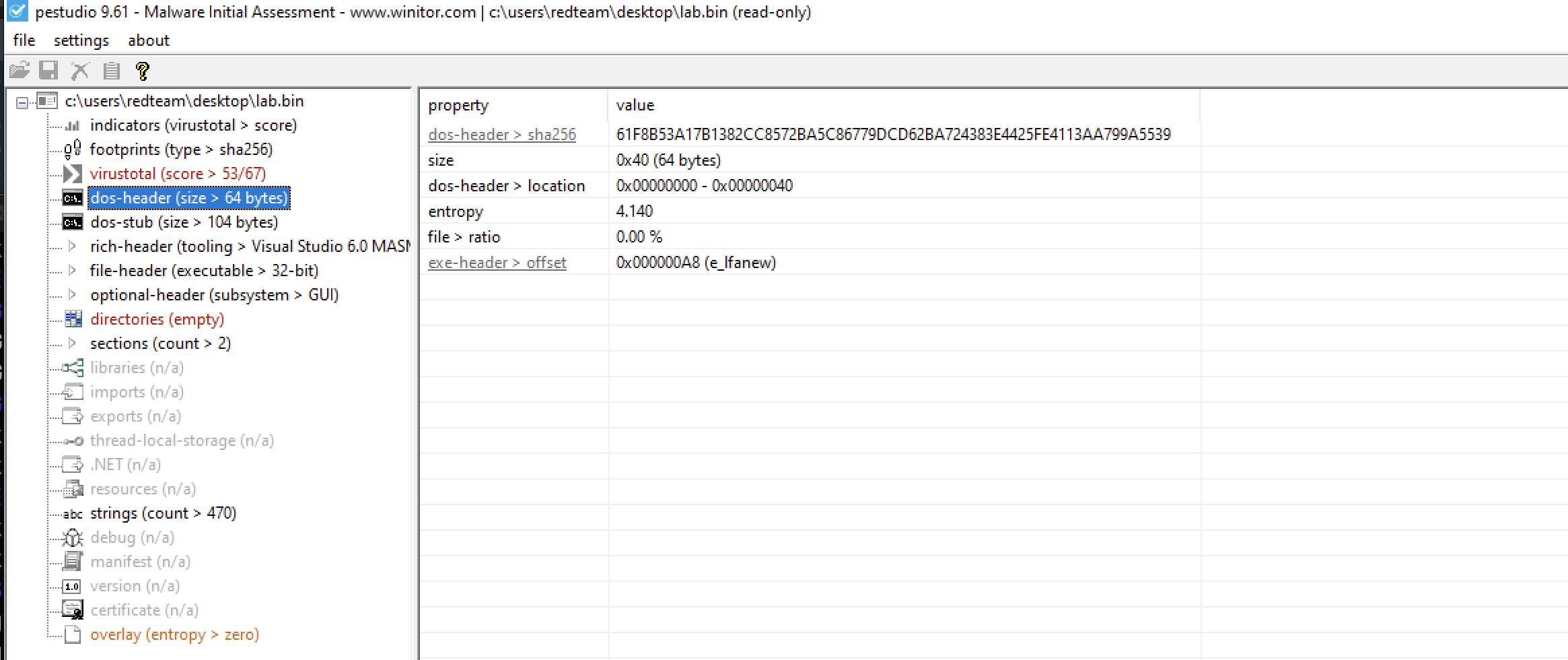
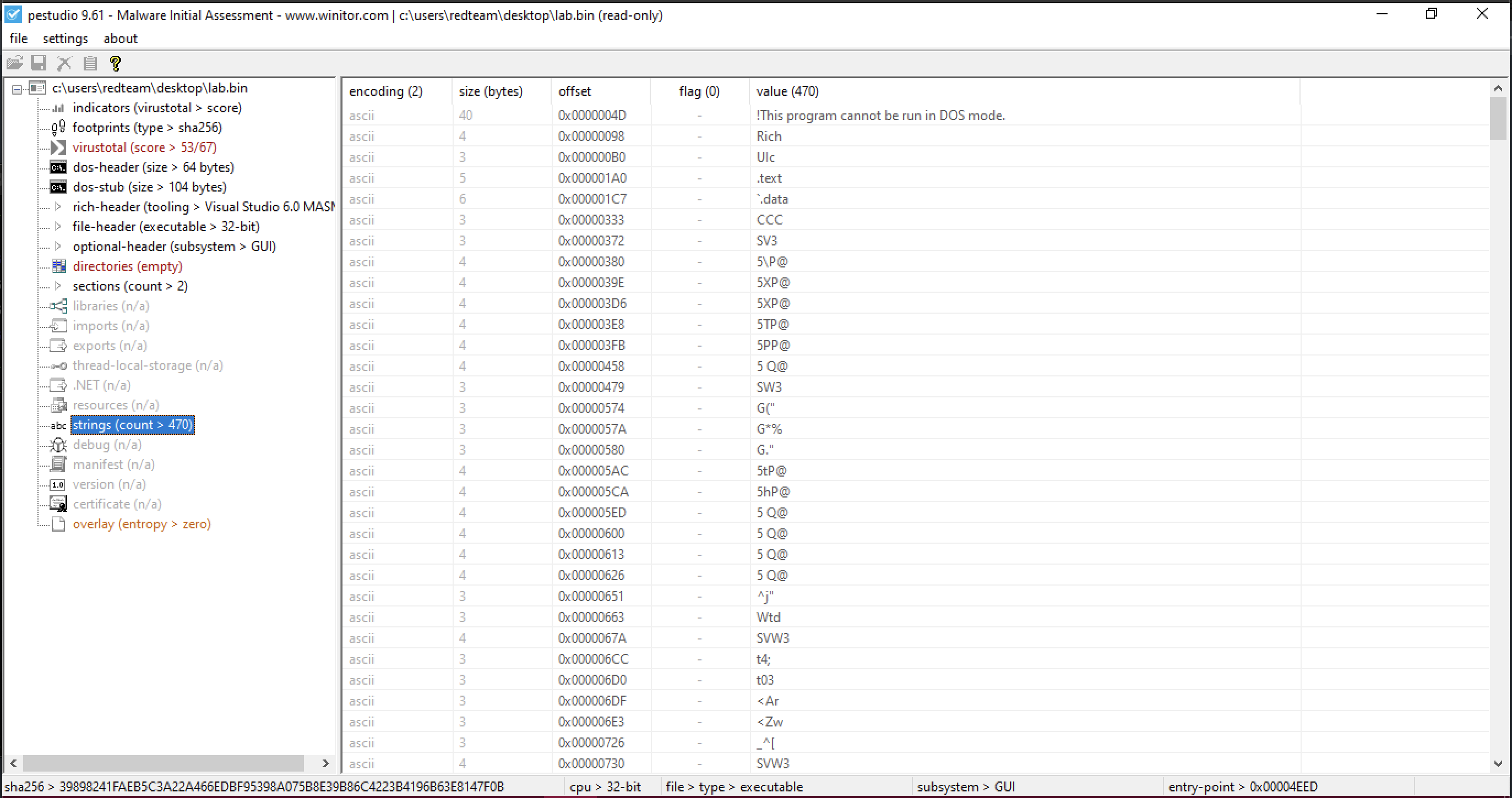
What you are looking is a string obfuscation. This binary exhibits some strange charecterstics. Apparently doesn’t use any libraries, no imports
and finally no recognisable strings.
next step load this in IDA.
IDA Analysis
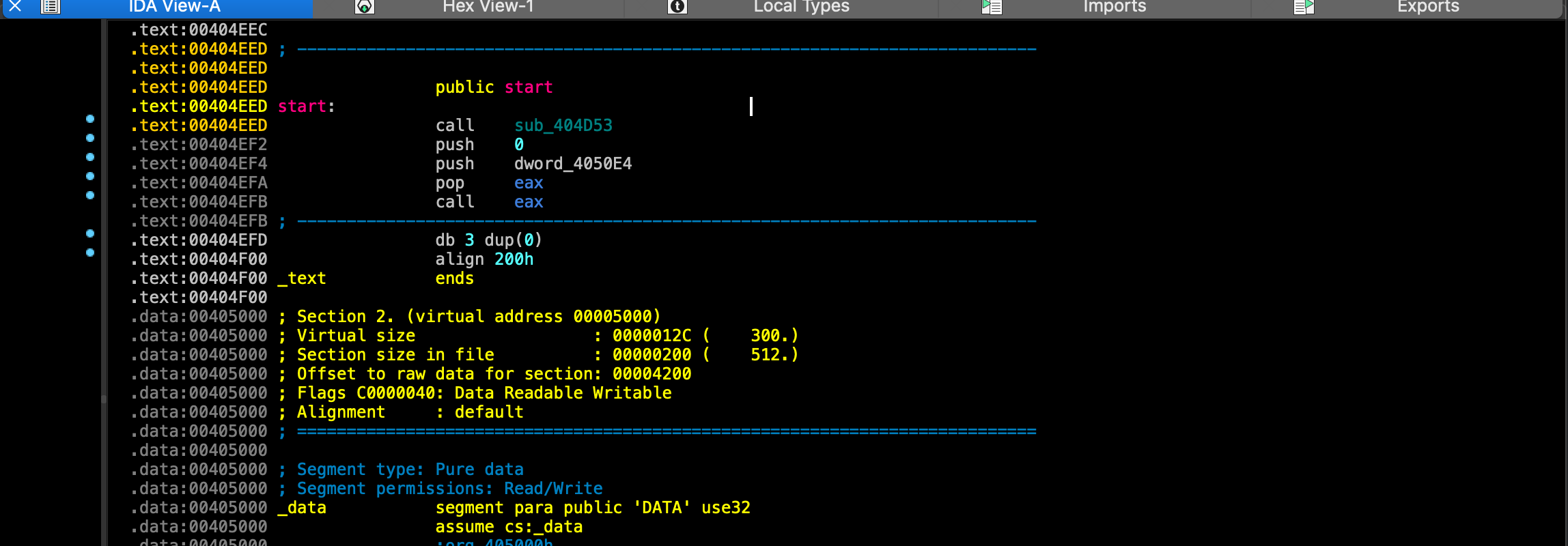
From start there’s a call to sub_404D53 . We are going to trace in this call, But before you do that you will notice. There’s another problem with this binary that is the call that follows a call to EAX .This is an indirect function call. Because we don’t now necessarily the value of EAX register when the call is made. We can trace backwards and try figure out what’s in EAX.
.text:00404EED                 public start
.text:00404EED start:
.text:00404EED                 call    sub_404D53
.text:00404EF2                 push    0
.text:00404EF4                 push    dword_4050E4
.text:00404EFA                 pop     eax
.text:00404EFB                 call    **eax**
Instructions above is pop eax. Which means whatever was pushed on top of the stack is placed on to that register and called. Fortunately there’s push above that. push dword_4050E4 This push instruction is pushing 4 byte value on to the stack. Unfortunately this value is empty. Which means the function that is calling is populated later during program execution.

Analysis of sub404D53
let’s navigate to the function sub_404D53 .
By the end of the first block you will notice, there’s another indirect call. That follows the same pattern of pushing and then poping a value into the register, that dword is not populated.
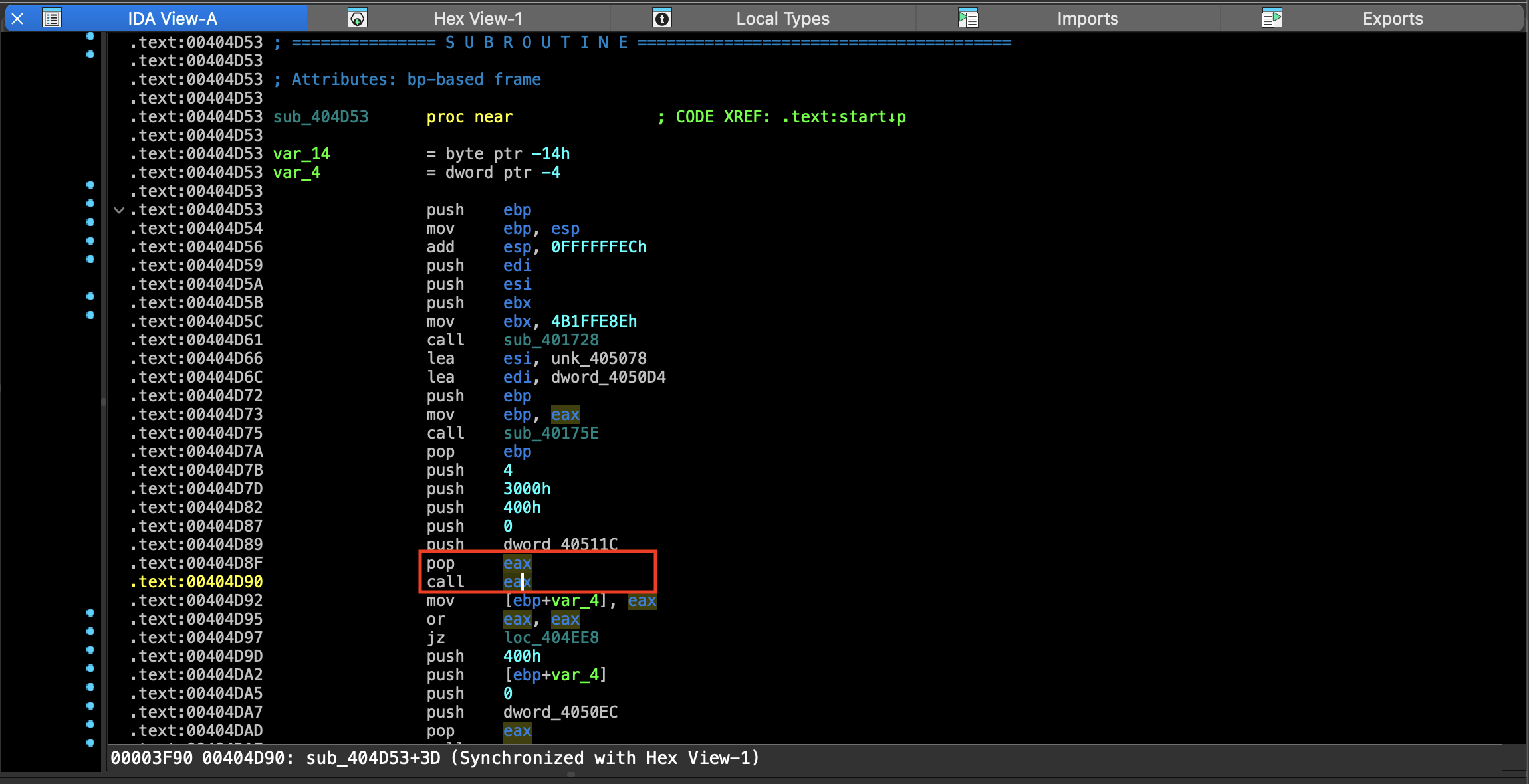
So this helps us to isolate Where these function pointer’s are being resolved.
There’s only 2 function call before this indirect call. A call to sub_401728 and sub_40175E . So it has to happen between one of these function.
**.text:00404D61                 call    sub_401728**
.text:00404D66                 lea     esi, unk_405078
.text:00404D6C                 lea     edi, dword_4050D4
.text:00404D72                 push    ebp
.text:00404D73                 mov     ebp, eax
**.text:00404D75                 call    sub_40175E**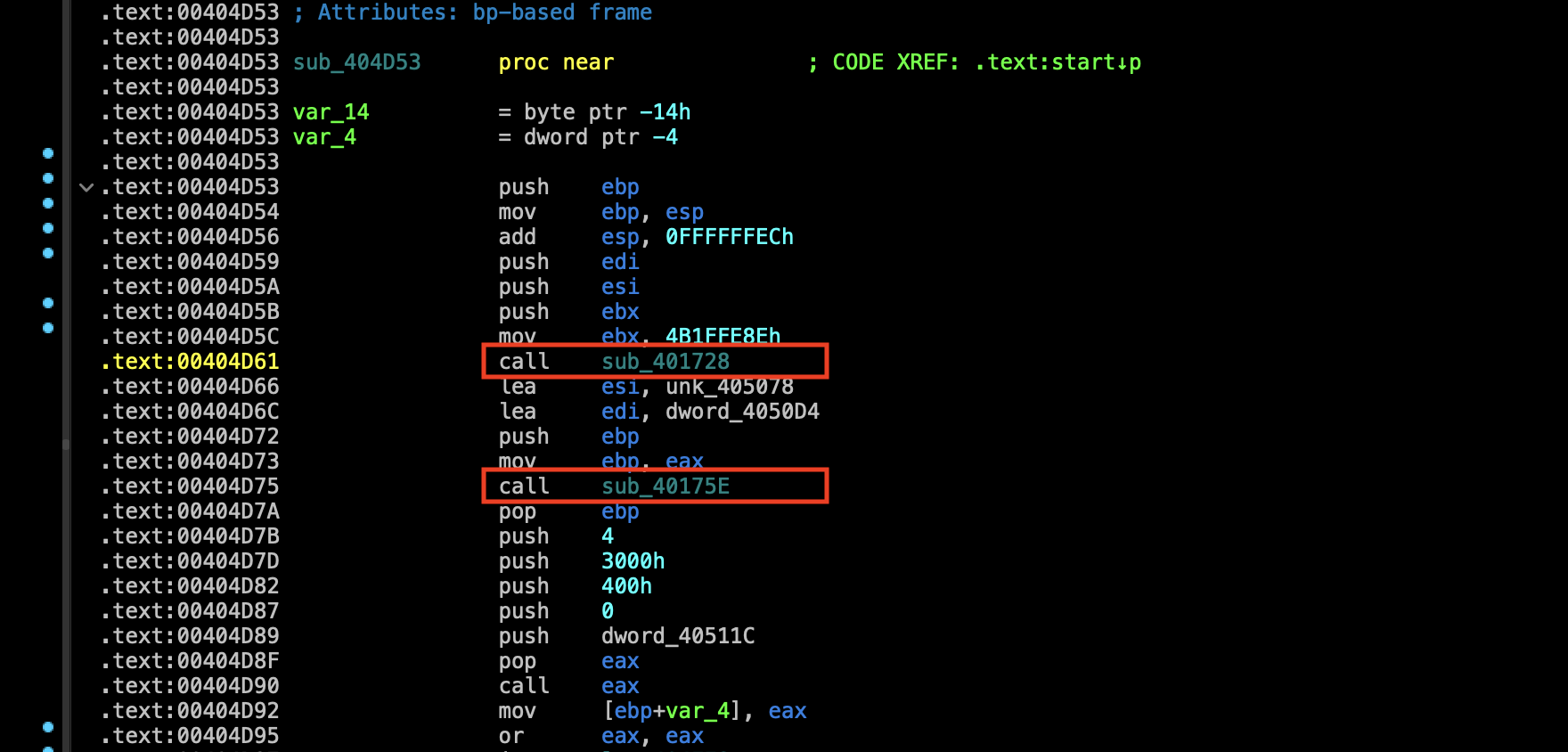
Analysis of sub401728
Before this function is called there’s a mov instruction.
.text:00404D5C                 mov     ebx, 4B1FFE8Eh
.text:00404D61                 call    sub_401728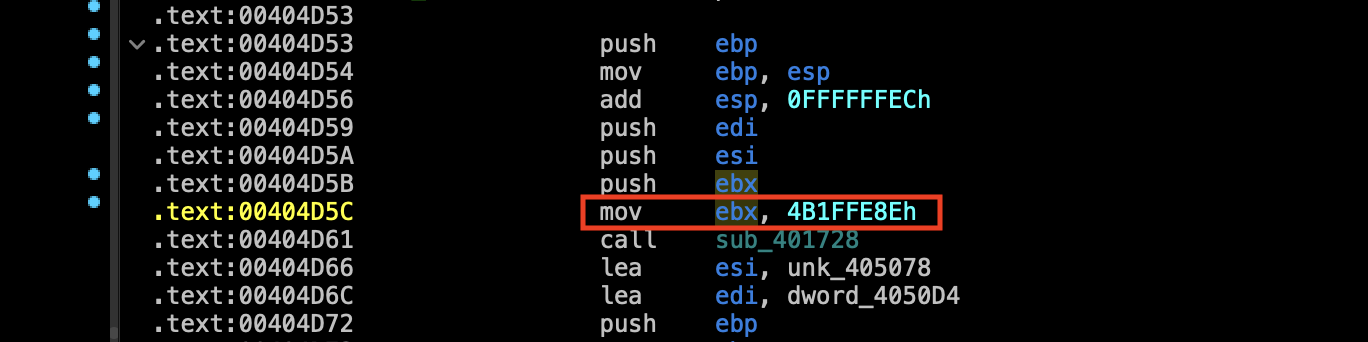
In which the value 4B1FFE8Eh is moved into EBX. That seem rather purposeless at this point of time. So we can trace into the function sub_401728 and see if the ebx register is used.
Analysis of sub401728
If you move a little bit down. you will see ebx is acutally used in a comparison.
ebx is being compared to edx
.text:00401754 loc_401754:                             ; CODE XREF: sub_401728+19↑j
**.text:00401754                 cmp     edx, ebx**
.text:00401756                 mov     eax, [edi+10h]
.text:00401759                 mov     edi, [edi]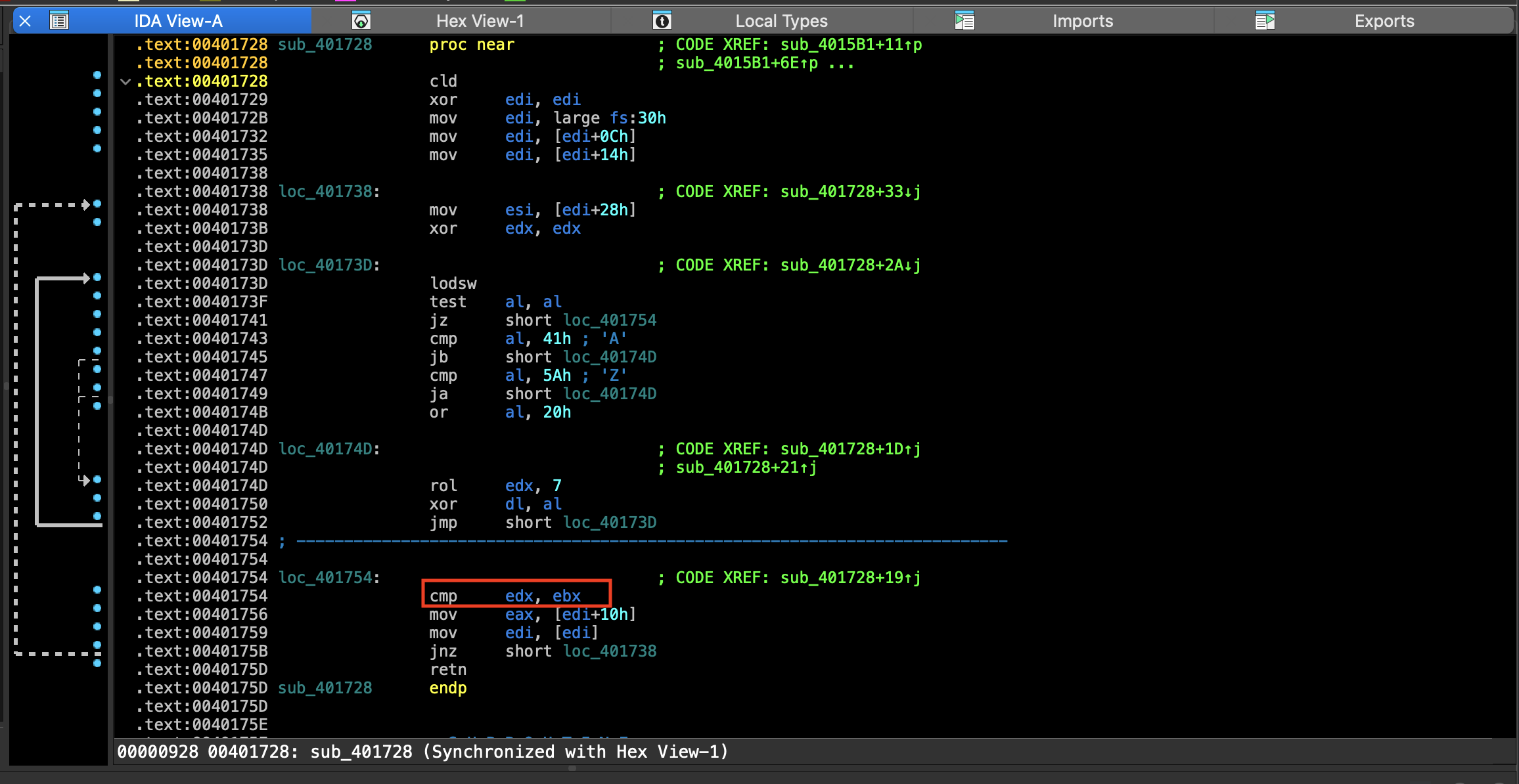
So we know the ebx contains what appears to be random 4 bytes value.
What’s in edx? .
Highlighting edx is allows us to trace where edx is used.
By the way I switched to graph mode in IDA.
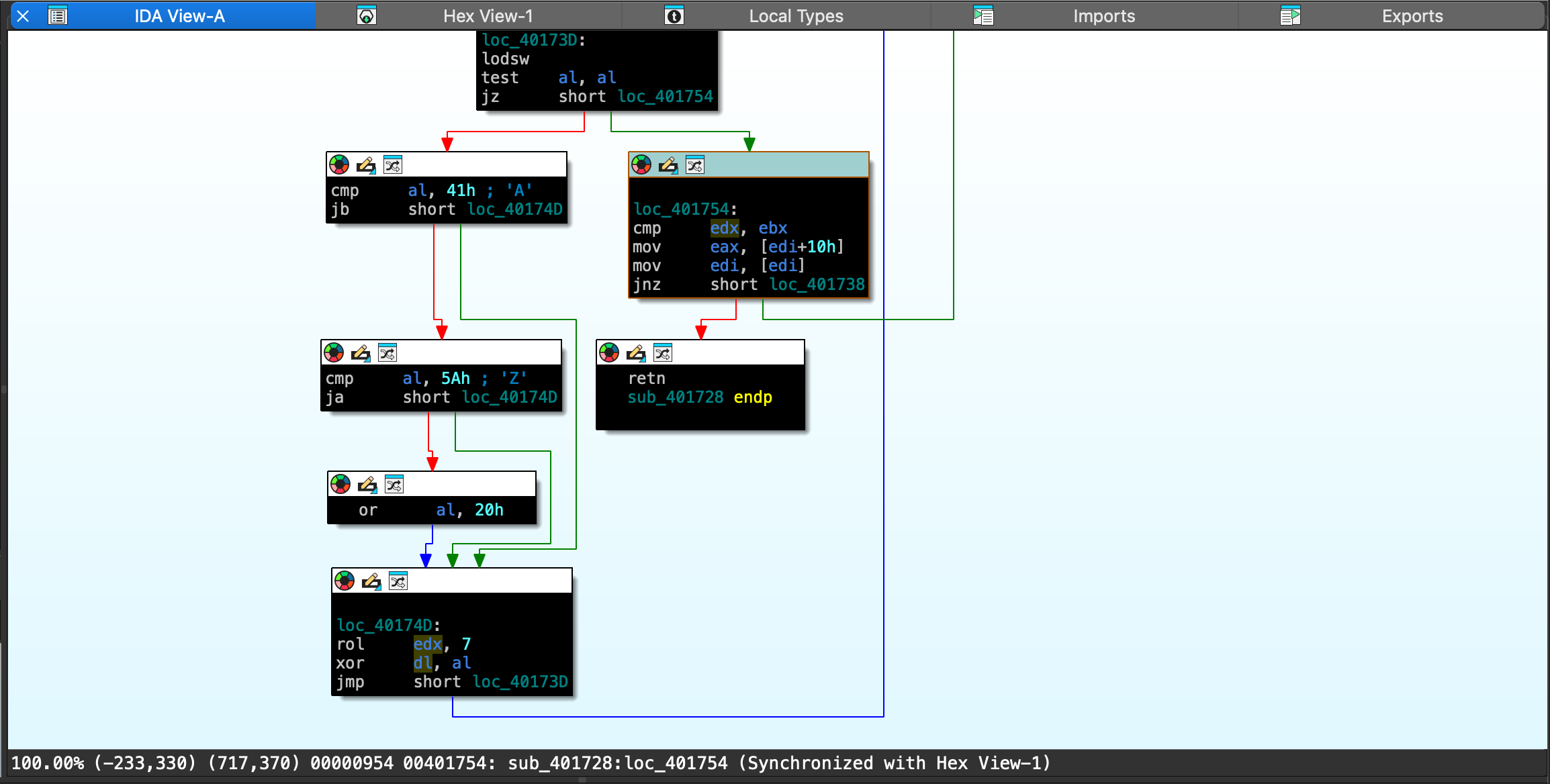
We want to figure out what value is put into edx before the comparison.
Well We can see that before this comparison edx is used in rol instruction that’s rotate left .
edx is rotated left by 7 bits. after that the lower 8 bits of edx, dl is xor with the value in al. After that a jump is taken which will take us back at the beginning of our loop.
loc_40174D:
rol     edx, 7
xor     dl, al
jmp     short loc_40173D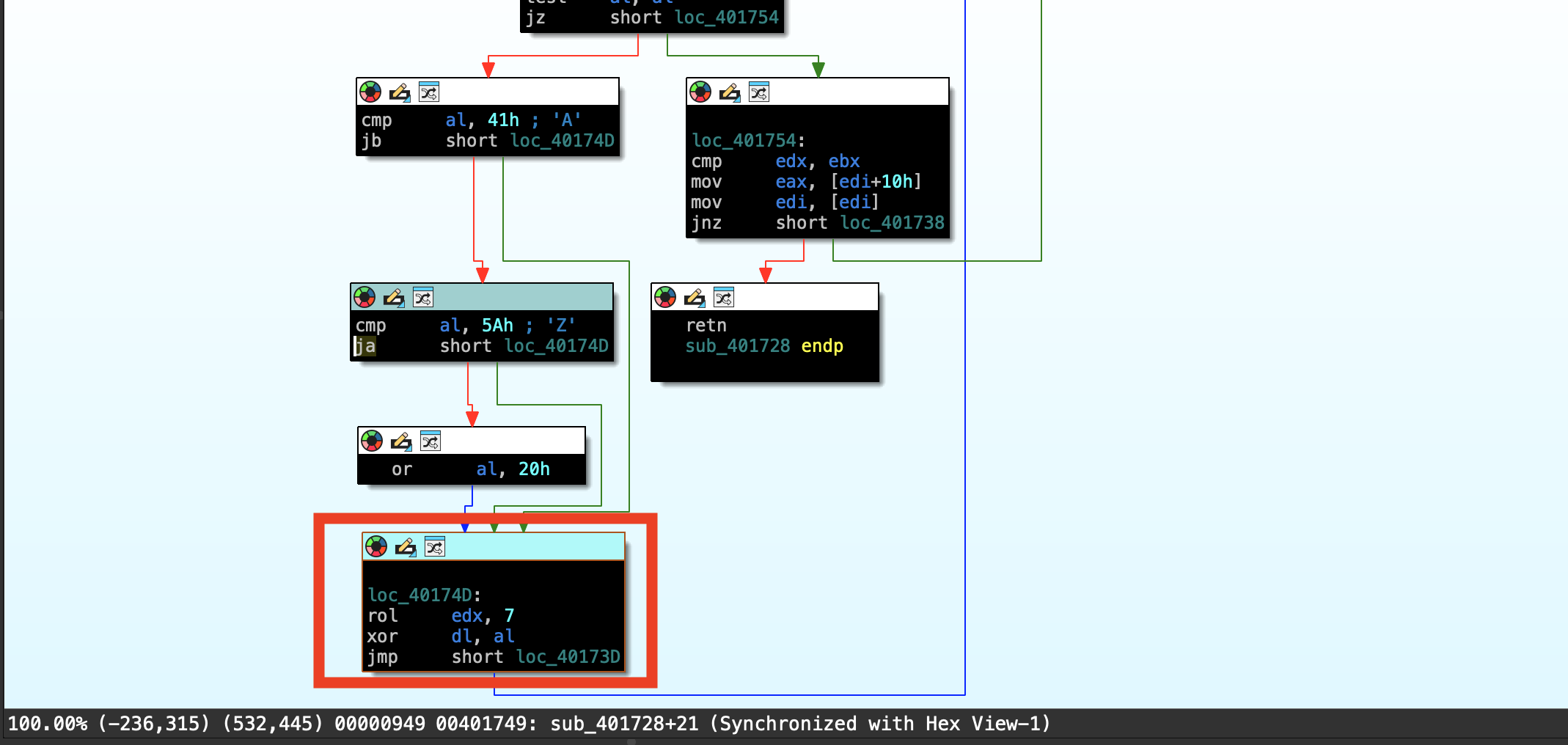
So now we want to figure out what’s in al .
If we highlight al you will see al is used in couple of different instructions.
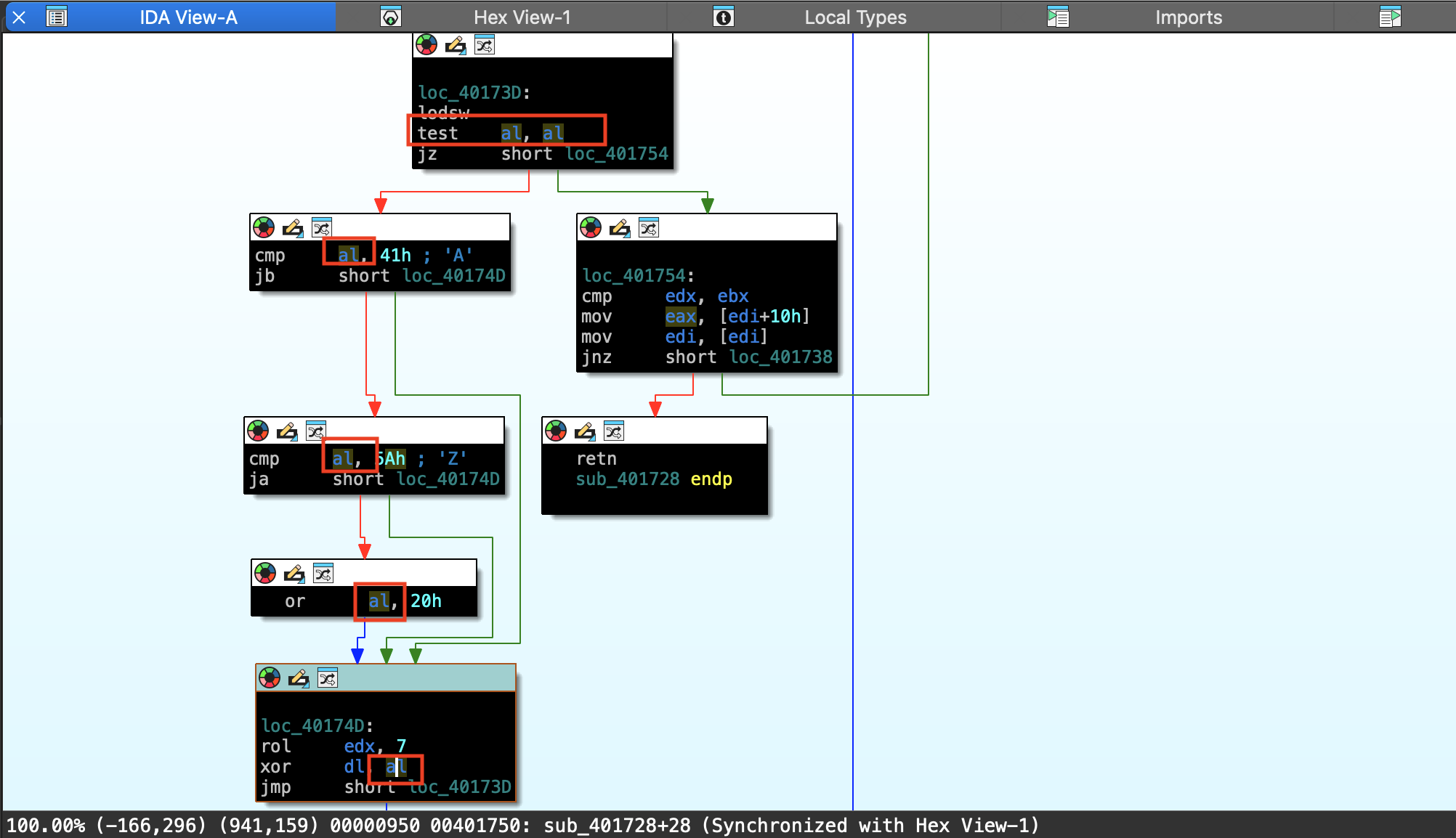
The first is the compare al with 41h.
cmp     al, 41h ; 'A'
jb      short loc_40174D
Next is to compare al to 5A.
cmp     al, 5Ah ; 'Z'
ja      short loc_40174D
Notice the condition.
Jump below and jump above. What this is saying is the value of al is in between 41 hex or 5a in hex. we are gonna enter this condition and perform an or operation with the value of al in 20 hex. What this amounts to is ensuring that the value on al which is going to be a letter. And you will see why in just a moment.
That if it’s capital it is now lowered case. So this a quick and easy way of ensuring that regardless of the capitalization of a string it’s all lowered case letter by the time we entered the loop below. To do the rotate and xor instruction.
Note this not always immediately obvious and simple. And we are still not ensure what value is in the al register.
So we are gonna continue to trace backwards in this function.
Doing so will bring us where the condition for the loop is tested.
loc_40173D:
lodsw
test    al, al
jz      short loc_401754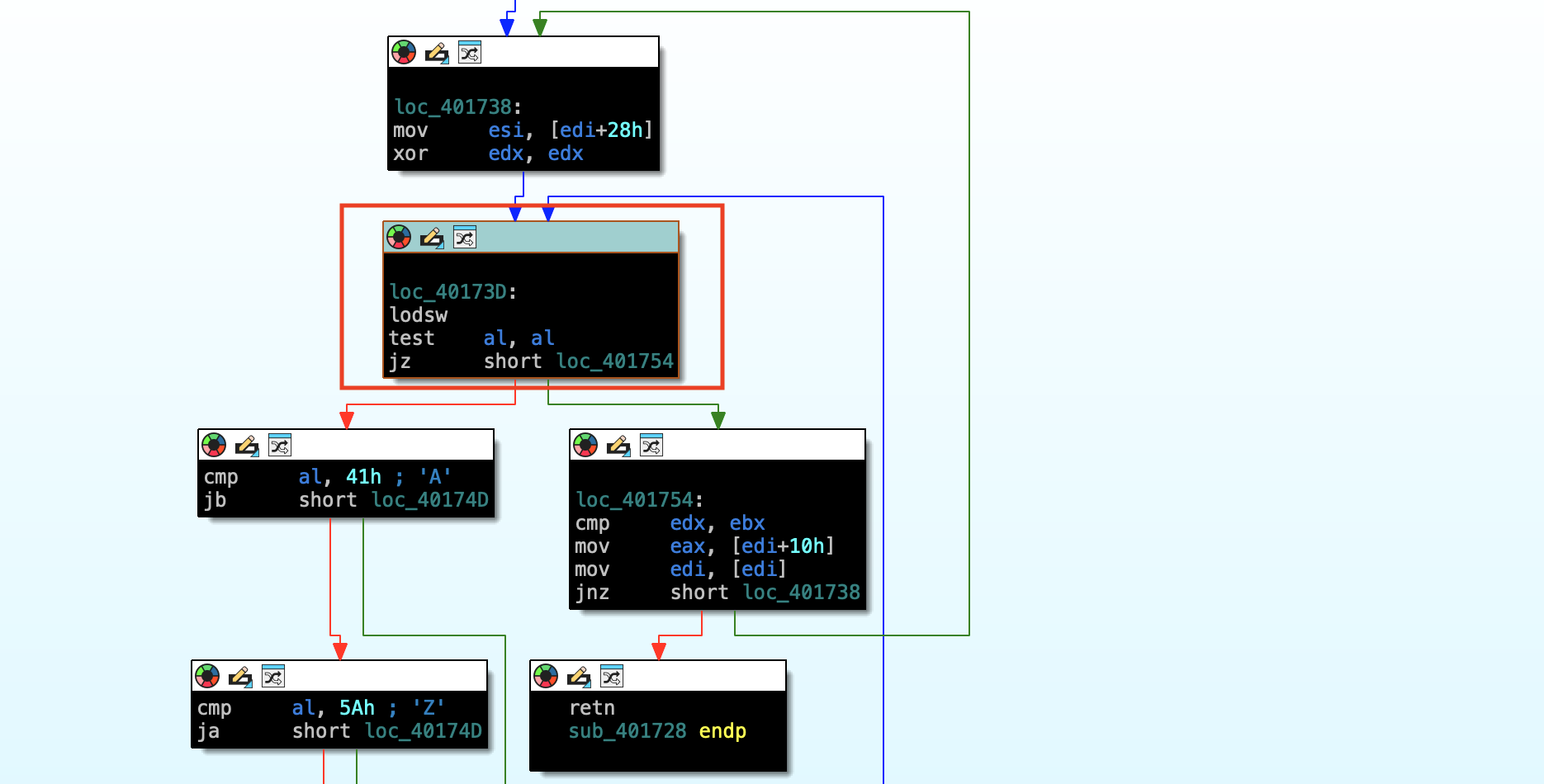
| Address / Label | Instruction | Explanation |
|---|---|---|
loc_40173D: | lodsw | Loads a word (2 bytes) from memory at [DS:SI] into register AX. · Then automatically increments SI by 2. |
| - | test al, al | Tests if the lower byte AL is zero (AL == 0). · Sets the Zero Flag (ZF) if AL is 0. |
| - | jz short loc_401754 | Jump if Zero - If AL is 0 (i.e., null byte found), jump to loc_401754. · Otherwise, continue to the next instruction. |
Here we have the instruction lodsw That’s load string word. The al register is tested after that then finally we have a conditional jump.
With the lodsw instruction it takes a value at esi and treating it as a string pointer. Loads whatever the size in this case word into the EAX register.
The test instruction looks at the value of register, and set’s the appropriate flags. based up of the results. In this case we will only take a jump when al is zero’s value. If this is an ASCII strings and ascii strings are null terminator. Then this check is looking for when we reached the end of an ascii string.
The jump that we take is to the location where we do the comparison between a ebx and edx.
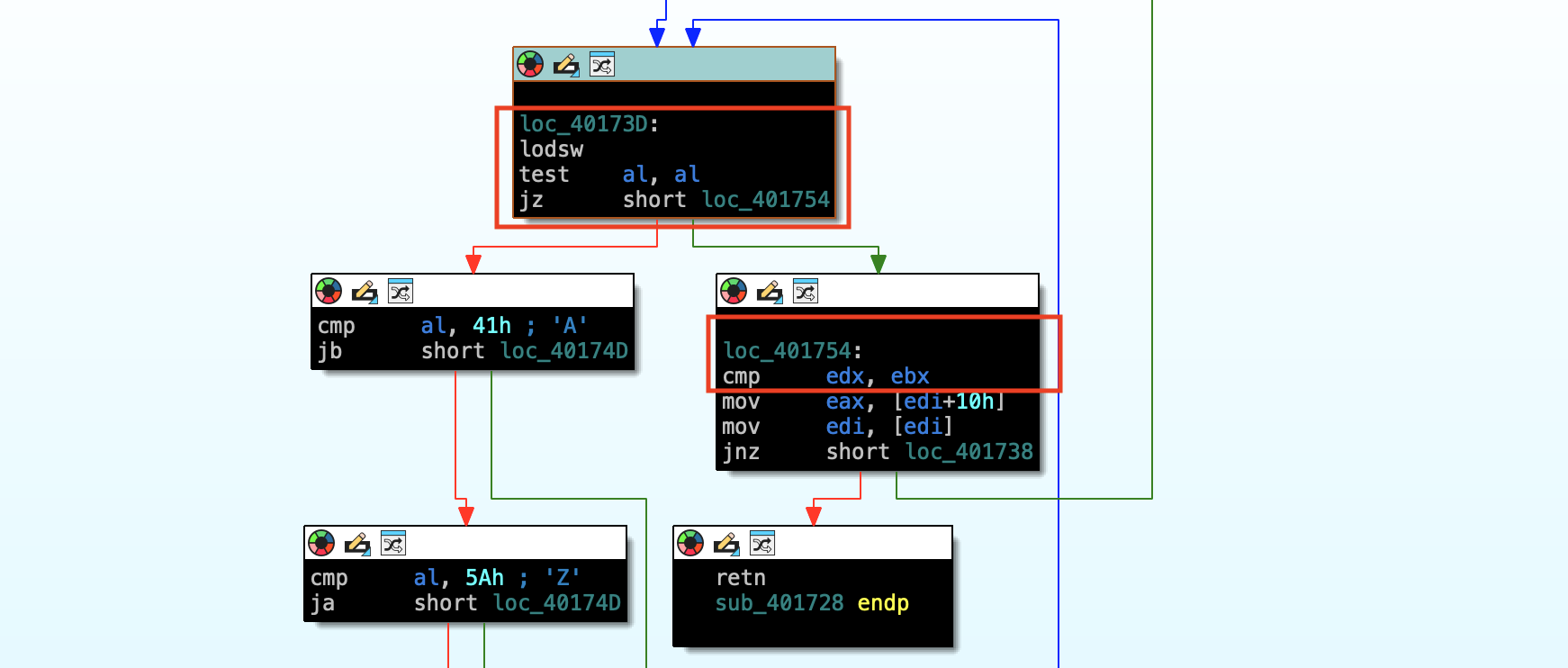
And while we still haven’t confirmed 100% that we have an ascii strings everything is starting to make sense.
We are making sure that the character’s are all lowered case, we are rotating the bit’s. So we are doing some bit manipulation. and after a null byte is found.
The value in edx is compared with the value in ebx. The lodsw instruction expects a pointer to be in esi. And if we continue to trace a little bit further up in this function. we’ll see that we have a mov instruction into esi, [edi + 28h]
loc_401738:
**mov     esi, [edi+28h]**
xor     edx, edx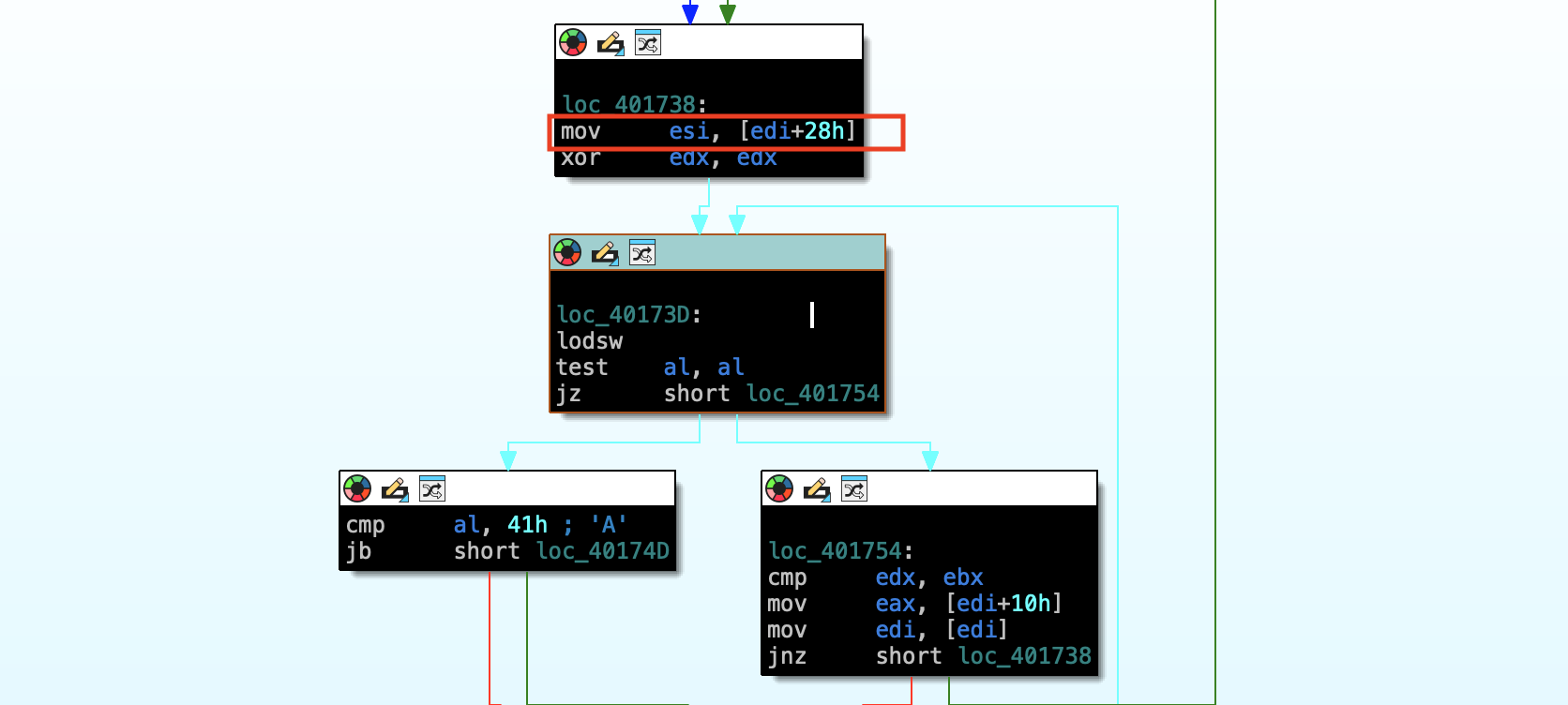
Now in order to understand how we got a string value into [edi + 28h] . We need to continue the investigate the instructions above.
In this case we can set a breakpoint on this mov instruction and see what value is in esi .
Address of the mov instruction:
.text:00401738 mov esi, [edi+28h]
Windbg
let’s fire up windbg
set break point on move instruction.
0:000> bp 00401738and run it.
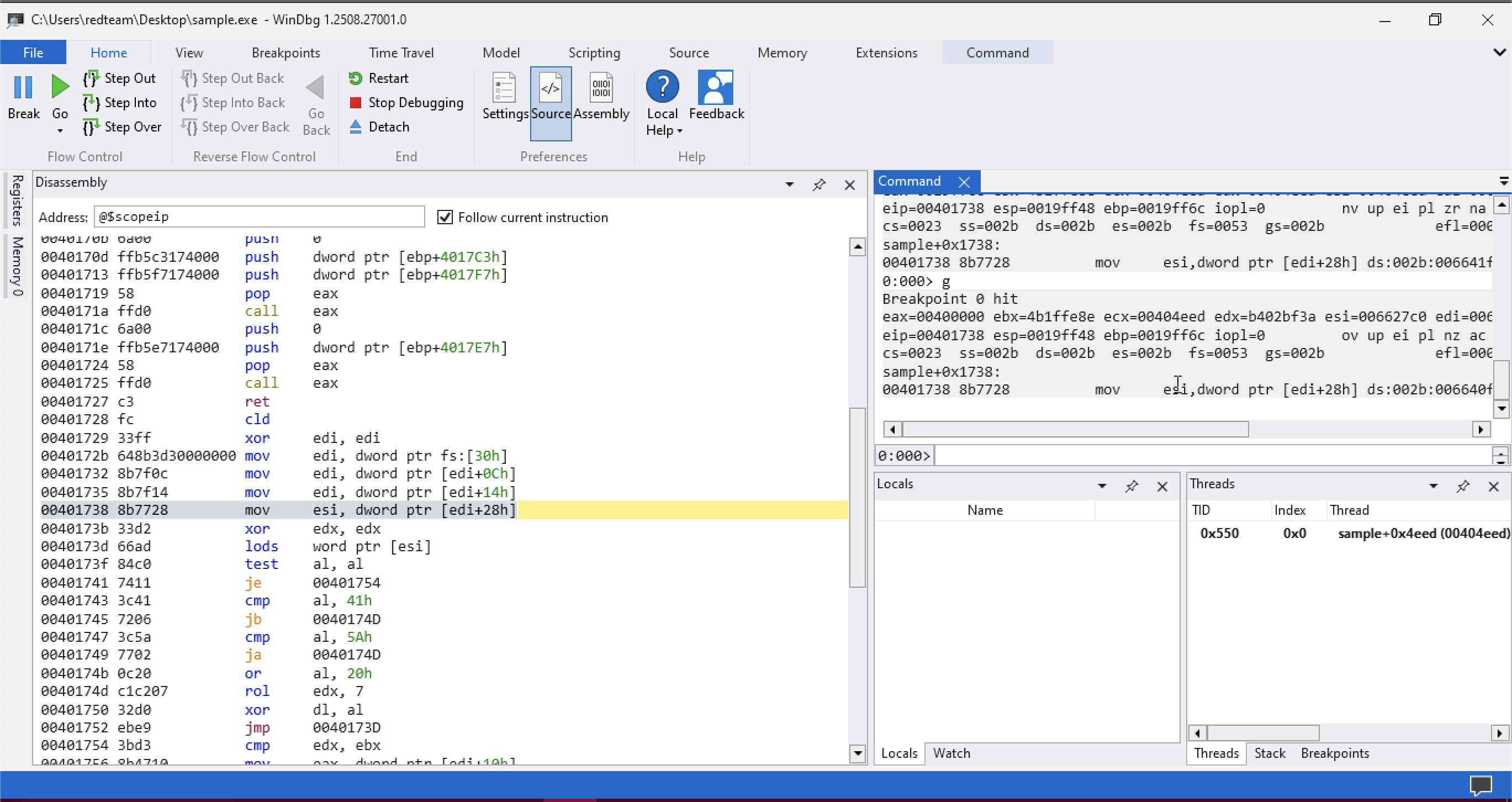
Since i set the breakpoint in mov instructions it hasn’t been executed yet.
So we will step one more time then we will inspect the contents of esi
now we can see value , esi contents 007227AA .
ESI: 007227AA 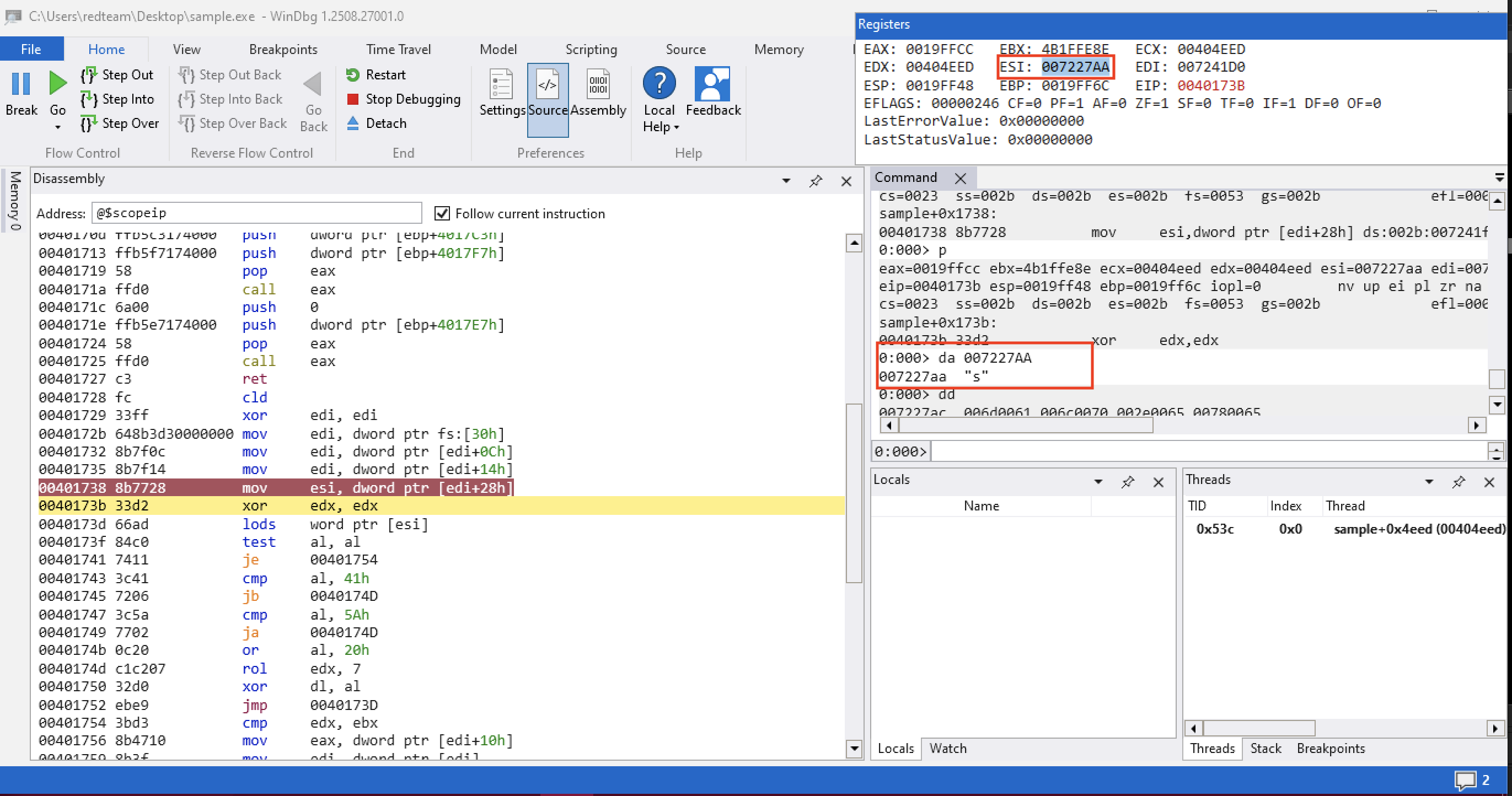
Windbg offers series of memory inspection commands da is one of those.
in which it will take as an argument a pointer to what we think as ascii string and it’ll try to print those value to our command output window.
if we ran the command.
0:000> da 007227AAwe will only get a single character.

We can also inspect the memory using memory inspection commands.
dd allows us to dump dword values.
0:000> dd
007227ac  006d0061 006c0070 002e0065 00780065
007227bc  00000065 003a0043 0055005c 00650073
007227cc  00730072 0072005c 00640065 00650074
007227dc  006d0061 0044005c 00730065 0074006b
007227ec  0070006f 0073005c 006d0061 006c0070
007227fc  002e0065 00780065 00000065 003a0043
0072280c  0055005c 00650073 00730072 0072005c
0072281c  00640065 00650074 006d0061 0044005c
it will give you a series of null bytes followed by a single byte value. S what we are dealing with is uncode or multibyte string.
The null bytes becomes a problem because when dumping ascii strings The null bytes indicate the end of the strings.
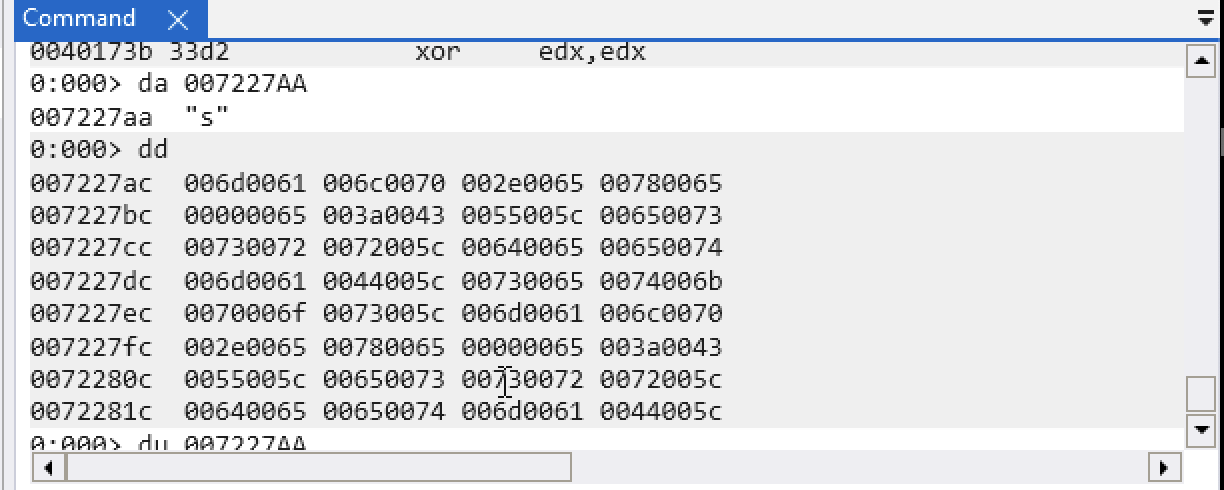
windbg also offers to inspect multibyte strings using du provifding the same argument.
we will get the full string.
0:000> du 007227AA
007227aa  "sample.exe"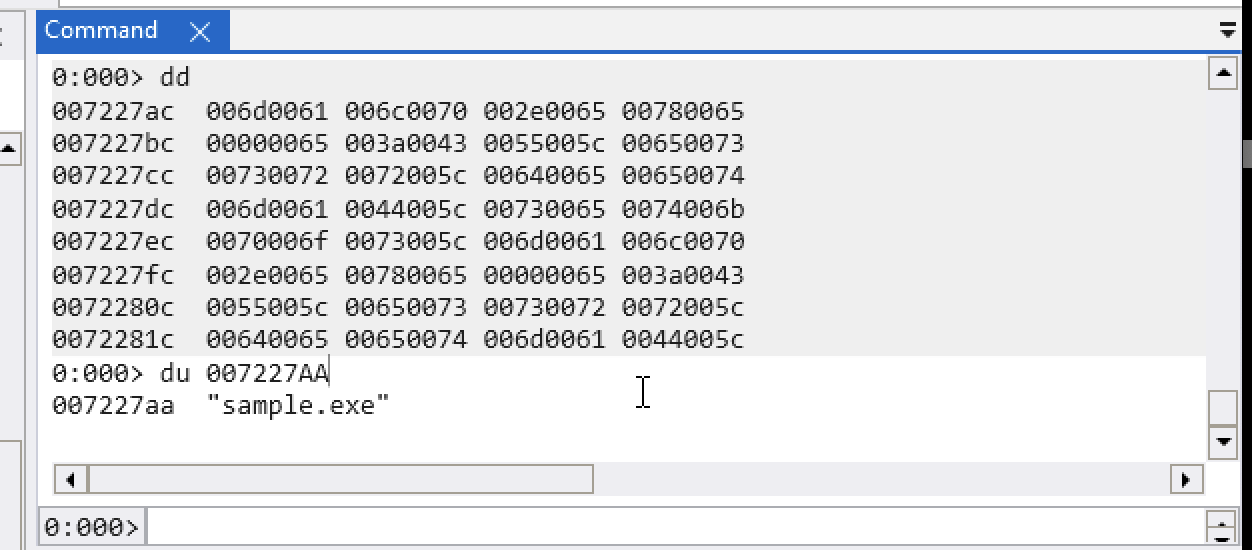
So what this function is doing. Is just walking through each executable and dll in memory getting the name of that executable and then computing the checksum value.
This sample is also obfuscating it’s function calls. There are two steps to resolving a function.
Stay tune for next part.
PART-2: https://github.com/Lynk4/mare/tree/main/Malware%20Analysis/Windows/Dynamic%20API%20Resolution