In this article I want to explain how to perform code comparison and actually walk you through an approach to identify the similarities and difference between code and two executables.
We’ll be comparing a Conti version 3 sample with a lock bit green sample.
In malware to explore the similarities and differences between them can help you identify different version of malware families now obviously you could upload a sample to virus total or another online service in order to understand the overlap with known malware families.
But there certainly are cases you may not want to provide information or the file itself to any other organization and so we’re going to assume that our comparison is going to happen in a local isolated environment.
There are few common ways to compare code between executables.
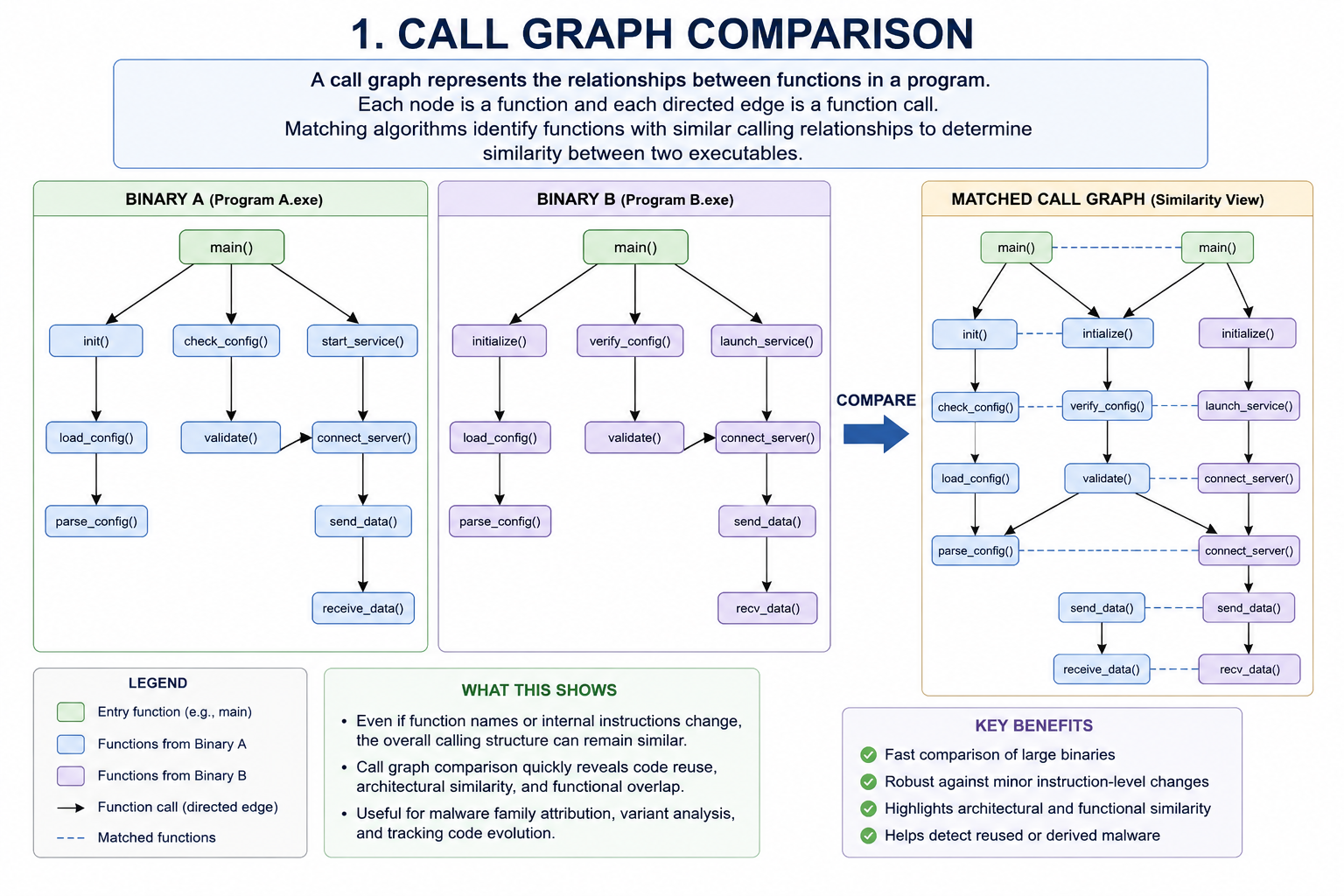
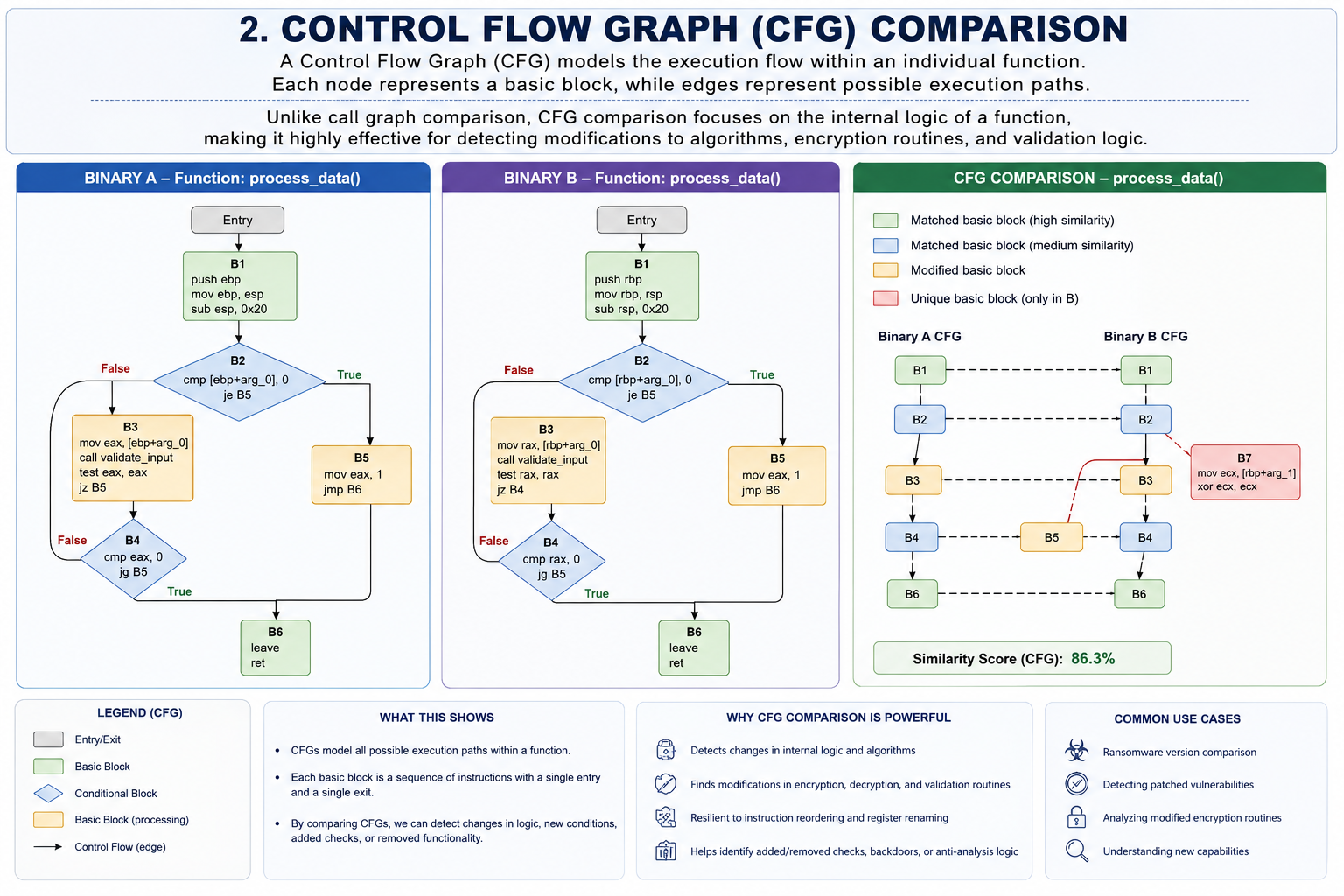
In addition to call graphs and cfgs you could also compare the individual instructions in a basic block now performing any of these code comparisons is difficult and time consuming.
Thankfully programs like bindiff can help us out you can download bindiff from:
https://www.zynamics.com/software.html
As mentioned We will be comparing a Conti ransomware sample with a lockbit green sample.
SAMPLE 1 - Conti Ransomware
| Property | Value |
|---|---|
| MD5 | 6237d6565ebde559310120a80567e016 |
| SHA-1 | 0aebd55ec0cb8ff6e7f5a853c68f9948f4ed824e |
| SHA-256 | e1b147aa2efa6849743f570a3aca8390faf4b90aed490a5682816dd9ef10e473 |
| Vhash | 025056655d15556az4oz15z27z |
| Authentihash | bc18b9bdca59daccb24c0f7b987ca58cf80d36d977bc402920ce97224692c69e |
| Imphash | 5036747c069c42a5e12c38d94db67fad |
| Rich PE Header Hash | 6327c2c366b14a5f0ca7198aec6a1303 |
| SSDEEP | 3072:owAJkyMS4a+RQ3dTmx0Tth+cySxE+s9WRhP6v8xZducdwV:RAJeRQ3dT++GnOR/jGV |
| TLSH | T101243A60F2894135F16518B129FC2AE350B89A38332FCCE777DD86BE5A296D27460F47 |
| File Type | Win32 EXE executable (Windows PE32) |
| Magic | PE32 executable (GUI) Intel 80386, for MS Windows |
| TrID | • Win32 Dynamic Link Library (generic) — 22.9%• Win64 Executable (generic) — 22.7%• Win16 NE executable (generic) — 17.5%• Win32 Executable (generic) — 15.7%• OS/2 Executable (generic) — 7.0% |
| Detect It Easy (DIE) | Format: PE32Entry Point Compiler: Microsoft Visual C/C++ (2017 v15.5–6) [EXE32]Compiler: Microsoft Visual C/C++ (19.16.27045) [LTCG/C++]Linker: Microsoft Linker (14.16.27045)Toolchain: Visual Studio 2017 (v15.9) |
| Magika | PEBIN |
| File Size | 211.50 KB (216,576 bytes) |
SAMPLE 2 - Lockbit Green
| Property | Value |
|---|---|
| MD5 | aacef4e2151c264dc30963823bd3bb17 |
| SHA-1 | 9492c378a14e9606157145d49e35a9841383121d |
| SHA-256 | 45c317200e27e5c5692c59d06768ca2e7eeb446d6d495084f414d0f261f75315 |
| Vhash | 025046655d556az41nz15z27z |
| Authentihash | e07e084be329627fce560912d47ee6d614b5a7a1e3c9e09dec3fb59070528f2b |
| Imphash | 6a50fba0b2beed26e23e37e0922bd3df |
| Rich PE Header Hash | d6f398705977d9f241a85891cb9ad73f |
| SSDEEP | 3072:ge9f4GwJqzPG927z6r7JGSxS0S4/J2cux2Ut8q7frsF1G1yH:z9fkgzP4HQSxSuJ2c/AnU1+yH |
| TLSH | T1D3344A60F64D4539F16918B22DFC2EE250B89A38331FC9E773DD86AD5A286D27420F47 |
| File Type | Win32 EXE executable (Windows PE32) |
| Magic | PE32 executable (GUI) Intel 80386, for MS Windows |
| TrID | • Win32 Executable MS Visual C++ (generic) — 50.3%• Win32 Dynamic Link Library (generic) — 10.6%• Win64 Executable (generic) — 10.5%• Win16 NE executable (generic) — 8.1%• Win32 Executable (generic) — 7.2% |
| Detect It Easy (DIE) | Format: PE32Entry Point Compiler: Microsoft Visual C/C++ (2017 v15.5–6) [EXE32]Compiler: Microsoft Visual C/C++ (19.16.27048) [LTCG/C++]Linker: Microsoft Linker (14.16.27048)Toolchain: Visual Studio 2017 (v15.9) |
| Magika | PEBIN |
| File Size | 231.00 KB (236,544 bytes) |
For the purpose of binary comparison we will use bindiff with ghidra we are going to take advantage of Binexport which is available on Github:
https://github.com/google/binexport
Binexport is a plug-in or extension that exports data from a supported disassembler like ghidra in the format that bindiff requires to perform it’s comparison. The documentation on ghidra tells us how to install this extension.
Next we need to process both the conti and lockbit green samples just as we would any other executable that we are loading in ghidra.
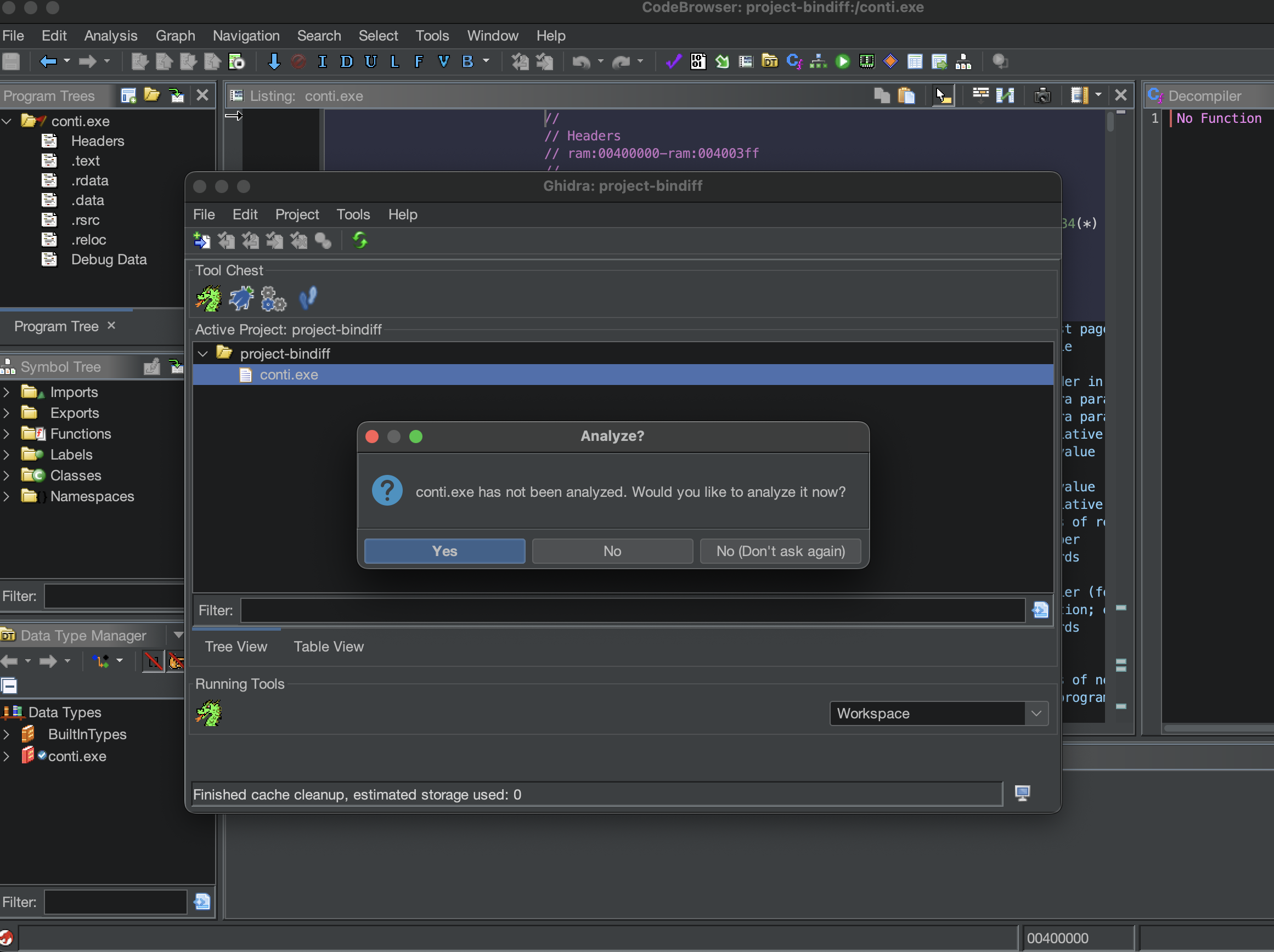
When ghidra prompts me to analyze this file I definitely want to click yes.
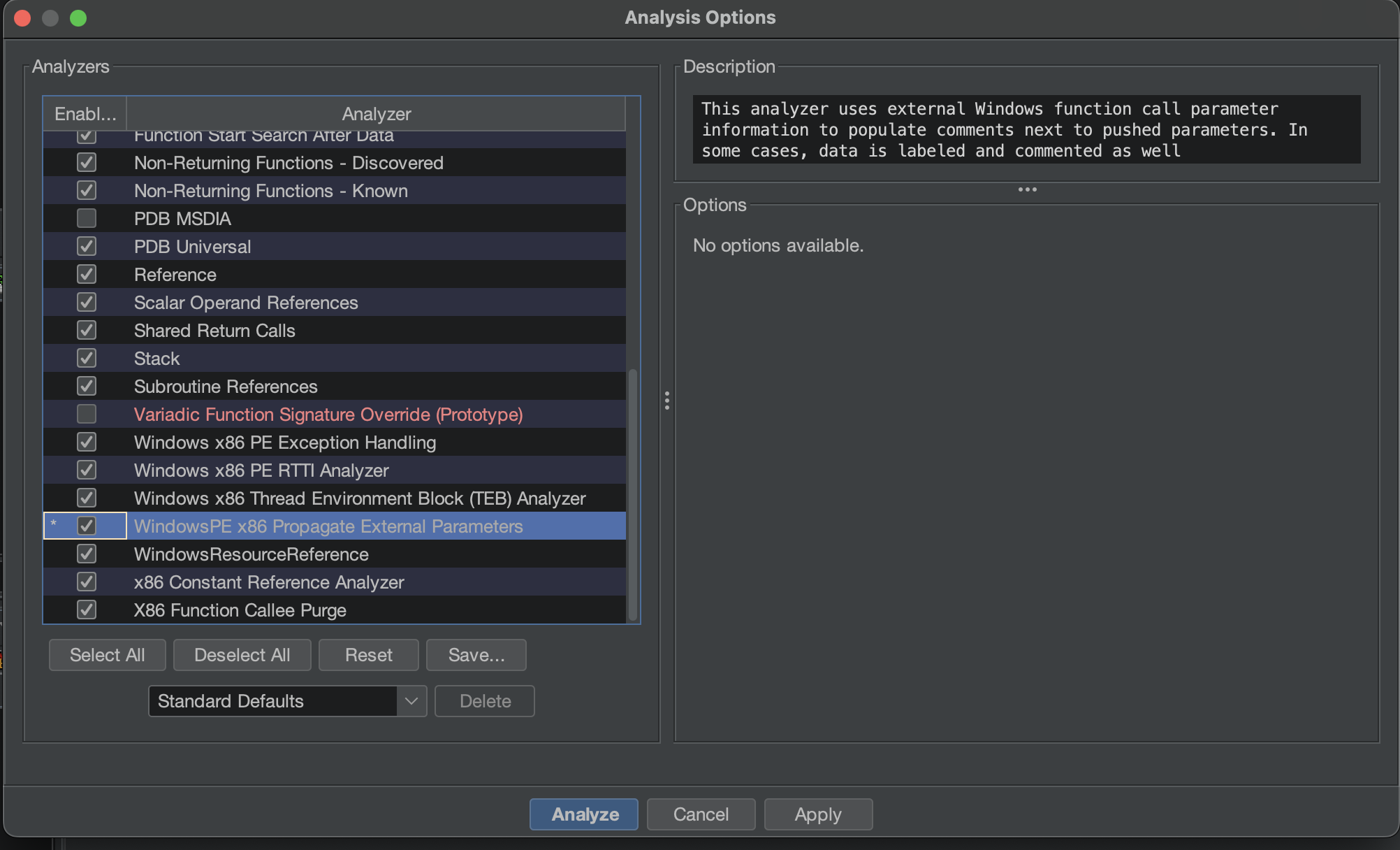
Choose this option WindowsPE x86 Propagate External Parameters and press Analyze.
While this is being processed. Go ahead and pull in the lockbit green sample as well.
Once Ghidra has completed it’s analysis of these two files we’ll go ahead and close them down and save the results .
Next we want to use binexport extension to actually export the related data necessary to perform the diff.
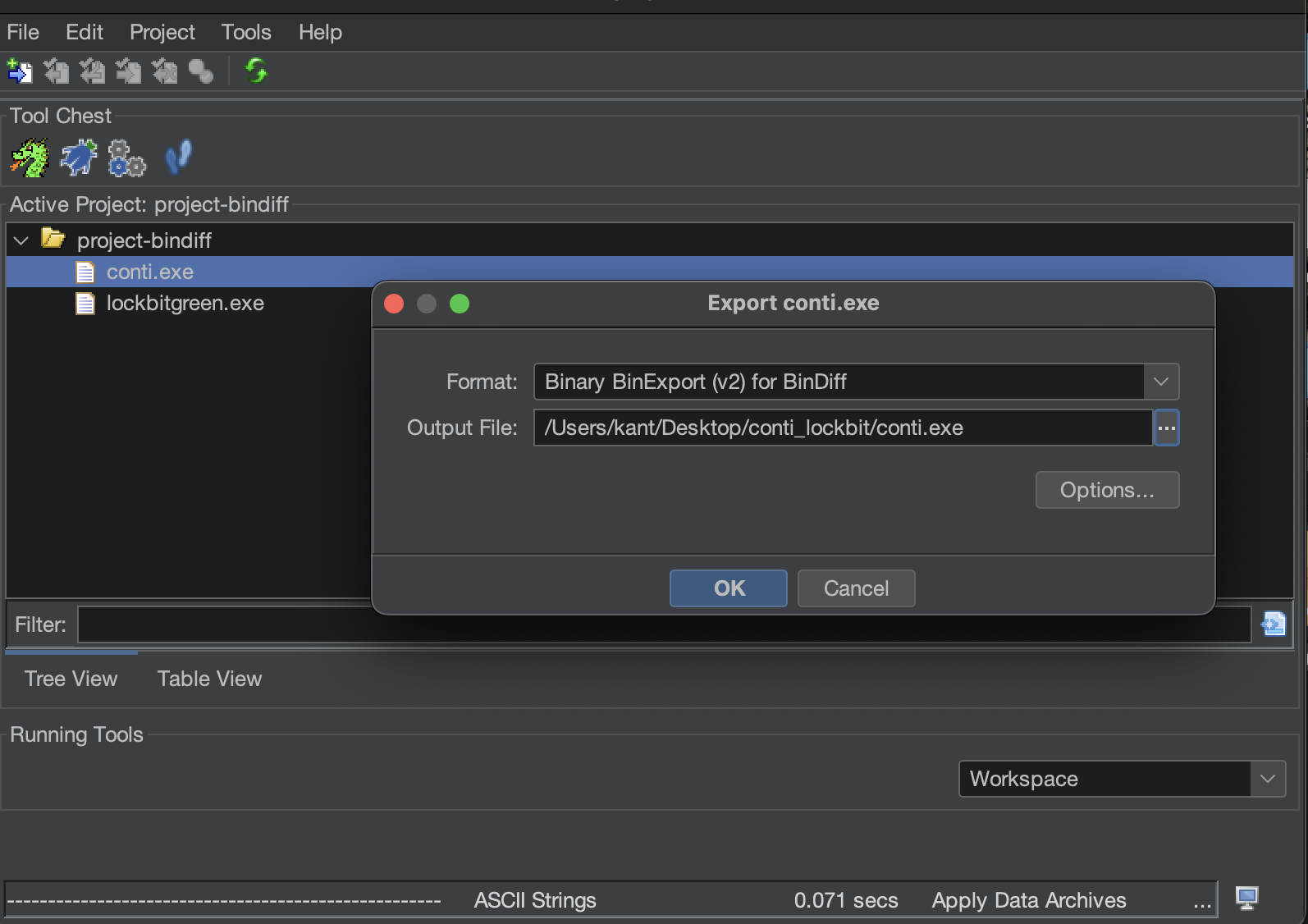
I’ll choose conti first.
right click and in this context menu I’ll choose Export option.
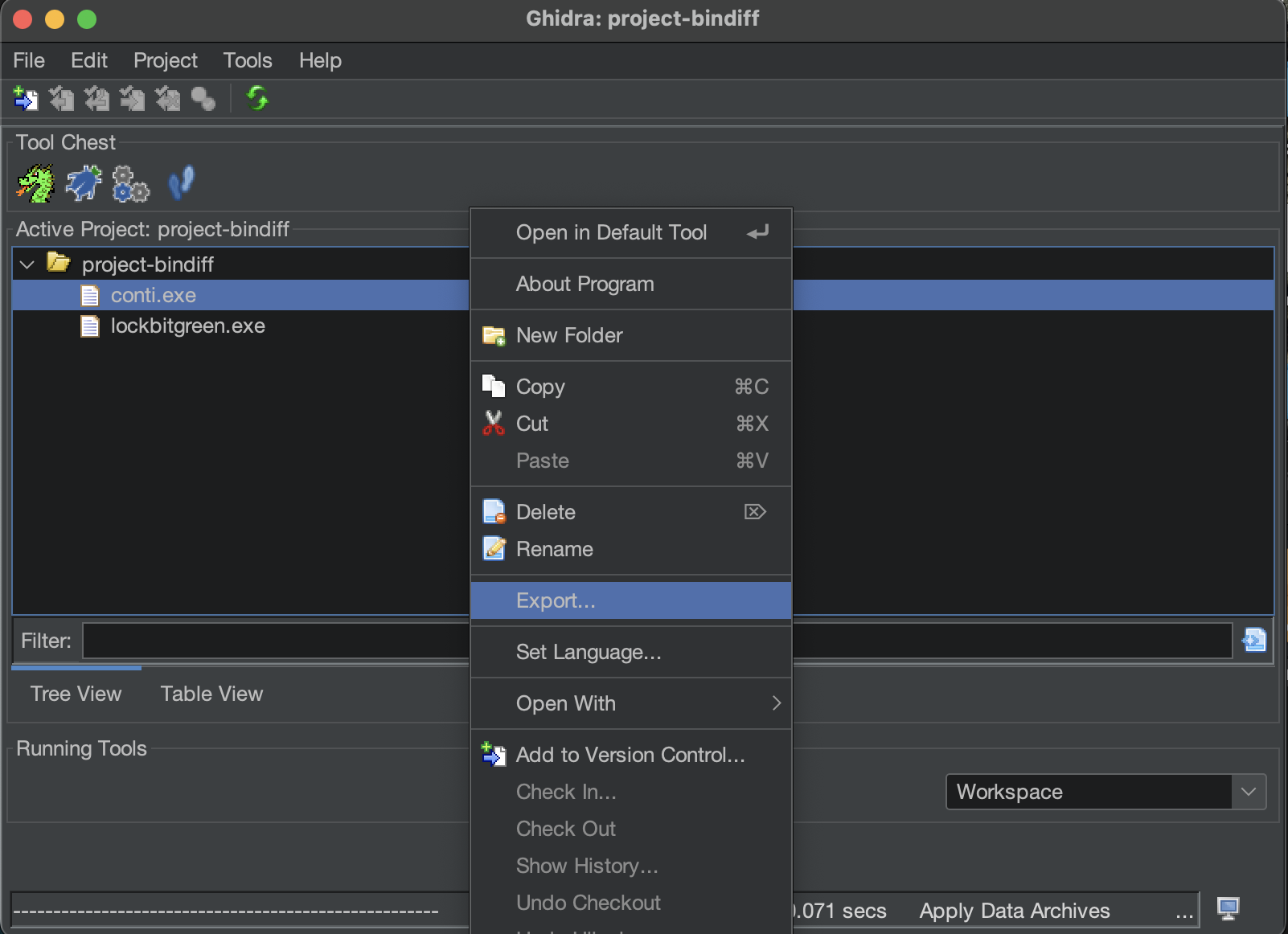
Within export you’ll want to if it hasn’t been selected click on this pull down and choose Binary Binexport . and click OK.
Click OK on the exports result summary.
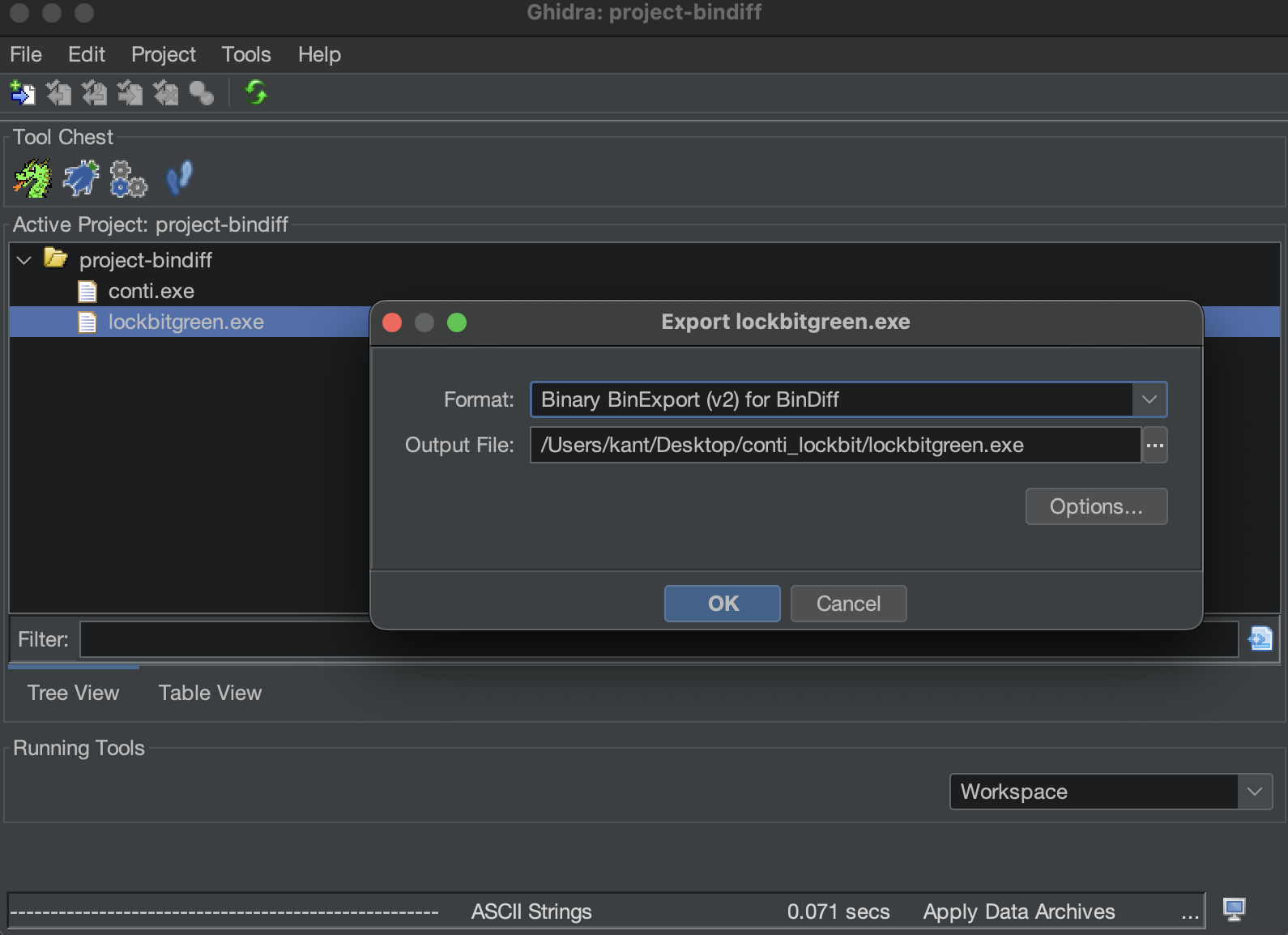
Similarly for lock bit green.
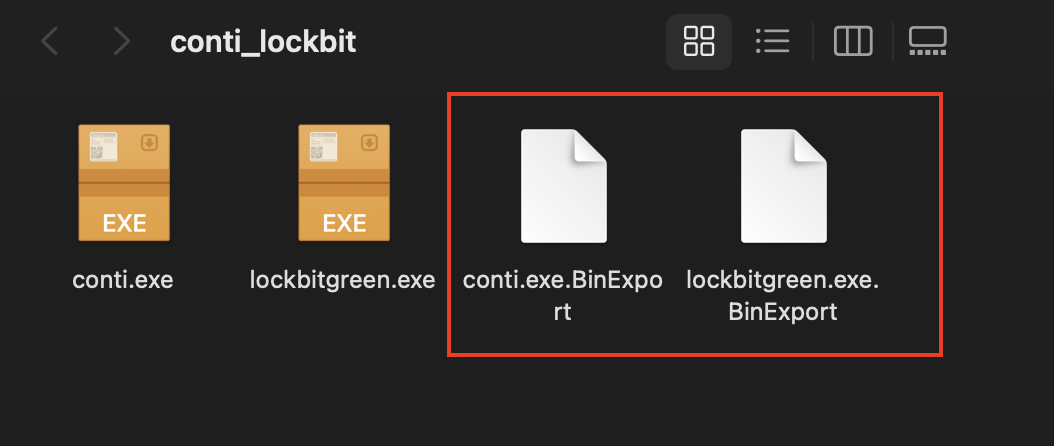
You’ll notice I now have my lockbit green and conti.exe Bin export files.
Next Let’s launch BinDiff.
Create a new workspace.
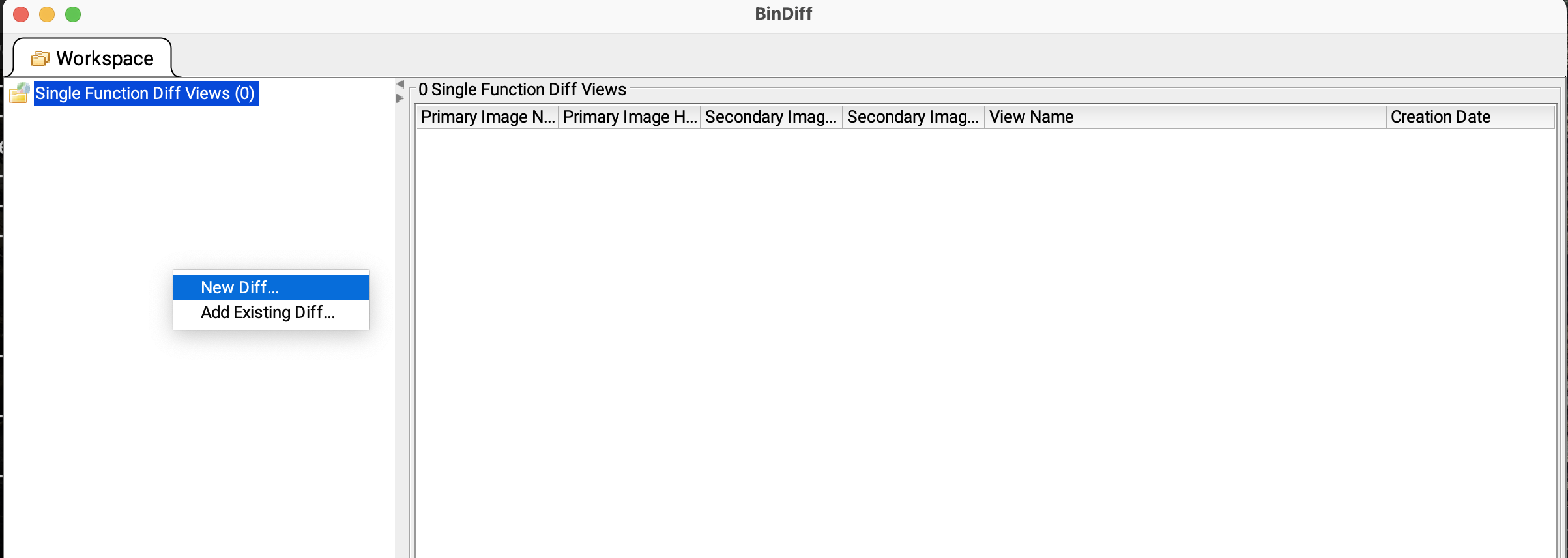
Then go to right hand side panel right click —> NewDiff
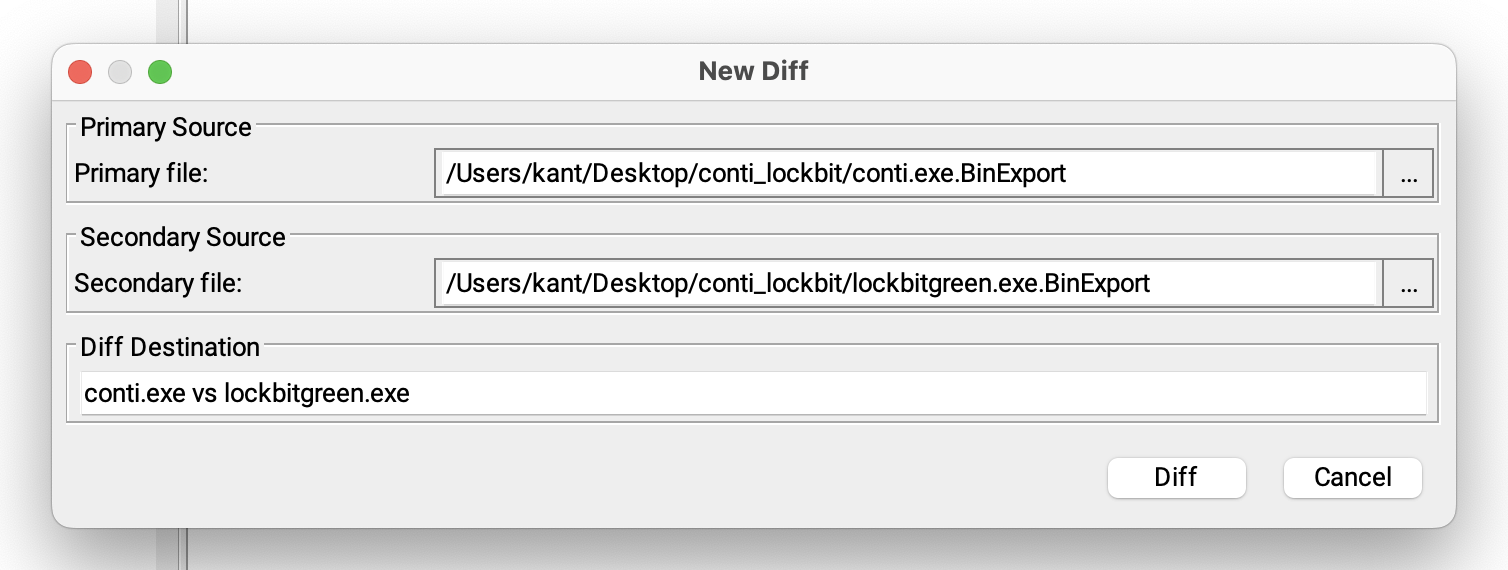
For the primary file choose the conti bin export file. And for the secondary file choose the lockbit green export file.
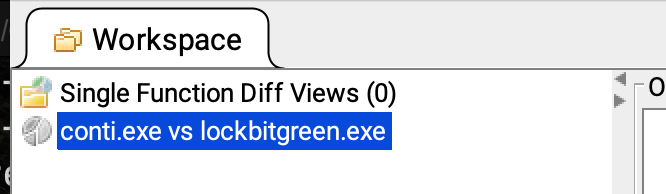
Now click Diff It will start performing the binary comparison to take a look at the results on the top left click conti.exe vs lockbitgreen.exe .
Now this is a comparison at the highest level describing how the Conti sample and the lockbit sample compare to one another.
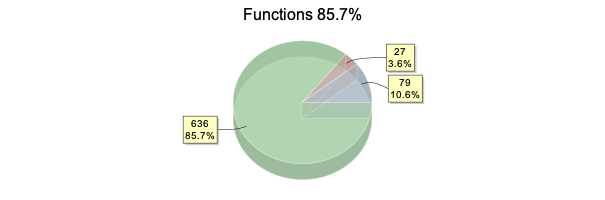
The left hand side we have an overall functions percentage of 85.7% and on the right hand side a similarity value of 0.91 or 91%
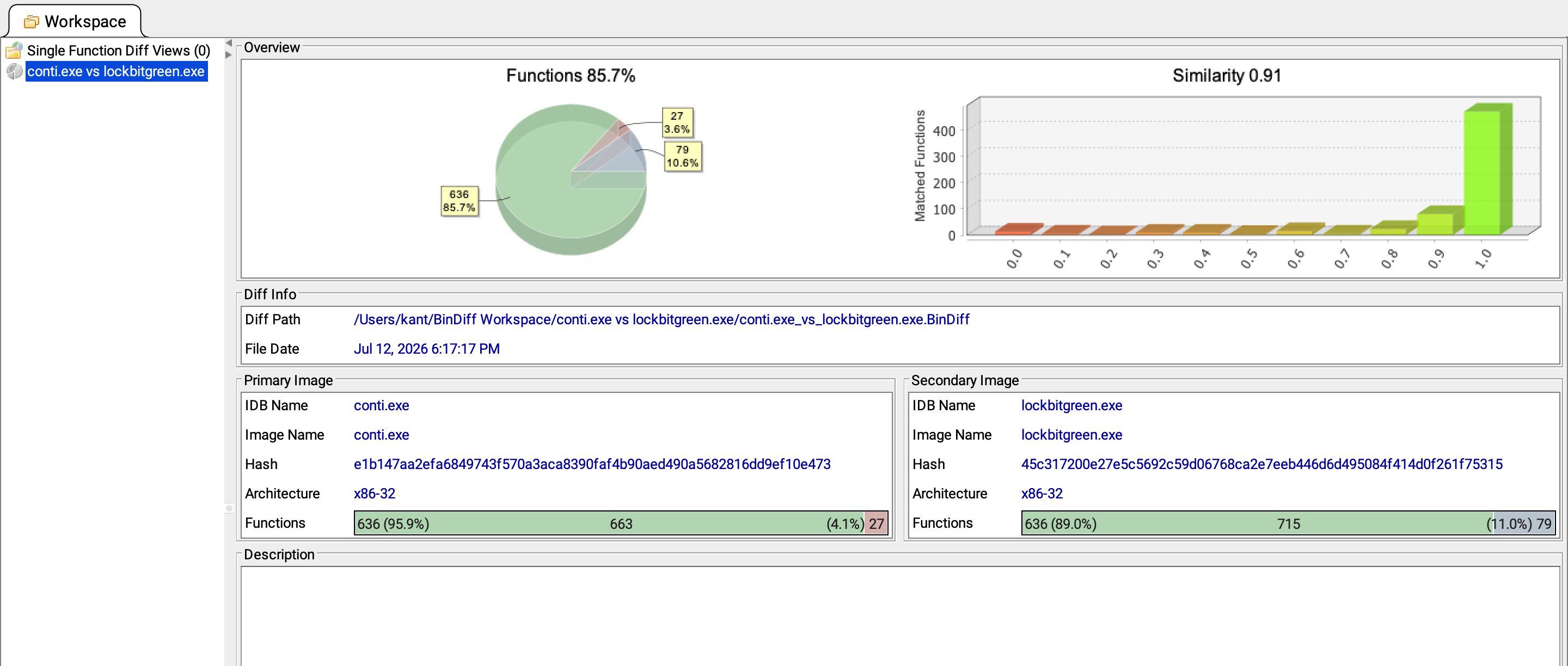
I tend to focus more on the functions percentage so let me just spend a moment what that really means.
BinDiff
| Category | Functions | Percentage |
|---|---|---|
| Matched Functions | 636 | 85.7% |
| Modified / Partial Matches | 79 | 10.6% |
| Unmatched Functions | 27 | 3.6% |
| Total | 742 | 99.9%* |
BinDiff found 636 pairs of Functions meaning one in conti and one on lockbit that it believes do match in some way.
It also found 27 functions on the conti sample that it did not find a match for within lockbit green.
Similarly it found 79 functions in lockbit green that it did not find a match for in Conti.
So if you add up 636 + 79 + 27 = 742
and that is the overall number that all of these percentages are based off 85.7% does seem to indicate that these programs are quite similar. But let’s dig deeper.
In order to do that I can double click conti.exe vs lockbitgreen.exe in the left hand side and this opens four different views or ways to identifies these similarities and differences between these two programs.
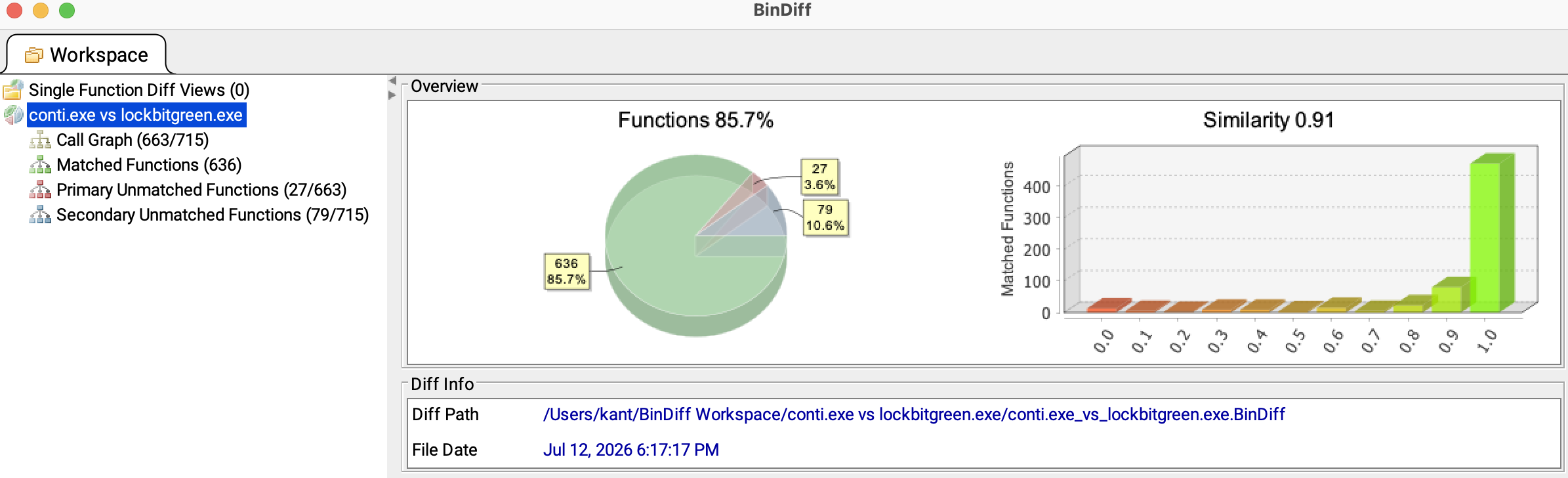
Call Graph
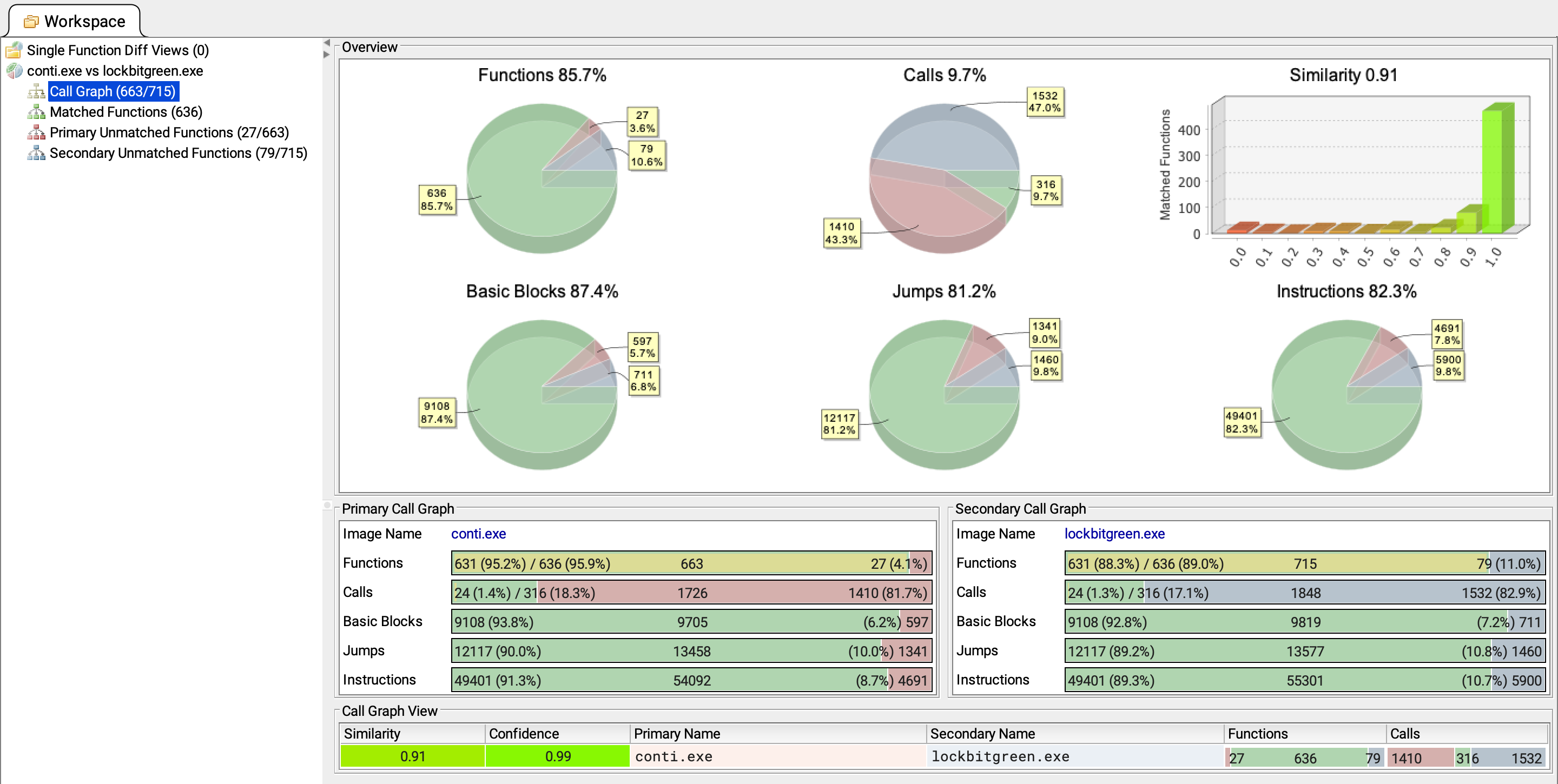
First we have the call graph view and this does include the functions percentage of 85.7% as well as the similarity value of 0.91. Now there are some other breakdowns here in some values.
Matched Functions
Next one is matched functions. These are functions that bindiff decided are a match between lockbit green and conti.
So each of these matches bindiff lists a similarity between 0 and 1 and a confidence value between 0 and 1.
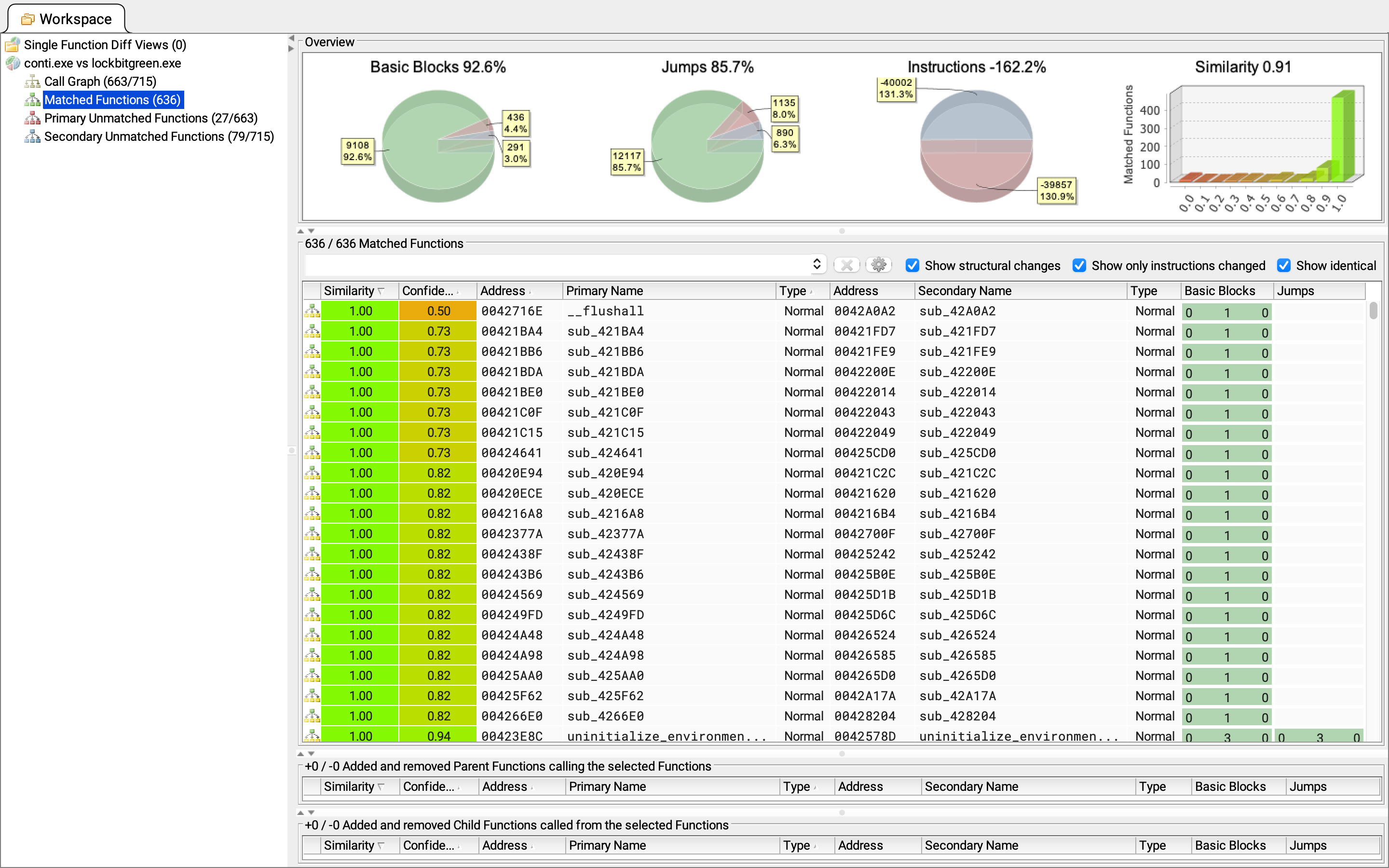
Sort by descending confidence.
Single click on the Confidence column. and you’ll see that each of the rows here has an address and a primary name as well as an address and a secondary name.
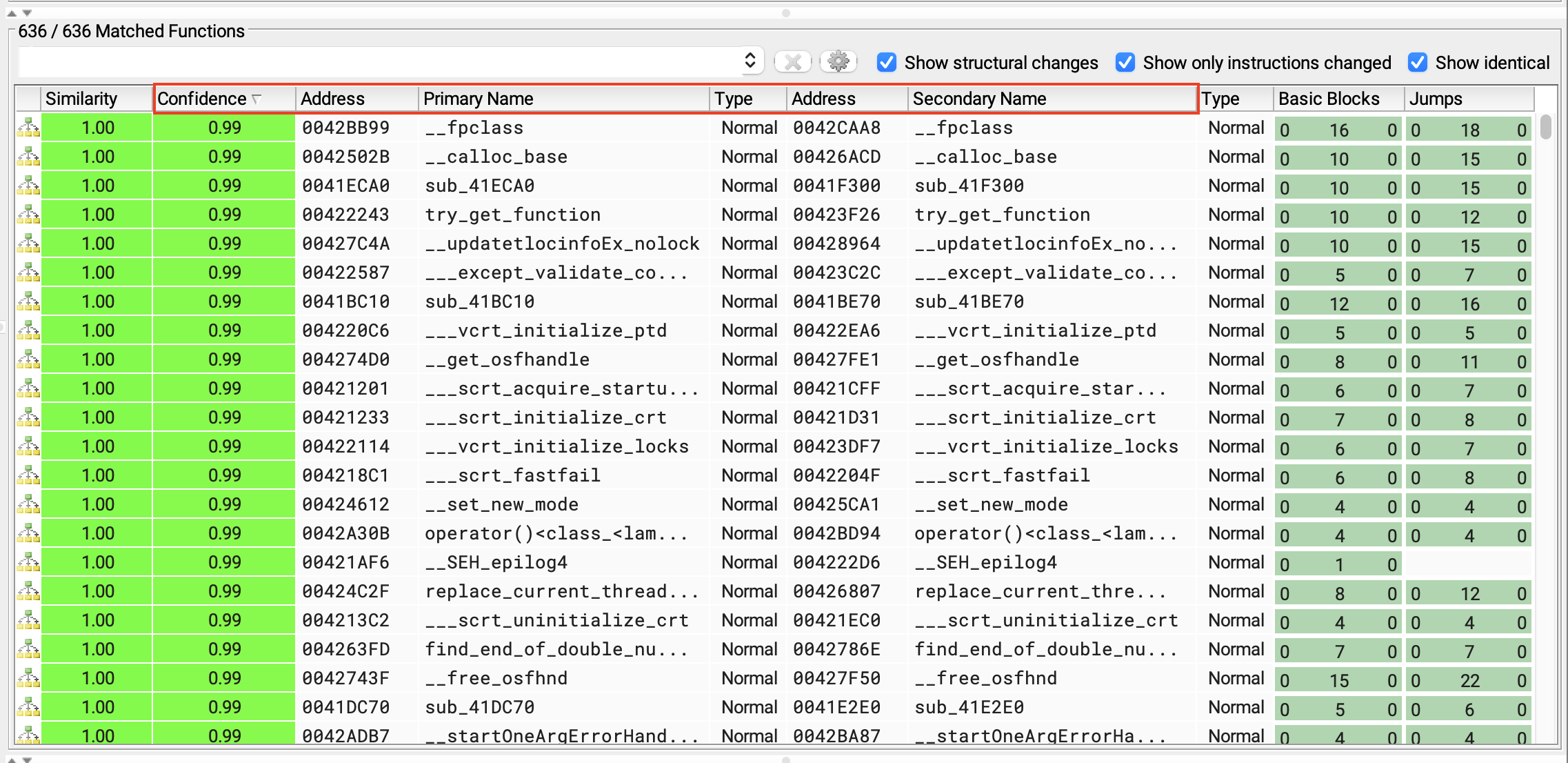
Okay so the addresses correspond with the locations of the functions that it believes do match and then the actual names associated with each of those functions in the primary file which again is the conti sample and the secondary file which is the lockbit green sample.
In terms of the colors the green tones generally indicates functions that have a closer similarity to one another and a higher confidence while the yellow and red tones indicates that the functions are less similar with a lower confidence.
Functions that you see listed here that do in fact have a non-generic name is a result of ghidra’s FID or functions ID feature. Which basically identifies embedded Library code.
So in order to look for functions that have not been renamed I’m going to search for sub_ .
When you’re looking at a function that has not been labeled or named automatically it usually begins with an fun_ .
But BinDiff displays that as sub_ .
By searching for sub_ in this case I can look for functions that have not been named and in other words in this case I’m trying to focus on non-library functions.
Now I have a list of functions that are generally not going to be a Library code and this is where I want to focus my attention.
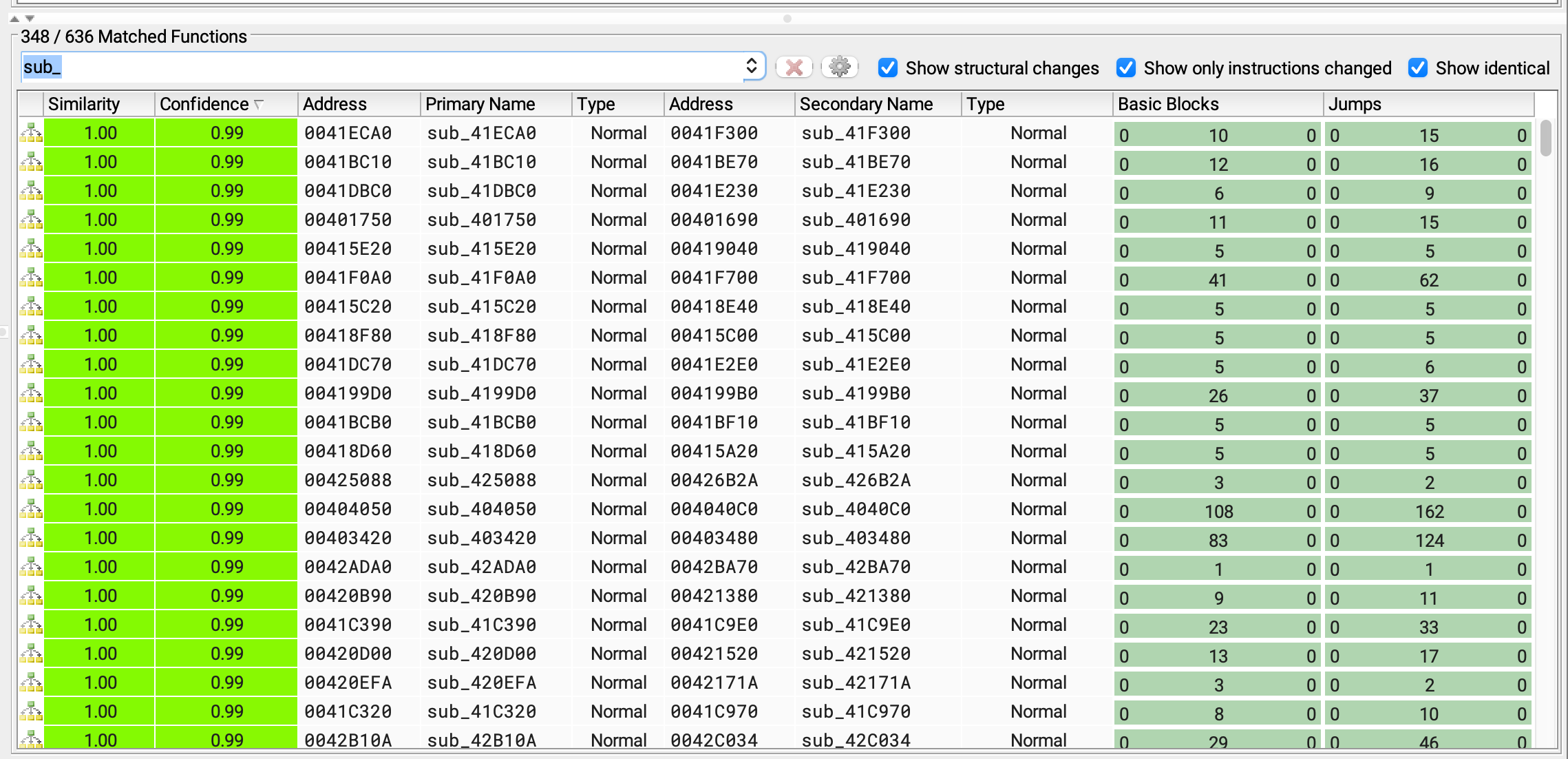
Now if i were to now go ahead and double click on any of these rows. for example the first one.
BinDiff will show me a closer comparison of these functions.
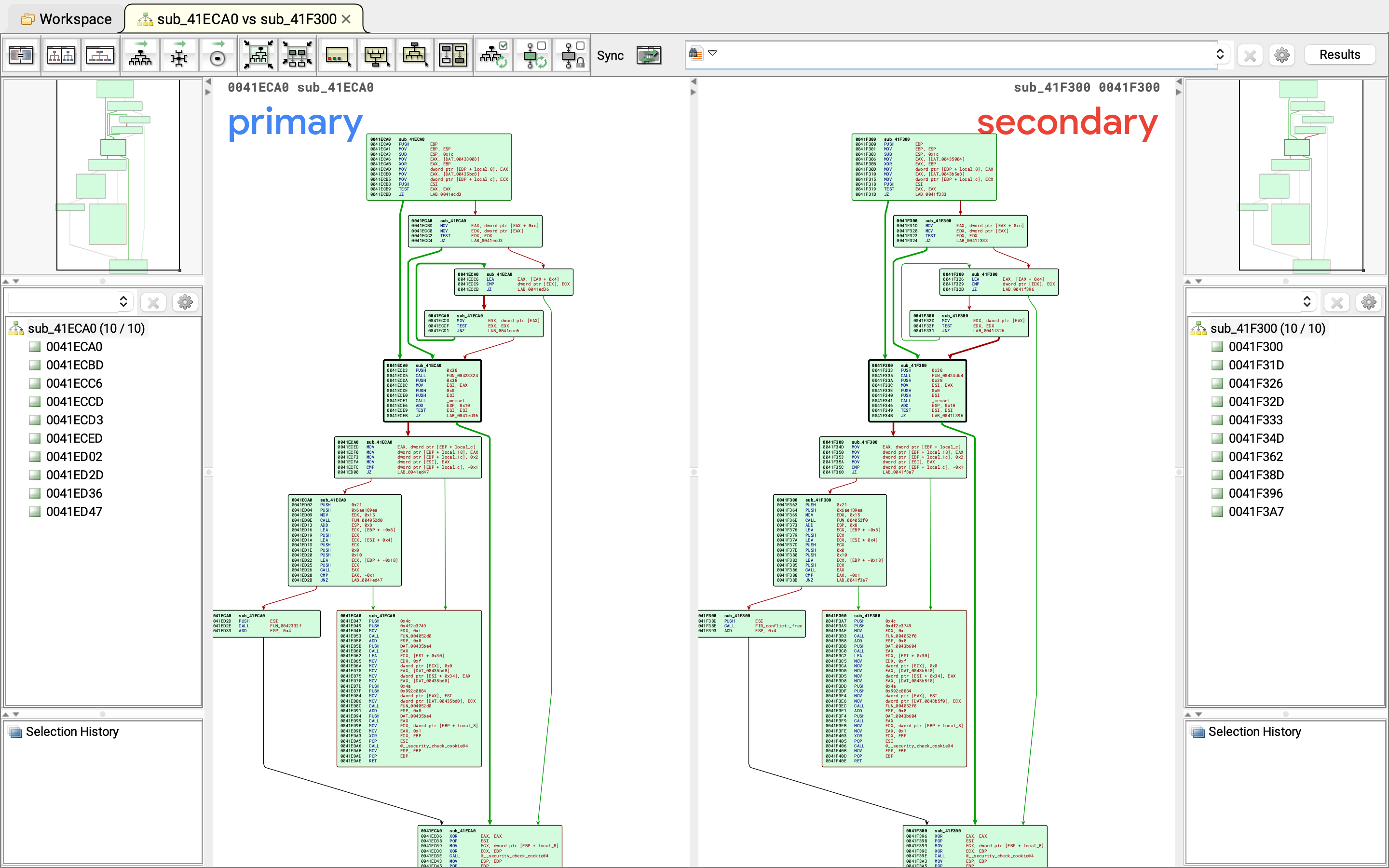
Allowing me to get into the details of the actual instructions
Now in this case i clicked into two functions that were a very close match. So I wouldn’t except to see many differences here. But this is just an example of how you can start doing the function to function comparison.
Now go back to workspace and scrolling down eventually you’ll see some other colors show up here and towards the bottom you’ll see more of those red tones. Which again indicates functions that have a lower similarity.
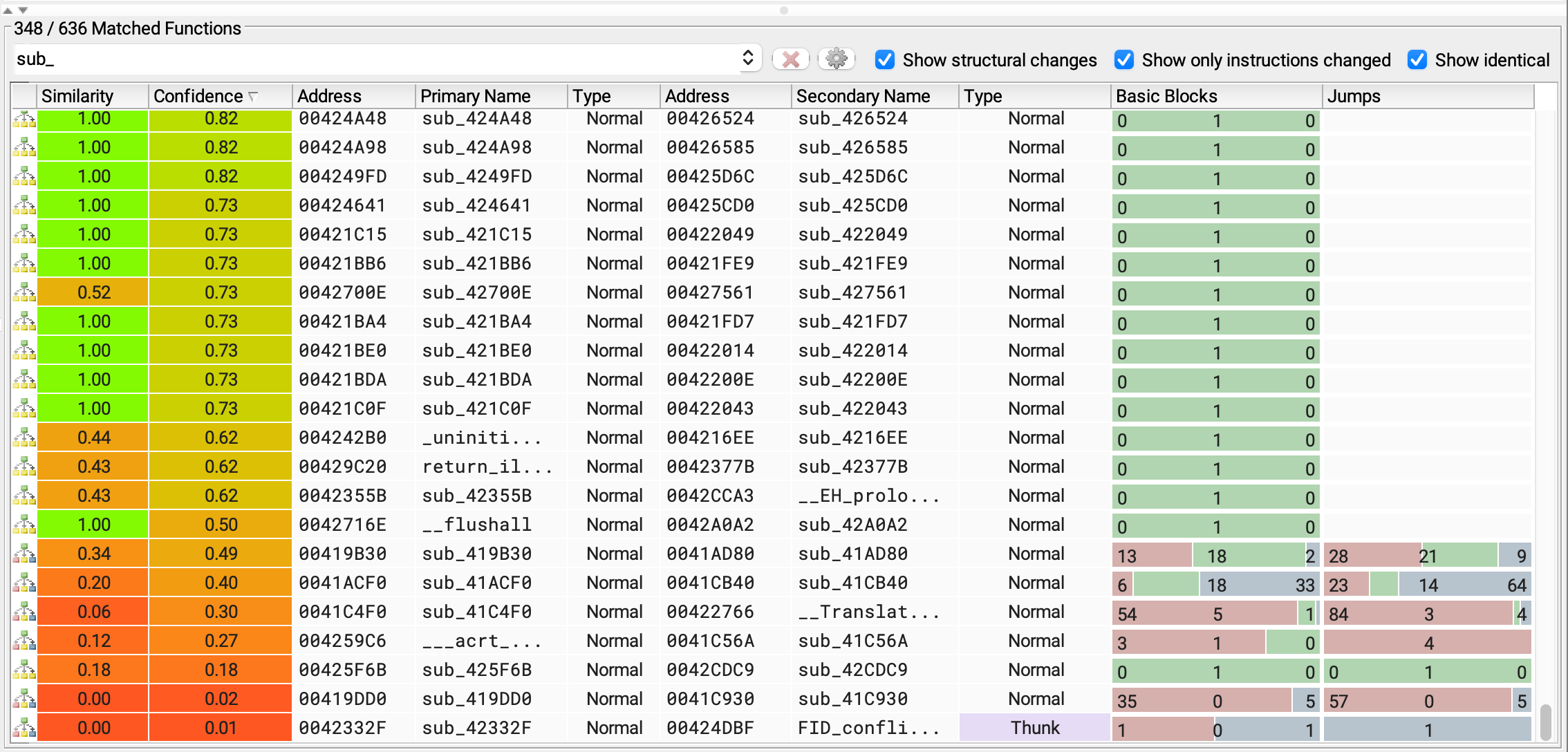
Typically scroll back to the top where I have some closer matches with higher confidence. and start to dig into some of these matches. To understand if any of this overlapping code is associated with significant functionality.
Now just to show you an example here I have one row here that I’ll focus on and this is a function within the conti sample located at address 00405740 and in lockbit at 00405760 .
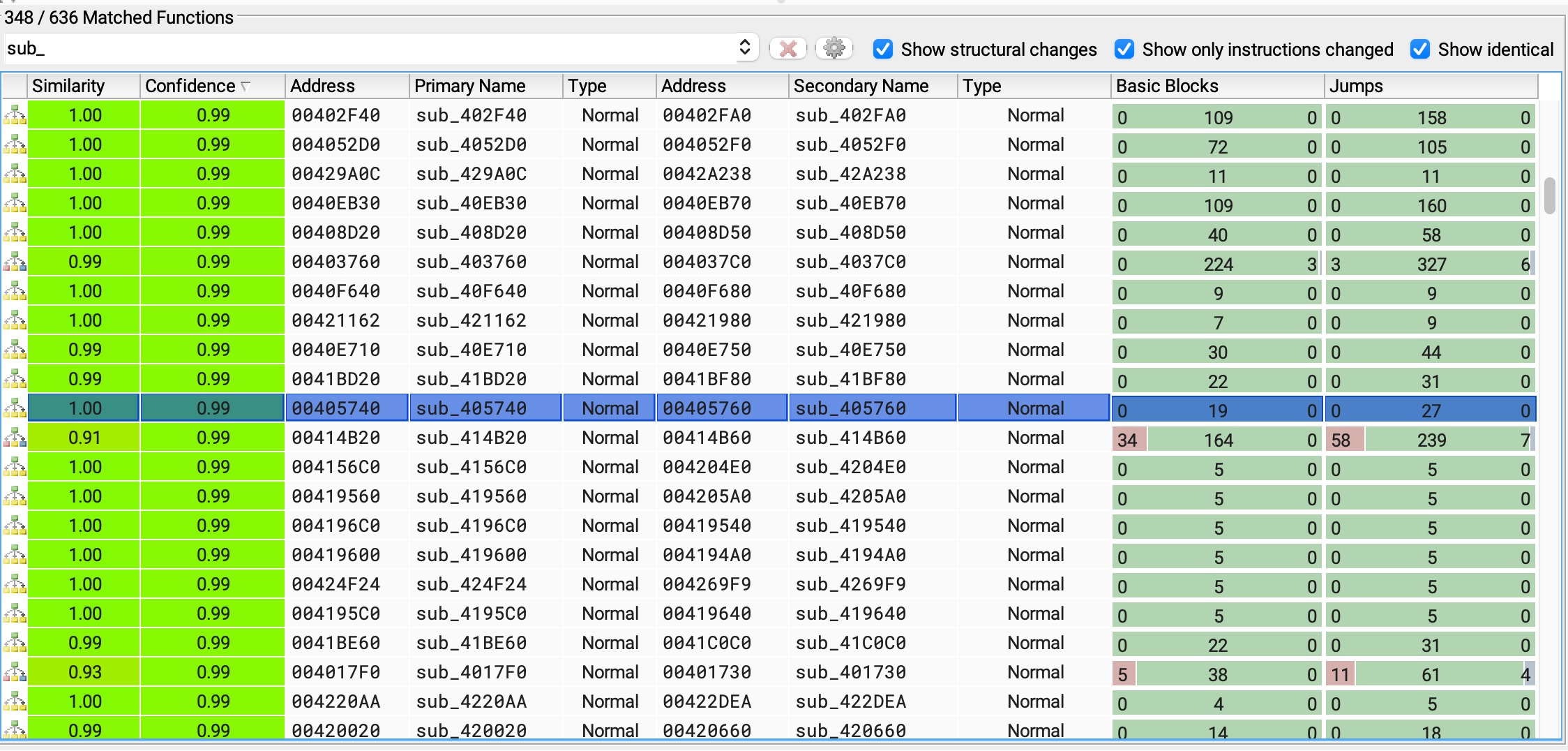
I wanted to take a closer look i’ll double click.
similar to the previous scenario brings up the sid by side function now because this function is bigger and has more instructions as well as more basic blocks you can see the initial view doesn’t actually show me any individual instructions.
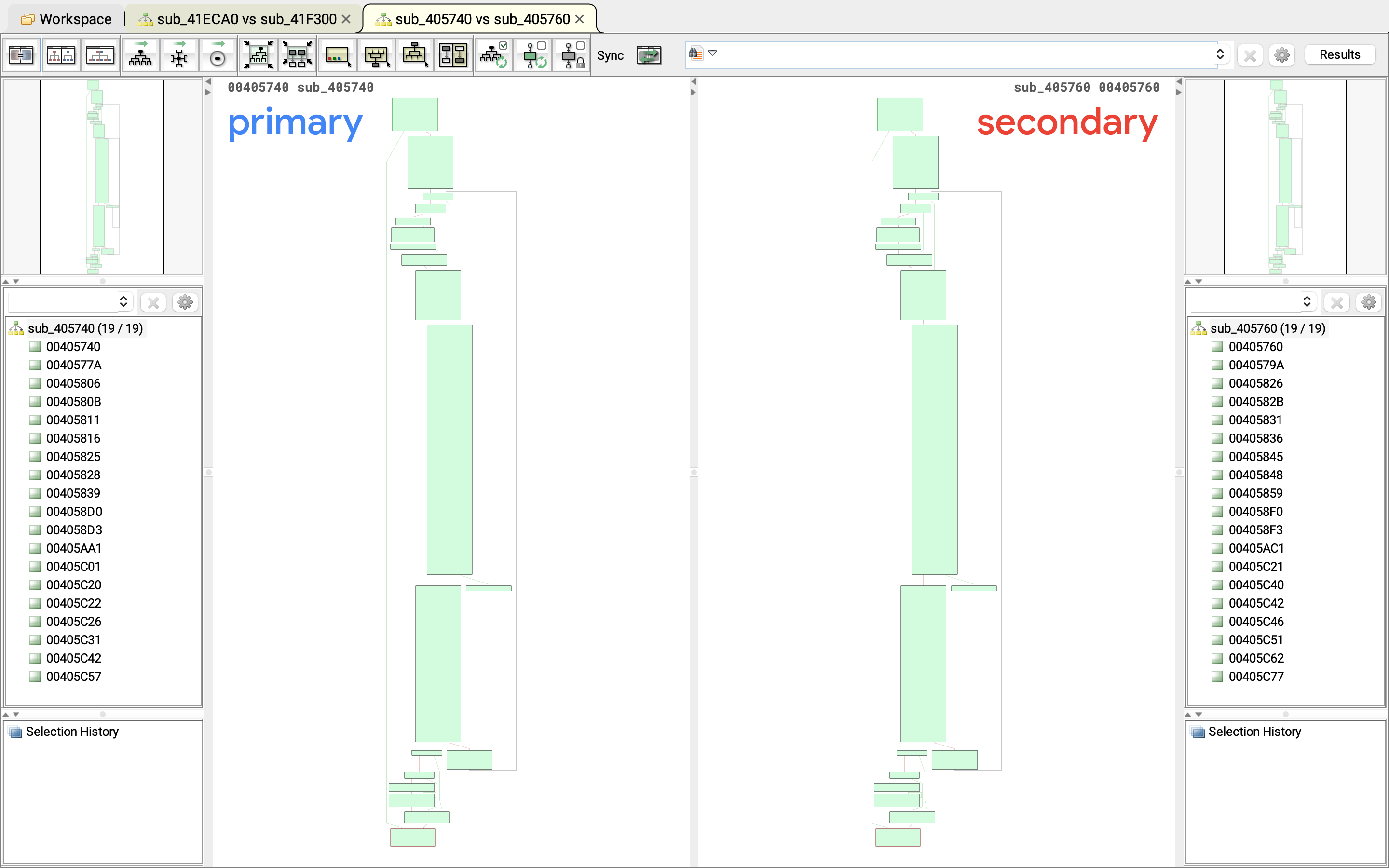
But of i click and scroll with my mouse here I will get a different perspective and here I can start actually comparing some of the individual instructions.
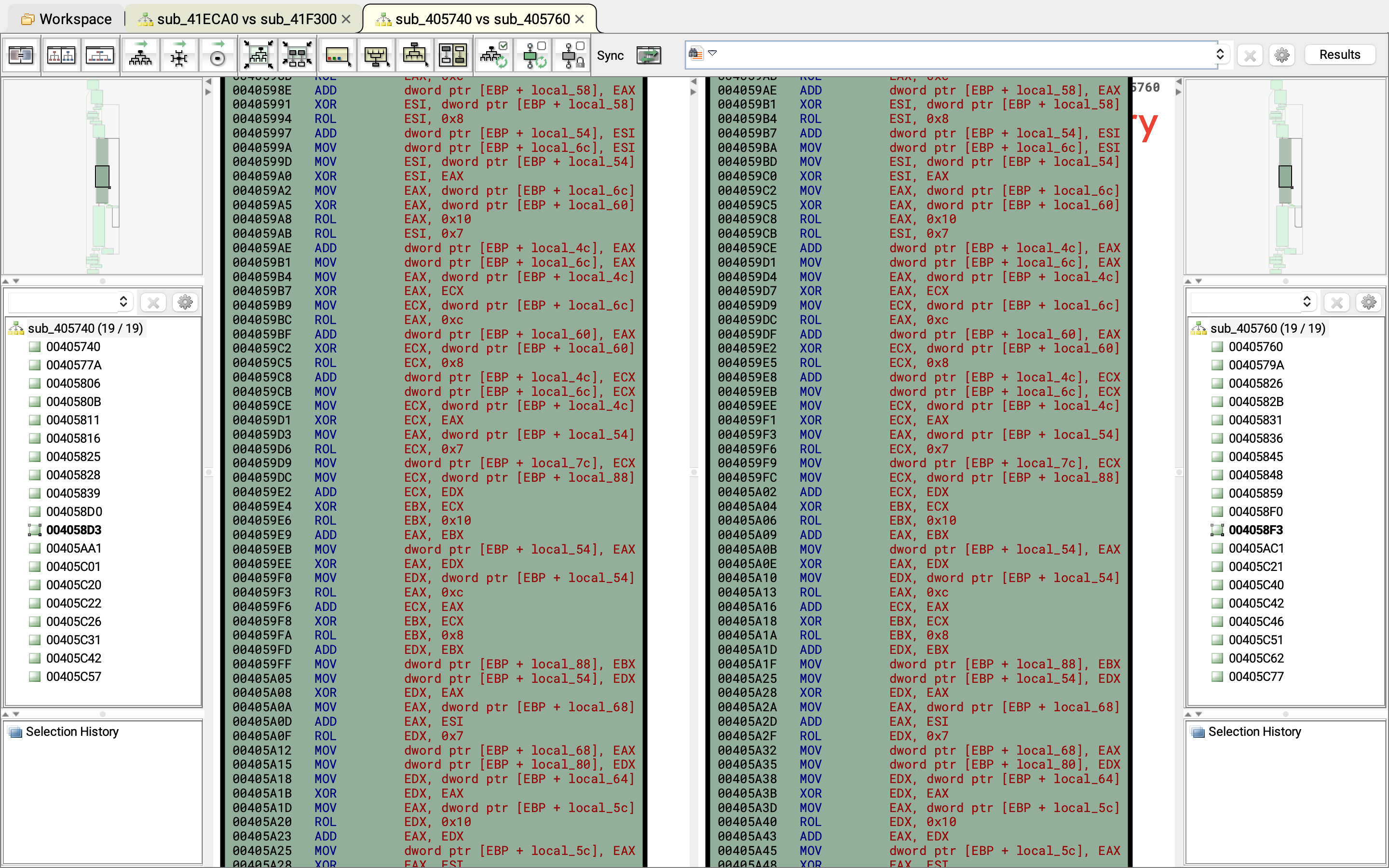
Now what you’ll see is a combination od add xor as well as rotate instructions. and closer examination of these instructions.
Perhaps some additional research would indicate that this is a implementation of a Cha-Cha encryption algorithm so it turns out to be the case that Conti and lockbit use the same file encryption algorithm which again is Cha-Cha.
We won’t go in deep. the point is BinDiff allows me to perform function to function comparisons and in this case would allow me to confirm that both samples use the sample file encryption.
Now go back to Work Space and choose Primary unmatched Functions .
Primary Unmatched Functions
primary unmatched functions which are functions found in the conti sample but not in the lockbit green sample.
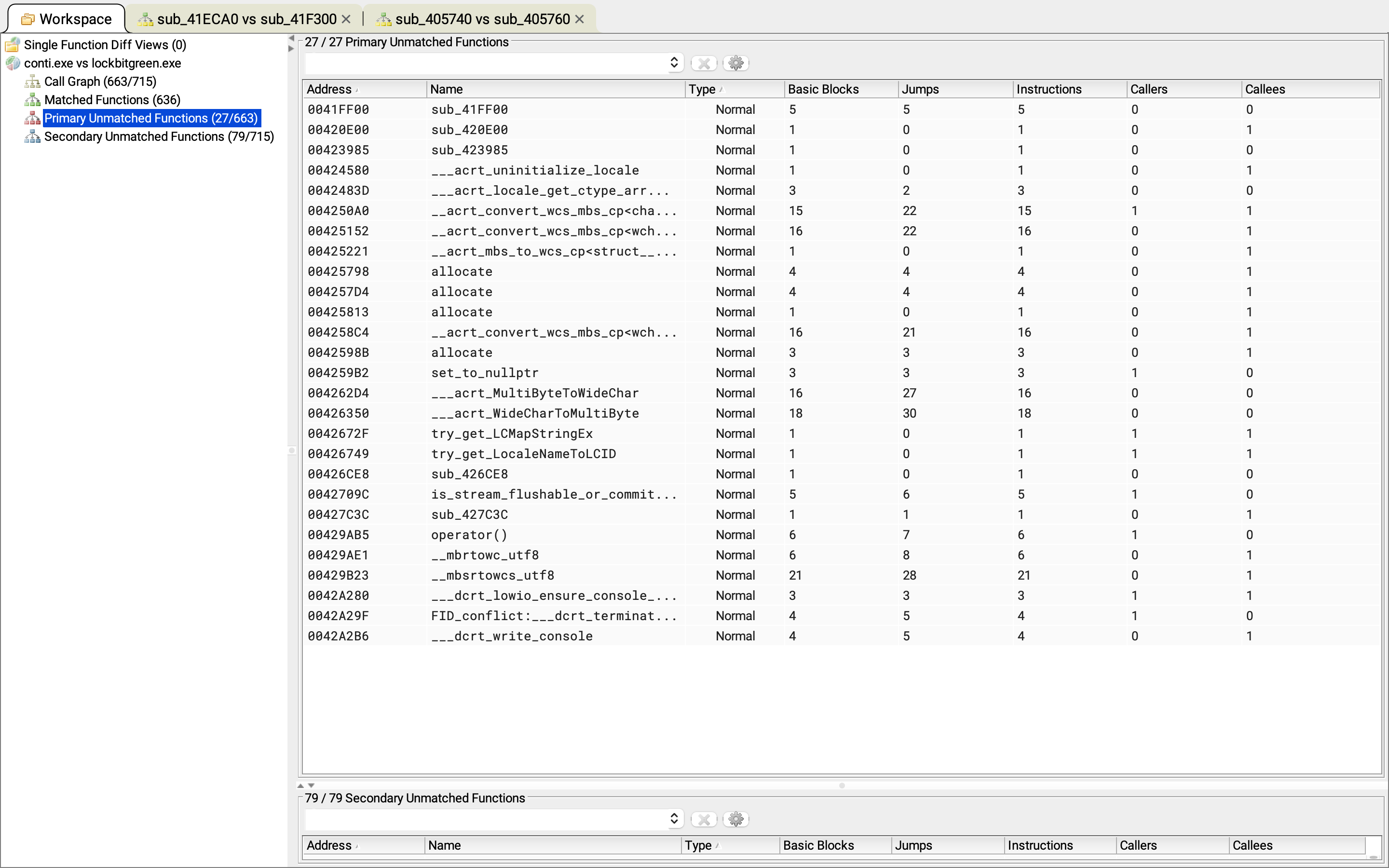
Similar to the search and filtering I did in the previous View.
I’m gonna search for sub_ and hit enter. allowing me to focus on non-library functions.

The number of basic blocks is some indication of the complexity of the actual code in this function so this is something. i wanted to look.
Double click on the first. and start reviewing the actual code.
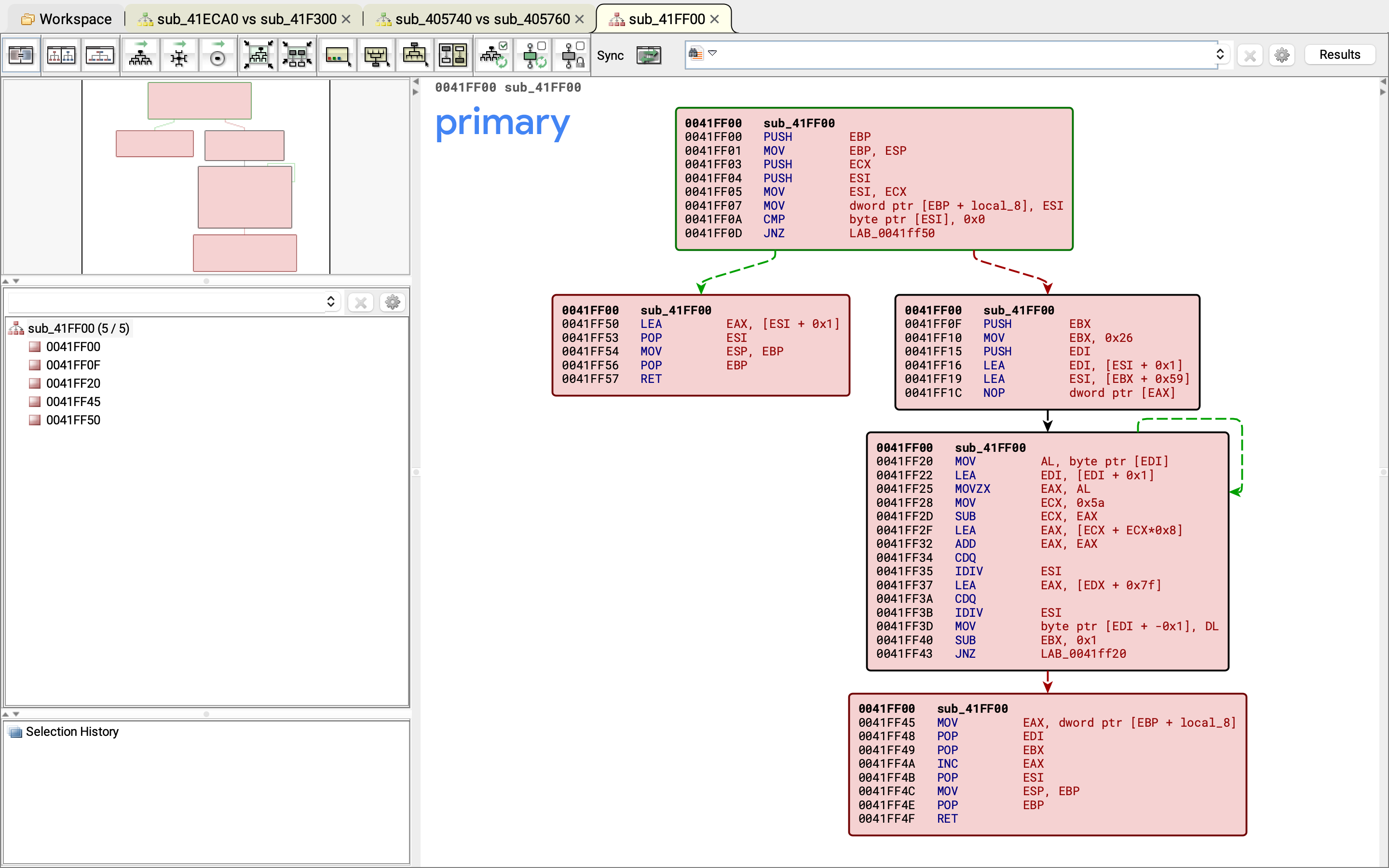
Now in this case i do in fact see five basic blocks and most interestingly I see this green arrow here on the right.
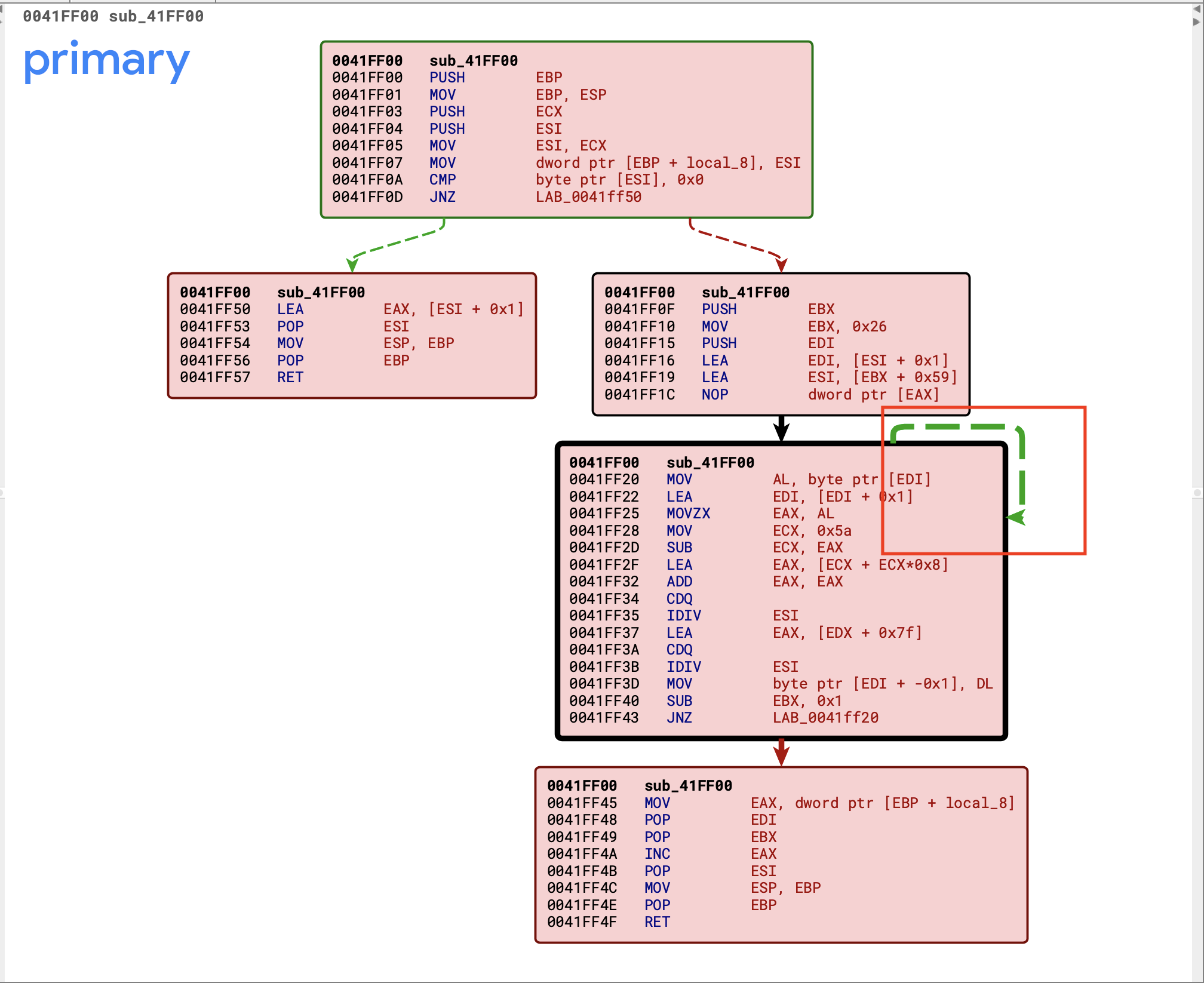
This indicates a loop.
I wanted to take a closer look at a function like this I would probably go ahead and bounce back to ghidra and jump to the associated address well.
If you more closely examined this function within ghidra. and perhaps supported it with a bit of debugging using x32 dbg is that this function is actually responsible for decoding strings. So it is possible that this string decoding algorithm exists only in conti and not in lockbit green. Or at least that is a theory that I clould proceed to investigate with some more analysis.
Again my goal here is to use BinDiff to introduce how you can perform this sort of binary comparison and the results should be some additional pivot points for investigations.
Next I could go back to the Workspace. and click on the Secondary Unmatched Functions .
Secondary Unmatched Functions
secondary unmatched functions are the functions found in the lockbit green sample for which BinDiff did not find a match in Conti.
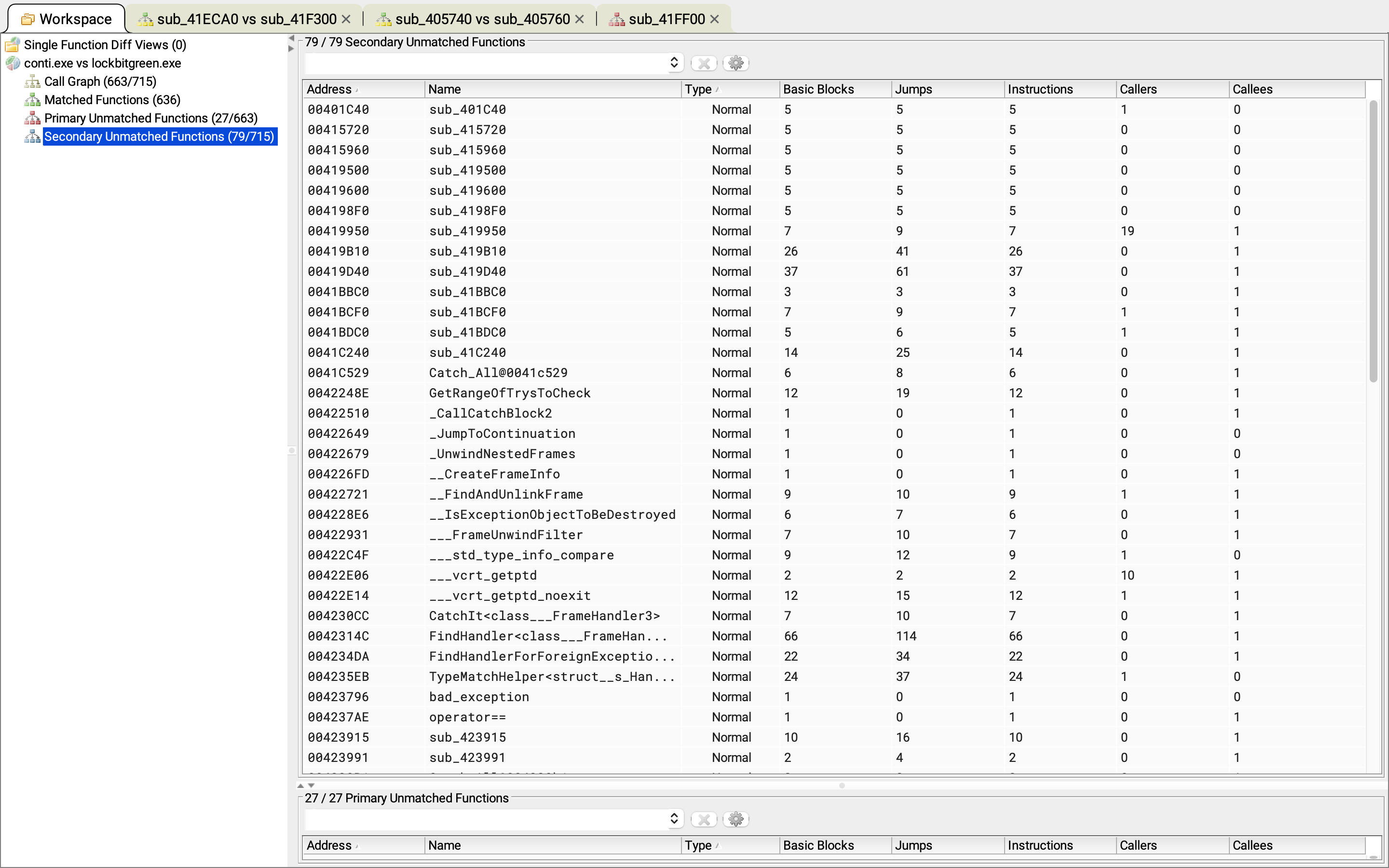
I could again filter by sub_ . To focus on non-library code.
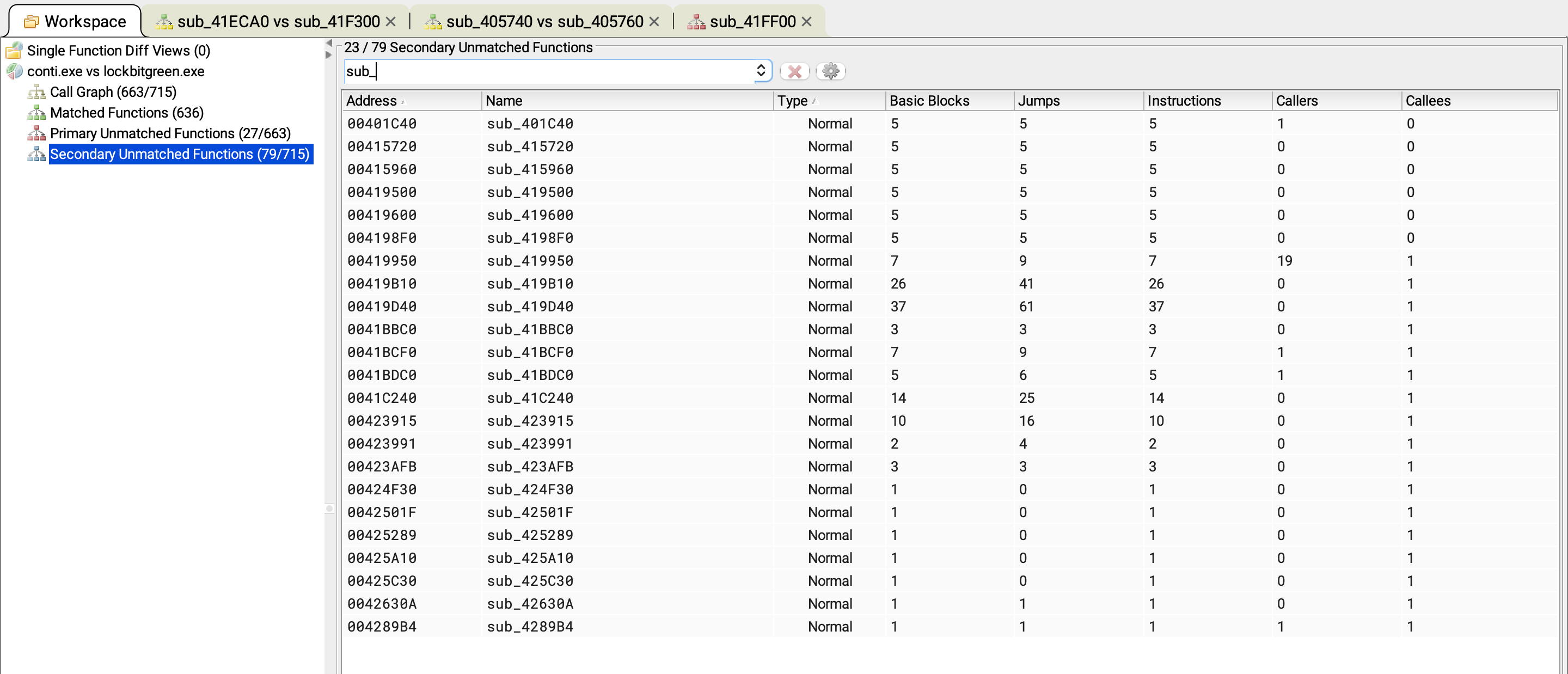
At this point i can perhaps sort by basic blocks.
Functions that have more basic blocks possibly indicating that they are more complex and perhaps do something a bit more significant and I’ll leave the actual investigation of individual functions in this view as an opportunity for you to perform some further analysis.
So in summary this article introduced an approach to comparing the code in two malware samples using ghidra and BinDiff.