This analysis documents the journey of deconstructing a high-entropy 64-bit executable. By leveraging Detect It Easy (DIE) for initial triage and monitoring critical Windows API calls like VirtualAlloc, we transition from a suspicious, obfuscated loader to the successful extraction of a hidden payload. The result is the recovery of a fully functional Cobalt Strike Beacon (beacon.dll), providing the essential technical data needed to map Command & Control (C2) infrastructure and understand the attacker’s true intent.
Sample Metadata
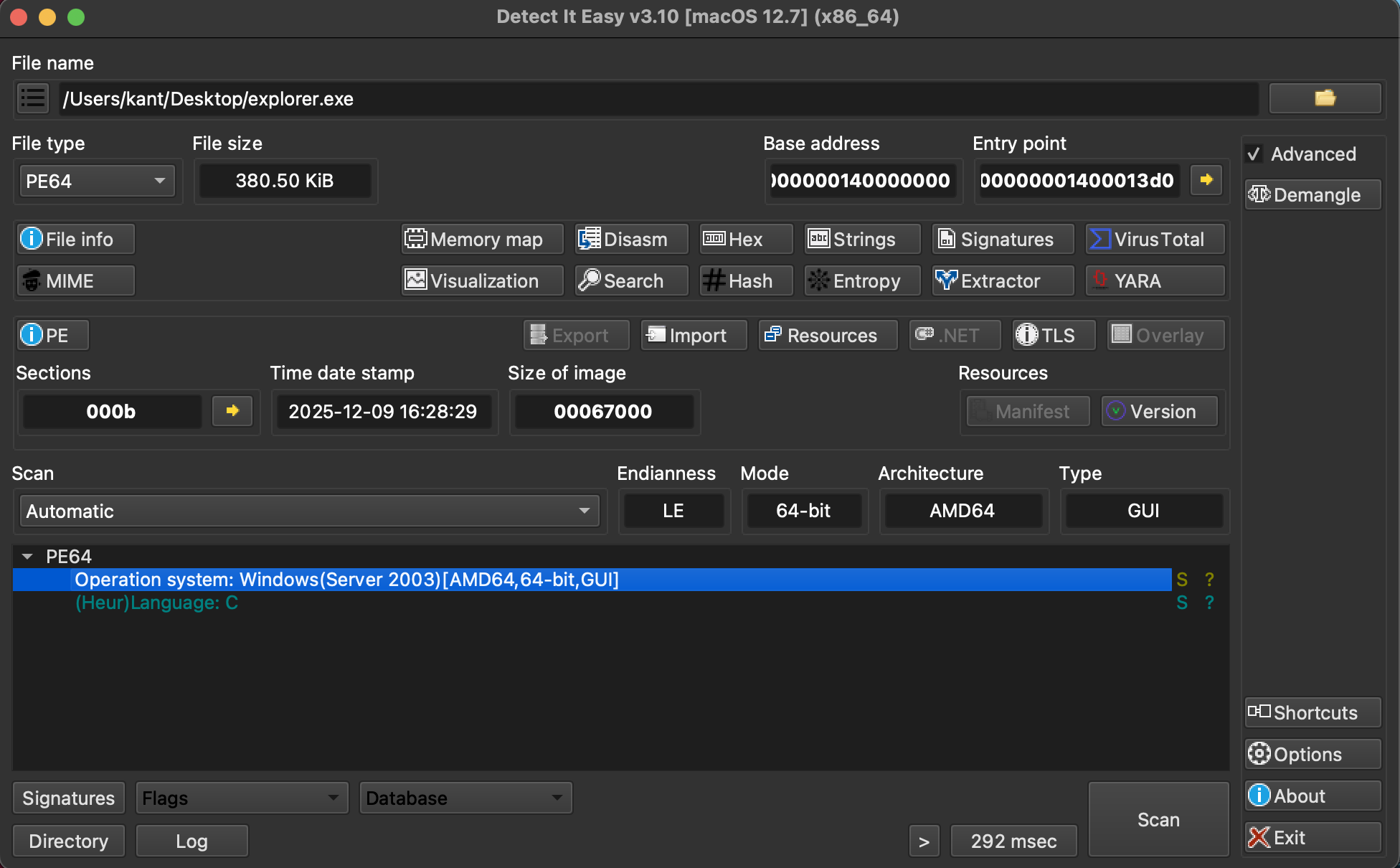
DIE Analysis
DIE Entropy Analysis
| Offset | Size | Entropy | Status | Name |
|---|---|---|---|---|
0x00000000 | 0x00000400 | 2.42309 | Not Packed | PE Header |
0x00000400 | 0x00007A00 | 6.30426 | Not Packed | Section(0) [.text] |
0x00007E00 | 0x00054400 | 7.13961 | Packed | Section(1) [.data] |
0x0005C200 | 0x00001000 | 4.39691 | Not Packed | Section(2) [.rdata] |
0x0005D200 | 0x00000600 | 3.82614 | Not Packed | Section(3) [.pdata] |
0x0005D800 | 0x00000600 | 3.66488 | Not Packed | Section(4) [.xdata] |
0x0005DE00 | 0x00000A00 | 4.16599 | Not Packed | Section(6) [.idata] |
0x0005E800 | 0x00000200 | 0.15409 | Not Packed | Section(7) [.CRT] |
0x0005EA00 | 0x00000200 | 0.00282 | Not Packed | Section(8) [.tls] |
0x0005EC00 | 0x00000400 | 3.33387 | Not Packed | Section(9) [.rsrc] |
0x0005F000 | 0x00000200 | 1.60252 | Not Packed | Section(10) [.reloc] |
Description:
The DIE Entropy Analysis provides a mathematical "fingerprint" of the file's data randomness. In malware analysis, this is the quickest way to identify hidden layers.
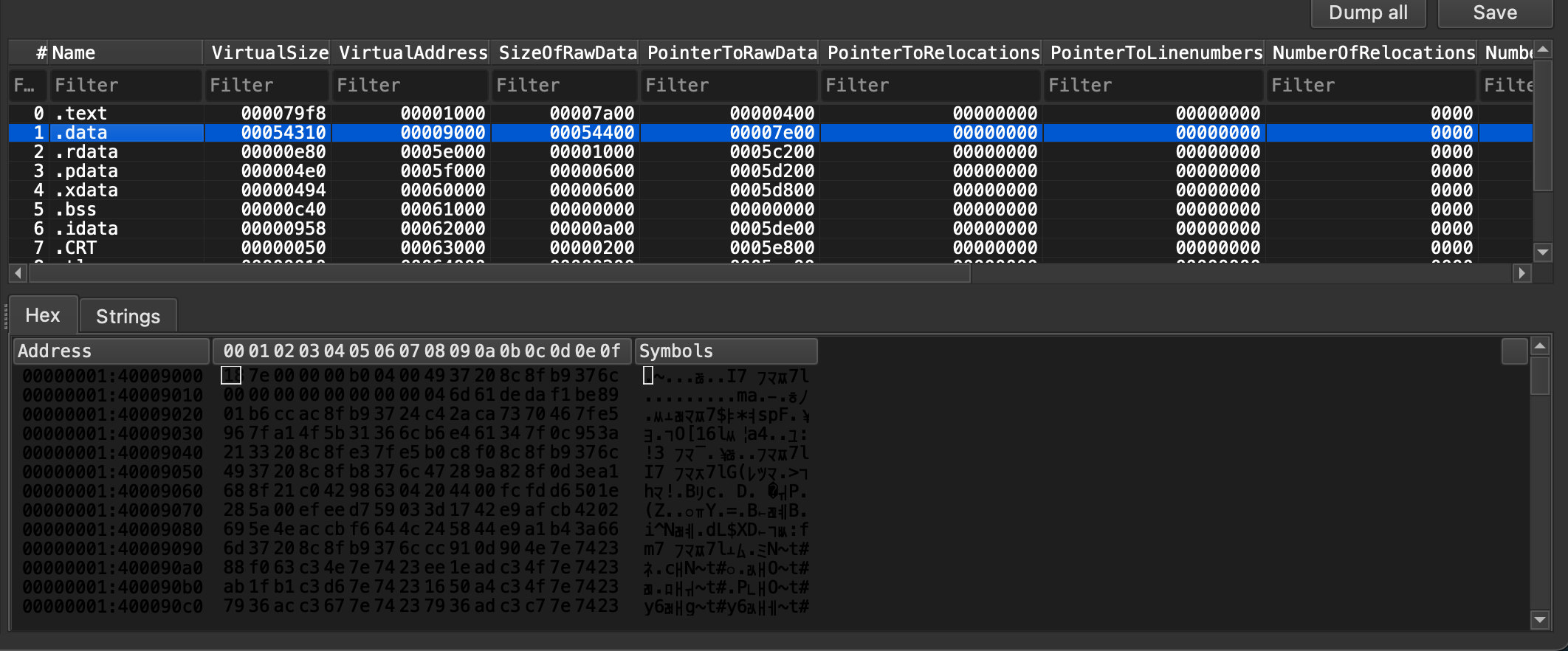
When you see obfuscated data. It usually means data will be decoded during execution time.
Basic Properties
| Property | Value |
|---|---|
| MD5 | 9cc16d49ae878ee996aa62da9325a251 |
| SHA-1 | 81f1496ece08561f01c169cffd876c98ad3001ef |
| SHA-256 | bca3fca9b5d33f31e563c2a58c0d23e41a17c3ed9124b492ccd8fbe5dea2b05e |
| Vhash | 0350b76d7515151c0d1d1az221e=z |
| Authentihash | 0341eaa0c49dc1048b0fe124e1bb379af0e4631af4a451513f3761eaa47dfee4 |
| Imphash | e5313df3be14d29a8a7a35aaad249a83 |
| SSDEEP | 6144:E1KzmclM+pNK2U2CJOf+UecVoYyoSqdhrjUEEl+O3+N3jaiIQPdPn0if7h+ClZuF:t3lM+DU2Cv94oYbSc7ElS3jaQPnNf7ho |
| TLSH | T1EC84ADE3F94624ECDE26C9307A63F1DF2923F52C305CE9F652179E23BA10CA44199879 |
| File Type | Win32 EXE (executable, windows, win32, pe, peexe) |
| Magic | PE32+ executable (GUI) x86-64 (stripped to external PDB), for MS Windows |
| TrID | • MS Visual C++ compiled executable (45.6%) · • Win64 Executable (18%) · • Win16 NE executable (13.9%) |
| File Size | 380.50 KB (389,632 bytes) |
PE Section
| Section | Name | Entropy | File Ratio | Raw Address (Begin) | Raw Size | Virtual Address (Begin) | Virtual Size |
|---|---|---|---|---|---|---|---|
| section[0] | .text | 6.304 | 8.02% | 0x00000400 | 31,232 B | 0x00001000 | 31,224 B |
| section[1] | .data | 7.140 | 88.57% | 0x00007E00 | 345,088 B | 0x00009000 | 344,848 B |
| section[2] | .rdata | 7.140 | 1.05% | 0x0005C200 | 4,096 B | 0x0005E000 | 3,712 B |
| section[3] | .pdata | 4.397 | 0.39% | 0x00007E00 | 1,536 B | 0x0005F000 | 1,248 B |
| section[4] | .xdata | 3.825 | 0.39% | 0x0005C200 | 1,536 B | 0x00060000 | 1,172 B |
| section[5] | .bss | 3.664 | n/a | 0x0005D200 | 0 B | 0x00061000 | 3,136 B |
| section[6] | .idata | n/a | 0.66% | 0x0005D800 | 2,560 B | 0x00062000 | 2,392 B |
| section[7] | .CRT | 4.165 | 0.13% | 0x00000000 | 512 B | 0x00063000 | 80 B |
| section[8] | .tls | 0.151 | 0.13% | 0x0005DE00 | 512 B | 0x00064000 | 16 B |
| section[9] | .rsrc | 0.000 | 0.26% | 0x0005E800 | 1,024 B | 0x00065000 | 1,000 B |
| section[10] | .reloc | 3.332 | 0.13% | 0x0005EA00 | 512 B | 0x00009000 | 132 B |
Imports
| Library | Imported Function | Potential Malware Behavior |
|---|---|---|
| KERNEL32.dll | CloseHandle | Generic resource management. |
| KERNEL32.dll | ConnectNamedPipe | Inter-Process Communication (IPC); often used for Command & Control (C2) or lateral movement. |
| KERNEL32.dll | ConvertThreadToFiber | Anti-Analysis/Evasion; Fibers are a stealthy way to manage execution flow that some debuggers struggle to track. |
| KERNEL32.dll | CreateFiber | Used in conjunction with ConvertThreadToFiber for manual scheduling. |
| KERNEL32.dll | CreateFileA | File system manipulation (dropping payloads or reading configs). |
| KERNEL32.dll | CreateNamedPipeA | Setting up communication channels for data exfiltration or internal tasking. |
| KERNEL32.dll | CreateThread | Spawning new execution paths (e.g., a background keylogger or downloader). |
| KERNEL32.dll | DeleteCriticalSection | Thread synchronization cleanup. |
| KERNEL32.dll | DeleteFiber | Fiber cleanup. |
| KERNEL32.dll | EnterCriticalSection | Managing thread safety. |
| msvcrt.dll | ___lc_codepage_func | Standard C runtime initialization. |
| msvcrt.dll | ___mb_cur_max_func | Standard C runtime (character handling). |
| msvcrt.dll | __C_specific_handler | Exception handling (often used in 64-bit binaries). |
| msvcrt.dll | __getmainargs | Retrieving command-line arguments. |
| msvcrt.dll | __initenv | Setting up environment variables. |
| msvcrt.dll | __iob_func | Standard I/O stream handling. |
| msvcrt.dll | __set_app_type | Defines if the app is a GUI or Console app. |
| msvcrt.dll | _amsg_exit | Standard error handling/exit routine. |
Debugging
X64DBG
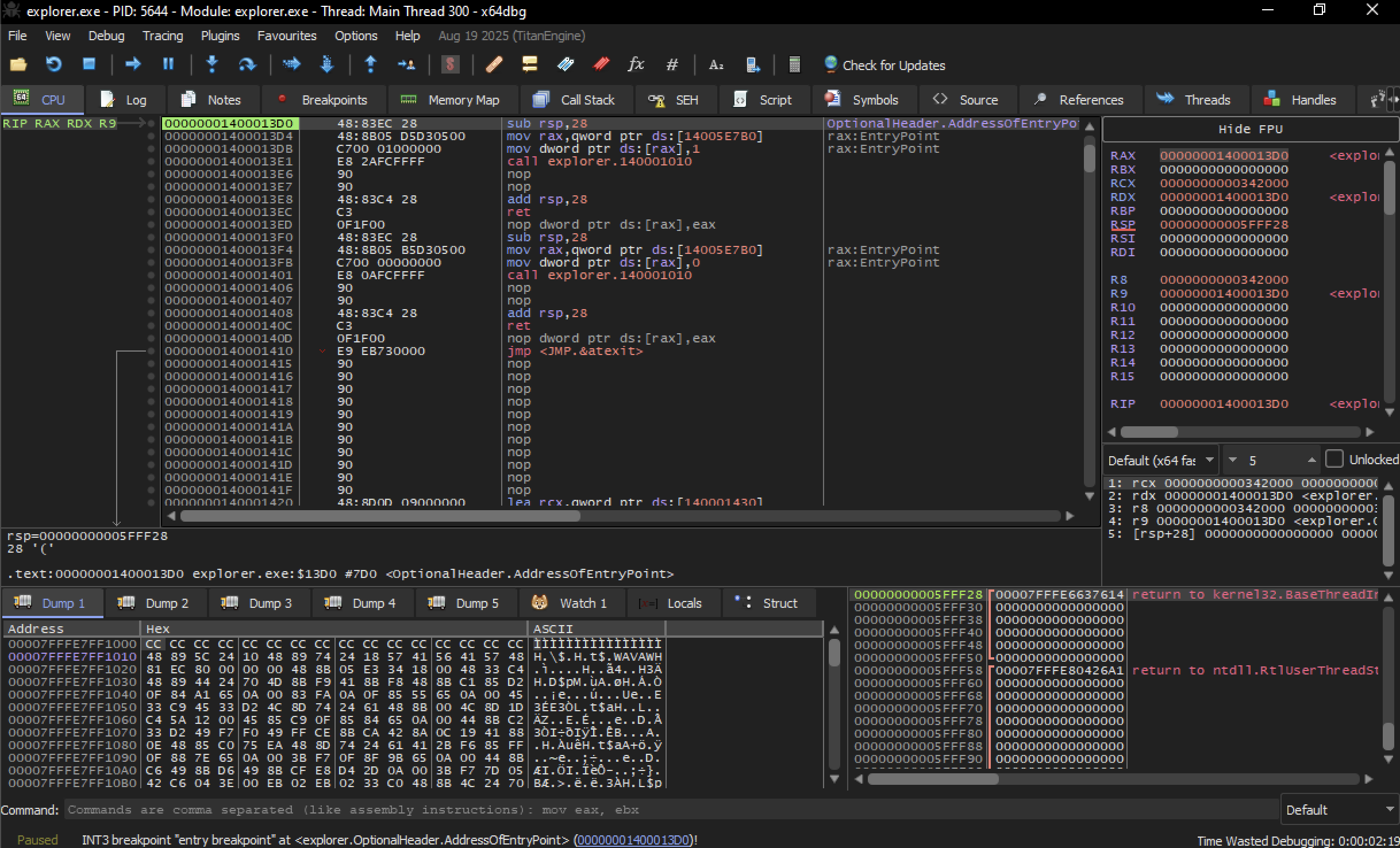
we will be look out for RAX register. This register often holds the return value of a function.
When malware deobfuscates data inn runtime, it usually needs somewhere to put that decoded content. That often means Allocating memory.
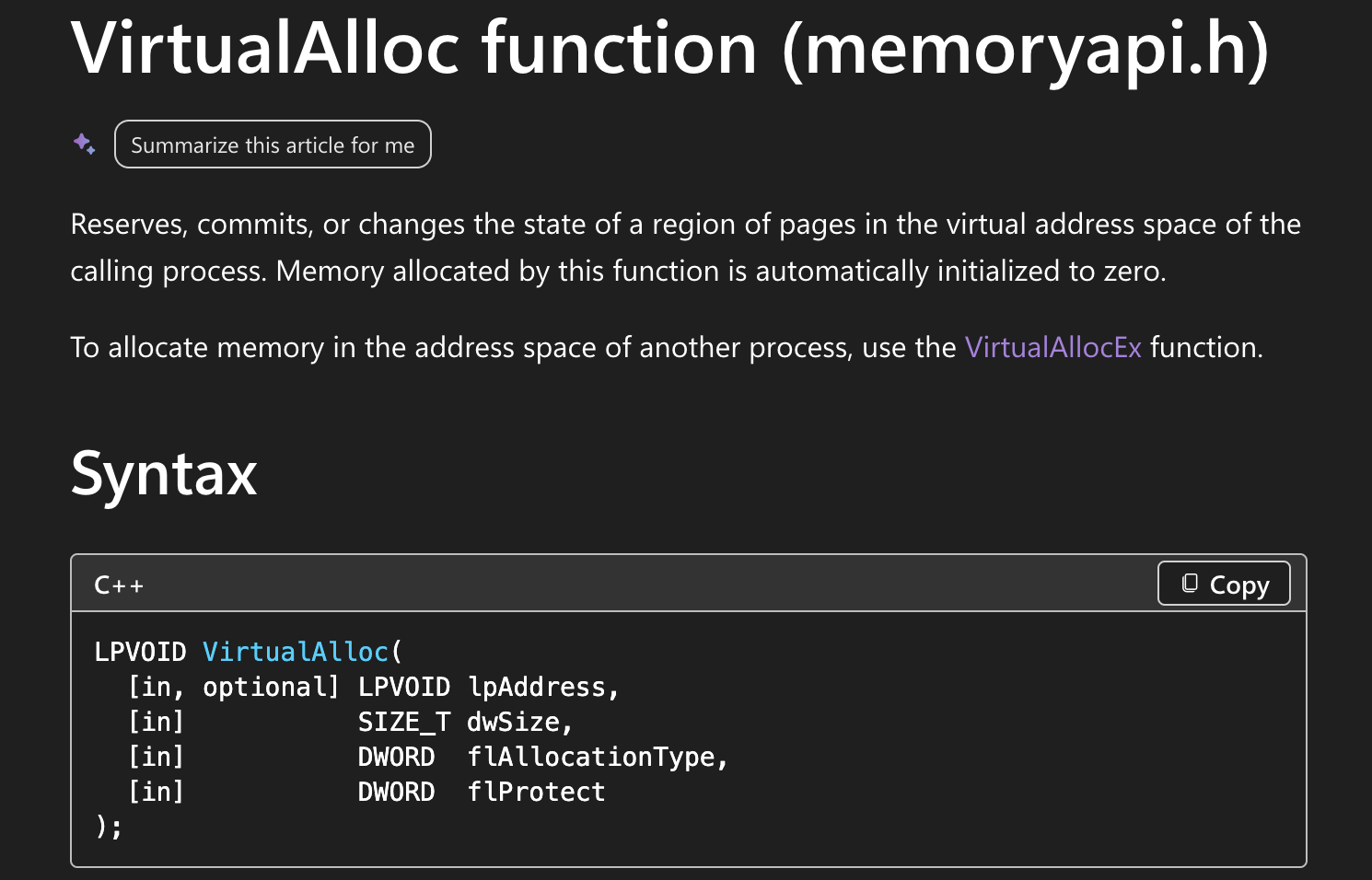
On windows there are many ways to do this, but very common Windows API for memory allocation is called VirtualAlloc.
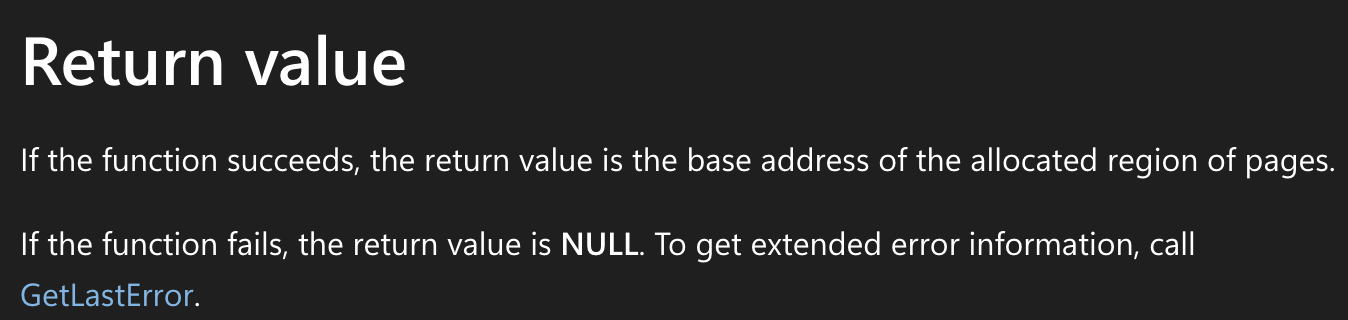
Return value
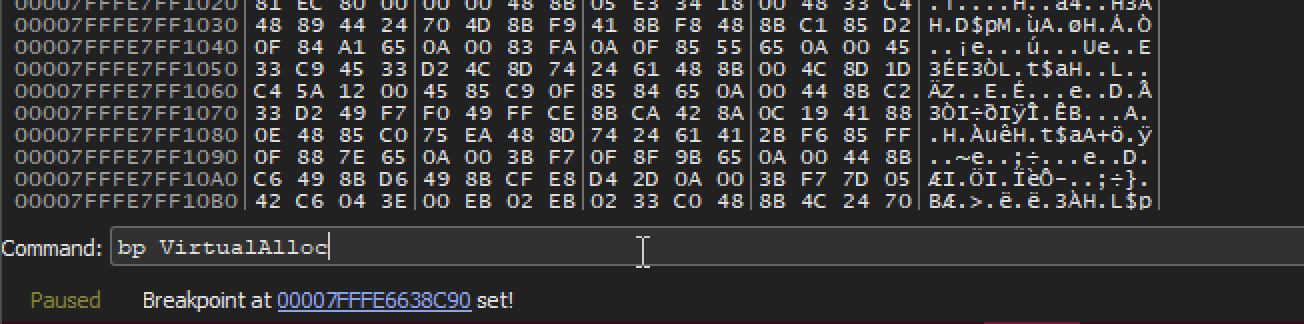
Breakpoint
At VirtualAlloc
Let’s run the program.
VirtualAlloc hit
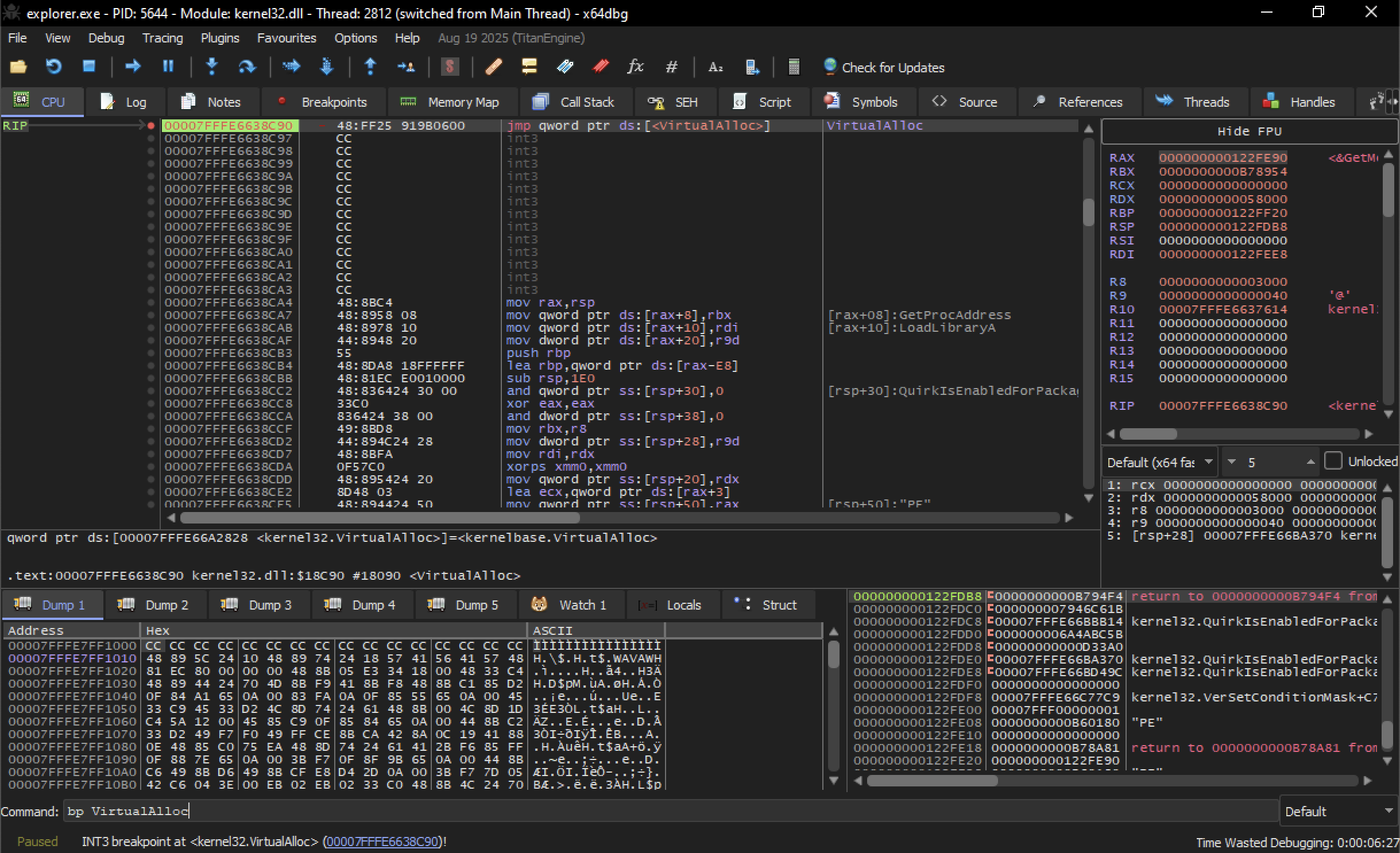
Where we are paused, we’ll see refrences to Virtualalloc, which is located within kernel32.dll
VirtualAlloc arguments
Arguments being passed to VirtualAlloc.
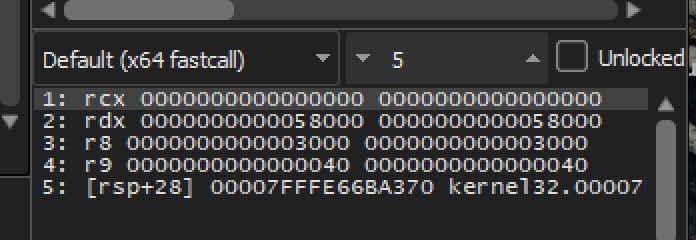
1: rcx 0000000000000000 0000000000000000
2: rdx 0000000000058000 0000000000058000
3: r8 0000000000003000 0000000000003000
4: r9 0000000000000040 0000000000000040
5: [rsp+28] 00007FFFE66BA370 kernel32.00007FFFE66BA370
In msdn refrence the forth argument is flProtect
LPVOID VirtualAlloc(
  [in, optional] LPVOID lpAddress,
  [in]           SIZE_T dwSize,
  [in]           DWORD  flAllocationType,
  [in]           DWORD  flProtect
);
Memory protection constants.

Value hex 40 corresponds with the value in the debugger. Which is PAGE_EXECUTE_READWRITE
Argument Breakdown
| Argument | Register/Stack | Parameter | Value | Description |
|---|---|---|---|---|
| 1st Arg | RCX | lpAddress | 0 | NULL: The OS chooses the memory location. |
| 2nd Arg | RDX | dwSize | 0x58000 | Size: Allocating 360,448 bytes (~352 KB). |
| 3rd Arg | R8 | flAllocationType | 0x3000 | Commit/Reserve: Prepares the memory for use. |
| 4th Arg | R9 | flProtect | 0x40 | RWX: Read, Write, and Execute permissions. |
Return Value of VirtualAlloc
Why the Return Value Matters
Once the call to VirtualAlloc executes, the CPU stores the Return Value in the RAX register. This value is the base memory address (the starting point) of the newly allocated region.
TIP: if RAX is 0, the function failed (likely due to an "Anti-Debugging" check), and the malware will likely terminate or crash.
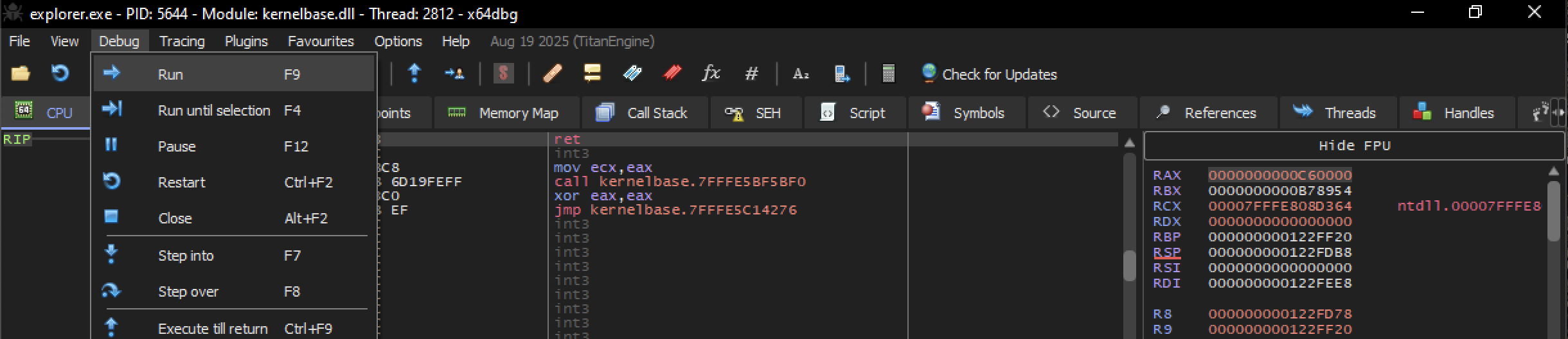
Now Execute the program till return
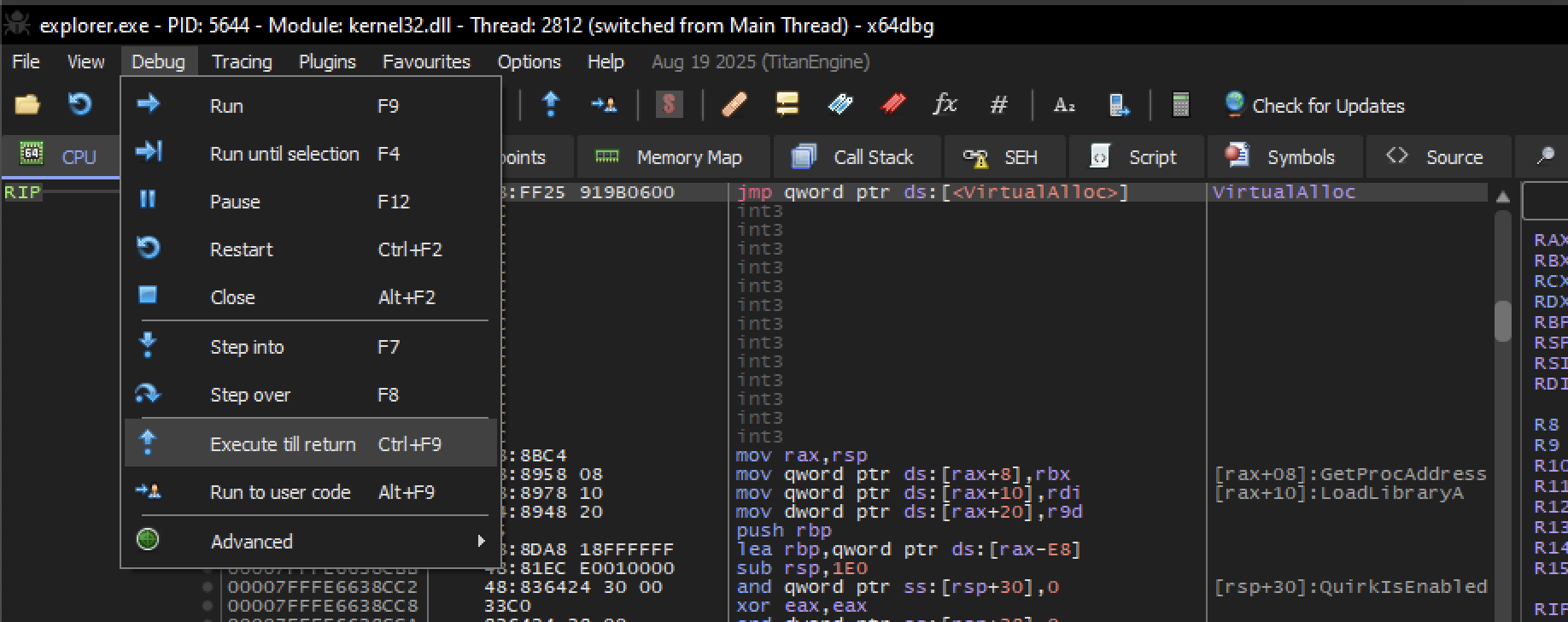
Now we are paused at return at return instruction. Which is commonly the last instruction at the end of a function.
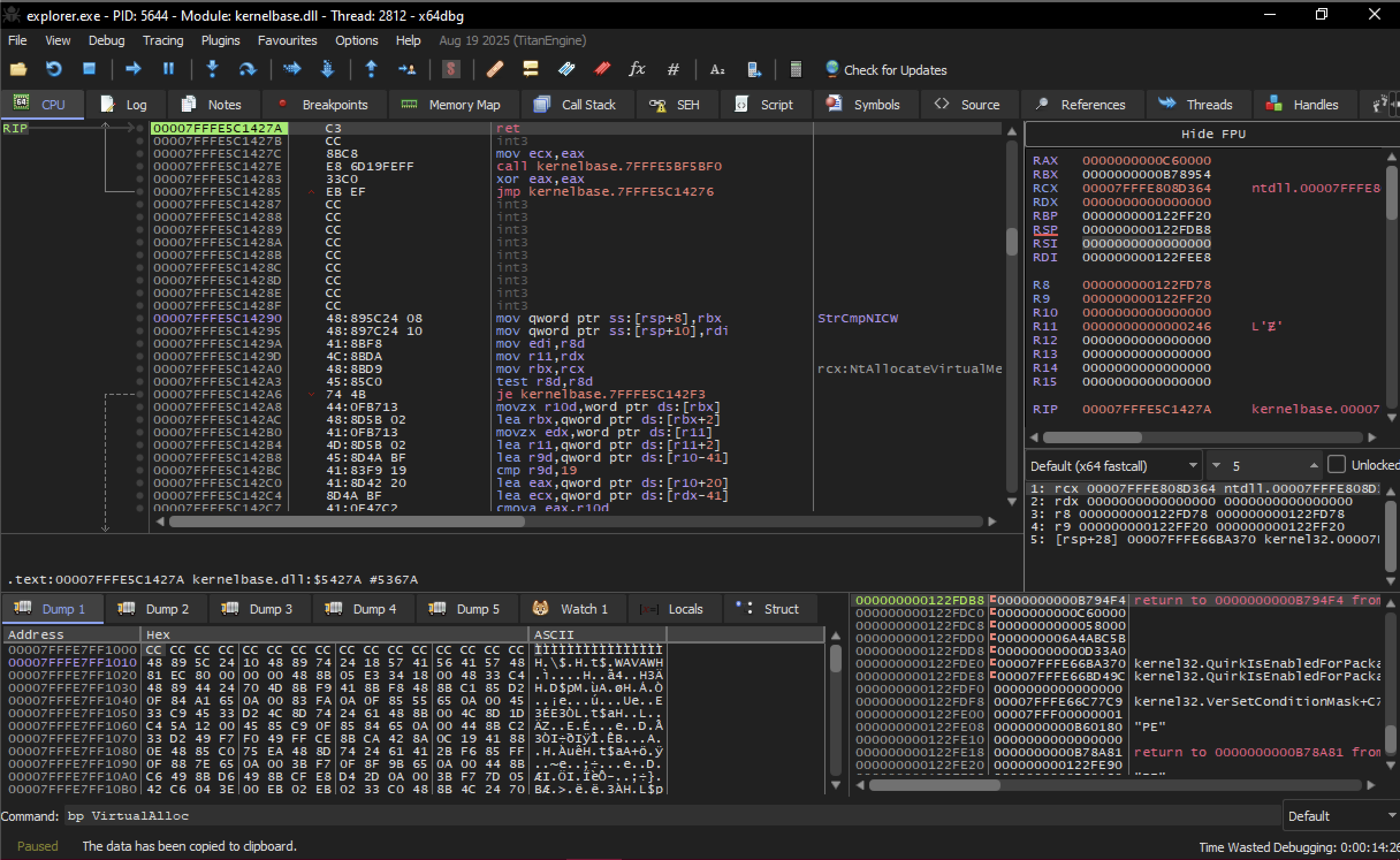
If you look RAX , we can see it’s red because it’s recently changed.
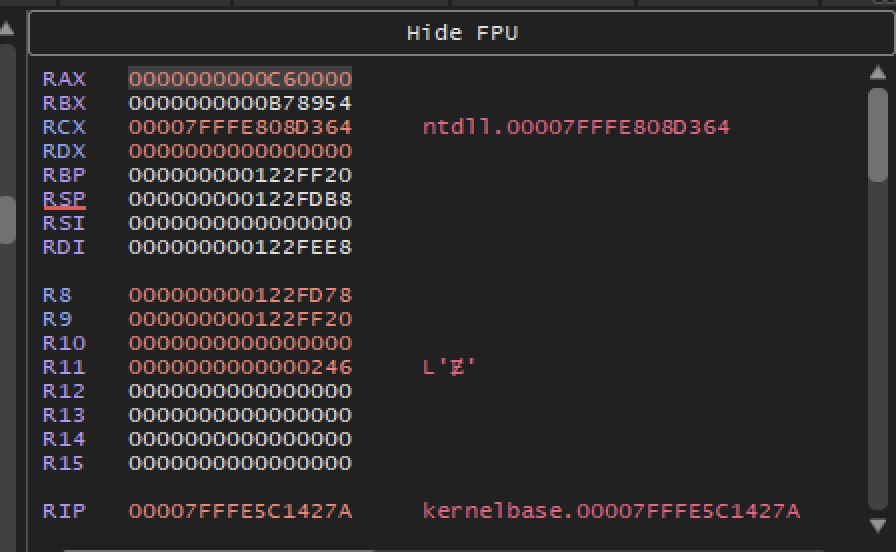
RAX : 0000000000C60000
RBX : 0000000000B78954
RCX : 00007FFFE808D364     ntdll.00007FFFE808D364
RDX : 0000000000000000
RBP : 000000000122FF20
RSP : 000000000122FDB8
RSI : 0000000000000000
RDI : 000000000122FEE8
R8  : 000000000122FD78
R9  : 000000000122FF20
R10 : 0000000000000000| Register | Value | Role in Your Article |
|---|---|---|
| RAX | 0000000000C60000 | The Return Value. This is the specific start address of the 352 KB buffer the malware just allocated. |
| RSP | 000000000122FDB8 | The current Stack Pointer. |
| RBX | 0000000000B78954 | Often used by the unpacking stub to store a pointer to the encrypted data source. |
Dumping
right click —> follow in dump.
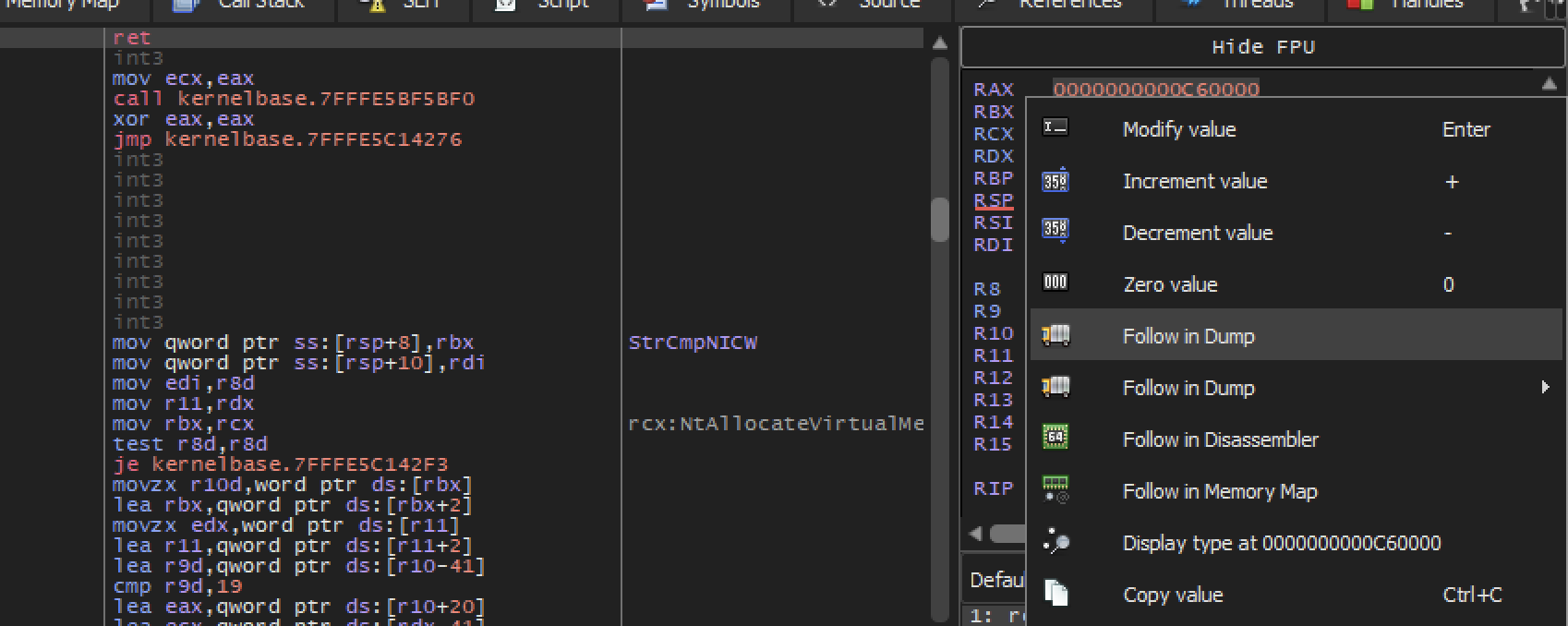
Dump Window
At this point there’s nothing interesting, By default VirtualAlloc return zeroed out memory.
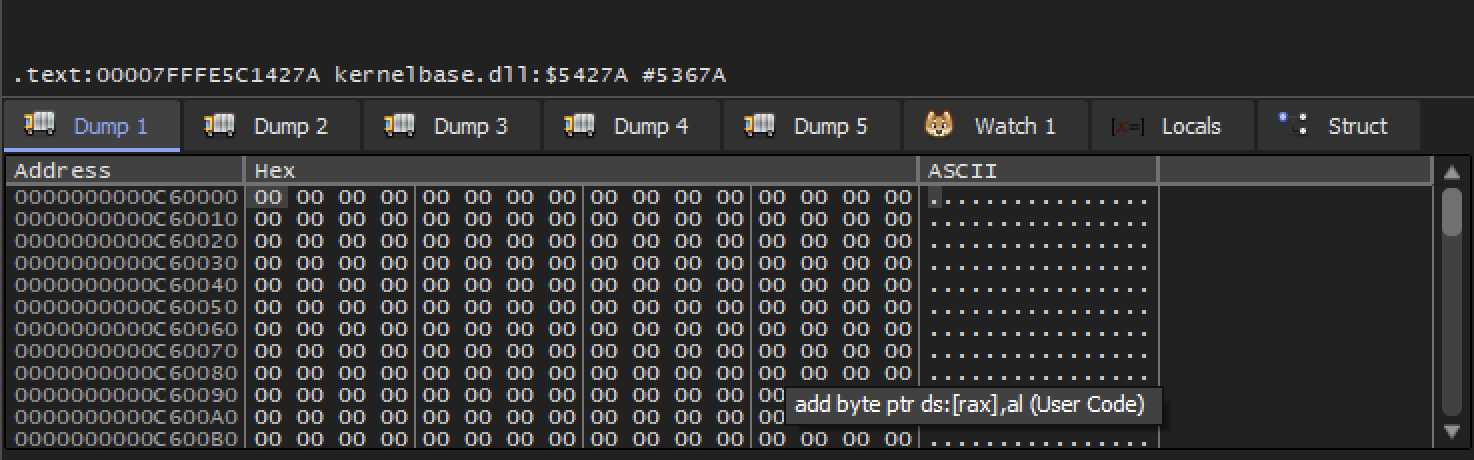
SET Hardware Breakpoint
A hardware breakpoint is more persistence than the breakpoint we set earlier in VirtualAlloc.
right click on the first byte then set hardware breakpoint. This will tell the debugger to pause whenever this byte in this memory region is accessed, wether it’s being read from or written to.
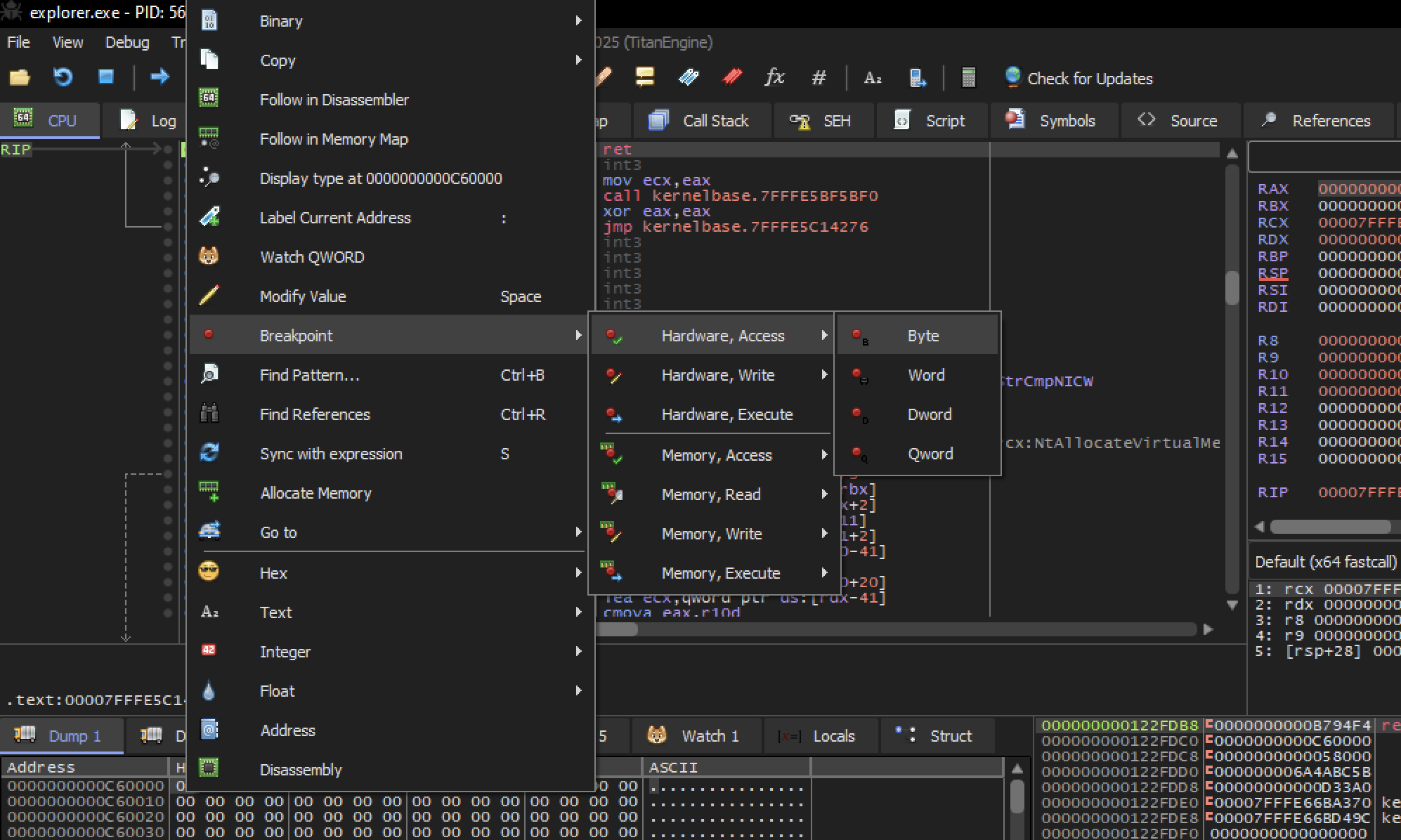
This should allow us to catch the exact moment that this memory starts being used.
Resume execution
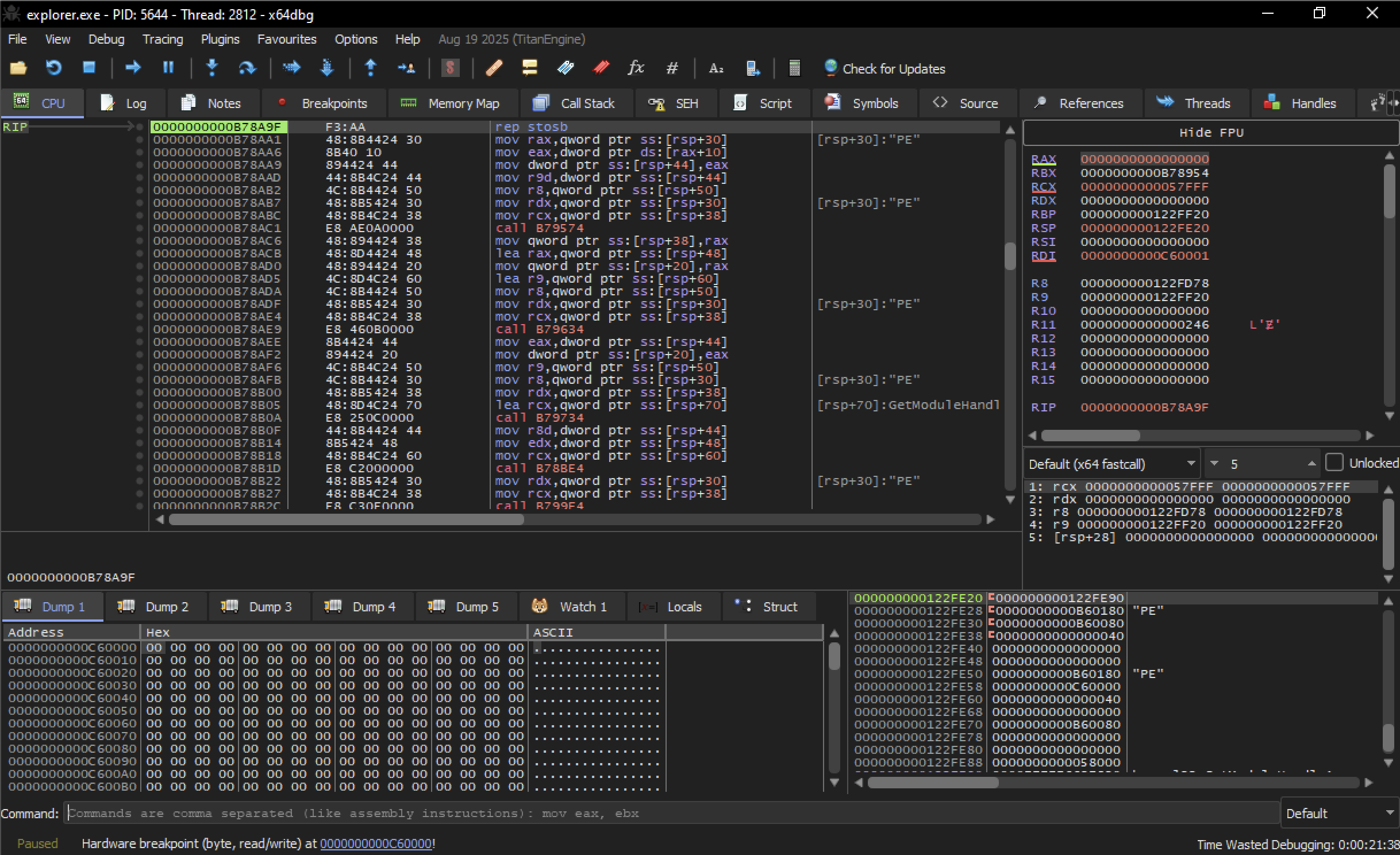
We can see at the bottom Hardware breakpoint
At first nothing has changed. Still seeing zero’s in dump.
But We do see mutiple refrence to the character PE . These are the literal characters that appears in the header of windows executable.
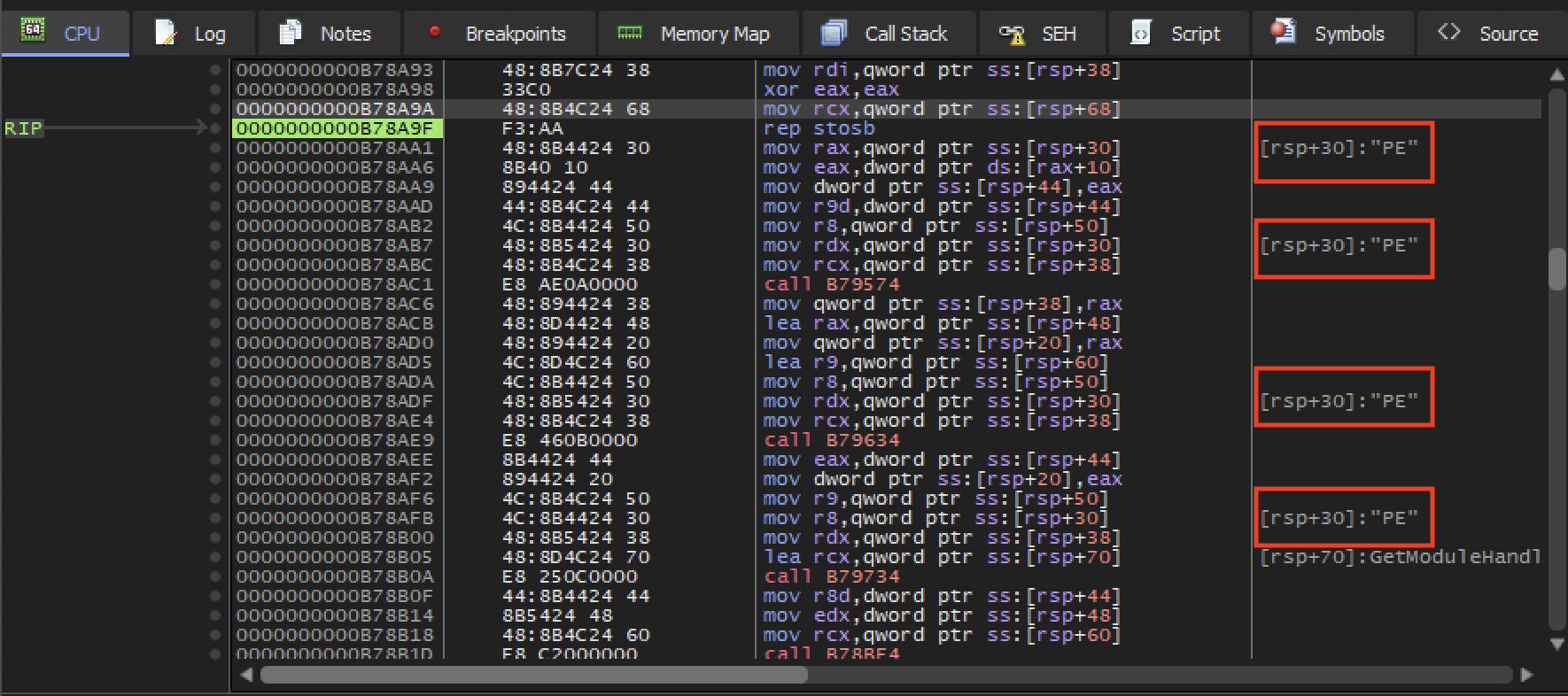
Memory inspection
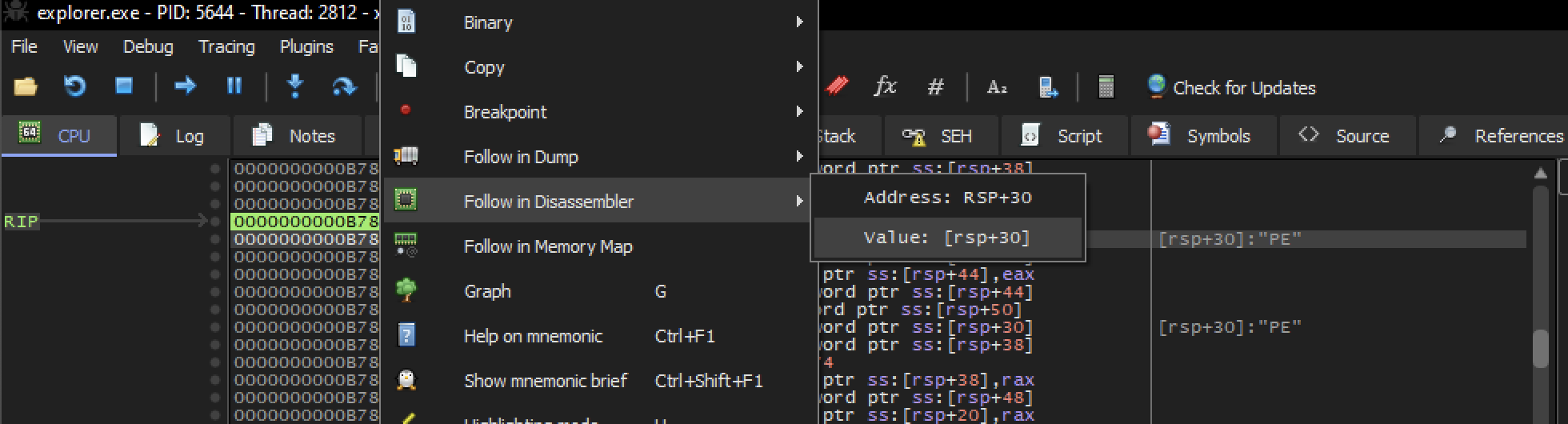
Let’s inspect the memory region that contains the character PE.
right click —> follow in dump —> choose value: [rsp+30]
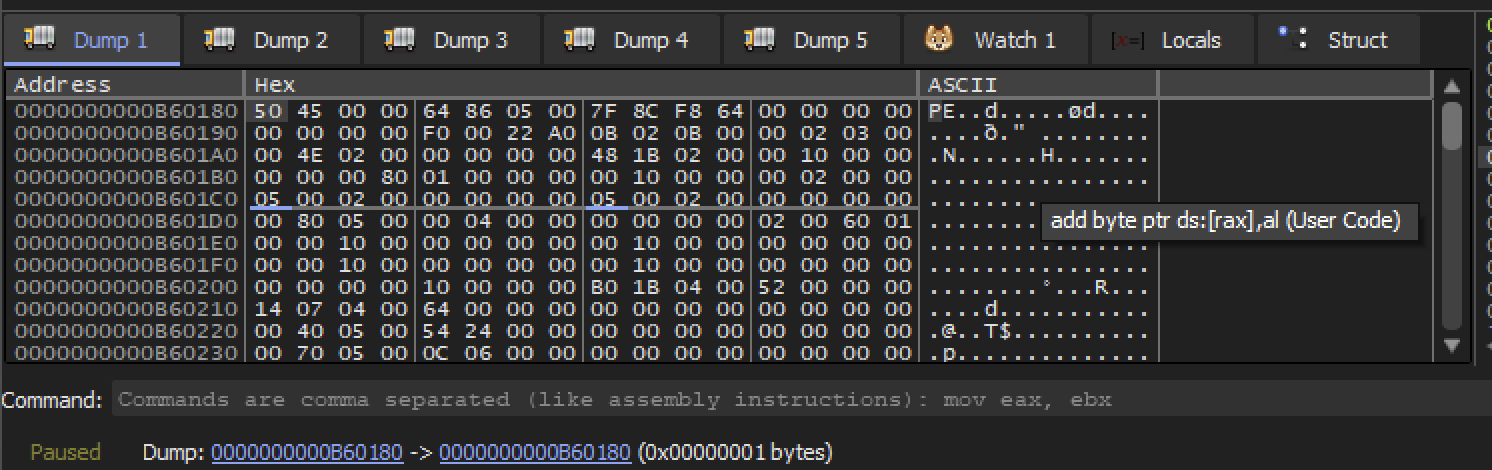
Now in the dump window we can see 50 45 which corresponds to the characters PE.
Scroll a little up. We can see the ascii text DOS message which typically appears in the beginning of the windows executable.
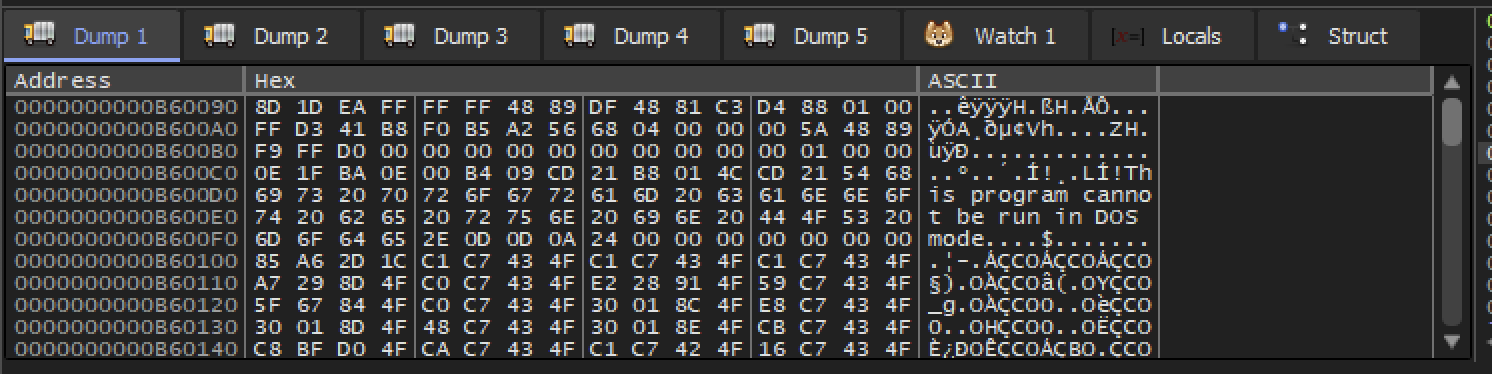
Continue scroll up we got the MZ bytes. Which typically the starting bytes of a windows executable.
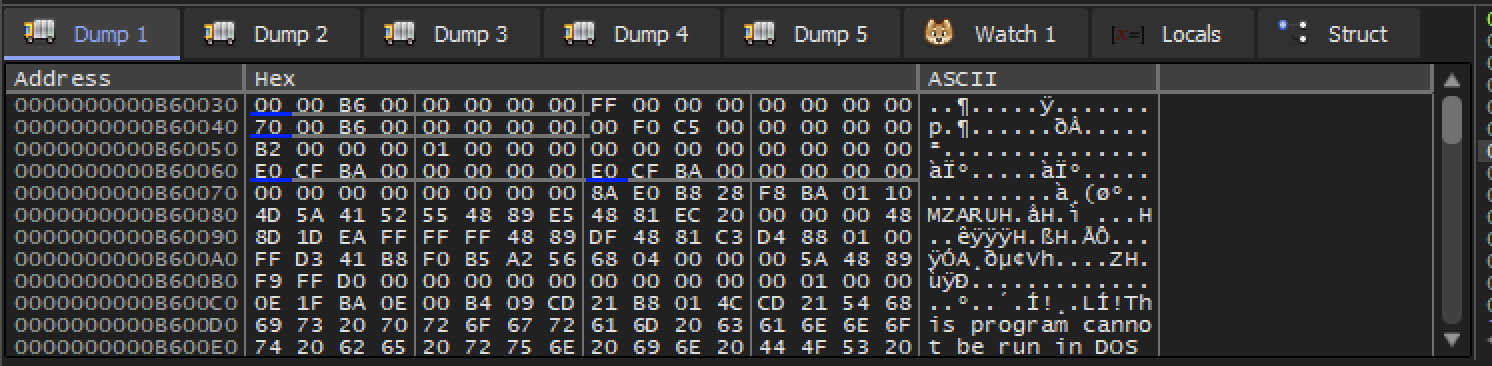
SO this is a strong indication that we find a windows.exe in memory.
DUMP
right click anywhere in the memory dump —> follow in Memory Map.
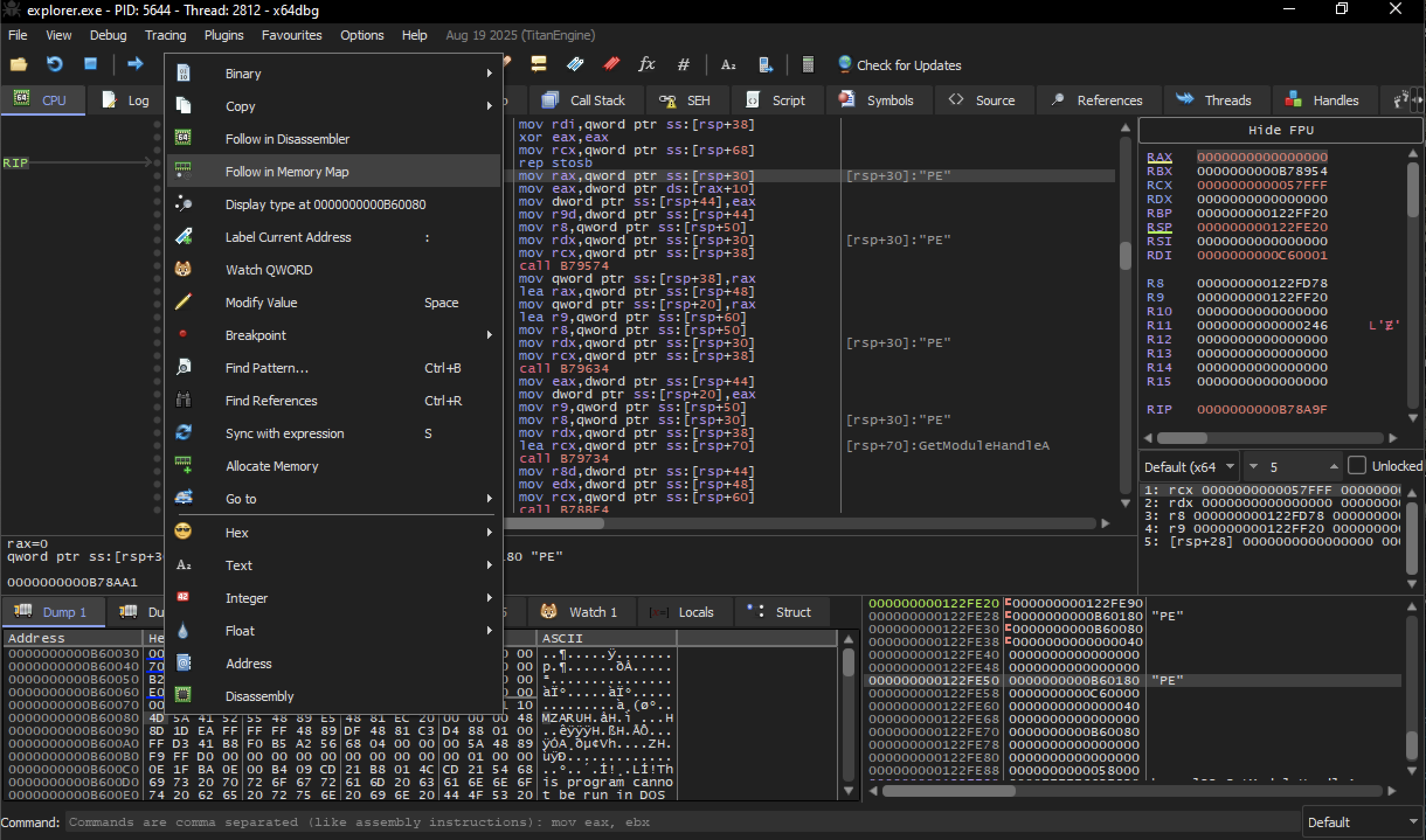
Memory Map
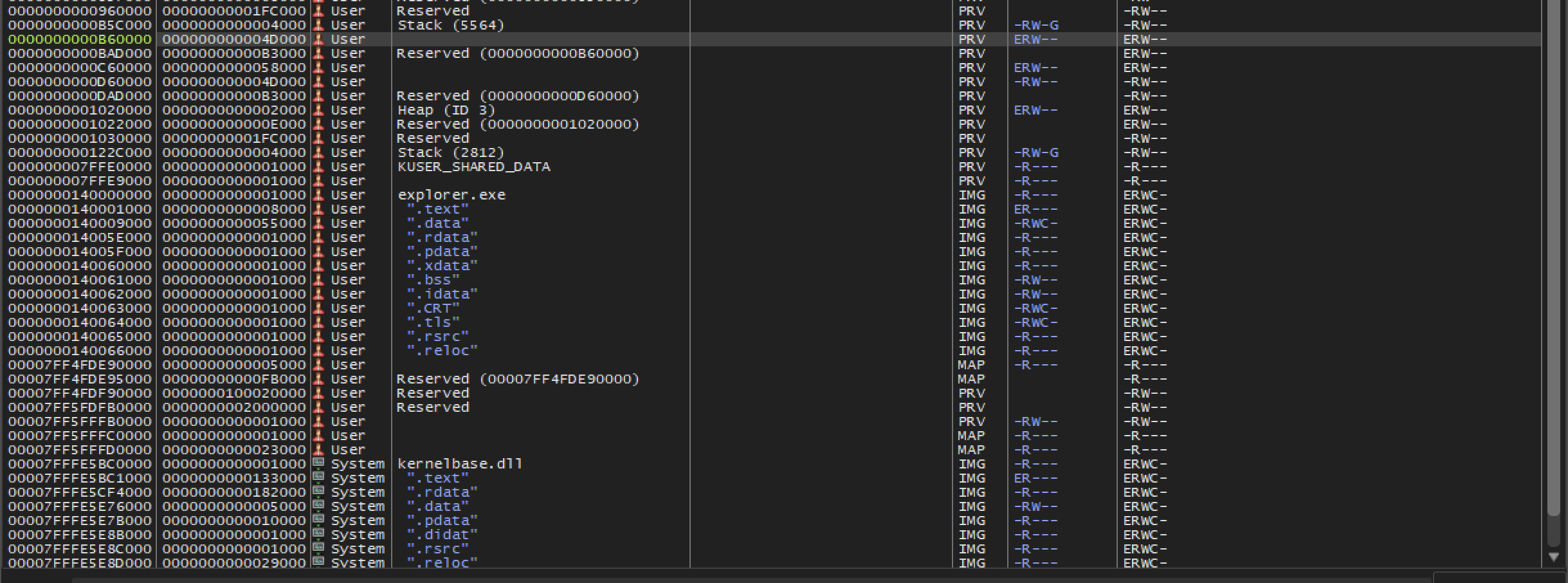
right click on the highlighted row —> Dump Memory to File.

Save it
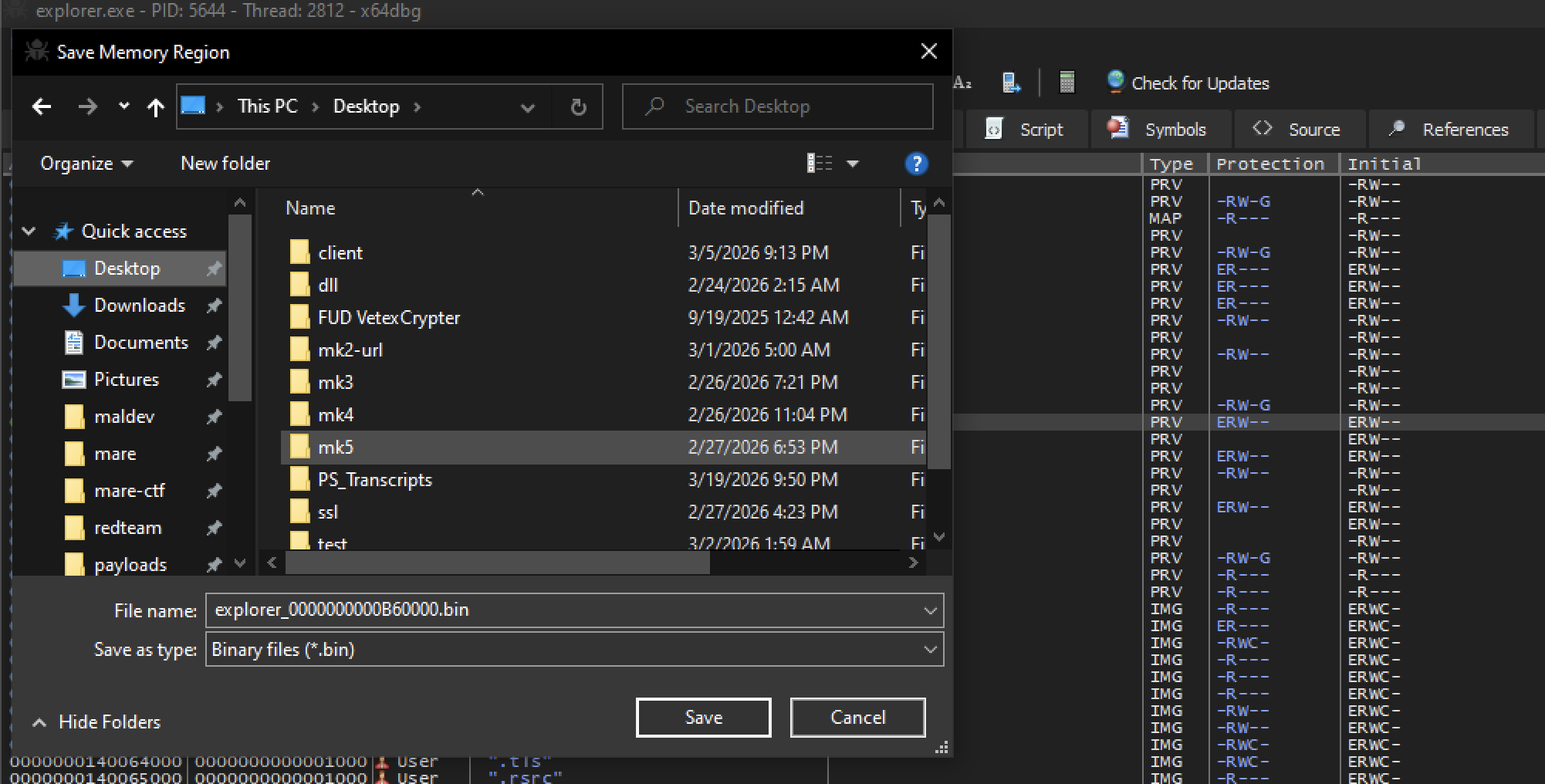
Now let’s take a look of the dump file. open it in Hxd
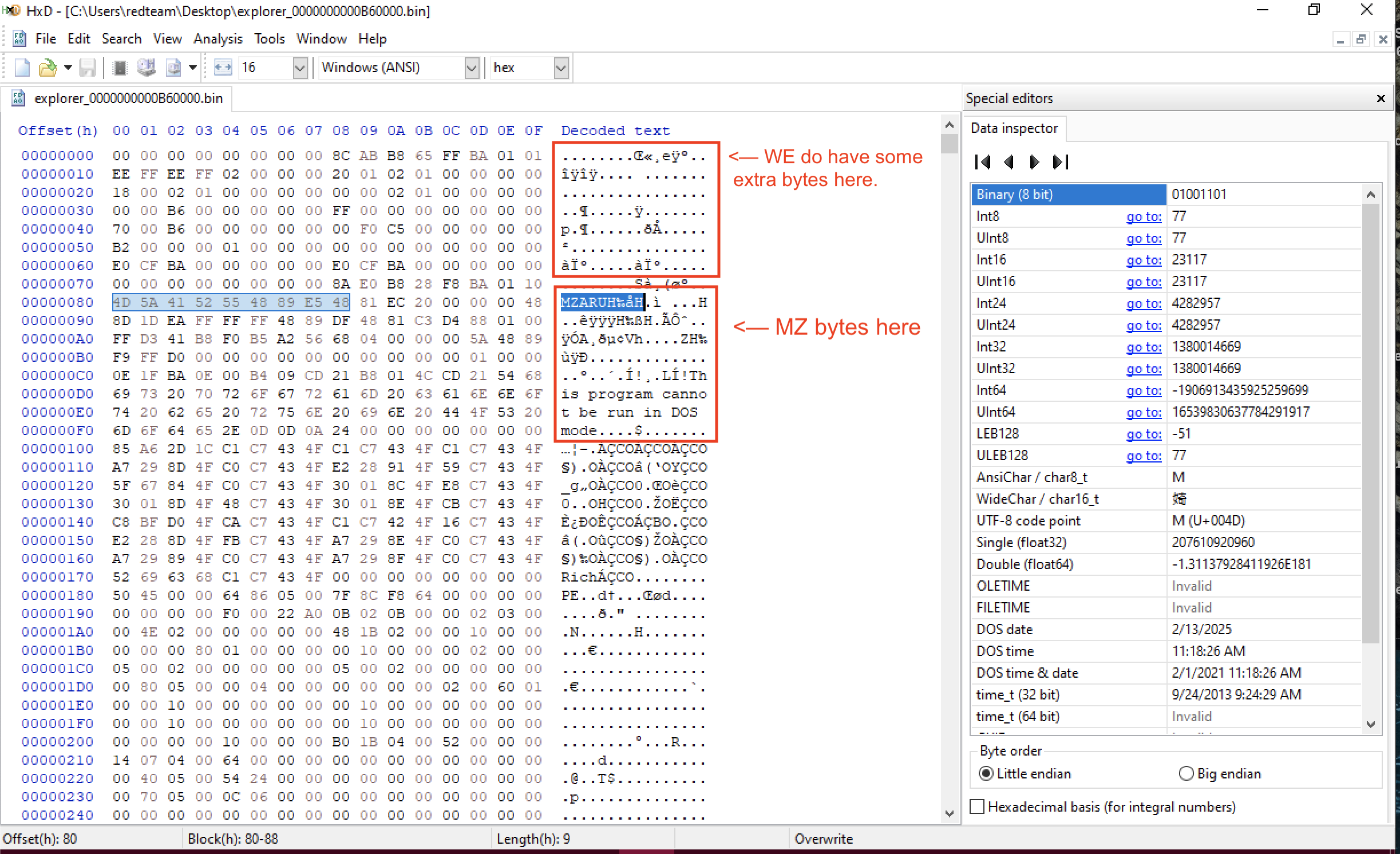
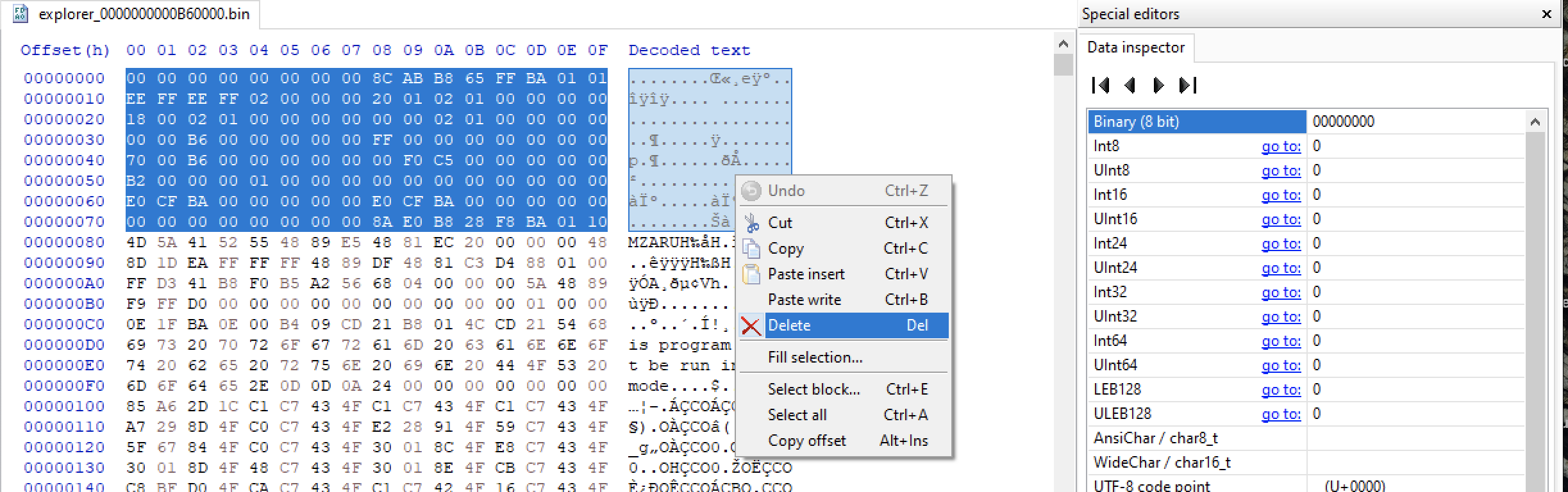
TO clean this up. Select extra bytes and delete, Then save it.
Analyse the dump file in PE Studio
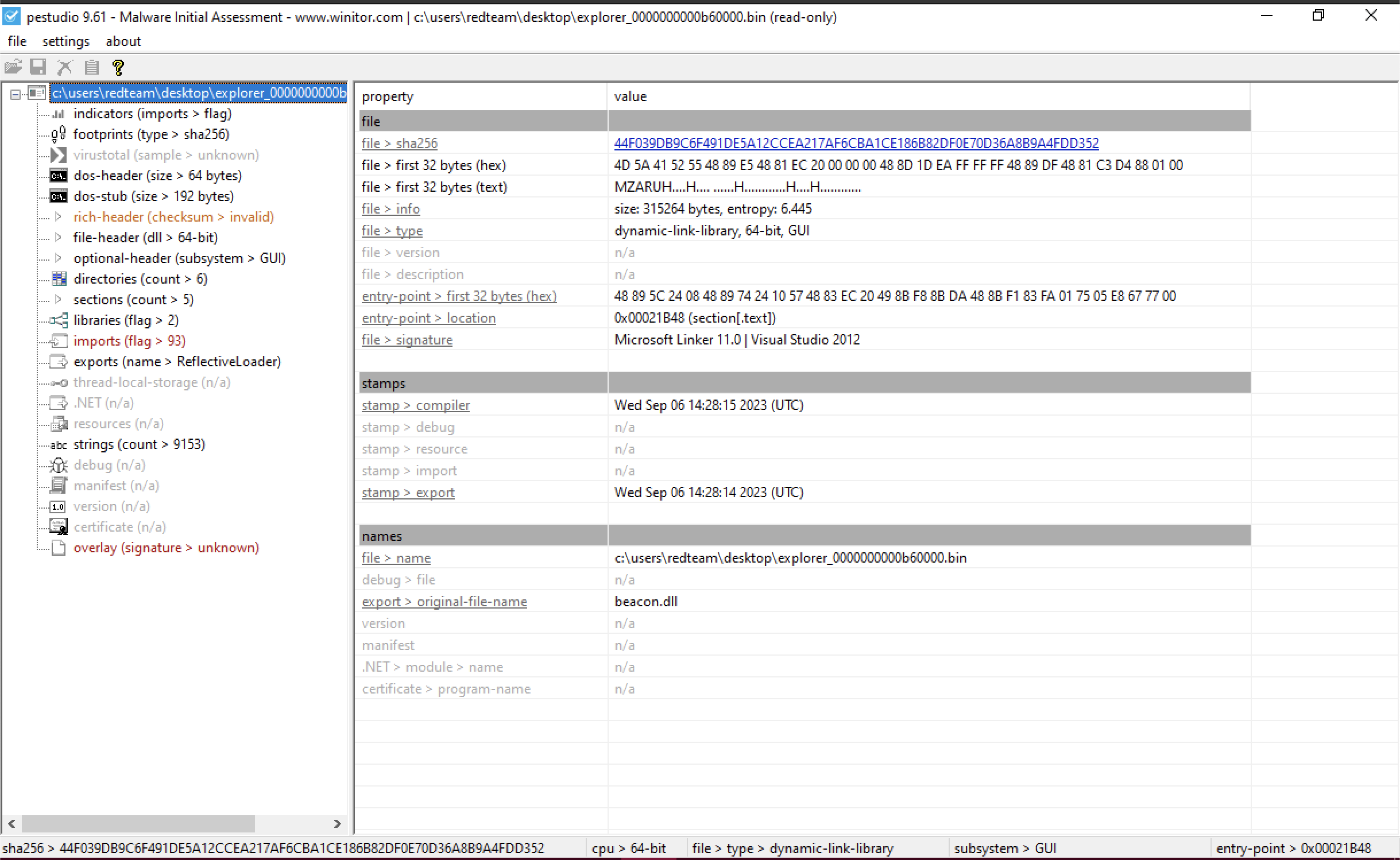
Extracted payload analysis
| Property | Value |
|---|---|
| Original Filename | beacon.dll |
| SHA-256 | 44F039DB9C6F491DE5A12CCEA217AF6CBA1CE186B82DF0E70D36A8B9A4FDD352 |
| File Type | 64-bit Dynamic Link Library (DLL), GUI |
| File Size | 315,264 bytes (~308 KB) |
| Entropy | 6.445 (Typical for code/data, not heavily re-packed) |
| Signature | Microsoft Linker 11.0 (Visual Studio 2012) |
| Compilation Date | Wed Sep 06 14:28:15 2023 (UTC) |
| Entry Point (OEP) | 0x00021B48 (Located in .text section) |
| Magic Header (Hex) | 4D 5A 41 52 55 48... (MZ Header) |
Description
This extracted payload is the "unmasked" malicious core of the sample. The most significant discovery is the original export name: beacon.dll. This strongly suggests you are looking at a Cobalt Strike Beacon, a highly sophisticated modular tool used by both red teams and advanced threat actors for command-and-control (C2) and post-exploitation.
The "MZ" header and the transition to a 64-bit DLL confirm that the unpacking process was successful, providing you with a clean file for deeper static analysis.