Initial Context:
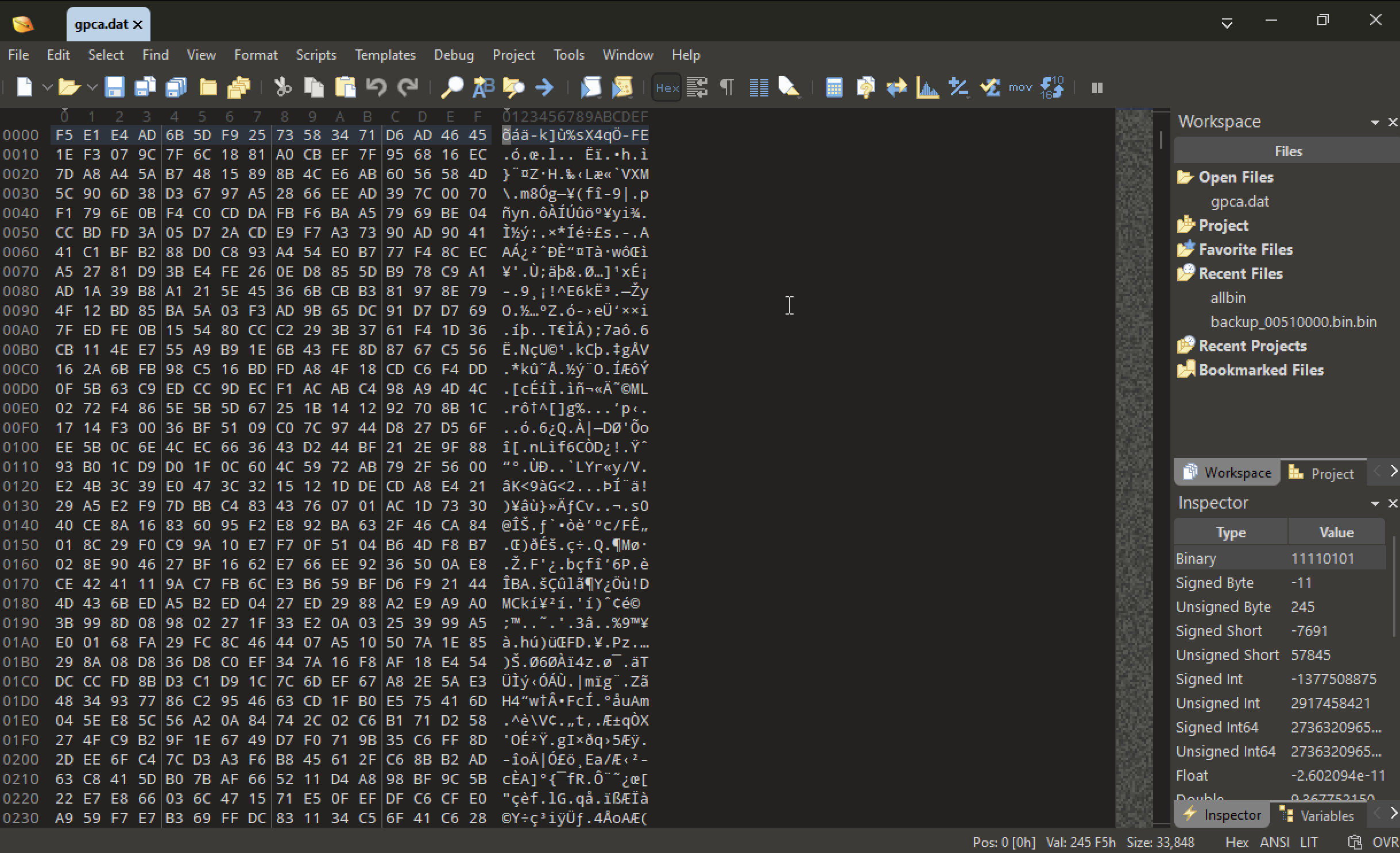
The executable reads .dat file that is encrypted and it is supposedly some configurations.
that we do need to recover and decrypt.
File: gpca.dat
Toool: 010 editor
This looks like heavily encrypted.
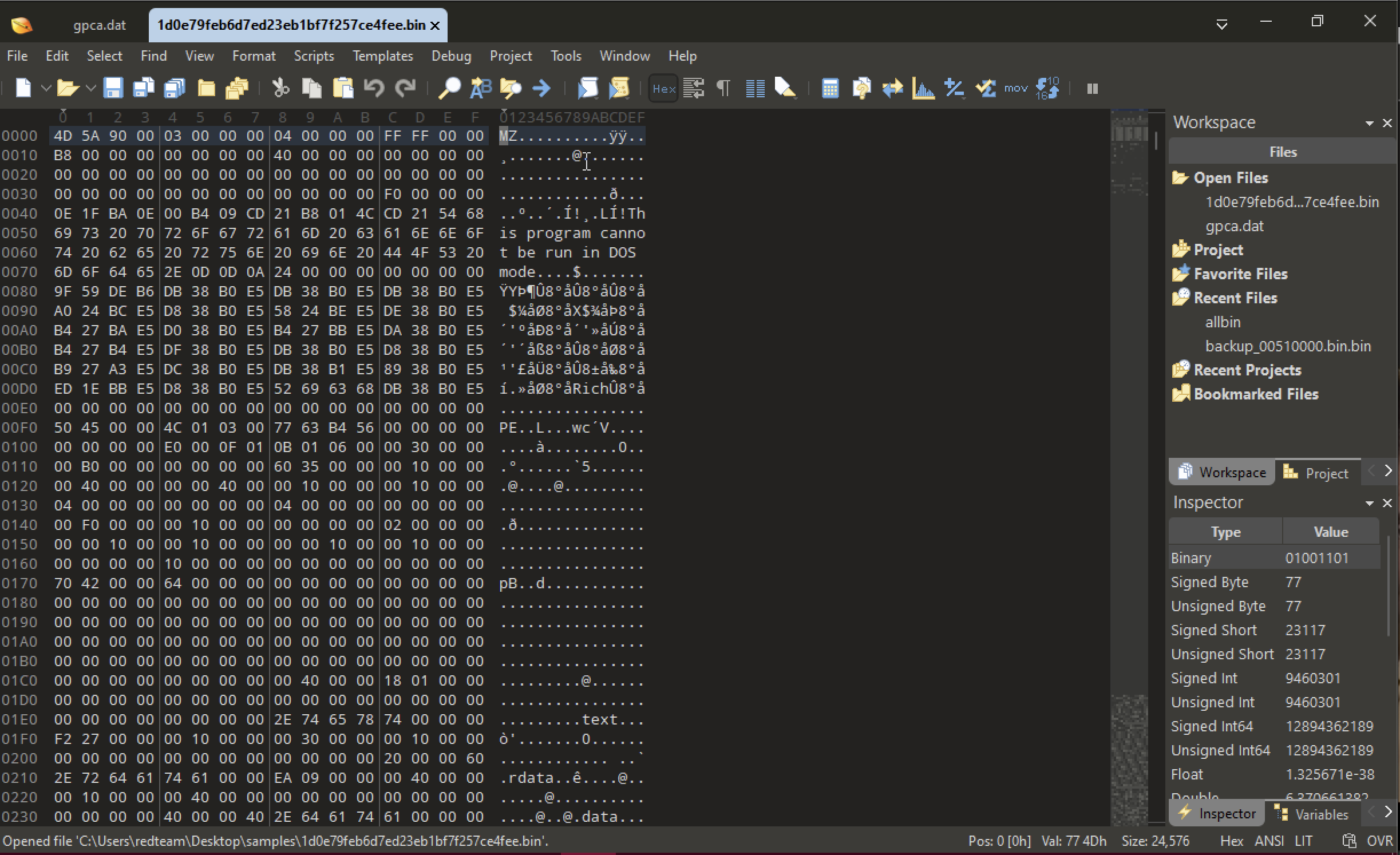
File: 1d0e79feb6d7ed23eb1bf7f257ce4fee.
This is a exe file we have MZ header, DOS stun and we have the PE magic.
IDA CODE Analysis
Start with main. IDA recognize that it is a C compiled binary.
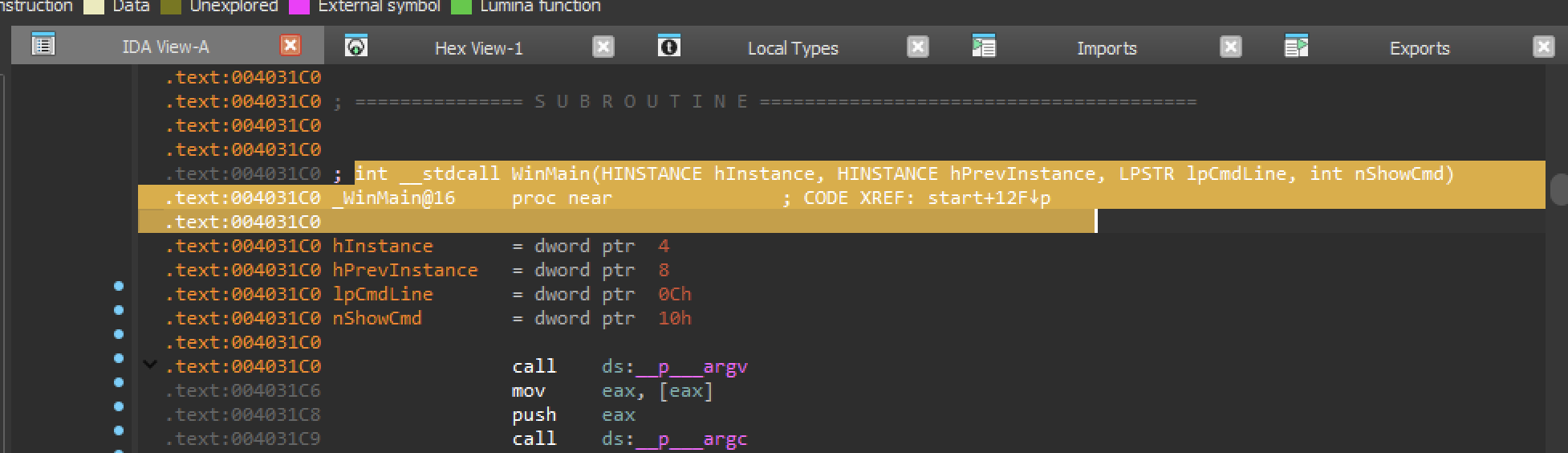
Nothing interesting let’s follow in the call to function 0x403130
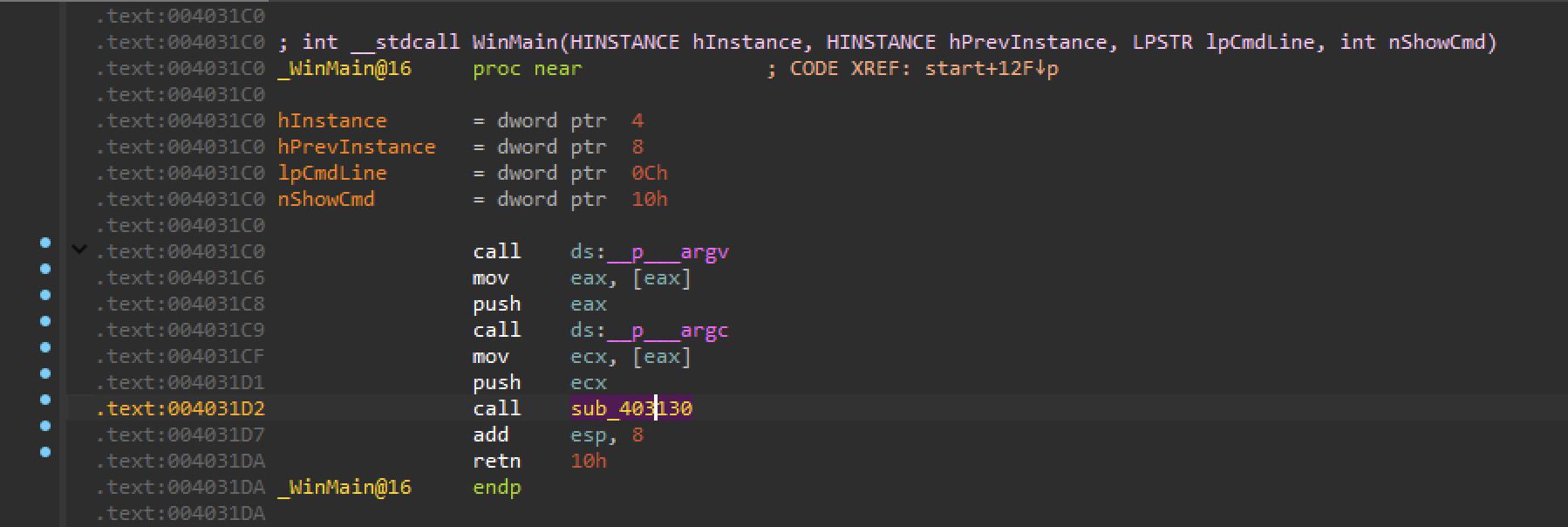
looks like code nothing that requires immediate attention.
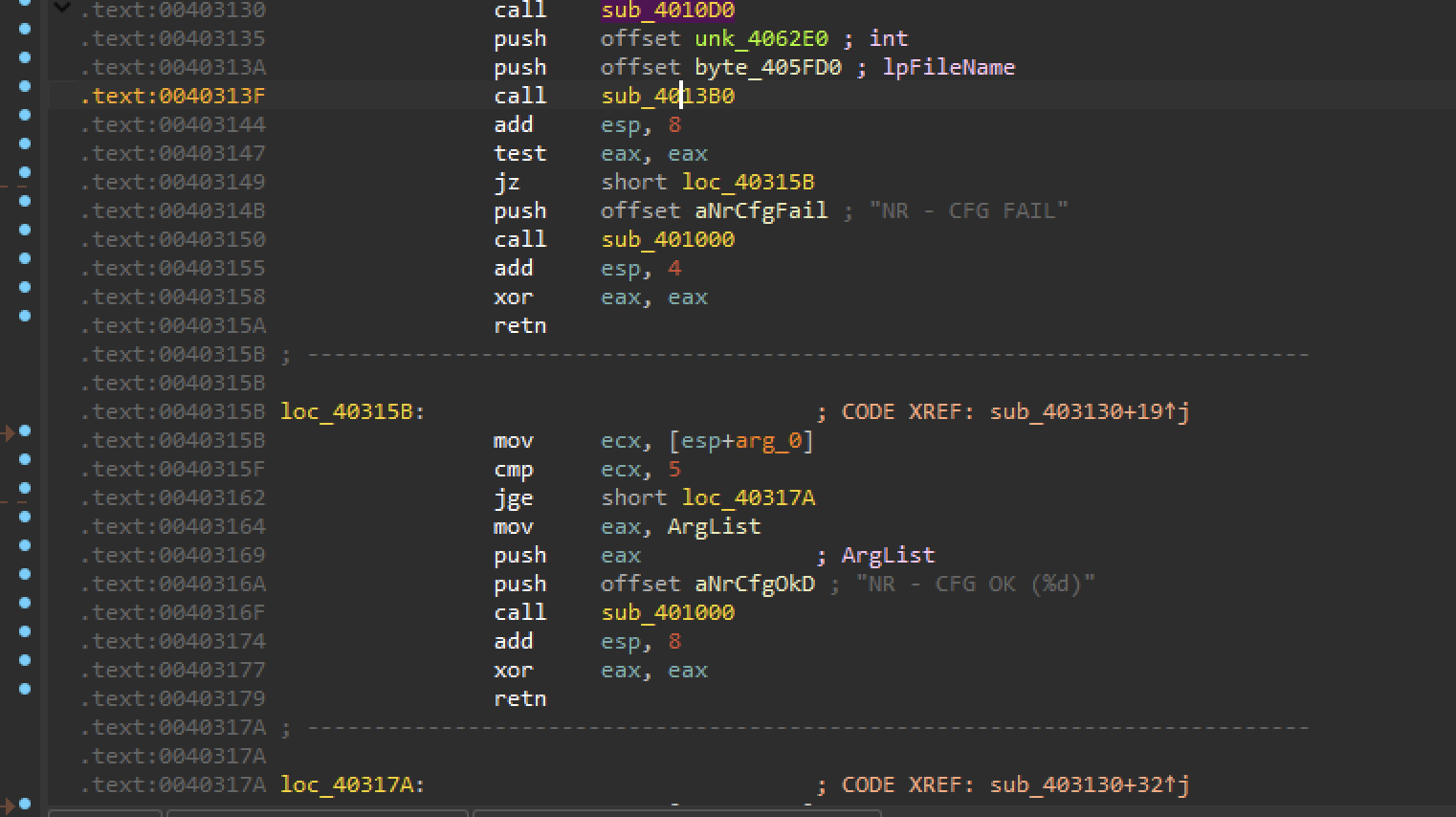
Our goal: Decrypts the content of the file called gpca.dat
Bangladesh GPCA - Tracking the value
Data flow: tracking values at various points in the program "gpca.dat" - obvious string value to look for
Code (control) flow: determining possible sequences of execution
Our starting point is finding a strings containing “gpca.dat” and then further to any string that was generated by using this string. By using all these references we find the code that is using this file name.
Search string in IDA
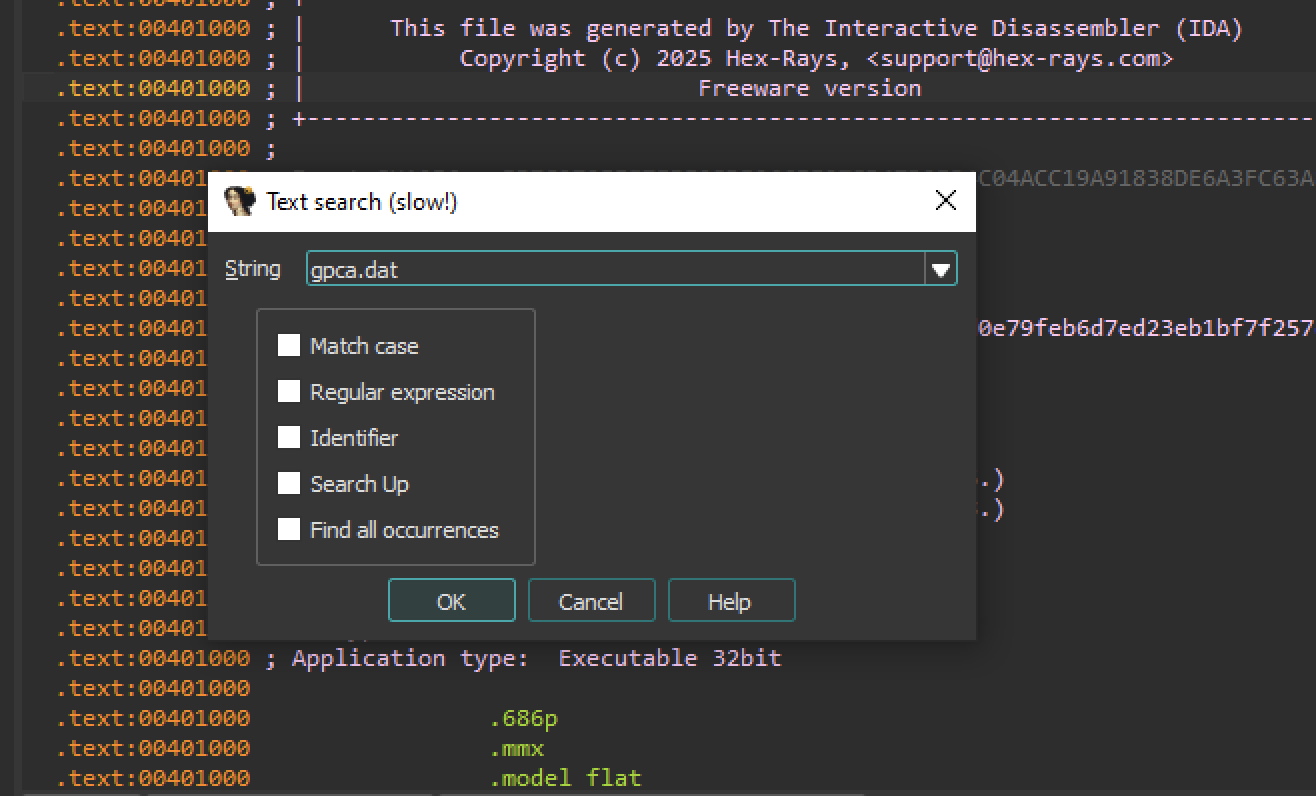
1st - Found “gpca.dat” this is an argument to a function.
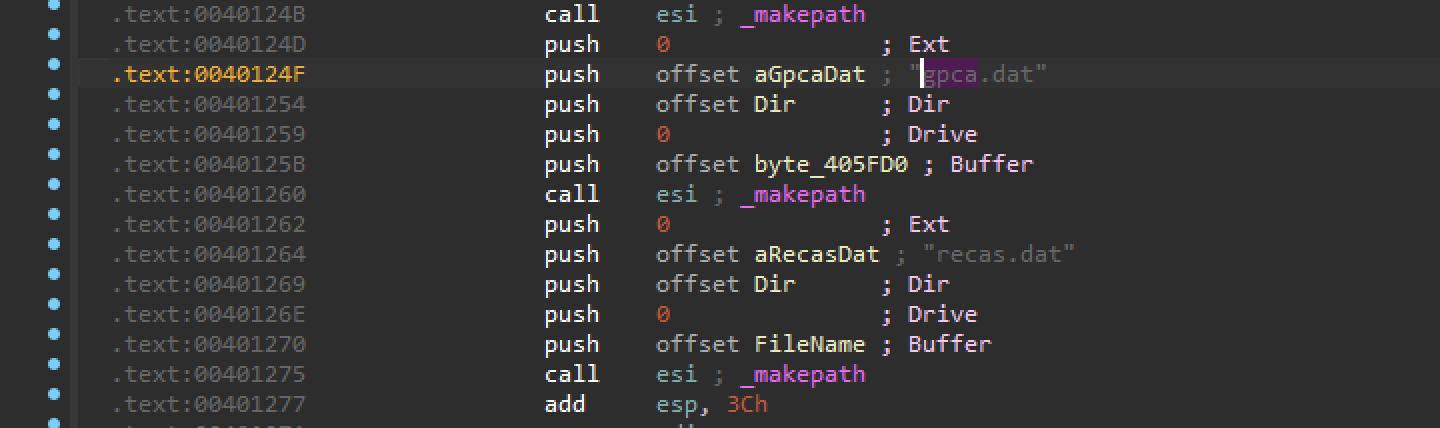
Navigate to the location of the string. Look at the cross-references.
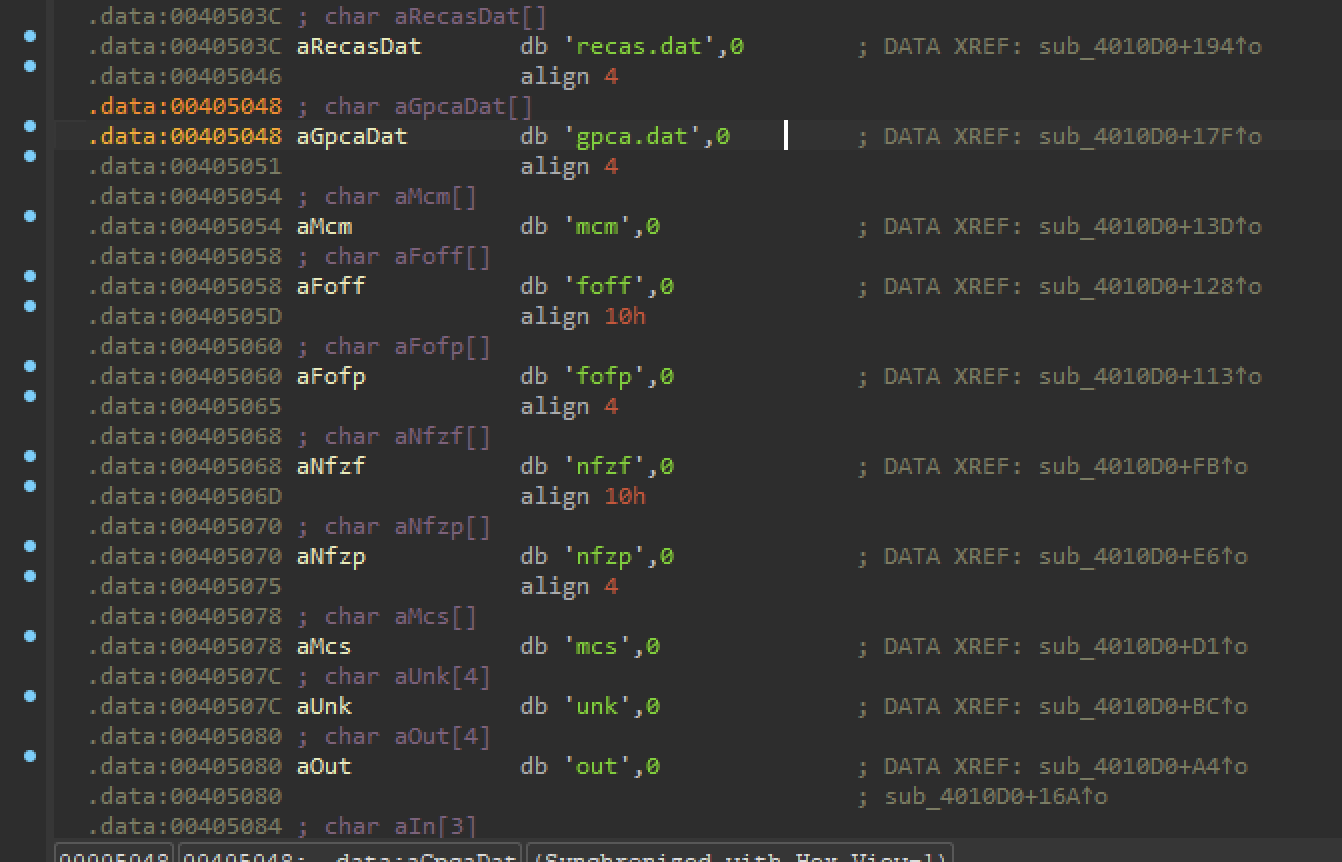
2nd Time we find the same string.

So this is the only location in the whole binary. That mentions our file name.
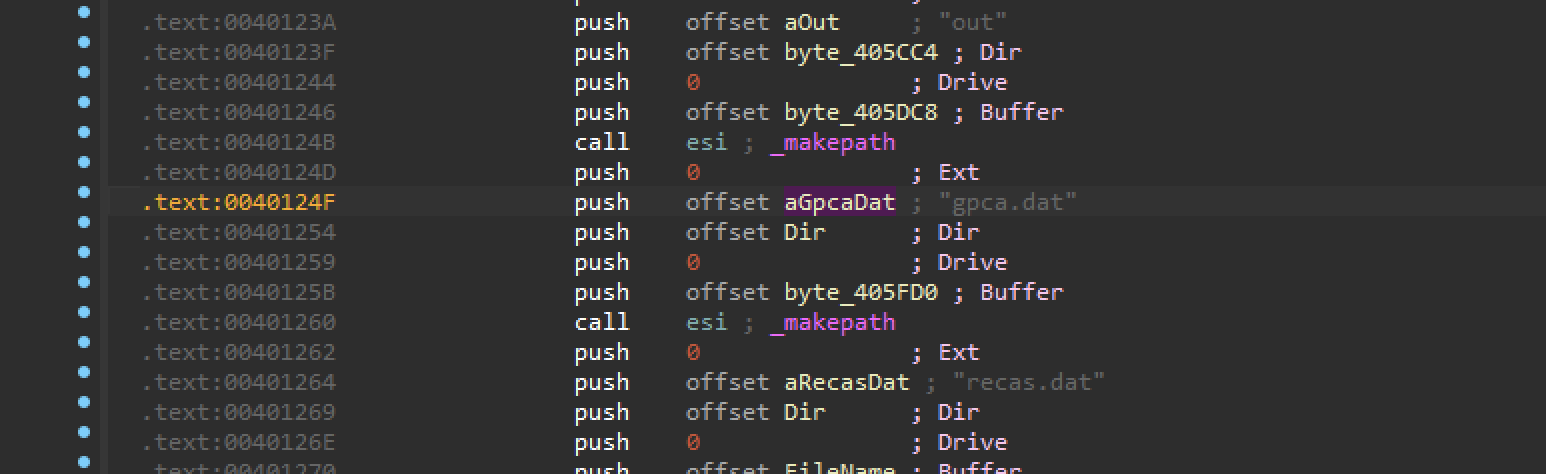
Analysing
We see that it is used as an argument to the function called _makepath.
we don’t know what is the meaning of the arguments. we will us ida’s definition of the function.
So, in our case, gpca.dat is the argument Filename.
MSDN Refrences.
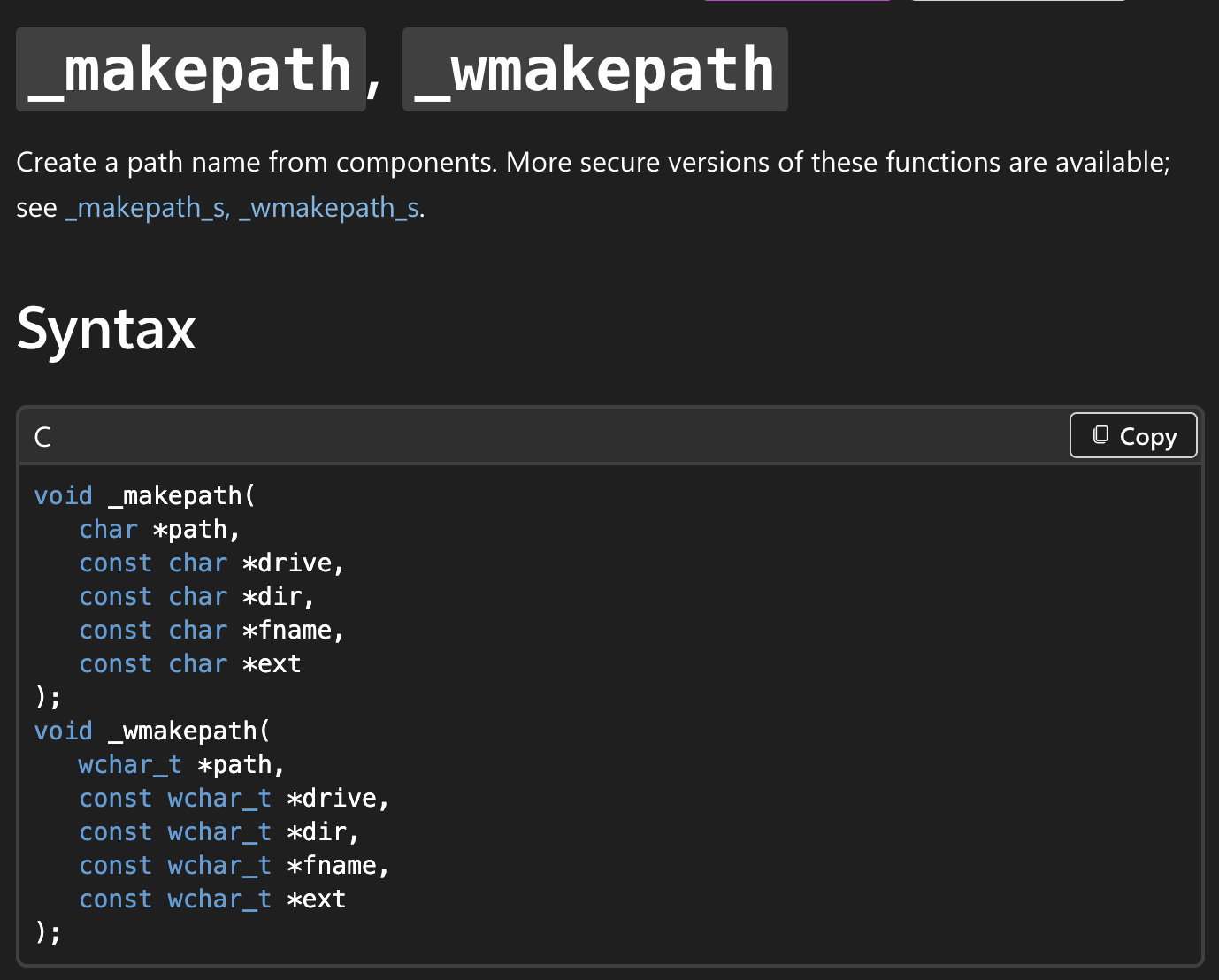

Our file name is used as fname here.
So this function will compile a full path to a file name from it’s components. and store it in the buffer pointed by the first argument.
In our case this buffer was important to us because it will also be used as a longer path to the same file name.

let’s rename this buffer to for us to fullPathToGpca trace it’s value. this new fullpath is what we are going to trace for both code and data analysis.

follow the fullPathToGpca .

Now let’s use this fullPath Buffer at 0x00405FD0
We will use back references generated by IDA to track the places in the code where this value is used.
Press x to see back references. There are 2 places in the code that references this address.
inspect code at both the addresses.
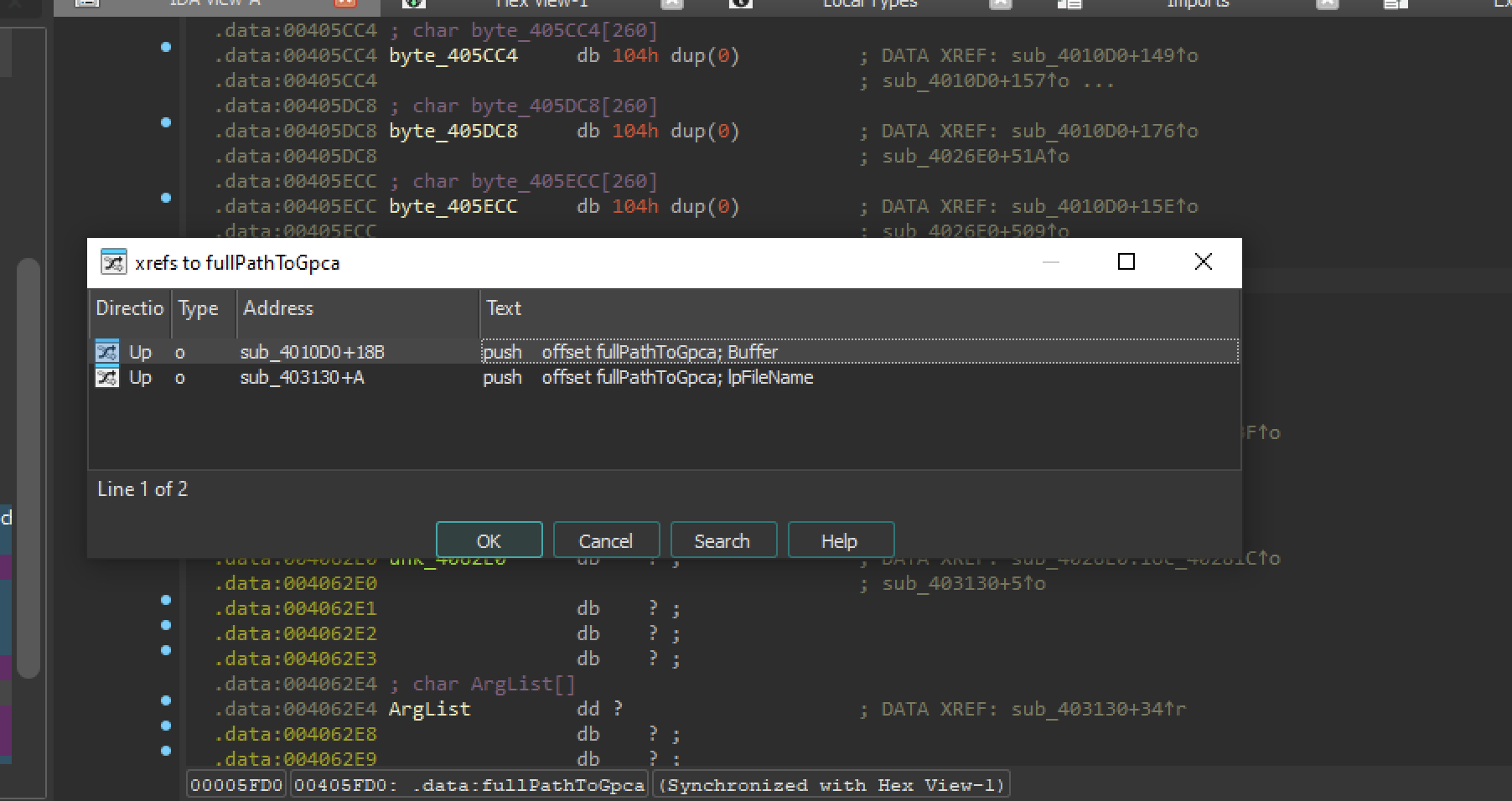
The 1st location we have seen already.

The 2nd one is at 0x0040313A The address of the buffer is passed on the stack.

look’s like it’s used in this argument to another function.

Into the function 0x4013B0
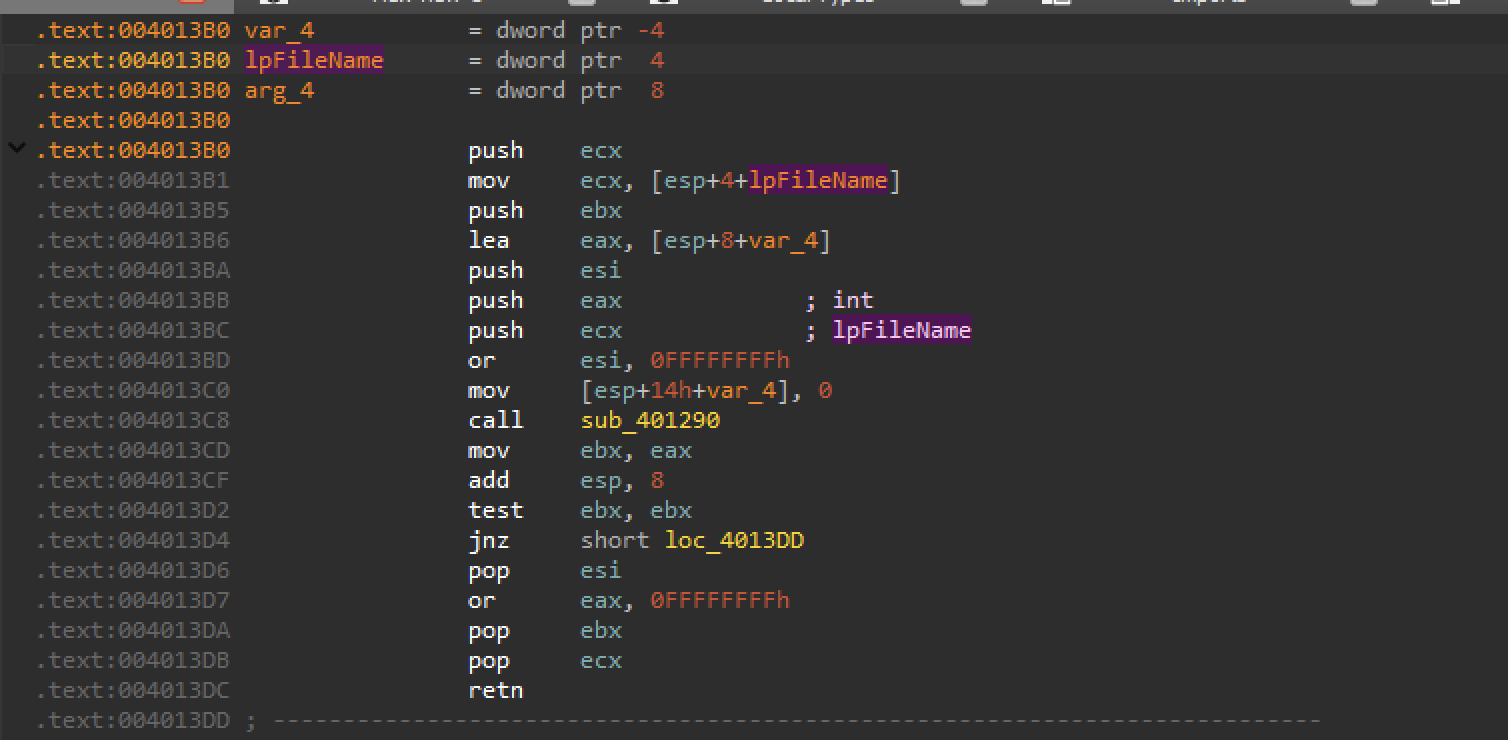
It copies to ecx then again passed as an argument function 0x401290
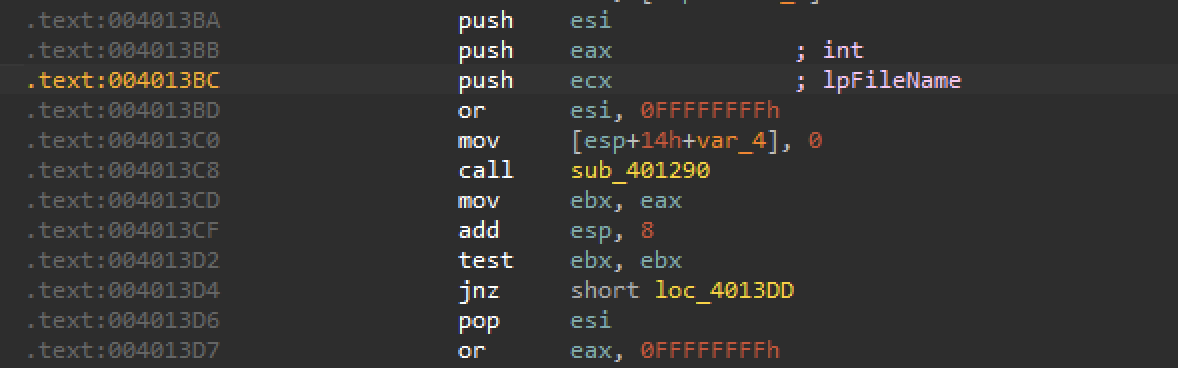
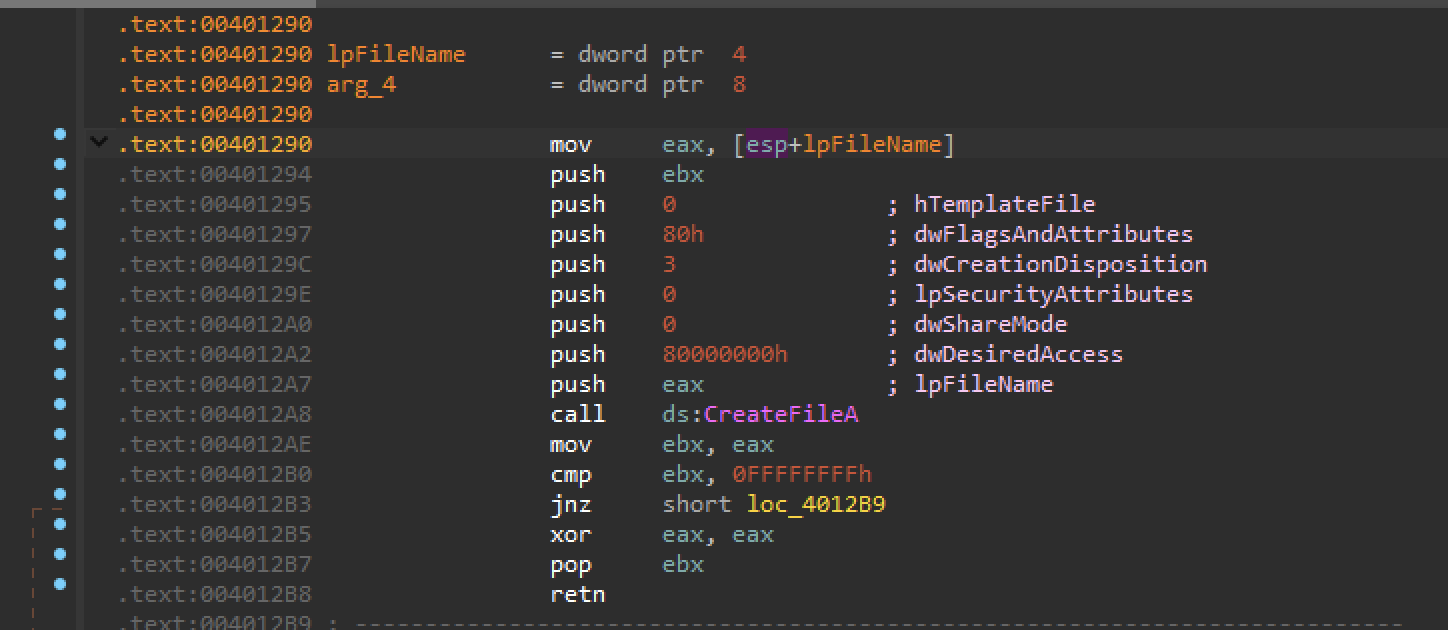
In 0x401290
Again it was renamed to lpFileName and copied to eax. and it is passed to function CreateFileA.
We can see that the opened file handle is used to get the file size.
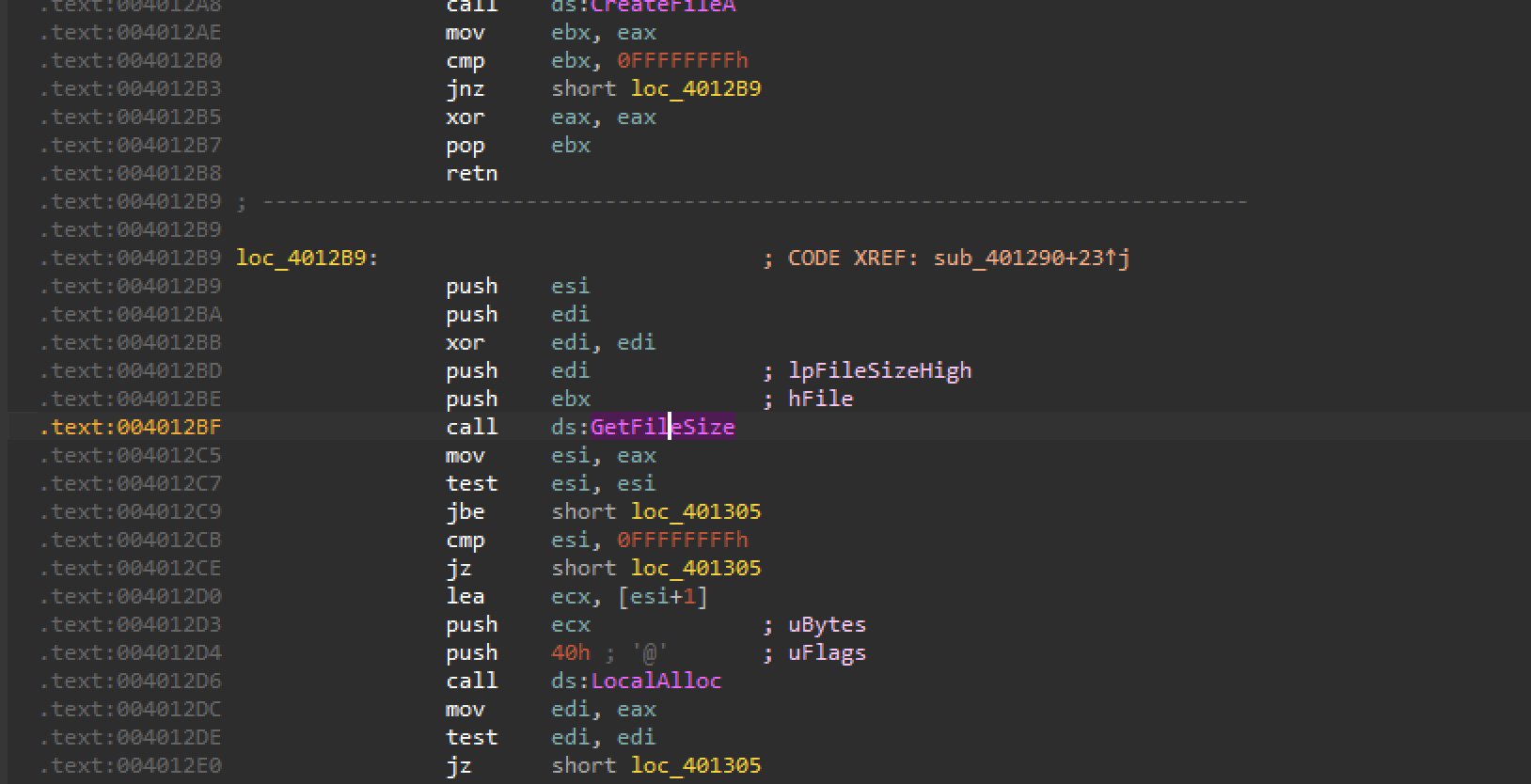
Then there is a Memory Allocation. for that file size+1

Then the file is read. And the buffer is the result of the memory allocation. The number of byte read is the file size.
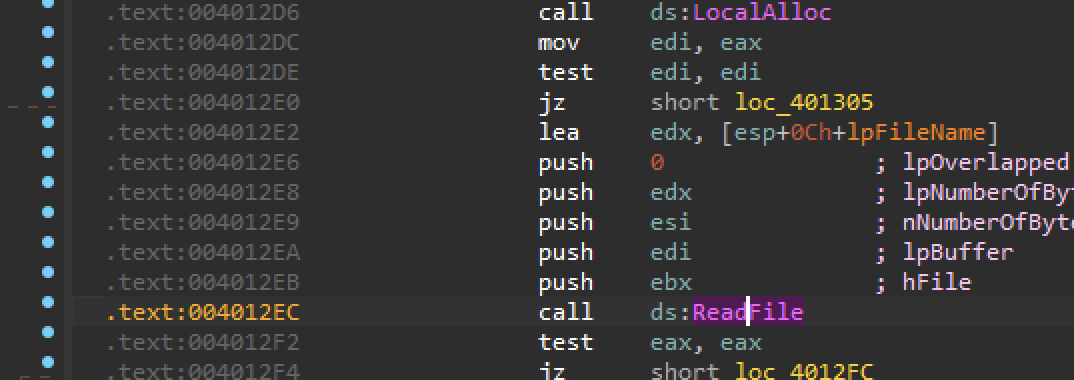
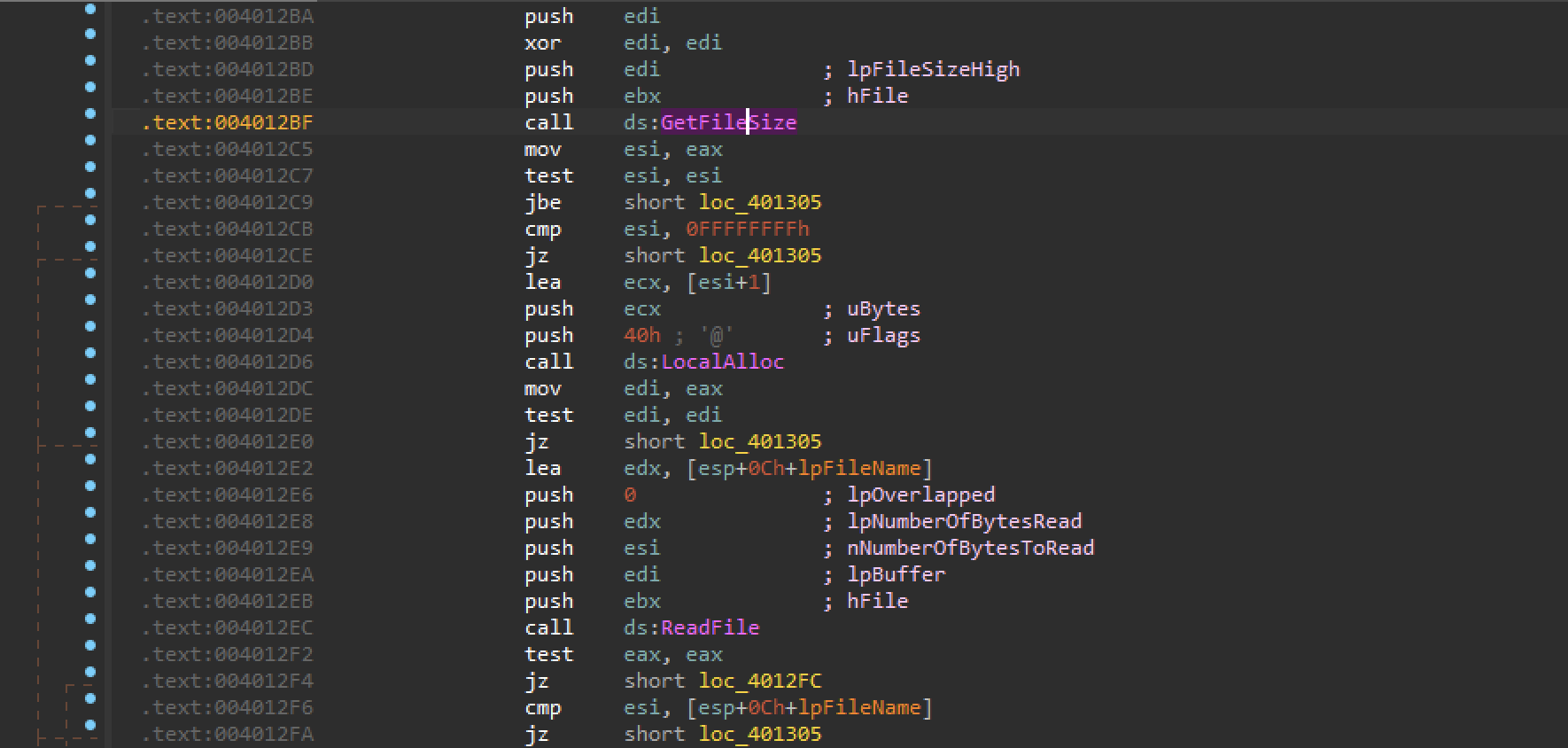
So the whole file is read into a newly allocated buffer.
and if something goes wrong the buffer is free.
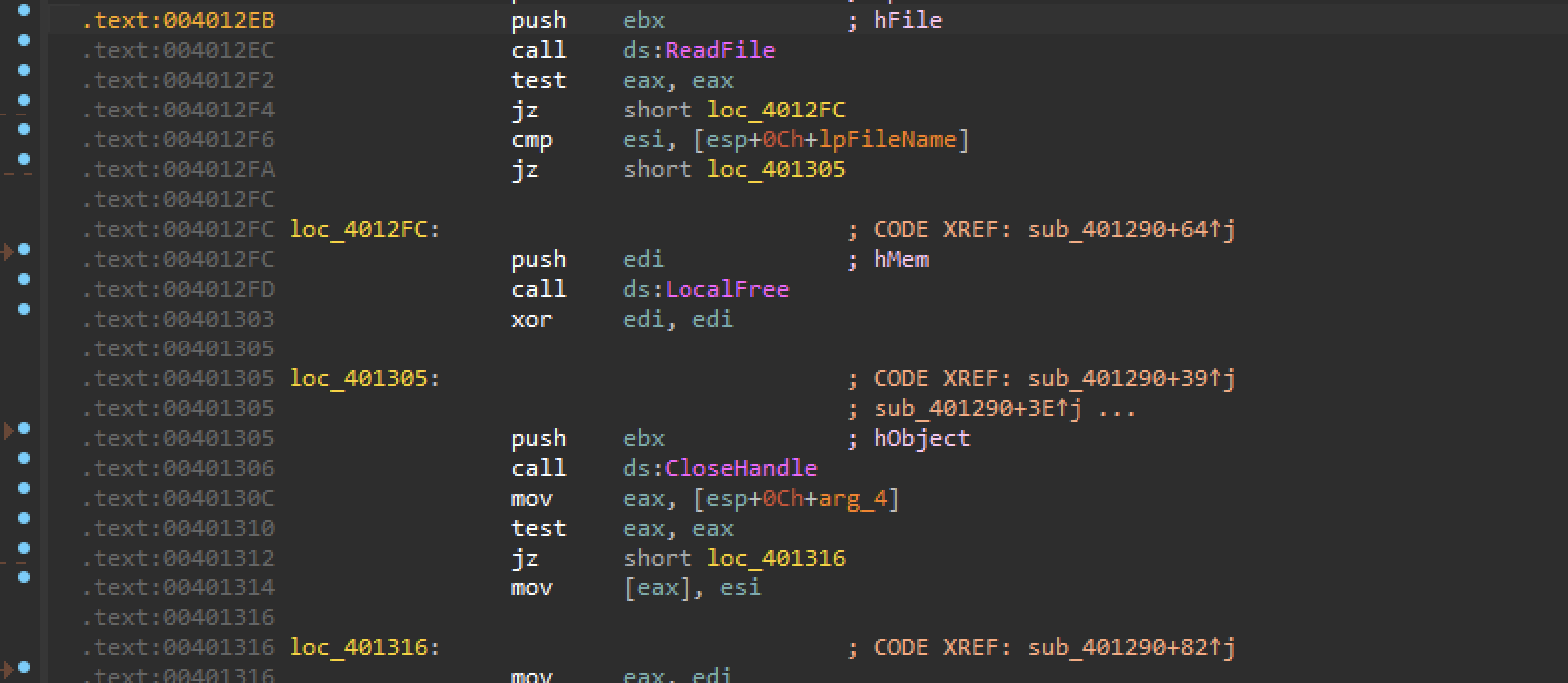
If not another argument is used as a pointer to the result. and the result is esi . In our case esi is the file size.
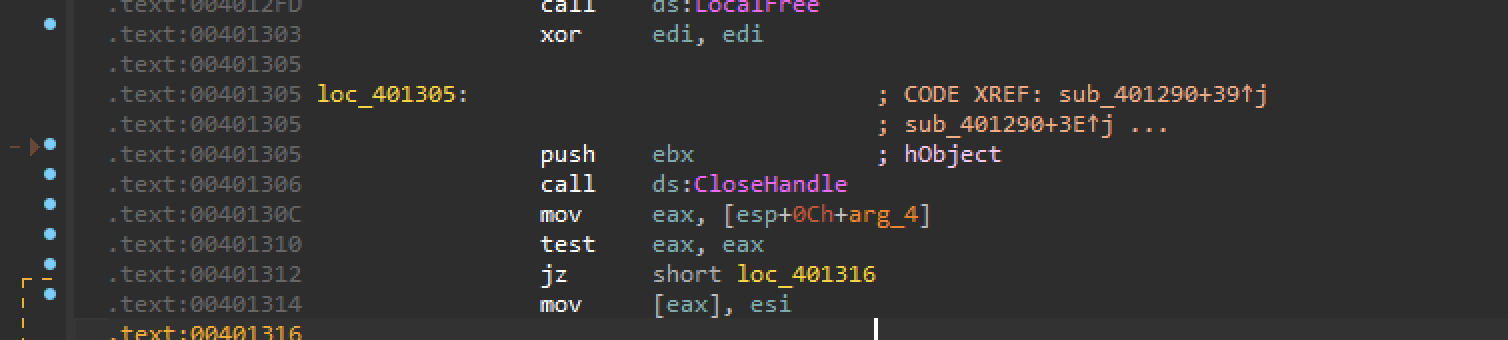
EAX, the standard return of the function is EDI that is the result of allocation of the memory.

So, the function is reading the the whole file. The file size is passed as a result in the pointer that is the second argument. And the buffer just returned in EAX.
Going back and renaming this function to something like ReadFile.
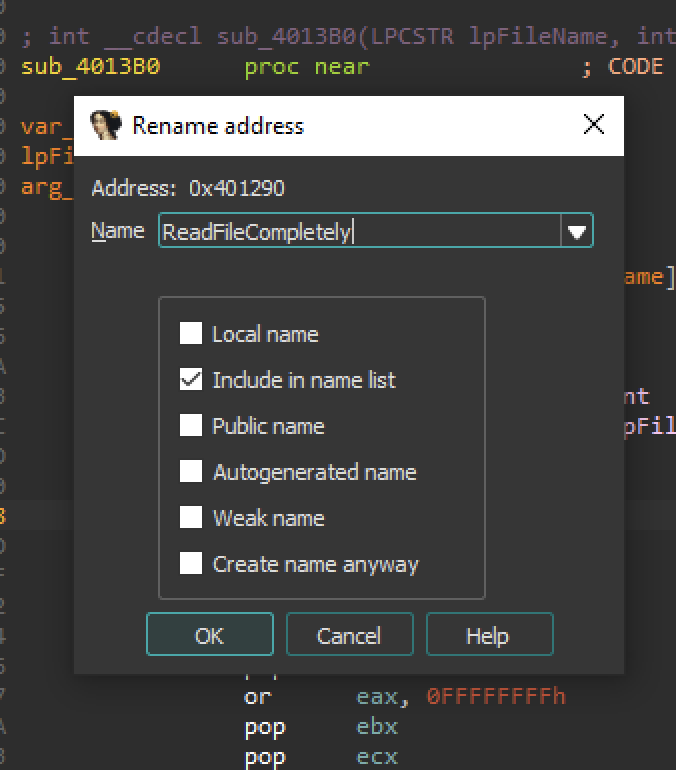
This function reading the contents of the gpca.dat
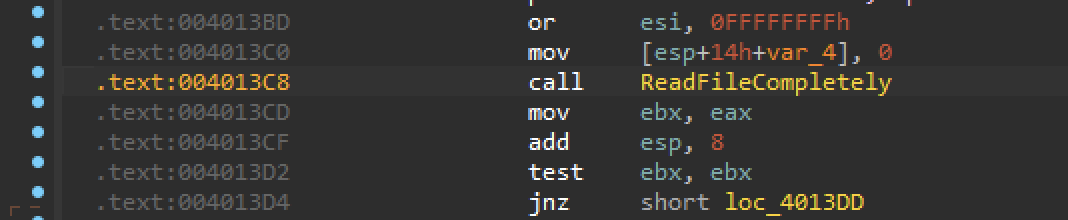
And it’s address is 0x401290
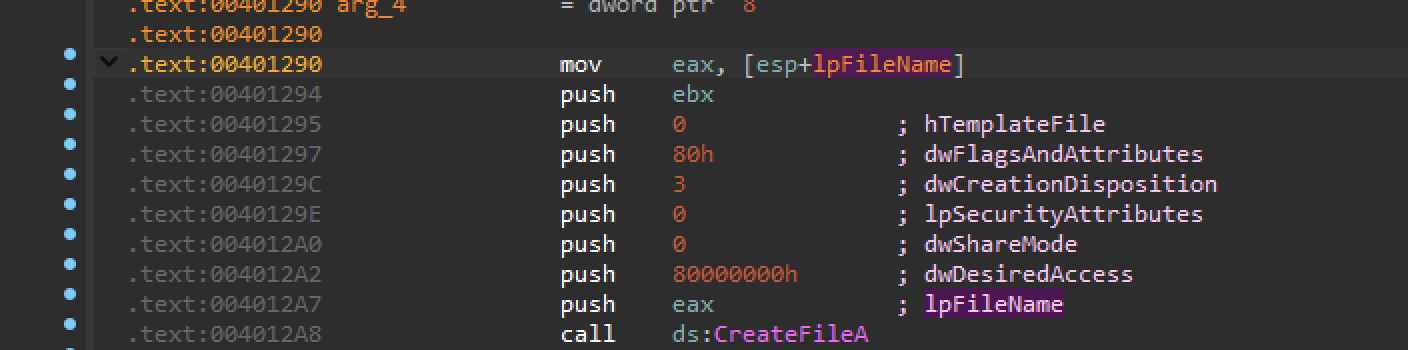
Now we know where the content’s of the file is read.
go one level up
we need to track the value of the file to find the location where it is decoded or decrypted.
NOTE: - The result, the contents of the file is returned in EAX. Which is then immediately copied in in EBX.
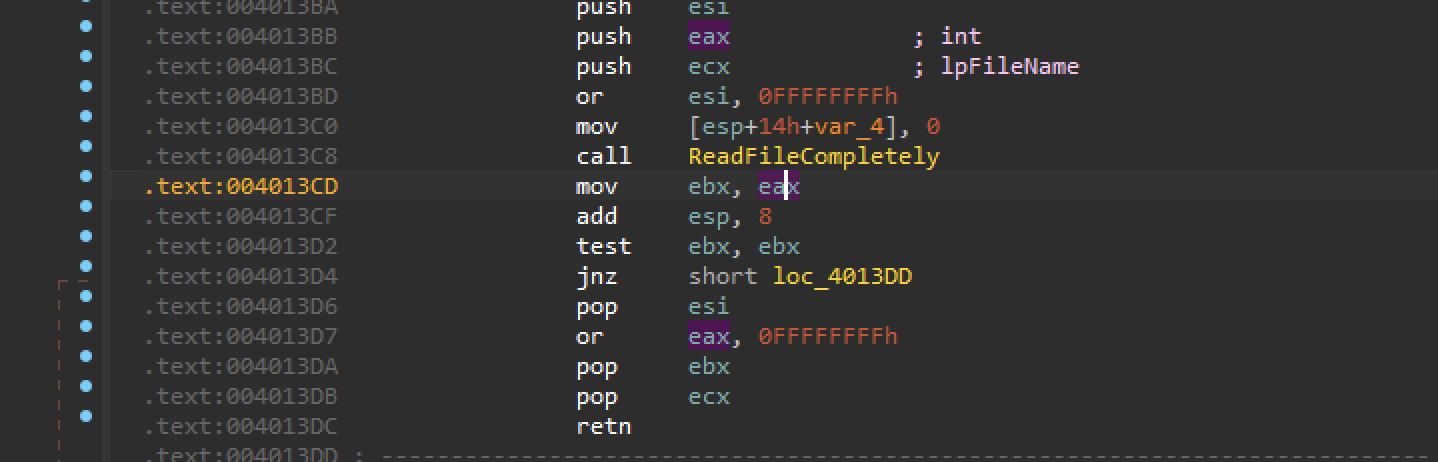
let’s track EBX
It is used as a argument to another function.
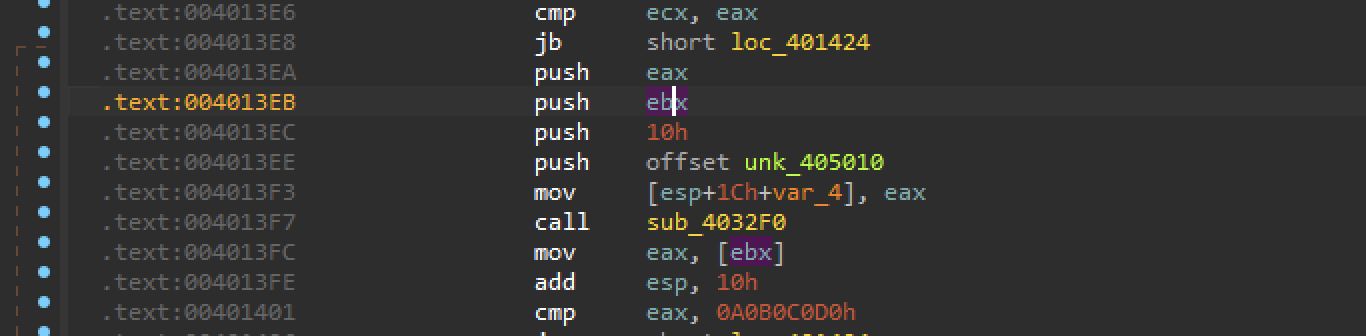
before calling the function the code is verifying. if var_4 is exactly 0x8438
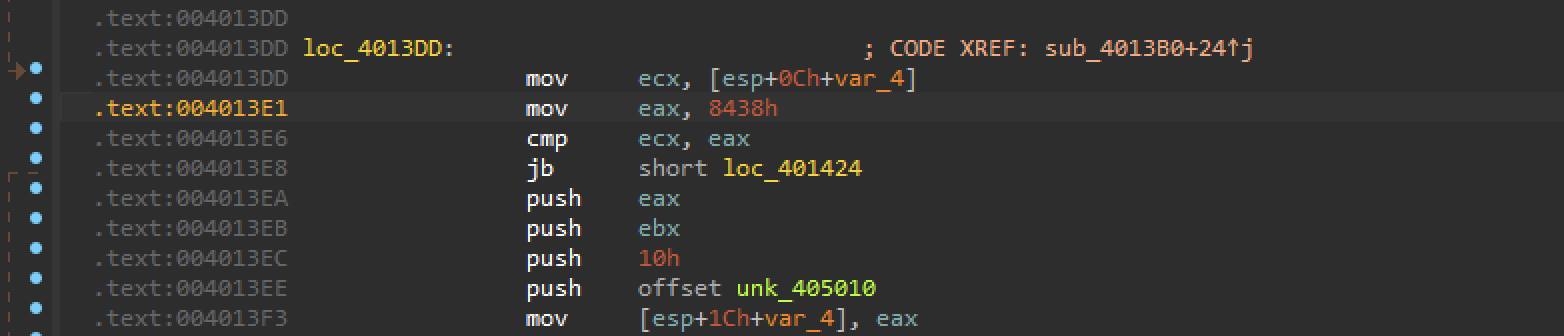
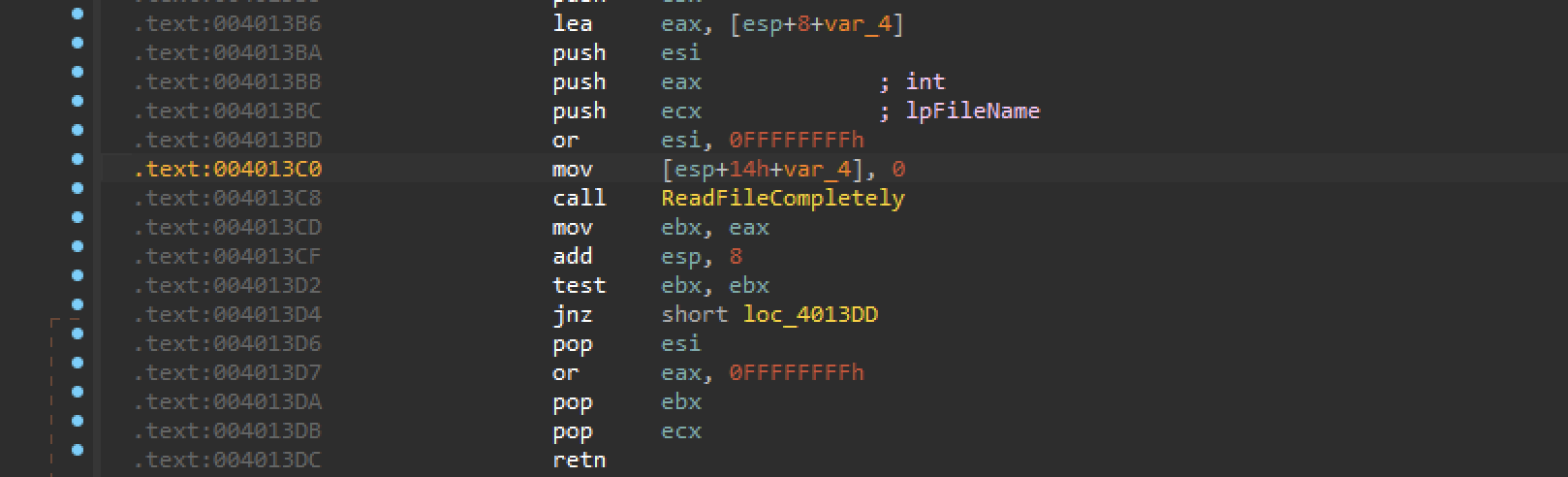
var_4 is used as a second argument for ReadFileCompletely. So it is the size of the file.
there’s a file size check.
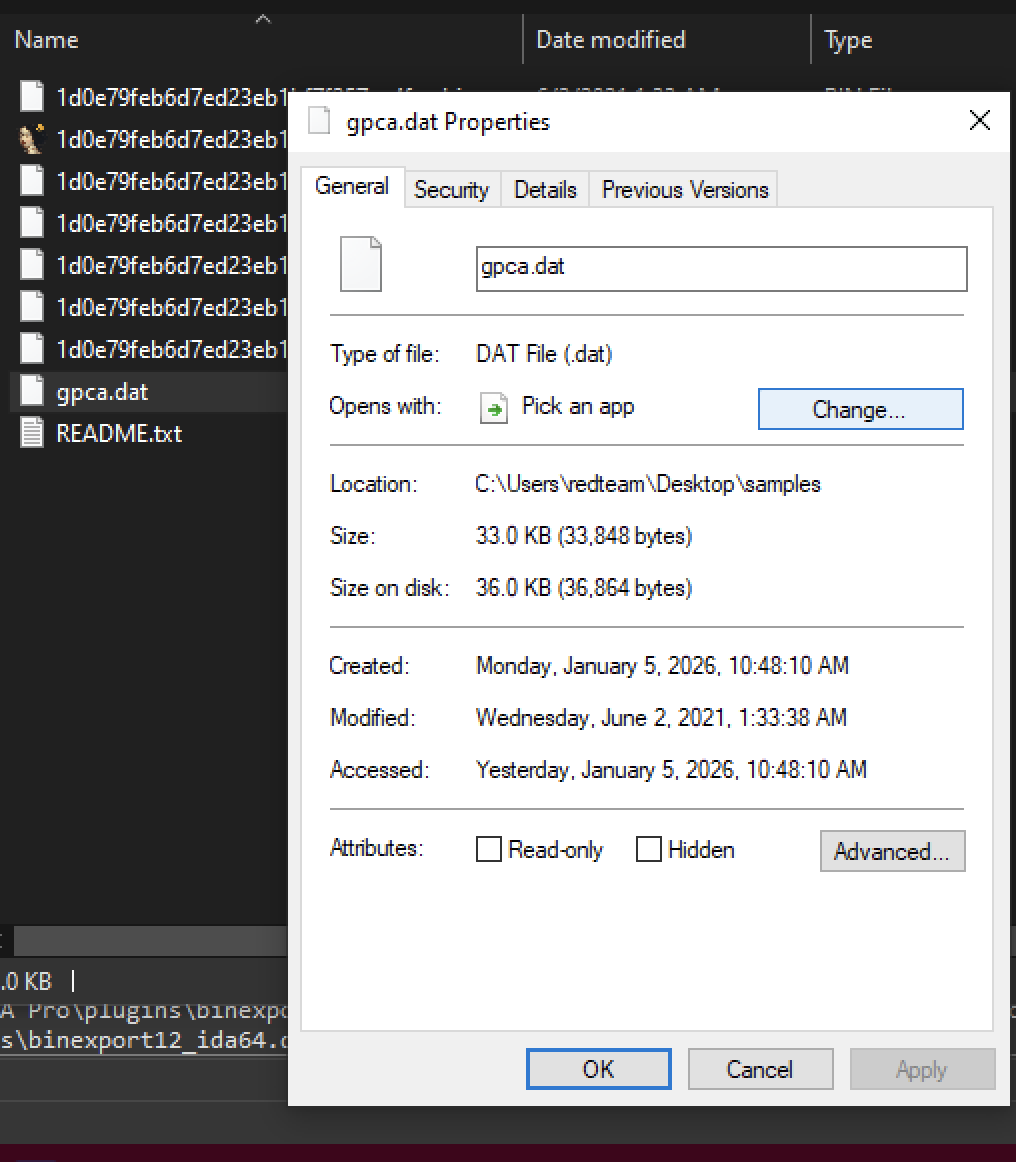
Convert the value of 0x8438 to decimal. highlight the value and press h to convert hexadecimal to decimal. we can see it’s 33848 bytes.

Verifying with the file size of gpca.dat it’s 33,848 bytes. So we are in the right path.
we have another function call sub_4032F0

that takes some pointer to unknown value. 16 or (0x10), ebx that is our encrypted file. and eax that is the size of the file. So it’s look like it has to operate on this buffer somehow. so let’s go into that function.

Function: sub_4032F0
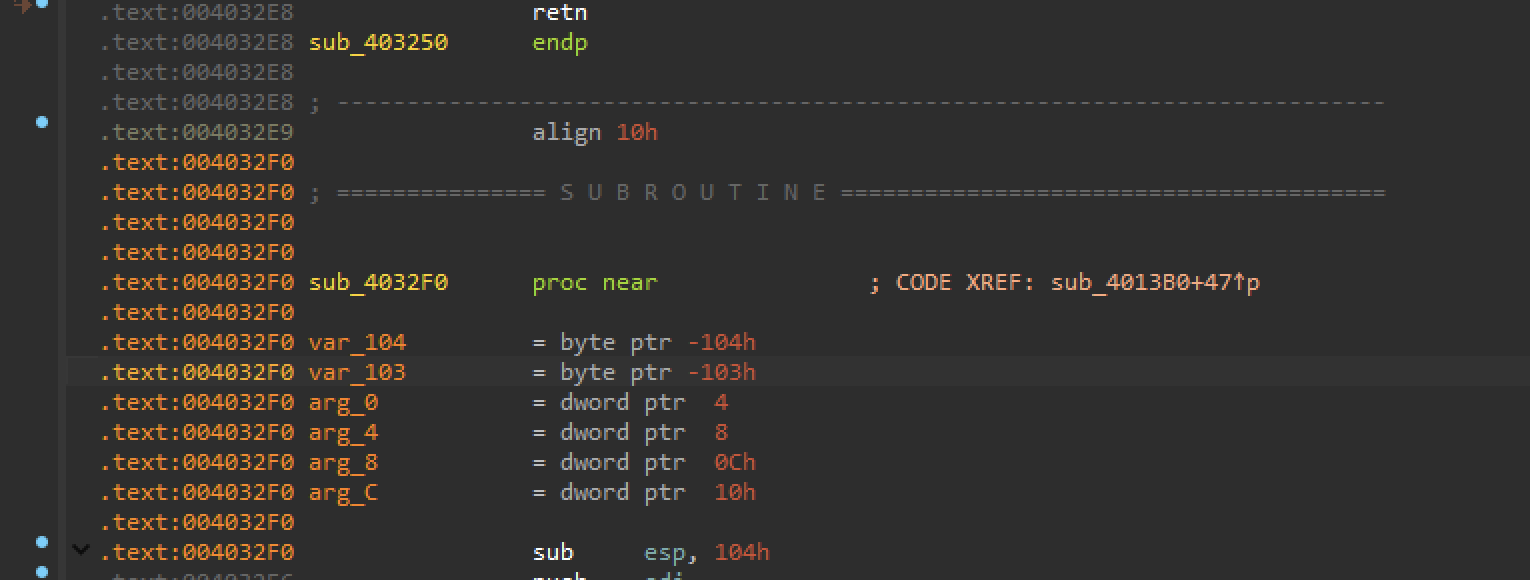
let’s rename two last arguments to from:
arg_8 → argGpcaBuffer
arg_c → argGpcaLen length of the buffer.
NOTE: arguments load in the memory in the reverse order.
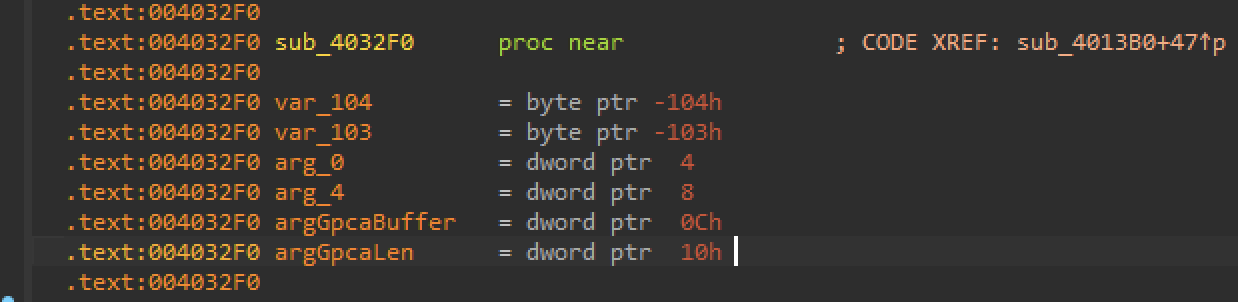
These arguments are used in another function call.
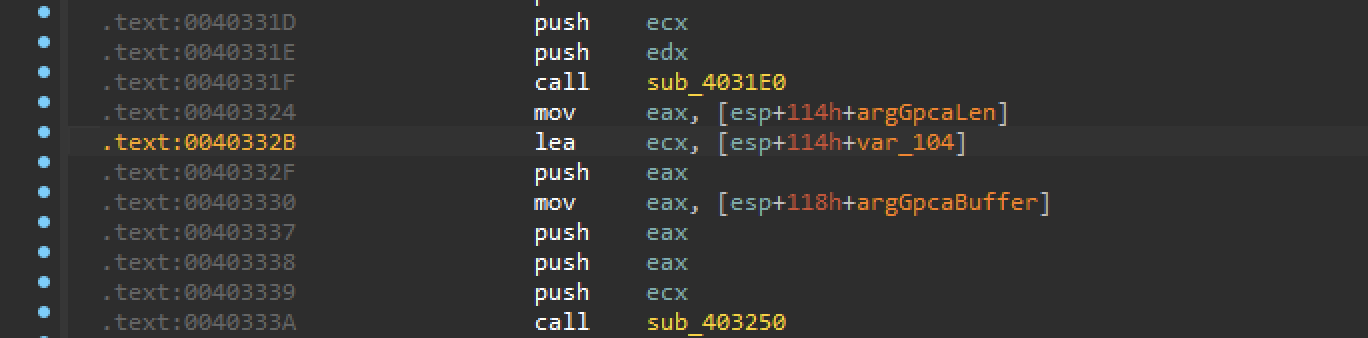
So, these are used in another function call. But that one is the second in the function.
we have one function with two different calls. and first one is using only the first and the second argument that we have not recognized yet.
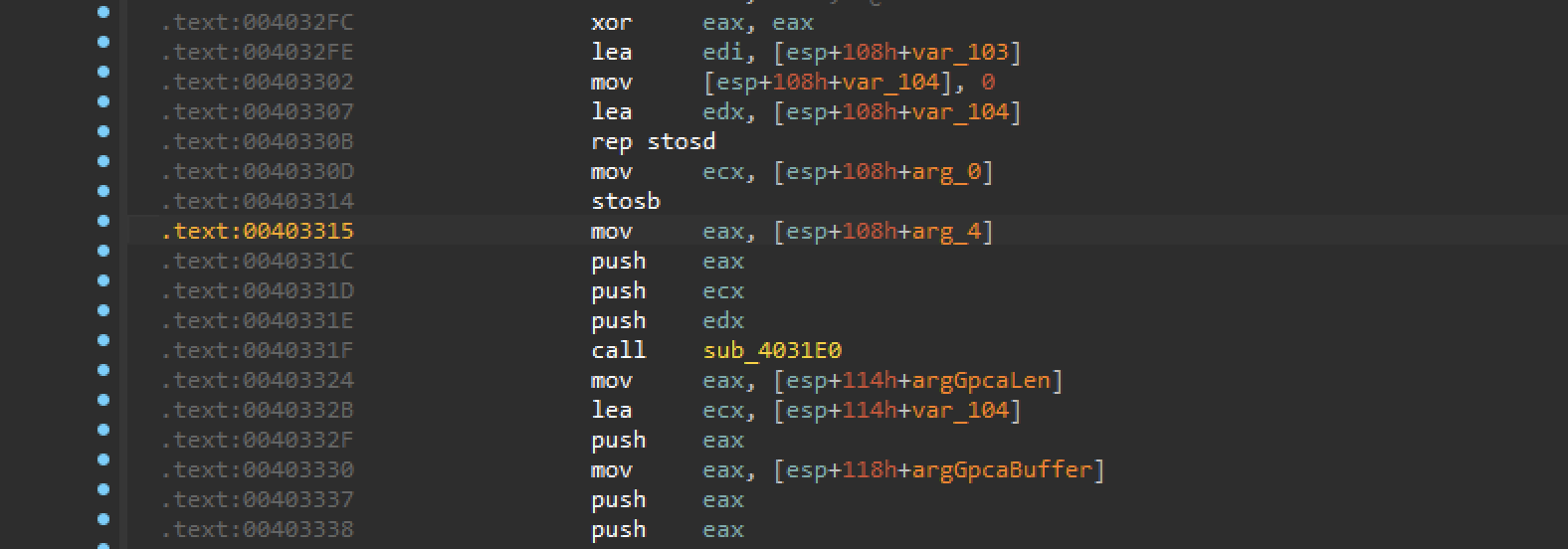
Analyzing the first function.
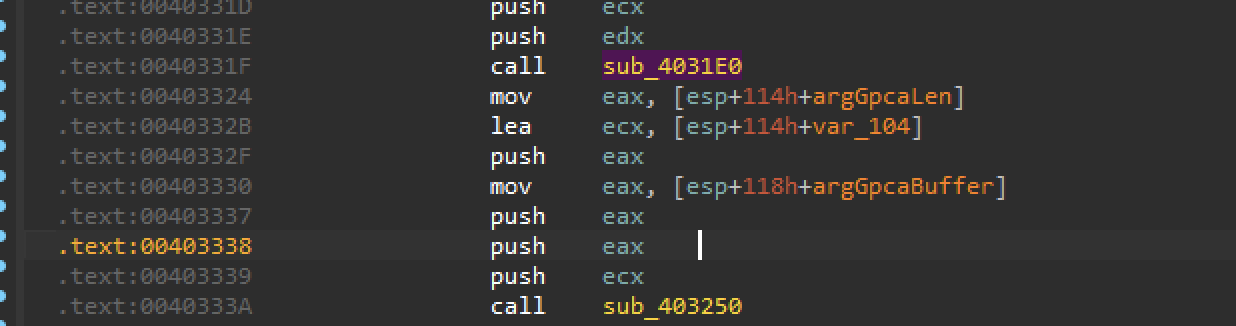
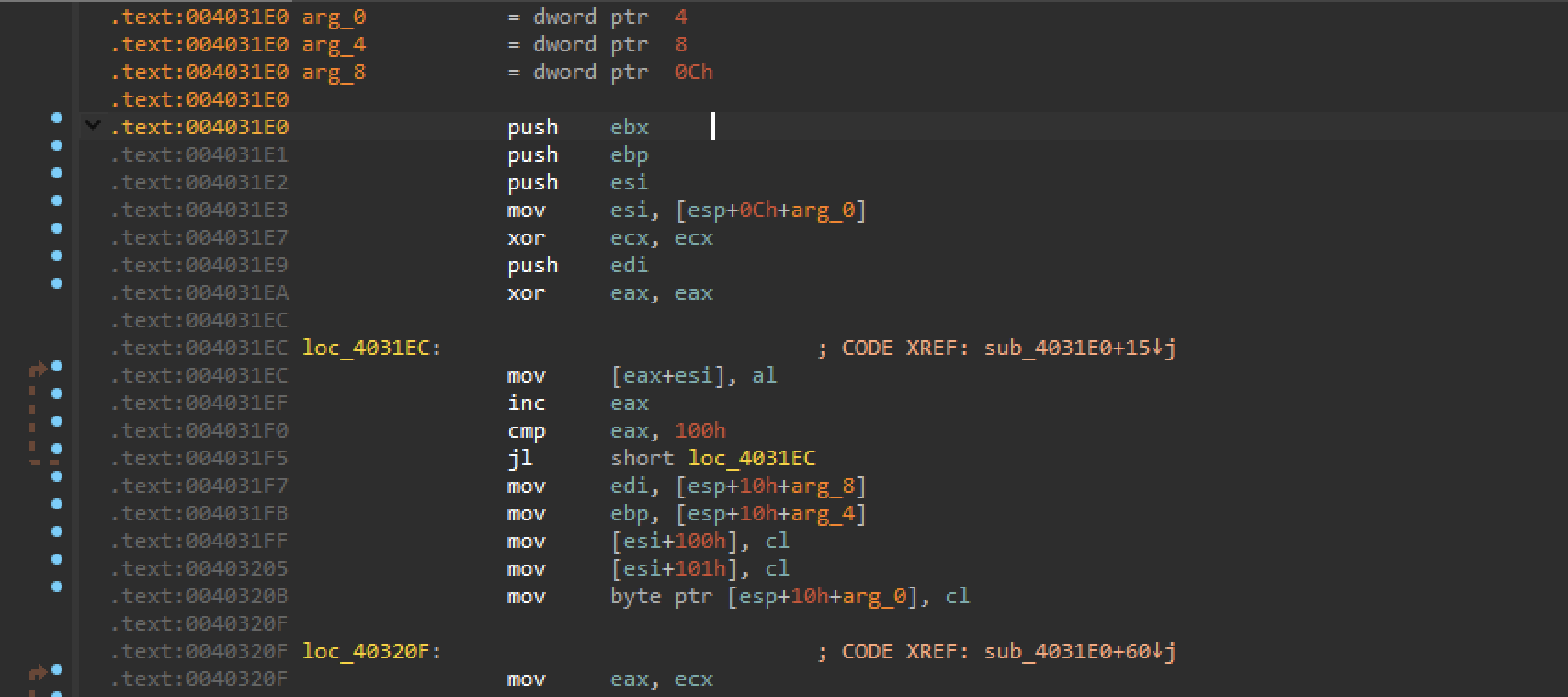
Function: 0x4031E0
we have some loop for 256 iterations filling a buffer.
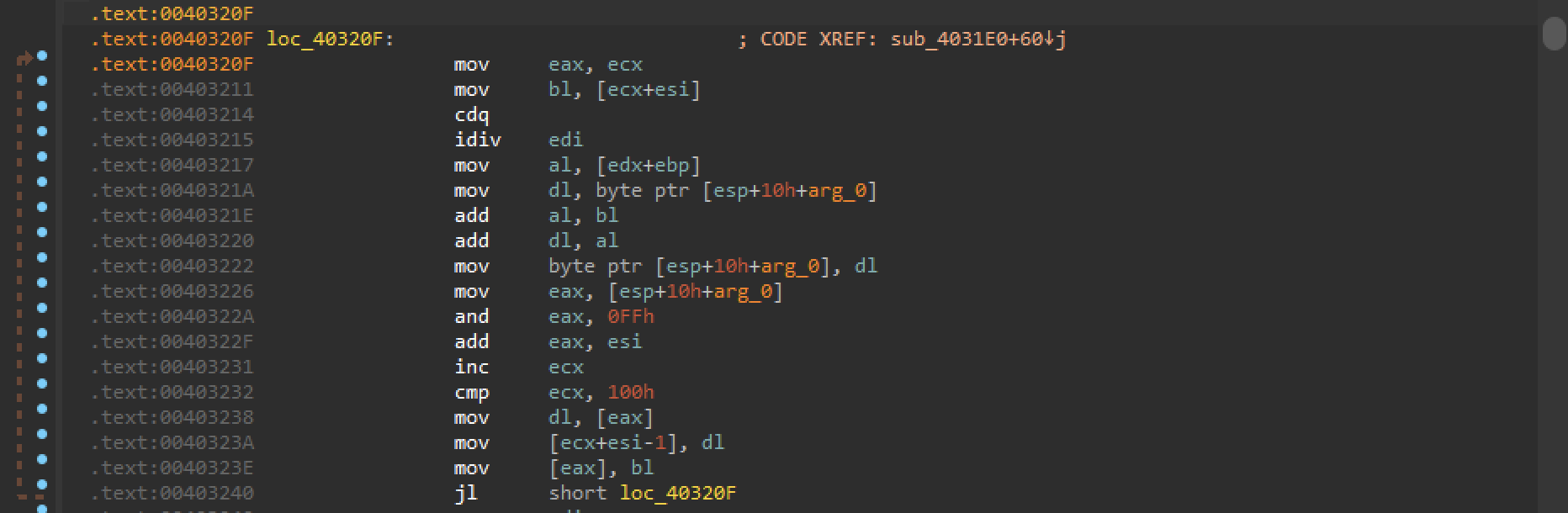
Another loop that is operating on the buffer. nothing looks like encryption.
Analysing another
function: sub_403250
This one also operates in a loop using index 0x100 and 0x101.
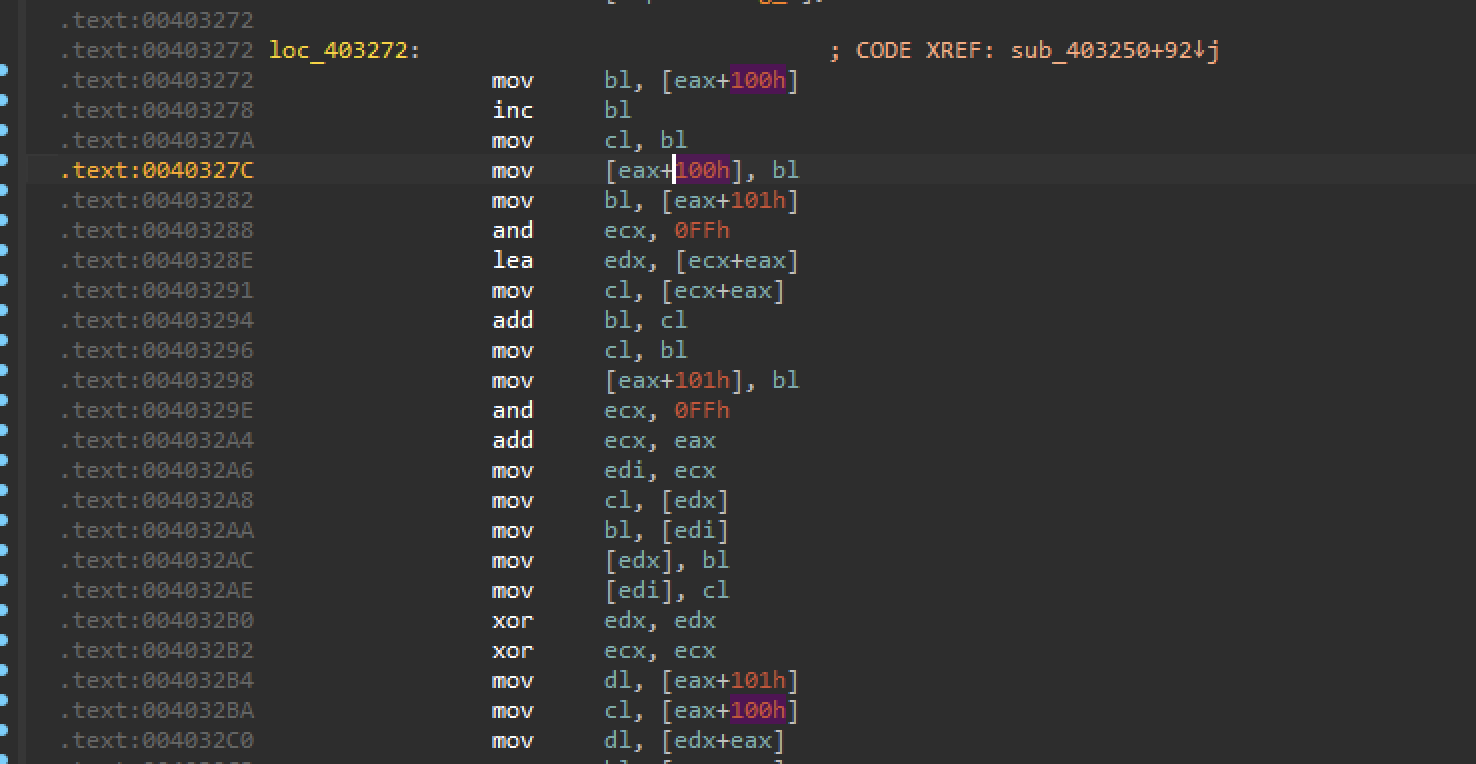
We have a xor loop that is xoring a buffer.
there’s a xor cl, bl → that is not just cleaning a register but actually xoring two different values from buffers.
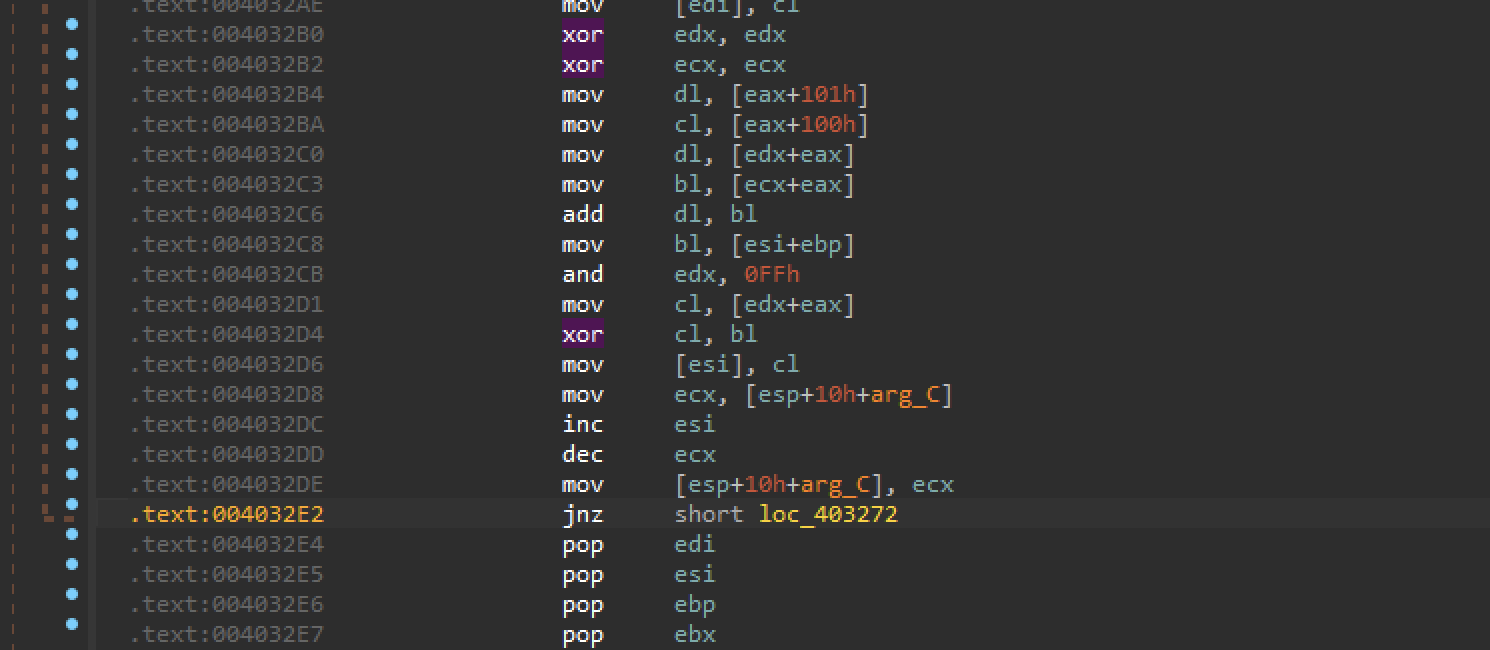
The destination of the xor loop is esi, [esp+0Ch+arg_8]. In our case it will be our GpcaBuffer .

So the function sub_403250 is definitely xoring somehow our input buffer.
It’s look like it is decryption.

we need to figure out which algorithm.
We will use templates (source code and combine it with the disassembly that we have in the IDA to recognize) the algorithm.
Template for Rc4
RC4 (ARC4)
/*
 * ARC4 key schedule
 */
void mbedtls_arc4_setup( mbedtls_arc4_context *ctx, const unsigned char *key,
				 unsigned int keylen )
{
	int i, j, a;
	unsigned int k;
	unsigned char *m;
	ctx->x = 0;
	ctx->y = 0;
	m = ctx->m;
	for( i = 0; i < 256; i++ )
		m[i] = (unsigned char) i;
	j = k = 0;
	for( i = 0; i < 256; i++, k++ )
	{
		if( k >= keylen ) k = 0;
		a = m[i];
		j = ( j + a + key[k] ) & 0xFF;
		m[i] = m[j];
		m[j] = (unsigned char) a;
	}
}
Renaming sub_403250 —> RC4
RC4 cipher needs a key and key length. We need to track the key and the length.
Function: RC4SetKey

arg_0 is a S-box context
renaming arg_0 → argCtx
We have 2 arguments arg_4 and arg_8.

arg_4 is used as a buffer. So it is the key buffer.
arg_4 → argKeyBuffer
arg_4 is modulo, So this is the length.
arg4 → argkeyLength

So we have 4 arguments.
KeyBuffer, KeyLength, argGpcsBuffer, argGpcaLen
They go in reverse order.
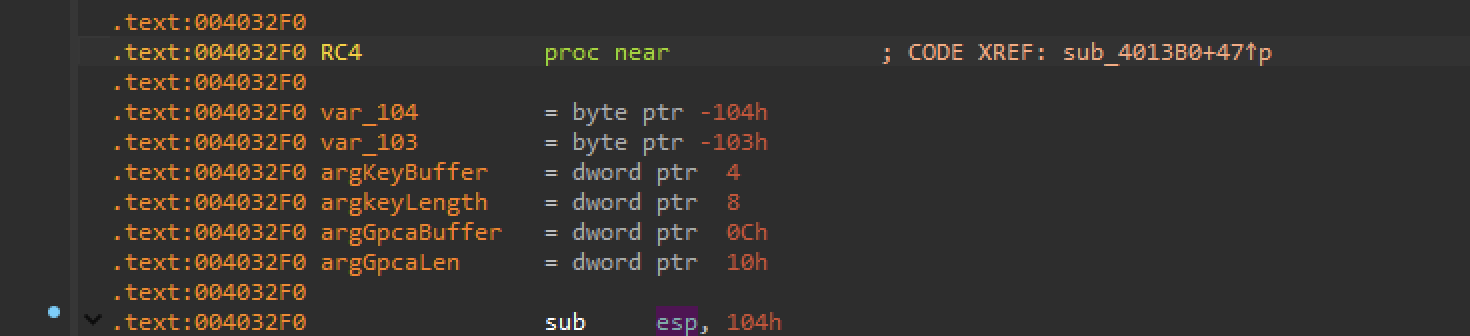
The first argument is going to be a key
renaming it to key

Key length is 0x10 or 16 bytes.

EBX is our value of gpca.dat, and EAX - the length of that buffer.
Template for Decryption
#!/usr/bin/python3
# - common decryption
# - identifying the crypto algorithm
# - using a decoding framework

from decoder_core import *
from Crypto.Cipher import AES, Salsa20, ARC2, ARC4, Blowfish, DES3, DES

class Decoder(TrainingDecoder):
    def __init__(self):
        # MD5 hash of the correctly decrypted file
        super().__init__()

    def decode(self):
        # self.data is a bytearray with the contents of the file

        # 1. Insert the key as a hexadecimal string:
        key = bytes.fromhex(REPLACE_ME_HERE)

        # 2. Identify the decryption algorithm and use it
        # examples:
        # cipher = AES.new(key, AES.MODE_EAX)
        # cipher = ARC4.new(key)
        # cipher = Salsa20.new(key=key)
        # cipher = ARC2.new(key, ARC2.MODE_CFB)
        # cipher = Blowfish.new(key, Blowfish.MODE_CBC)
        # cipher = DES3.new(key, DES3.MODE_CFB)
        # cipher = DES.new(key, DES.MODE_OFB)
        cipher = REPLACE_ME_HERE # <-- Create a proper decryption class here

        # If you use the correct algorithm and the key, the decrypted data will be written
        # in a .dec file
        self.data = cipher.decrypt(bytes(self.data))

        # Check if the results are correct
        self.check_results()

# Create the decryptor object. Automation happens in __init__()
Decoder()
Extraction of the key.
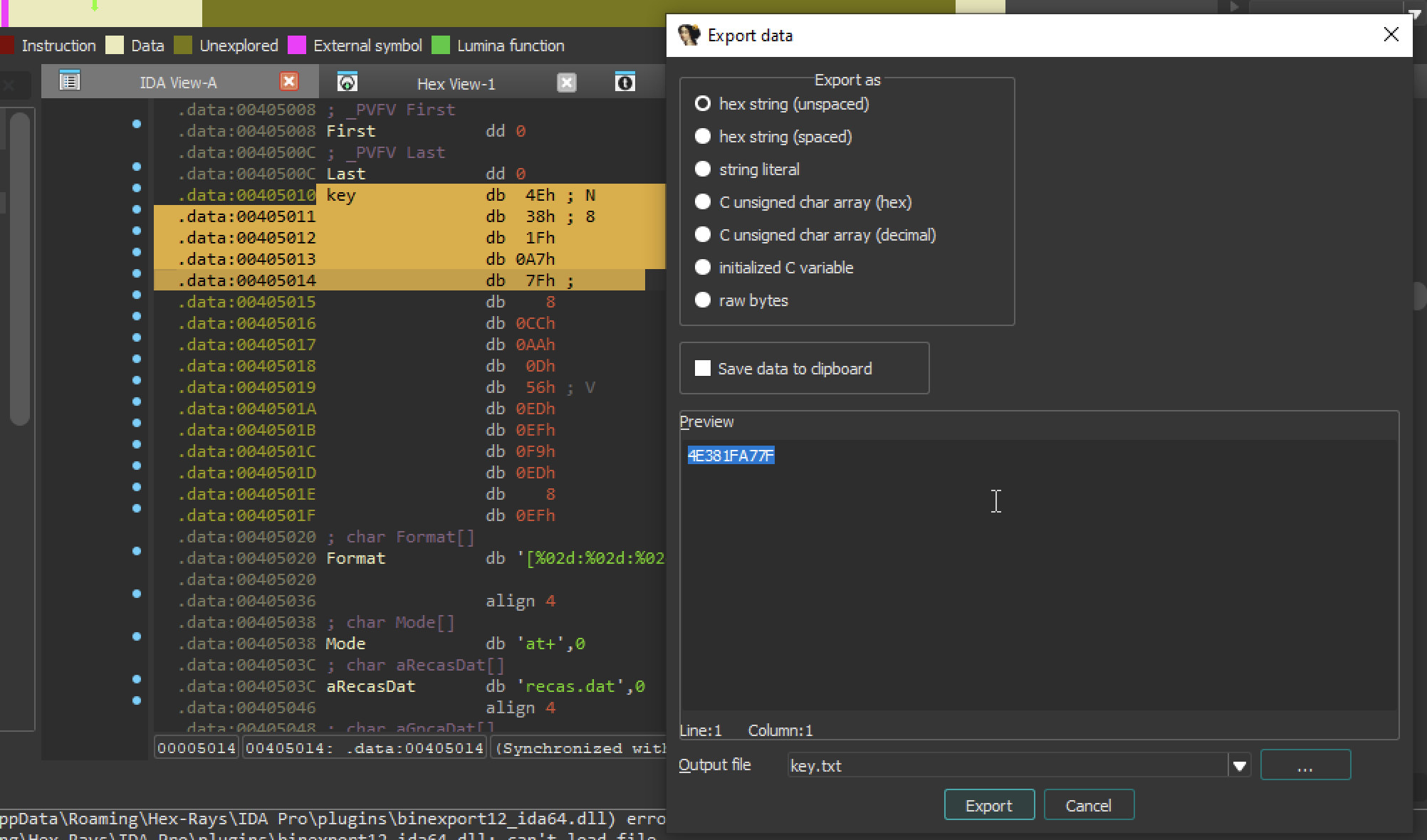
Or we can create an array. Ida automatically recognize the boundaries.
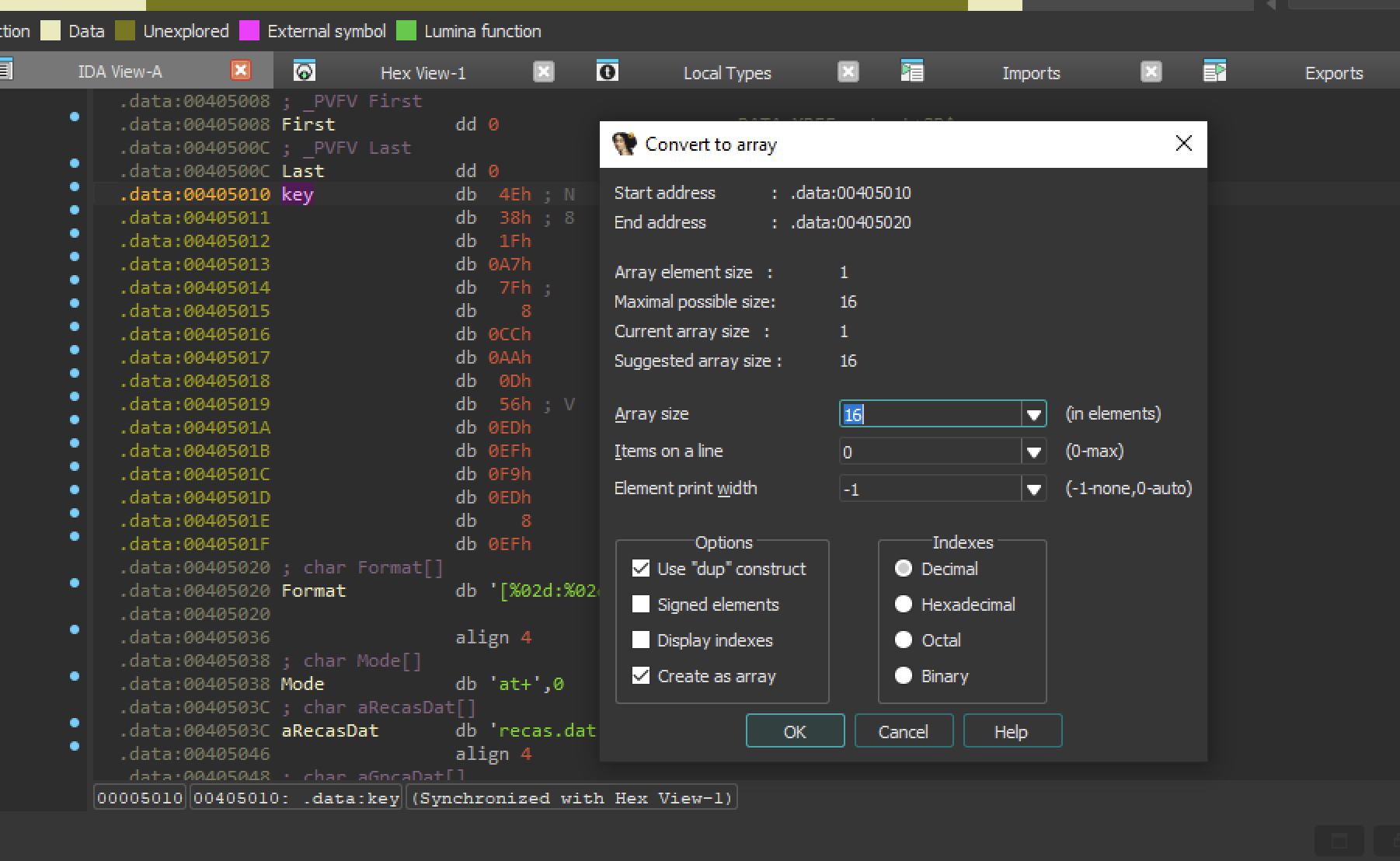
press ok there will be now an array. copy the key.

Extract data hex string
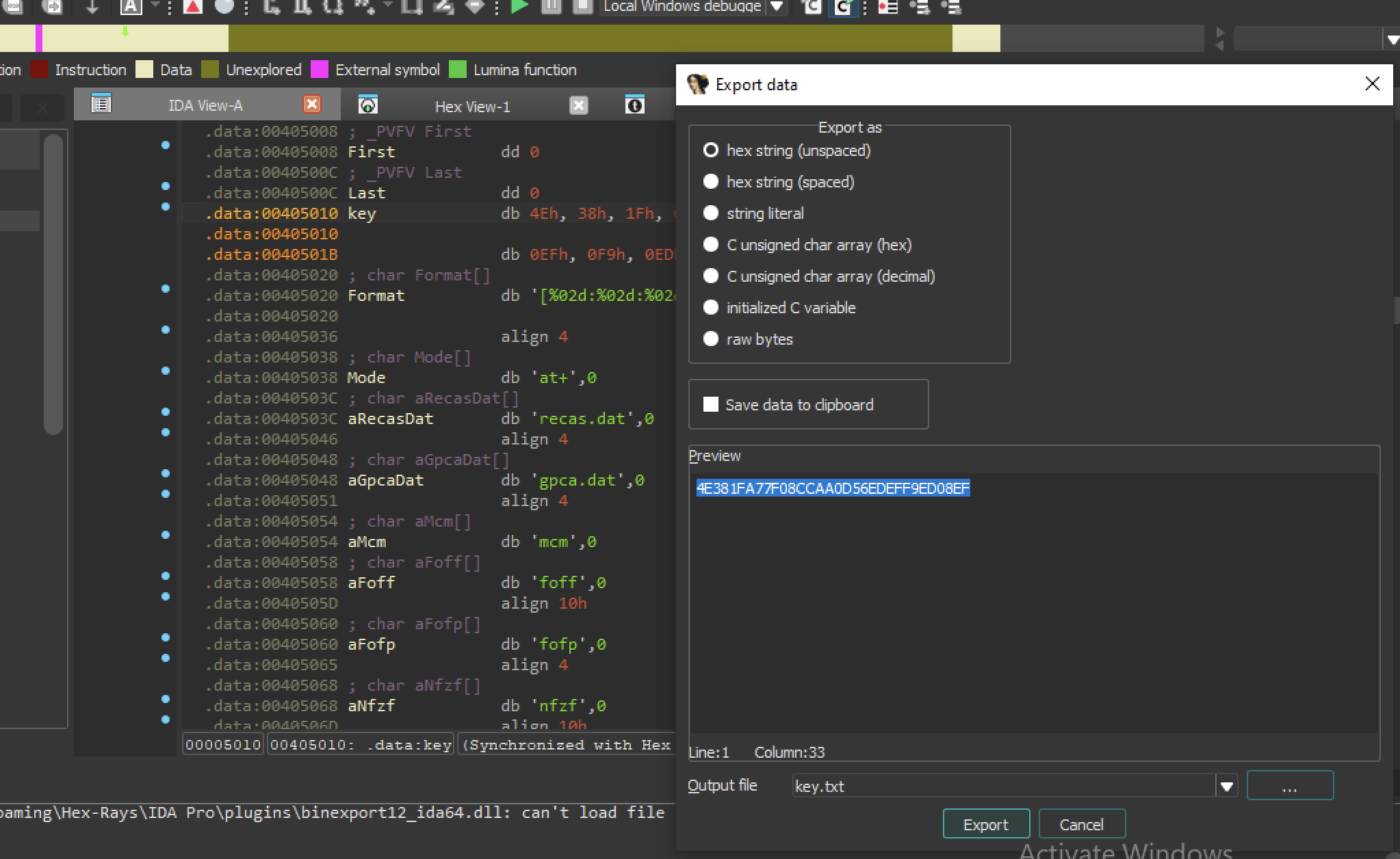
key:
4E381FA77F08CCAA0D56EDEFF9ED08EFDecryption:

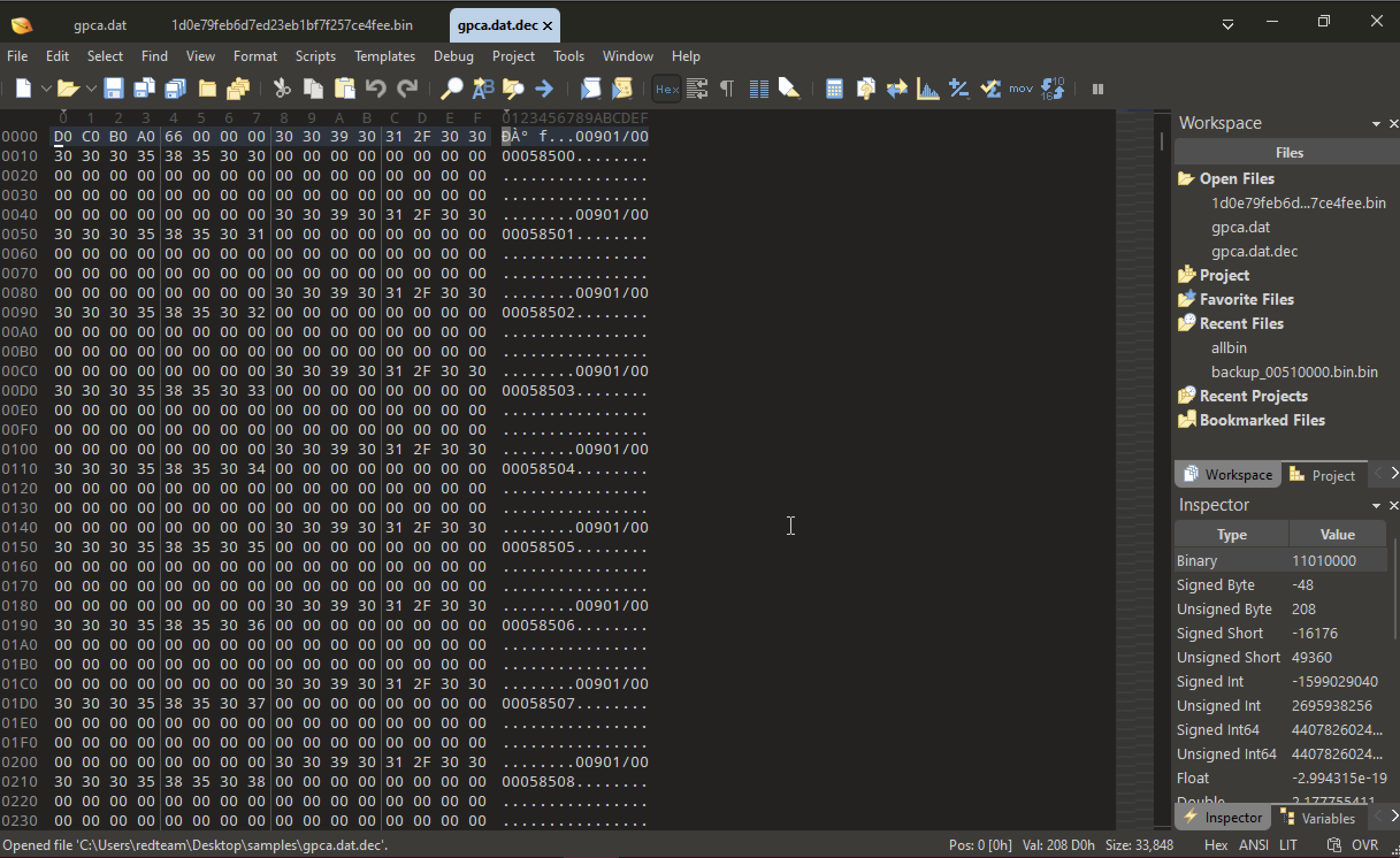
Opening the decrypted file in hex editor.
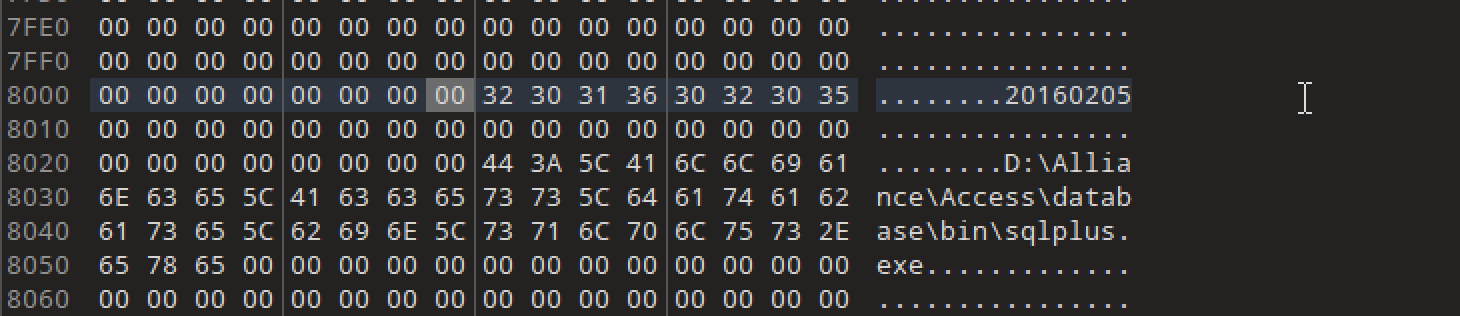
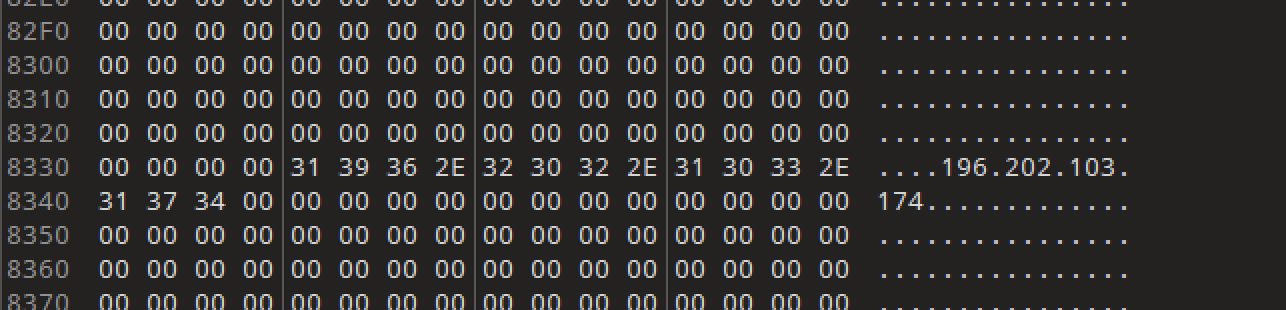
We have a readable strings and these were swift transactions.
Some more Interesting strings.

First bytes are D0 C0 B0 A0

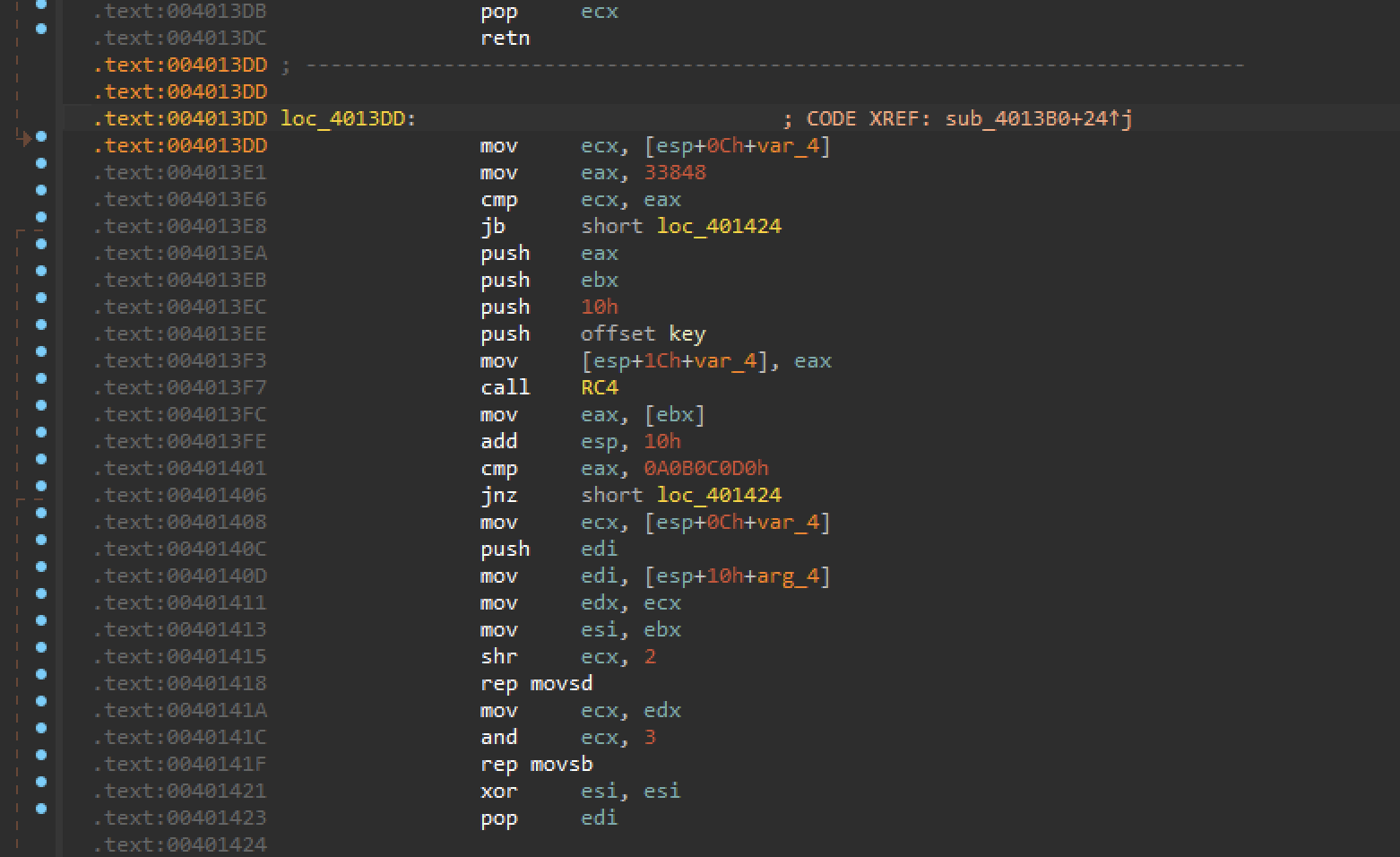
If we go back to IDA.
After calling RC4. The code reads the first DWORD of the decrypted buffer at address 004013FC and it verifies if there is a particular magic value. that is exactly D0 C0 B0 A0 or just if you rotate in little-endian.
This assures we have Decrypted the whole file correctly.
Decryption Program:
#!/usr/bin/python3

from decoder_core import *
from Crypto.Cipher import AES, Salsa20, ARC2, ARC4, Blowfish, DES3, DES

class Decoder(TrainingDecoder):
    def __init__(self):
        # MD5 hash of the correctly decrypted file
        super().__init__()

    def decode(self):
        # self.data is a bytearray with the contents of the file

        # 1. Insert the key as a hexadecimal string:
        key = bytes.fromhex(REPLACE_ME)

        # 2. Identify the decryption algorithm and use it
        # examples:
        # cipher = AES.new(key, AES.MODE_EAX)
        # cipher = ARC4.new(key)
        # cipher = Salsa20.new(key=key)
        # cipher = ARC2.new(key, ARC2.MODE_CFB)
        # cipher = Blowfish.new(key, Blowfish.MODE_CBC)
        # cipher = DES3.new(key, DES3.MODE_CFB)
        # cipher = DES.new(key, DES.MODE_OFB)
        # cipher = ARC4.new(key) # <-- Create a proper decryption class here

        # If you use the correct algorithm and the key, the decrypted data will be written
        # in a .dec file
        self.data = cipher.decrypt(bytes(self.data))

        # Check if the results are correct
        self.check_results()

# Create the decryptor object. Automation happens in __init__()
Decoder()